How to secure home network
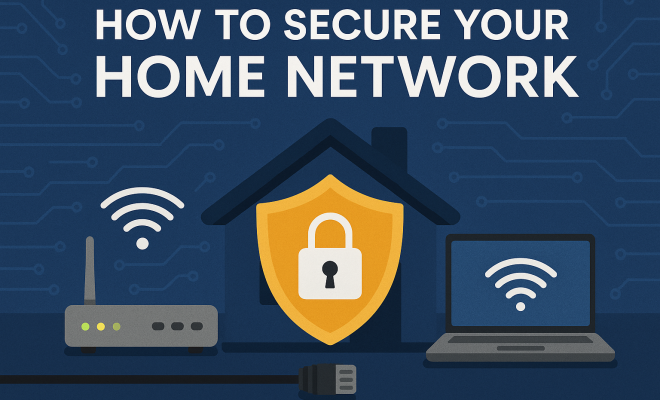
“`html
As our lives increasingly revolve around the internet, ensuring a secure home network is more critical than ever. With devices connected to Wi-Fi ranging from smartphones to smart fridges, the potential entry points for cybercriminals have multiplied. Understanding how to protect your home network can save you from breaches that could cost money, privacy, and peace of mind. This article outlines seven essential steps for securing your home network effectively.
1. Change Default Login Credentials
One of the simplest yet most effective steps you can take to secure your home network is changing the default login credentials for your router. Most routers come with a preset username and password, which are often easy for hackers to guess. According to a report from the cybersecurity firm, Check Point, about 80% of cyber attacks exploit weak passwords.
To secure your home network, access your router’s settings through its IP address (often printed on the device) and change the default username and password to something unique and complex. Use a combination of upper and lower-case letters, numbers, and special characters to create a strong password. Regularly updating these credentials is also a good practice.
2. Enable WPA3 Encryption
Encryption is a fundamental aspect of securing your home network. The Wi-Fi Protected Access 3 (WPA3) is the latest security protocol that offers enhanced protection against brute-force attacks. If your router supports it, enabling WPA3 should be a priority. It not only strengthens your password security but also offers an additional layer of encryption that is vital in today’s threat landscape.
For older routers that do not support WPA3, WPA2 is the minimum encryption standard you should use. Make sure your home network settings reflect this. To enable this, log into your router settings and find the wireless security settings. This small step can significantly decrease the risk of unauthorized access.
3. Keep Your Router Firmware Updated
Your router, like any other piece of technology, requires updates to protect against vulnerabilities. Manufacturers regularly release firmware updates to patch security flaws and enhance performance. Failing to apply these updates leaves your secure home network exposed to potential threats.
To ensure your router firmware is up-to-date, check the manufacturer’s website or access your router settings. Many modern routers offer automatic updates, which can save time and help maintain security. Set a reminder to check for updates manually if automatic updates are not an option.
4. Disable Remote Management
Remote management allows you to access your router settings from outside your home network, which can be convenient but also poses risks. If hackers gain access to your router’s remote management feature, they can easily manipulate your network settings, leading to severe vulnerabilities. Therefore, disabling this feature is an excellent way to fortify your home network.
To disable remote management, log into your router settings and find the remote management section. If you don’t need to access your router from outside your network, it’s best to turn this feature off. This simple action can significantly limit potential attack vectors.
5. Utilize a Guest Network
Many modern routers offer the option to create a guest network. This feature is particularly useful if you frequently have guests who need internet access. By setting up a separate network for guests, you can keep your main network private and secure.
When creating a guest network, ensure it has its own strong password and encryption settings. This will help protect your main network from any potential security risks associated with devices that may be less secure. Remember, not all devices connected to the internet have robust security features, making this step crucial for maintaining the integrity of your secure home network. (See: CDC Cybersecurity Guidelines.)
6. Monitor Connected Devices
Keeping an eye on the devices connected to your home network can alert you to any unauthorized access. Most routers come with a feature that allows you to view all devices currently connected to your network. Regularly checking this list helps you identify any devices that shouldn’t be there.
If you find an unfamiliar device, it’s essential to take immediate action. This could involve changing your Wi-Fi password and logging out the device from your router settings. Some advanced routers even offer security alerts for unknown devices, adding another layer of protection for your secure home network.
7. Consider Additional Security Measures
While the steps outlined above are crucial for securing your home network, you may want to consider additional security measures. For example, using a Virtual Private Network (VPN) can encrypt your internet traffic, adding another layer of protection against potential eavesdroppers.
Firewalls, either built into your router or as standalone devices, can also help filter out unwanted traffic and prevent unauthorized access. Investing in comprehensive network security software can provide an extra shield against malware and other threats. These additional measures can make your secure home network much more resilient against cyber threats.
8. Educate Yourself and Family Members
Education plays a pivotal role in maintaining a secure home network. It’s not just about technology; it’s about people. Ensure that everyone in your home understands the importance of security practices, such as recognizing phishing attempts and avoiding suspicious downloads.
Consider holding regular discussions about online safety, and encourage family members to report any unusual behavior they notice on the network. The more informed everyone is, the harder it will be for cybercriminals to infiltrate your secure home network.
9. Regularly Review and Update Security Practices
The digital landscape is continuously evolving, and so are the techniques used by cybercriminals. What worked yesterday might not be enough tomorrow. Therefore, regularly reviewing and updating your home network security practices is essential.
Set a schedule to revisit your home network security measures. This could be quarterly or bi-annually, depending on your comfort level and the number of connected devices in your home. Staying proactive about your network’s security will help ensure that your secure home network remains robust against emerging threats.
10. Use Strong and Unique Passwords for All Devices
Beyond just your router’s login credentials, every device connected to your home network should have its own strong and unique password. This includes laptops, smartphones, smart TVs, and IoT devices. Using the same password across multiple devices can create a weak link in your security. According to studies, over 60% of people use the same password for multiple accounts, making them more vulnerable to attacks.
Consider using a password manager to generate and store complex passwords securely. This tool can help you keep track of your various passwords without the need to remember each one. Regularly changing passwords, especially after any security incident, is also a proactive measure to enhance your home network’s security.
11. Secure IoT Devices
As smart devices become increasingly common in homes, their security must not be overlooked. Internet of Things (IoT) devices can be particularly vulnerable to attacks due to their often limited security capabilities. Research shows that approximately 50% of IoT devices have vulnerabilities that could be exploited.
When setting up IoT devices, change their default usernames and passwords, just as you would with your router. Keep the device firmware updated, and only connect devices that you trust to your network. Furthermore, segmenting IoT devices onto a separate network can minimize the risk they pose to your primary home network. (See: NIST Cybersecurity Framework.)
12. Implement Network Segmentation
Network segmentation is a technique that involves splitting your home network into different segments. This approach can help isolate sensitive data and devices, improving your overall security posture. For example, you could create one segment for your personal devices, another for IoT devices, and a guest network for visitors. If one segment is compromised, the others can remain secure.
Many routers now support this feature, so check your router’s capabilities. This added layer of separation can significantly reduce the risk of a security breach affecting your entire network.
13. Utilize Network Monitoring Tools
Employing network monitoring tools can provide ongoing oversight of your home network. These tools can detect unusual activity and alert you to potential threats in real-time. For instance, tools like Fing and Wireshark can help you analyze network traffic and identify unauthorized devices that may have gained access.
By regularly reviewing network logs and alerts, you can quickly respond to any suspicious behavior, helping to maintain the integrity of your secure home network.
14. Stay Informed on Cybersecurity Trends
The world of cybersecurity is always changing, with new threats emerging constantly. Staying informed about the latest trends can help you adapt your security practices accordingly. Follow reputable cybersecurity news sources, blogs, podcasts, and forums to gain insights into the current landscape of cyber threats.
Consider subscribing to newsletters from cybersecurity firms or organizations that focus on home security. This knowledge can empower you to take proactive measures before new vulnerabilities become widespread.
15. Frequently Asked Questions (FAQs)
What is the most important step for securing my home network?
While all steps are important, changing the default login credentials for your router is one of the most crucial first steps. This simple action can prevent unauthorized access and exploitation by cybercriminals.
How often should I change my passwords?
It’s a good practice to change your passwords every three to six months. However, change them immediately if you suspect any unauthorized access or after any security incident.
What should I do if I suspect my network has been compromised?
If you suspect a breach, immediately change your Wi-Fi password and log into your router to disconnect any unfamiliar devices. Consider resetting your router to factory settings and reapplying all security measures.
Are there any devices that are particularly vulnerable?
IoT devices often lack robust security features and are generally more vulnerable than computers or smartphones. Always ensure that these devices are secured with unique passwords and kept up-to-date.
Can a VPN really help secure my home network?
Yes, a VPN can encrypt your internet traffic, making it more difficult for hackers to intercept your data. It can also help protect your online activities from being monitored by your Internet Service Provider (ISP).
How can I tell if someone is using my Wi-Fi without permission?
Regularly monitor the list of devices connected to your network through your router settings. If you see devices you don’t recognize, it may indicate unauthorized access. You can also use network scanning apps that list all connected devices.
Should I use antivirus software for my home network?
Yes, using antivirus software on all devices connected to your home network can help protect against malware and other threats. This additional layer of security is essential for maintaining a secure home network.
16. Understanding Common Threats to Your Home Network
To effectively secure your home network, it’s essential to know the types of threats lurking in the digital landscape. Here are some common threats you might face:
- Malware: Malicious software can infect your devices, compromising your data and network integrity. Regularly updating software and using reputable antivirus programs can help mitigate this risk.
- Phishing Attacks: Cybercriminals often use deceptive emails or websites to trick users into revealing sensitive information. Always verify the source before clicking on links or sharing information.
- DDoS Attacks: Distributed Denial of Service attacks can overwhelm your network, causing disruptions. Implementing firewalls and monitoring traffic can help protect against these attacks.
- Rogue Devices: Unauthorized devices can connect to your network, potentially causing data breaches. Regularly monitoring connected devices can help you spot and disconnect any rogue devices.
17. Statistics on Cybersecurity Threats
Understanding the scope of cybersecurity threats can help you appreciate the need for a secure home network. Here are some eye-opening statistics:
- According to Cybersecurity Ventures, cybercrime damages are expected to reach $6 trillion annually by 2021.
- IBM’s 2020 Cost of a Data Breach Report shows that the average cost of a data breach was $3.86 million, highlighting the financial impact of weak security practices.
- Research from the Ponemon Institute indicates that 63% of companies experienced a data breach due to a third-party vendor.
- Verizon’s 2021 Data Breach Investigations Report revealed that 36% of breaches involved the use of stolen credentials, emphasizing the importance of strong passwords.
18. Real-World Examples of Network Breaches
Real-world breaches can serve as stark reminders of the importance of securing your home network. Consider these examples:
- Mirai Botnet: In 2016, the Mirai botnet infected IoT devices, resulting in a massive DDoS attack that took down major websites. The attack exploited poorly secured devices, demonstrating the vulnerabilities of IoT technology.
- Target Data Breach: In 2013, Target experienced a data breach that compromised 40 million credit and debit card accounts. The breach stemmed from access gained through a third-party vendor, highlighting the need for comprehensive security measures.
- Yahoo Data Breach: The Yahoo breach affected over 3 billion accounts and was discovered in 2016, revealing how long vulnerabilities could go unnoticed. This incident underscores the importance of regular monitoring and quick response to potential threats.
19. Steps to Take Immediately if You Are Hacked
In the unfortunate event that you suspect your network has been hacked, swift action is vital. Here are the immediate steps you should take:
- Disconnect from the Network: If you suspect a breach, disconnect your devices from the internet to prevent further damage.
- Change All Passwords: Start with your router password, then move on to other devices and accounts. Use strong, unique passwords for each.
- Scan for Malware: Run a full scan using reputable antivirus software to identify and remove any malware that may have infiltrated your devices.
- Check Connected Devices: Review the list of connected devices on your router to identify any unauthorized access.
- Seek Professional Help: If you’re unsure about how to proceed, consider hiring a cybersecurity professional to assess your network and provide guidance.
Securing your home network is no longer optional; it’s a necessity in our interconnected world. Following these steps can significantly reduce the risk of cyber threats and help protect your personal information. By committing to these practices, you not only safeguard your data but also contribute to a more secure digital environment for everyone.
“`
Trending Now
Frequently Asked Questions
How can I secure my home Wi-Fi network?
To secure your home Wi-Fi network, change the default login credentials of your router, enable WPA3 encryption, and regularly update your passwords. Additionally, consider using a guest network for visitors and ensure all connected devices have updated software to minimize vulnerabilities.
What is the best way to change my router password?
To change your router password, access your router's settings through its IP address. Look for the section labeled 'Admin' or 'Security' and update the password to a strong, unique one using a mix of letters, numbers, and symbols to enhance security.
Is WPA3 better than WPA2?
Yes, WPA3 is better than WPA2 as it provides enhanced security features, making it more resistant to brute-force attacks. If your router supports WPA3, enabling it is crucial for improving your home network's security.
How often should I change my Wi-Fi password?
It's advisable to change your Wi-Fi password every few months or immediately if you suspect any unauthorized access. Regular updates help maintain security and protect your network from potential breaches.
What are common mistakes to avoid when securing a home network?
Common mistakes include using default router passwords, neglecting to enable encryption, and failing to update device firmware. Always ensure strong passwords are used, encryption protocols are enabled, and devices are kept up-to-date to minimize security risks.
Agree or disagree? Drop a comment and tell us what you think.