8 Proven Methods to Reduce Stream Latency Today
“`html
In today’s fast-paced digital landscape, streaming content has become a staple in our daily lives. From binge-watching our favorite series on platforms like Netflix to live gaming streams on Twitch, the expectation for seamless and instant playback is higher than ever. However, stream latency can significantly hinder this experience. If you’re struggling with buffering and delays, you’re not alone. Fortunately, there are effective strategies you can implement to reduce stream latency and enhance your viewing experience. In this article, we’ll explore eight proven methods to tackle latency issues head-on.
1. Understanding Stream Latency
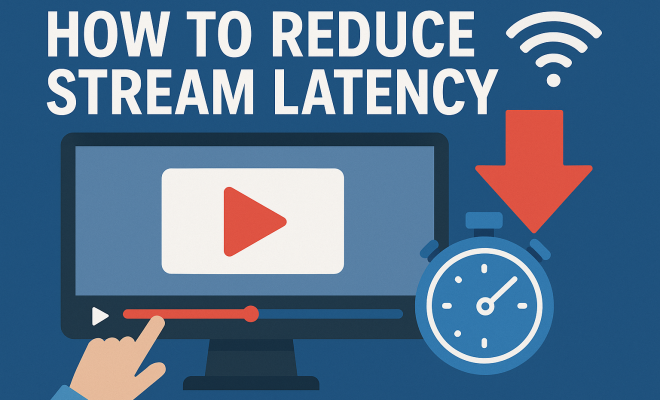
Before diving into solutions, it’s essential to grasp what stream latency is and why it matters. Stream latency refers to the delay between the moment content is transmitted and when it is received and displayed on your device. This lag can stem from various sources, including network speed, hardware performance, and streaming protocols.
For instance, the latency could be as low as a few milliseconds for local content but can stretch to several seconds for international broadcasts. This delay can be particularly frustrating during live events or competitive gaming, where every millisecond counts. Understanding the intricacies of latency is the first step to effectively reducing it.
2. Optimize Your Internet Connection
Your internet connection is the backbone of streaming performance. An unstable or slow connection can lead to higher latency and buffering issues. To optimize your connection, start by checking your internet speed. A download speed of at least 25 Mbps is typically recommended for HD streaming.
Consider using a wired Ethernet connection instead of Wi-Fi if possible. Wired connections usually provide more stability and less interference. Additionally, if you must use Wi-Fi, ensure your router is modern and positioned optimally. Removing physical obstructions and minimizing the distance between your device and the router can dramatically improve your streaming experience.
3. Upgrade Your Router
If you’re still using an older router, it might be time for an upgrade. Modern routers support advanced technologies, such as dual-band and tri-band capabilities, which can significantly enhance streaming performance. A dual-band router can operate on both the 2.4 GHz and 5 GHz bands, allowing for less congestion on the network.
Look for routers that support Quality of Service (QoS) settings, which prioritize bandwidth for streaming applications. This means your router can allocate more resources to your streaming needs, reducing latency and improving your viewing experience. Investing in a high-performance router can be a game changer for serious streamers.
4. Adjust Streaming Settings
Many streaming platforms provide options to adjust quality settings based on your connection. Lowering the resolution of your stream can help reduce latency, particularly if you’re on a slower connection. If you’re watching on platforms like YouTube or Twitch, consider switching to a lower resolution like 720p instead of 1080p.
In addition to resolution, look for options to enable ‘low latency mode’ if available. This feature reduces the delay between the stream and what the broadcaster is transmitting, which is particularly crucial for live events or gaming. Always tailor your settings according to your current network conditions for the best results.
5. Reduce Background Applications
Sometimes, the biggest culprits behind stream latency are background applications that consume bandwidth. Programs like cloud backups, file downloads, or even large updates can hog resources, leading to slower streaming. To combat this, close applications that aren’t necessary while you’re streaming. (See: Understanding stream latency.)
Also, be mindful of other devices connected to your network. If other users are streaming videos, gaming, or downloading large files simultaneously, it can lead to spikes in latency. Coordinating usage times or upgrading your internet plan to accommodate multiple users may be necessary for a smoother experience.
6. Utilize a CDN (Content Delivery Network)
For content creators and businesses, using a Content Delivery Network (CDN) can significantly minimize stream latency. CDNs are designed to deliver content more effectively by caching it on servers closer to the viewer. This geographical proximity means data travels shorter distances, resulting in faster load times and reduced latency.
Popular CDNs include Cloudflare, Akamai, and Amazon CloudFront. By routing traffic to these networks, businesses can ensure their audience experiences minimal lag, which is particularly vital during high-traffic events like product launches or live broadcasts. Integrating a CDN into your streaming strategy can be a crucial step in enhancing viewer satisfaction.
7. Monitor and Test Latency
One of the best ways to reduce stream latency is to monitor and test it regularly. Tools such as Pingdom, Jitter, and Speedtest can help you gauge your internet speed and ping times effectively. Understanding these metrics can provide insight into what might be causing streaming issues.
Regularly testing latency can help you identify peak usage times when your network may slow down. This knowledge allows for better management of your streaming schedule. For instance, if you notice that your speed drops during specific times, you can plan your streaming when your network is less congested.
8. Consider Upgrading Your Hardware
Finally, if you’ve tried all the previous strategies and still experience high latency, it might be time to consider upgrading your hardware. Older devices may struggle to keep up with modern streaming demands, particularly if they lack sufficient RAM or processing power.
Investing in a newer device, whether it be a streaming box, gaming console, or smart TV, can enhance your streaming experience. Look for devices that support the latest streaming technologies, such as 4K resolution and HDR, ensuring you’re future-proofed against upcoming content trends.
9. Understanding Different Types of Latency
It’s important to note that not all latency is created equal. There are various types of latency that can affect your streaming experience. For instance, network latency refers to delays caused by the time it takes for data to travel across the internet. Then there’s device latency, which can occur if your hardware isn’t powerful enough to process the stream quickly. Additionally, encoding latency can happen during the compression of video streams before they are sent to your device.
By understanding these different types of latency, you can better pinpoint where the delays are coming from and tailor your solutions accordingly. For instance, if you identify that device latency is an issue, it could be a sign that it’s time to upgrade your hardware or optimize your current device’s settings.
10. The Role of Streaming Protocols
Streaming protocols also play a significant role in how quickly content is delivered. Protocols like RTMP (Real-Time Messaging Protocol) are ideal for live video, offering lower latency compared to others. However, they might not be the best choice for on-demand content. On the other hand, HLS (HTTP Live Streaming) is widely used for its adaptability but can introduce higher latency due to its method of breaking the stream into smaller chunks.
If you’re a content creator, choosing the right protocol for your specific needs can be crucial. For live broadcasts, consider using protocols that offer lower latency, ensuring your audience experiences the event in real time without delays. (See: Optimize your internet connection.)
11. Testing Your Stream Latency
To effectively manage and reduce stream latency, regular testing becomes essential. You can use applications like OBS Studio or XSplit to monitor your stream’s performance in real time. These tools provide detailed analytics that can show you not just your latency but also frame rates and bandwidth usage.
Understanding these metrics can help you make informed decisions. For example, if you notice that your latency increases during certain times or with specific settings, you can adjust accordingly. Testing with multiple devices and connections can also provide a broader picture of how to tackle latency issues.
12. FAQ: Common Questions About Reducing Stream Latency
What is stream latency?
Stream latency is the delay between the moment content is sent from the server and when it is displayed on your device. This delay can lead to a frustrating viewing experience, especially during live events.
How can I check my internet speed?
You can check your internet speed using various online tools like Speedtest.net or Fast.com. These tools provide information about your download and upload speeds, as well as your ping time, giving you a clear picture of your connection quality.
What is the ideal internet speed for streaming?
For standard-definition streaming, a speed of 3-4 Mbps is usually sufficient, while HD streaming typically requires at least 25 Mbps. For 4K streaming, aim for speeds of 50 Mbps or higher to ensure smooth playback.
Can my internet plan affect stream latency?
Yes, your internet plan can significantly impact stream latency. Plans with higher bandwidth will generally provide a better streaming experience. If multiple users are sharing the same connection, consider upgrading to accommodate higher demand.
What devices should I use for the best streaming experience?
Devices that support the latest streaming technologies, including newer smart TVs, gaming consoles, and dedicated streaming devices like Roku or Amazon Fire Stick, typically provide the best experience due to their advanced capabilities and processing power.
Is reducing stream latency the same as increasing internet speed?
Not necessarily. While increasing internet speed can help reduce stream latency, optimizing your hardware, adjusting settings, and managing your network can also significantly enhance your streaming experience.
13. Advanced Techniques to Further Reduce Stream Latency
If you’ve implemented the basic strategies to reduce stream latency, you might consider more advanced techniques. These could include configuring your local network settings or exploring hardware acceleration options on your device. For instance, enabling hardware acceleration in your streaming software can free up CPU resources, allowing for smoother playback. This can be particularly beneficial for content creators who stream directly from their PCs.
Additionally, if you’re tech-savvy, consider adjusting your router settings to prioritize streaming traffic. You can experiment with features like port forwarding or even Quality of Service (QoS) settings to ensure your streaming traffic is prioritized over other types of traffic on your network. (See: Reducing stream latency issues.)
14. The Impact of Streaming Quality on Latency
Streaming quality directly affects latency and overall user experience. Higher resolution streams require more data, which in turn can increase latency, especially with slower connections. Although you may want the best quality possible, consider starting with a lower resolution and gradually increasing it while monitoring the latency. Utilizing adaptive bitrate streaming can also help automatically adjust the quality of the stream based on your current bandwidth and latency, ensuring a smoother experience without manual adjustments.
Statistics show that nearly 80% of viewers will abandon a stream if it takes longer than 5 seconds to start. This highlights the importance of balancing quality and latency to retain viewers’ attention. A consistent experience can lead to higher viewer engagement and satisfaction.
15. Expert Perspectives on Reducing Latency
Industry experts often emphasize the importance of understanding your specific needs when it comes to streaming. For gamers, minimizing latency is crucial for competitive play, and many recommend investing in high-speed internet directly from your ISP. Streaming professionals suggest that the latest technologies, like 5G, can dramatically reduce latency, enhancing live streaming experiences.
For instance, a study by the Streaming Video Alliance found that implementing 5G could reduce latency to as low as 1 millisecond in optimal conditions, which could revolutionize streaming for gamers and live event viewers alike. This push towards better technology signifies the importance of being ahead in the curve when it comes to choosing your streaming method.
16. Future Trends in Streaming Technology
The landscape of streaming technology is ever-evolving, and staying informed about upcoming trends can help you prepare for changes that might affect latency. One notable trend is the rise of edge computing. By processing data closer to the user, edge computing can significantly reduce the distance data must travel, thereby minimizing latency.
Additionally, innovations in AI technology are being utilized to optimize streaming quality dynamically. AI can analyze user behavior and adjust streaming settings in real time, enhancing user experience without the need for manual input. These emerging technologies hold the potential to redefine how we approach streaming in the future.
17. Conclusion
By implementing these strategies and understanding the factors that contribute to stream latency, you can significantly improve your streaming experience. Whether you’re watching the latest series, catching a live event, or gaming with friends, reducing latency will ensure a more enjoyable and seamless experience. With a little bit of effort and the right tools, you’ll be on your way to flawless streaming in no time.
“`
Trending Now
- our breakdown of narwal freo z10 turbo robot vacuum & mop: the future of autonomous home cleaning
- our breakdown of ultenic u18 powerpro cordless vacuum: the budget-friendly powerhouse that challenges premium brand
- this guide on how to fix canon printer error codes
- How to fix Epson printer error codes
- our breakdown of how to fix hp printer error codes
Frequently Asked Questions
What causes stream latency?
Stream latency is caused by the delay between content transmission and its display on your device. Factors contributing to latency include network speed, hardware performance, and the streaming protocols used. Local content typically has lower latency compared to international broadcasts, which can lead to frustrating delays during live events or gaming.
How can I reduce stream latency?
To reduce stream latency, optimize your internet connection by ensuring you have a stable and fast connection, preferably using a wired Ethernet setup. Additionally, check your internet speed, upgrade your router if necessary, and minimize physical obstructions that can interfere with your Wi-Fi signal.
What internet speed is needed for HD streaming?
For HD streaming, a download speed of at least 25 Mbps is typically recommended. This speed helps to ensure smooth playback without buffering or delays, providing a better overall viewing experience.
Does using Wi-Fi increase stream latency?
Using Wi-Fi can increase stream latency due to potential interference and instability compared to a wired Ethernet connection. If possible, using a wired connection is advised for more reliable and lower-latency streaming.
What are the effects of high stream latency?
High stream latency can result in buffering, delays, and a disrupted viewing experience, particularly during live events or competitive gaming. This lag can be frustrating for users who expect seamless playback.
Agree or disagree? Drop a comment and tell us what you think.