
The Tech Edvocate

Top Menu

  • Advertisement
  • Apps
  • Home Page
  • Home Page Five (No Sidebar)
  • Home Page Four
  • Home Page Three
  • Home Page Two
  • Home Tech2
  • Icons [No Sidebar]
  • Left Sidbear Page
  • Lynch Educational Consulting
  • My Account
  • My Speaking Page
  • Newsletter Sign Up Confirmation
  • Newsletter Unsubscription
  • Our Brands
  • Page Example
  • Privacy Policy
  • Protected Content
  • Register
  • Request a Product Review
  • Shop
  • Shortcodes Examples
  • Signup
  • Start Here
    • Governance
    • Careers
    • Contact Us
  • Terms and Conditions
  • The Edvocate
  • The Tech Edvocate Product Guide
  • Topics
  • Write For Us
  • Advertise

Main Menu

  • Start Here
    • Our Brands
    • Governance
      • Lynch Educational Consulting, LLC.
      • Dr. Lynch’s Personal Website
      • Careers
    • Write For Us
    • The Tech Edvocate Product Guide
    • Contact Us
    • Books
    • Edupedia
    • Post a Job
    • The Edvocate Podcast
    • Terms and Conditions
    • Privacy Policy
  • Topics
    • Assistive Technology
    • Child Development Tech
    • Early Childhood & K-12 EdTech
    • EdTech Futures
    • EdTech News
    • EdTech Policy & Reform
    • EdTech Startups & Businesses
    • Higher Education EdTech
    • Online Learning & eLearning
    • Parent & Family Tech
    • Personalized Learning
    • Product Reviews
  • Advertise
  • Tech Edvocate Awards
  • The Edvocate
  • Pedagogue
  • School Ratings

logo

The Tech Edvocate

  • Start Here
    • Our Brands
    • Governance
      • Lynch Educational Consulting, LLC.
      • Dr. Lynch’s Personal Website
        • My Speaking Page
      • Careers
    • Write For Us
    • The Tech Edvocate Product Guide
    • Contact Us
    • Books
    • Edupedia
    • Post a Job
    • The Edvocate Podcast
    • Terms and Conditions
    • Privacy Policy
  • Topics
    • Assistive Technology
    • Child Development Tech
    • Early Childhood & K-12 EdTech
    • EdTech Futures
    • EdTech News
    • EdTech Policy & Reform
    • EdTech Startups & Businesses
    • Higher Education EdTech
    • Online Learning & eLearning
    • Parent & Family Tech
    • Personalized Learning
    • Product Reviews
  • Advertise
  • Tech Edvocate Awards
  • The Edvocate
  • Pedagogue
  • School Ratings
  • Miro vs Conceptboard for project management

  • How to use Teamwork for resource management

  • How much does Procore cost per month

  • How to organize Microsoft Planner buckets

  • Is Teamwork good for billable hours

  • Procore vs Buildertrend which is better

  • Airtable project management templates

  • Can Miro track project progress

  • How to use Basecamp for client work

  • Can Lucidchart create swimlane diagrams

How To
Home›How To›How to Record Streaming: 13 Steps

How to Record Streaming: 13 Steps
By Matthew Lynch
March 21, 2024
0
Spread the love

Streaming has become an essential part of our daily lives, with numerous platforms like Netflix, Hulu, Twitch, and YouTube offering a wide range of content. While it’s easy to enjoy live streams, there may be moments when you’d like to record them for later viewing or sharing. In this article, we’ll guide you through 13 steps on how to record streaming successfully.

Step 1: Choose the Right Software

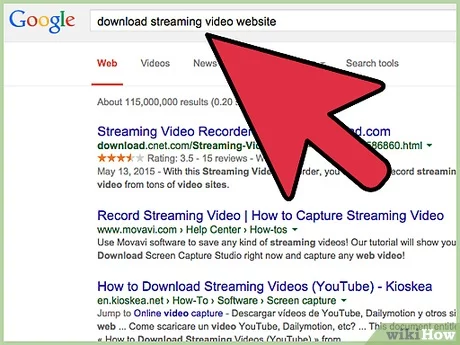
There are many recording tools available, both free and paid versions. Research the most suitable recording software for your needs. Examples include OBS (Open Broadcaster Software), Streamlabs OBS, XSplit, and Bandicam.

Step 2: Download and Install the Software

Once you’ve chosen your preferred recording software, download it from the official website or a trusted source and follow the installation process accordingly.

Step 3: Configure the Recording Settings

Set up the software according to your preferences. This may include video and audio quality, output format, destination folder for saved recordings, hotkeys (shortcut keys), and more.

Step 4: Set Up Audio Inputs

Ensure both your microphone input (if you’re providing commentary) and system audio input are enabled to capture all sounds during streaming.

Step 5: Determine Screen Area/Window

Select the specific region of the screen or window you want to capture during streaming. Most recording software allows you to customize this setting.

Step 6: Prepare Your Streaming Platform

Open your desired streaming platform like Netflix, Twitch, or YouTube and locate the content you wish to record.

Step 7: Test Your Setup

Before starting an actual recording session, do a test run by recording a short clip. This helps verify if all settings have been correctly configured.

Step 8: Start Recording

Once satisfied with your test run results, begin recording your desired streaming content by clicking ‘Start Recording’ in your software or using the designated hotkeys.

Step 9: Minimize Interruptions

Ensure that all notifications and background applications are muted or disabled to allow for a seamless recording experience.

Step 10: Track Record Time

Record streaming content only for the required duration. Over-recording may result in large file sizes and potential storage issues.

Step 11: Stop Recording

Click on the ‘Stop Recording’ button or use the appropriate hotkeys to stop your recording.

Step 12: Save Your Recorded File

If your software doesn’t automatically save the recorded file, ensure you save it manually in your desired location.

Step 13: Edit and Share Your Recording (Optional)

Use video editing software to cut, trim, or add effects to your recorded content if necessary. Share your edited recording with your friends or upload it online for others to enjoy.

By following these 13 steps, you’ll be well-equipped to record streaming content for various purposes. Don’t forget always to respect copyrights and adhere to platform guidelines when sharing your recordings.


Previous Article

The Sims 4: 10 Best Perks From ...

Next Article

Remembering Matthew Perry, Fans Share Chandler’s Best ...

Matthew Lynch

Related articles More from author

  • How To

    How to Volunteer: 15 Steps

    November 10, 2023
    By Matthew Lynch
  • How To

    5 Ways to Stop Being Sad

    October 5, 2023
    By Matthew Lynch
  • How To

    How to Cook Lasagne

    February 14, 2024
    By Matthew Lynch
  • How To

    How to Play the Trombone

    February 9, 2024
    By Matthew Lynch
  • How To

    How to Treat a Snakebite on a Dog

    February 22, 2024
    By Matthew Lynch
  • How To

    3 Ways to Charge a BMW Key

    October 22, 2023
    By Matthew Lynch

Search

Login & Registration

  • Log in
  • Entries feed
  • Comments feed
  • WordPress.org

Newsletter

Signup for The Tech Edvocate Newsletter and have the latest in EdTech news and opinion delivered to your email address!

About Us

Since technology is not going anywhere and does more good than harm, adapting is the best course of action. That is where The Tech Edvocate comes in. We plan to cover the PreK-12 and Higher Education EdTech sectors and provide our readers with the latest news and opinion on the subject. From time to time, I will invite other voices to weigh in on important issues in EdTech. We hope to provide a well-rounded, multi-faceted look at the past, present, the future of EdTech in the US and internationally.

We started this journey back in June 2016, and we plan to continue it for many more years to come. I hope that you will join us in this discussion of the past, present and future of EdTech and lend your own insight to the issues that are discussed.

Newsletter

Signup for The Tech Edvocate Newsletter and have the latest in EdTech news and opinion delivered to your email address!

Contact Us

The Tech Edvocate
910 Goddin Street
Richmond, VA 23231
(601) 630-5238
[email protected]

Copyright © 2026 Matthew Lynch. All rights reserved.