Mastering SQL Joins: A Comprehensive Guide
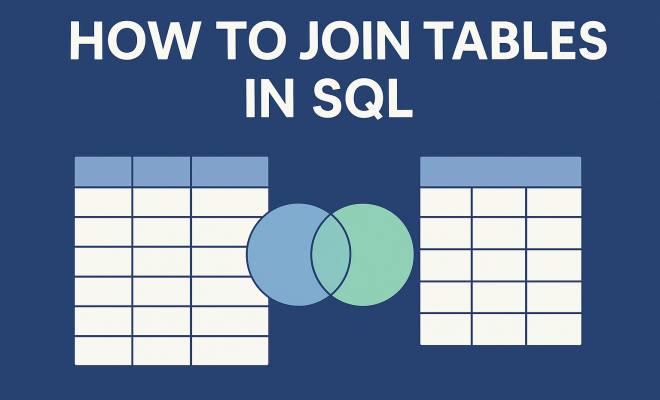
“`html
1. Understanding the Basics of SQL Joins
To effectively join tables in SQL, it’s crucial to grasp the foundational concepts of relational databases. At its core, a relational database organizes data into tables that relate to one another. Each table consists of rows and columns, where each row represents a unique record and each column indicates a specific attribute of that record.
When you join tables in SQL, you’re combining records from two or more tables based on related columns. This process is essential for retrieving meaningful information that spans multiple tables. Understanding the relationship between tables, such as primary keys and foreign keys, lays the groundwork for effective data manipulation.
2. The Different Types of Joins
SQL offers several types of joins, each serving a distinct purpose depending on how you want to combine data. The primary types include:
- INNER JOIN: Retrieves records with matching values in both tables.
- LEFT JOIN (or LEFT OUTER JOIN): Returns all records from the left table and matched records from the right table, with NULLs for unmatched rows.
- RIGHT JOIN (or RIGHT OUTER JOIN): Similar to LEFT JOIN, but retrieves all records from the right table.
- FULL JOIN (or FULL OUTER JOIN): Combines results from both LEFT and RIGHT joins.
- CROSS JOIN: Produces a Cartesian product of both tables, pairing all records.
Understanding these different types allows you to choose the right join based on your data requirements. For instance, an INNER JOIN is useful for fetching only the records that have corresponding entries in both tables, while a LEFT JOIN is beneficial when you want to retain all records from the primary table, even if there are no matches in the secondary table.
3. How to Perform an INNER JOIN
Performing an INNER JOIN is straightforward. You start with the SELECT statement, specifying the columns you want, followed by the FROM clause indicating the primary table. You then use the INNER JOIN clause to specify the secondary table and the ON clause to define the joining condition. Here’s a simple example:
SELECT A.column1, B.column2 FROM TableA AS A INNER JOIN TableB AS B ON A.id = B.a_id;
This SQL command retrieves data from TableA and TableB where the ‘id’ in TableA matches the ‘a_id’ in TableB. This is particularly useful when you want to analyze related data, such as customers and their respective orders.
4. Utilizing LEFT JOIN for Comprehensive Data Retrieval
The LEFT JOIN is fantastic for getting a complete picture, especially when you want to include all records from one table regardless of whether there’s a match in the other. This type of join is especially useful for reporting scenarios where you want to show all entries from the primary table.
For instance, consider a database of employees and their department assignments. If you want to list all employees, including those who aren’t assigned to any department, you’d use:
SELECT E.name, D.department_name FROM Employees AS E LEFT JOIN Departments AS D ON E.department_id = D.id;
In this case, even employees without department assignments appear in the result, with NULL displayed for the department name. This feature of LEFT JOIN ensures that no data is overlooked.
5. RIGHT JOIN: When You Need the Full Right Table
While the LEFT JOIN includes all records from the left table, the RIGHT JOIN does the opposite. It ensures that every record from the right table is preserved in your result set, regardless of whether there are matching records in the left table. This join is less commonly used but can be invaluable in specific scenarios. (See: Overview of SQL and its functions.)
For example, if you wanted to find all products and their respective sales data, even those with no sales, you could write:
SELECT P.product_name, S.sale_date FROM Products AS P RIGHT JOIN Sales AS S ON P.id = S.product_id;
In this case, you’d get every sale recorded, even if there’s no product associated with it, helping to identify potential issues in your inventory records.
6. FULL JOIN: Merging Both Left and Right Data
The FULL JOIN combines the results of both LEFT and RIGHT joins, returning all rows from both tables. If there’s no match, NULLs fill in the gaps. This join is beneficial when you need a complete view of the data across two tables.
For example, suppose you’re analyzing customer feedback and purchases. You want to see all customers and their feedback, even if some haven’t made a purchase:
SELECT C.customer_name, F.feedback FROM Customers AS C FULL JOIN Feedback AS F ON C.id = F.customer_id;
This SQL command yields a comprehensive dataset that includes every customer and their feedback or NULL where there’s no feedback, allowing for a complete analysis of customer sentiments.
7. Exploring CROSS JOIN for Cartesian Products
If you ever need to get every possible combination of records from two tables, the CROSS JOIN is your go-to option. This join creates a Cartesian product, meaning each row from the first table is paired with every row from the second table.
While this might seem overwhelming, it’s useful in specific scenarios, such as generating test data or creating combinations of options. For instance, if you have a table listing colors and another for sizes, you could use:
SELECT C.color, S.size FROM Colors AS C CROSS JOIN Sizes AS S;
This command would produce a list of all possible color-size combinations, which can be useful for identifying inventory needs.
8. Best Practices for Joining Tables in SQL
When you’re working with SQL joins, following best practices can streamline your queries and improve performance. Here are some tips:
- Use Indexes: Indexing the columns used in joins can significantly enhance query performance, especially in large datasets.
- Limit Data Retrieval: Only select the columns you actually need. Avoid using SELECT * as it can slow down your queries and lead to unnecessary data retrieval.
- Understand Data Relationships: Prioritize understanding the relationship and cardinality between tables before joining them. This knowledge can help you design better queries.
- Test and Optimize: Always test your queries and monitor their performance. Use EXPLAIN to analyze query execution plans and adjust accordingly.
Keeping these practices in mind ensures that your SQL joins are not only effective but also efficient, improving overall database performance.
9. Common Pitfalls to Avoid
While joining tables in SQL is powerful, there are common mistakes that can lead to issues or unexpected results. Here are several pitfalls to watch out for:
- Not Using Aliases: Failing to use table aliases can make your queries difficult to read, especially with multiple joins. Always use aliases to clarify your queries.
- Neglecting NULL Values: Be aware of how NULL values can affect your joins. They can lead to unexpected results, especially if not handled correctly.
- Overusing Joins: While joins are useful, don’t overcomplicate your queries. Too many joins can lead to performance issues and complex logic that’s hard to maintain.
By avoiding these pitfalls, you can ensure cleaner and more reliable SQL queries that yield the results you expect.
10. Real-World Applications of SQL Joins
SQL joins play a crucial role in various real-world applications across different industries. Whether in e-commerce, healthcare, or finance, understanding how to effectively use joins can provide insightful data analysis.
For example, in an e-commerce environment, you can join customer tables with order tables to analyze purchasing behavior. By using an INNER JOIN between the customers and orders tables, you can easily find out which customers have made purchases, helping to tailor marketing efforts.
In healthcare, joining patient records with treatment tables can help in evaluating the effectiveness of specific treatments across different demographics. By applying LEFT JOINs, you can also identify patients who haven’t received treatment, enabling healthcare providers to follow up on their care.
In finance, joining transactions with account tables allows for a comprehensive view of customer spending habits. FULL JOINs can reveal accounts with no transactions, helping banks identify inactive customers.
11. Advanced SQL Join Techniques
After mastering the basic joins, you might want to explore more advanced techniques to enhance your SQL queries. Here are some advanced join techniques that can be beneficial:
- Self Joins: A self join is when a table is joined with itself. This can be useful for hierarchical data, such as employees and their managers. You can create a query to find the relationships within the same table.
- Joining Multiple Tables: It’s often necessary to join more than two tables. You can do this by chaining multiple joins:
- Using Subqueries: Sometimes, using a subquery within a join can simplify complex queries. For example, you can first select a subset of data and then join it with another table:
SELECT E1.name AS Employee, E2.name AS Manager FROM Employees AS E1 INNER JOIN Employees AS E2 ON E1.manager_id = E2.id;
SELECT E.name, D.department_name, P.product_name FROM Employees AS E INNER JOIN Departments AS D ON E.department_id = D.id INNER JOIN Products AS P ON D.id = P.department_id;
SELECT E.name, D.department_name FROM Employees AS E INNER JOIN (SELECT * FROM Departments WHERE active = 1) AS D ON E.department_id = D.id;
12. Performance Considerations
When dealing with joins, performance can become an issue, especially with large datasets. Here are some factors to consider to optimize your joins:
- Database Indexing: As mentioned, indexing columns that are frequently used in joins can drastically speed up query execution. Make sure to analyze which columns benefit most from indexing.
- Database Normalization: A well-normalized database structure reduces redundancy and improves data integrity, making joins faster and more efficient.
- Query Optimization: Regularly review your SQL queries for performance. Tools like query analyzers can help identify slow-performing queries and suggest optimizations.
13. Frequently Asked Questions about Joining Tables in SQL
What is the main purpose of SQL joins?
The main purpose of SQL joins is to combine data from two or more tables based on related columns. This allows for more comprehensive data analysis and retrieval, enabling users to generate insights that wouldn’t be possible by looking at tables in isolation.
When should I use an INNER JOIN versus an OUTER JOIN?
Use an INNER JOIN when you only want to retrieve records that have matching values in both tables. OUTER JOINs, such as LEFT JOIN or RIGHT JOIN, are useful when you want to include records from one table even if there are no matches in the other table.
Can I join more than two tables in SQL?
Yes, you can join multiple tables in SQL. This is done by chaining multiple join statements together in your SQL query. Just make sure to define the relationships properly between the tables to avoid confusion.
What happens if there are NULL values in the joining columns?
NULL values in joining columns can cause mismatches in your results. For INNER JOINs, any rows with NULLs in the joining key will not appear in the output. However, with OUTER JOINs, NULL values will be preserved in the result set, filling in gaps where there are no matches.
How can I improve the performance of my SQL joins?
To improve performance, consider indexing the columns used in joins, optimizing your SQL queries, and ensuring your database is well-structured. Additionally, avoid unnecessary joins and retrieve only the columns you need.
What are some common mistakes to avoid when joining tables?
Common mistakes include failing to use aliases, neglecting NULL values, overusing joins, and not understanding the relationships between the tables. Being aware of these pitfalls can lead to cleaner, more efficient SQL queries.
14. Real-World Scenarios: Advanced Use Cases for SQL Joins
In today’s data-driven world, SQL joins are used in various innovative ways that extend beyond basic data retrieval. Here are some advanced use cases that illustrate the power of joining tables in SQL:
- Data Warehousing: In data warehousing environments, joins are crucial for aggregating data from multiple sources into a single repository. For instance, a retail company may join sales, inventory, and customer demographic tables to analyze purchasing trends over time.
- Business Intelligence (BI): BI tools often rely on SQL joins to compile reports that inform decisions. By joining operational data with historical data, businesses can spot trends, forecast sales, and optimize inventory.
- Customer Relationship Management (CRM): CRMs frequently use joins to connect customer interactions with sales data. This integration helps sales teams prioritize leads based on engagement history, improving conversion rates.
- Fraud Detection: Financial institutions utilize complex joins on transaction tables, customer profiles, and account history to identify anomalies or patterns indicative of fraudulent activity.
- Social Media Analytics: Social media platforms often join user data with interaction logs to analyze engagement metrics. For instance, they can evaluate how different demographics interact with various types of content.
15. Tips for Learning and Mastering SQL Joins
Becoming proficient in using SQL joins requires practice and a solid understanding of database design. Here are some tips to help you master SQL joins:
- Practice with Sample Databases: Use sample databases like Northwind or Sakila to experiment with different types of joins. This hands-on approach will reinforce your understanding.
- Visualize Joins: Use tools that allow you to visualize database relationships. Diagramming the relationships can help clarify how joins work in practice.
- Read SQL Documentation: Familiarize yourself with the SQL standard and the specific syntax of your database management system (DBMS). Each system may have unique features or extensions related to joins.
- Participate in Online Forums: Engage in online forums and communities, like Stack Overflow or Reddit, where you can ask questions, share knowledge, and learn from others’ experiences.
- Build Real Projects: Apply your skills to real-world projects or contribute to open-source applications. This practical experience will deepen your understanding of how joins fit into larger systems.
16. Conclusion: The Importance of SQL Joins
Joining tables in SQL is a fundamental skill for anyone working with relational databases. The ability to effectively combine data from multiple sources unlocks powerful insights and enhances data analysis capabilities. By understanding the different types of joins, recognizing common pitfalls, and applying best practices, you can become proficient in SQL joins and leverage them in your data-driven projects.
“`
Trending Now
Frequently Asked Questions
What are the different types of SQL joins?
SQL offers several types of joins, including INNER JOIN, LEFT JOIN, RIGHT JOIN, FULL JOIN, and CROSS JOIN. Each type serves a specific purpose, such as retrieving matching records or combining data from multiple tables, allowing you to choose the right method based on your data requirements.
How do you perform an INNER JOIN in SQL?
To perform an INNER JOIN, use the SELECT statement to specify the columns you want, followed by the FROM clause to indicate the primary table. You then include the INNER JOIN clause with the secondary table and the ON condition to define the relationship between the tables.
What is the purpose of using LEFT JOIN?
LEFT JOIN, or LEFT OUTER JOIN, retrieves all records from the left table and the matched records from the right table. This join is useful when you want to keep all entries from the primary table, even if there are no corresponding matches in the secondary table.
What is the difference between INNER JOIN and LEFT JOIN?
The main difference is that INNER JOIN returns only the records with matching values in both tables, while LEFT JOIN returns all records from the left table along with matched records from the right table, including NULLs for any unmatched rows.
What is a CROSS JOIN in SQL?
CROSS JOIN produces a Cartesian product of both tables, pairing every record from the first table with every record from the second table. This type of join is useful for scenarios where you need to combine all possible combinations of records from two tables.
What’s your take on this? Share your thoughts in the comments below — we read every one.