Master YouTube Live: Your Guide to Engaging Streams
“`html
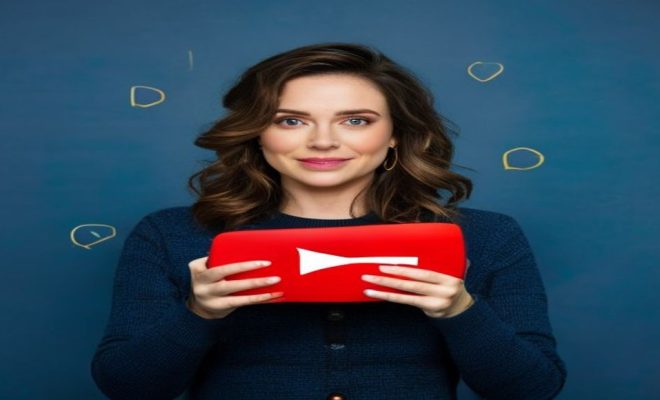
As YouTube continues to evolve, the platform’s live streaming capabilities have become a powerful tool for creators to engage with their audience in real-time. Whether you’re an aspiring influencer, a small business owner, or simply want to share your passions with the world, knowing how to go live on YouTube can set you apart from the crowd. This comprehensive guide will walk you through the essential steps, tips, and tricks to ensure your live streams are successful and enjoyable for both you and your viewers.
1. Understanding YouTube Live Streaming
Before diving into the technical aspects, it’s crucial to understand what YouTube Live Streaming entails. In essence, it allows users to broadcast live video content directly to their audience in real-time. This feature is particularly popular among gamers, educators, and brands wanting to interact with their followers instantly.
With millions of active users, YouTube provides an extensive platform for live content, enabling creators to connect, share, and engage. The immediacy of live streaming opens up a two-way communication channel; viewers can comment, ask questions, and react in real-time, making the experience dynamic and engaging.
Live streaming also offers unique opportunities for monetization. Many creators earn income through super chats, channel memberships, and sponsorships during their live sessions. Understanding these aspects can help you maximize your earnings while providing valuable content.
2. Equipment You’ll Need
To produce high-quality streams, having the right equipment is essential. At the very basics, you’ll need a reliable camera, microphone, and a stable internet connection. For a more professional look, consider investing in the following:
- Camera: A good webcam or DSLR camera can significantly enhance your video quality. Look for models that support HD or 4K resolution.
- Microphone: Clear audio is crucial. USB microphones or lapel mics can help achieve professional-sounding audio.
- Lighting: Proper lighting can make a world of difference. Softbox lights or ring lights can illuminate your space and help you look your best.
- Streaming Software: Applications like OBS Studio or Streamlabs OBS enable you to manage your stream’s layout, graphics, and sources more efficiently.
In addition to the basics, consider using a capture card if you’re streaming content from a gaming console. This hardware captures video and audio from the console and sends it to your streaming software, allowing for a much smoother streaming experience.
Don’t forget about your internet connection. A wired Ethernet connection is generally more stable than Wi-Fi, which can help reduce lag and buffering. A minimum upload speed of 5 Mbps is recommended for HD streaming, but faster speeds will provide better quality and stability.
3. Setting Up Your YouTube Channel for Live Streaming
Before you can go live, make sure your YouTube channel is properly set up. If you haven’t already, follow these steps:
- Verify your account: You need to verify your YouTube account to enable live streaming. This involves linking your phone number and waiting for a confirmation code.
- Enable live streaming: Navigate to the YouTube Studio, select ‘Settings,’ then ‘Channel,’ and finally ‘Feature eligibility.’ Here, you can enable live streaming.
- Customize your channel: Ensure your channel art, description, and branding are consistent with your content to attract more viewers.
Taking the time to establish your channel’s professionalism can enhance your credibility and appeal. Also, make sure to create a channel trailer for first-time visitors. A concise and engaging trailer can help convert new viewers into subscribers.
4. Choosing the Right Type of Live Stream
Not all live streams are created equal, and the type you choose will depend on your content and audience. Some popular formats include: (See: Overview of YouTube platform.)
- Q&A Sessions: Interacting directly with your audience can build community and trust.
- Tutorials and Demonstrations: These are great for educational content, allowing real-time feedback and questions.
- Gaming Streams: Live streaming gameplay is a major draw on YouTube, with platforms like Twitch also competing in this space.
- Live Events: Hosting interviews, panels, or product launches can help create excitement and engagement.
To further enhance your streams, consider hybrid formats. For instance, you could host a Q&A session following a tutorial or showcase your gameplay while answering live comments. Mixing different content types can keep your audience engaged and make your streams more dynamic.
5. Promoting Your Live Stream
Once you’ve set up your stream, you’ll want to promote it to attract viewers. Effective promotion can involve several strategies:
- Social Media Outreach: Use platforms like Twitter, Instagram, and Facebook to announce your upcoming stream. Create eye-catching graphics or short teaser videos to generate buzz.
- Email Notifications: If you have an email list, send out reminders and details about your live stream to keep your audience informed.
- Collaborations: Partner with other YouTubers or influencers to cross-promote your live streams. This can help introduce your content to a wider audience.
Consider creating a countdown or reminder feature on social media to keep your audience engaged. Using relevant hashtags can also help reach potential viewers who aren’t already following you. Furthermore, building excitement through a series of posts leading up to the stream can create anticipation.
6. Going Live: The Step-by-Step Process
Now that you’re prepared and have promoted your stream, it’s time to go live. Follow these steps to ensure a smooth start:
- Log into YouTube: Navigate to the YouTube homepage and click on the camera icon with a ‘+’ sign to create a new live stream.
- Select ‘Go Live’: Choose whether you want to go live instantly or schedule a stream for later.
- Customize Your Settings: Add a title, description, and thumbnail. Set your privacy settings to public, unlisted, or private according to your needs.
- Connect Your Streaming Software: If you’re using software like OBS, ensure it’s properly configured to capture your video and audio sources.
Once you start streaming, monitor the chat for viewer interaction and engagement. Being responsive can elevate the experience for your audience. Also, consider adding a ‘waiting screen’ or pre-stream video to keep viewers entertained if they join before the broadcast starts.
7. Engaging with Your Audience During the Stream
Interaction is a cornerstone of live streaming. Engaging with your viewers can create a sense of community and keep them coming back for more. Here are a few tips:
- Read Comments: Acknowledge comments in real-time. Responding to viewers can make them feel valued and included.
- Ask Questions: Pose questions to your audience to encourage participation. This could relate to the stream’s topic or general audience interests.
- Utilize Polls: If your stream allows it, use polling features to gather opinions and make decisions based on viewer input.
Using interactive features like live polls or quizzes can enhance viewer participation. Additionally, setting aside specific times during the stream for viewer comments can help manage engagement and keep discussions focused.
8. Post-Stream Activities: What to Do After You Go Live
Your work doesn’t end when the stream does. Post-stream activities can significantly affect your channel’s growth and engagement:
- Analyze Your Performance: Use YouTube Analytics to review your stream’s performance metrics, including viewer retention, peak concurrent viewers, and engagement rates.
- Follow Up: Consider posting a follow-up video or highlights reel from the stream to reach those who may have missed it.
- Thank Your Audience: Show appreciation to viewers for joining your stream through social media shout-outs or thank-you messages in the comments.
Creating a recap post that summarizes the stream’s key points can also be beneficial. This helps those who couldn’t attend and reinforces the content for your existing audience.
9. Common Mistakes to Avoid
Even seasoned streamers can make mistakes that detract from the live experience. Here are some common pitfalls and how to avoid them: (See: Safety tips for online streaming.)
- Ignoring Chat: Failing to engage with your audience can lead to a disconnection. Always keep an eye on the chat and respond as appropriate.
- Technical Issues: Test your equipment and connection before going live. Buffering or poor audio can turn viewers away quickly.
- Overly Long Streams: Know your audience’s limits. Keeping streams concise and engaging can help maintain viewer interest.
In addition to avoiding these mistakes, always prepare a backup plan for technical difficulties. Whether it’s an alternate internet connection or a second device, being ready for the unexpected can save your stream.
10. Future Trends in YouTube Live Streaming
As technology continues to advance, so does the landscape of live streaming. Some upcoming trends to watch include:
- Improved Interactivity: Features like live polls and viewer challenges may become more prominent, enhancing audience participation.
- Integration with Other Platforms: More services might begin to integrate with YouTube Live, allowing for broader audience reach.
- Virtual and Augmented Reality: As VR and AR technologies evolve, expect to see unique streaming experiences that immerse viewers in ways we’ve never seen before.
The rise of 3D environments could provide a more immersive experience, allowing viewers to feel as if they’re in the same space as the streamer. Keeping an eye on these trends can help you stay ahead of the competition.
11. FAQs About Going Live on YouTube
You might still have questions about live streaming on YouTube, so here are some frequently asked questions to help clarify:
What are the eligibility requirements for live streaming on YouTube?
To go live on YouTube, you need to have a verified account, have no live stream restrictions in the last 90 days, and have an active channel. Additionally, ensure you abide by YouTube’s community guidelines to avoid any issues.
How long can I stream on YouTube?
There’s no hard limit on stream duration for verified accounts, but YouTube recommends keeping streams engaging and avoiding excessive length. This helps maintain viewer interest and interaction.
Can I stream from my mobile device?
Yes, you can stream directly from your mobile device if you have at least 1,000 subscribers. Just ensure you have the YouTube app installed, and you can go live easily from your smartphone.
How can I monetize my live streams?
YouTube offers several ways to monetize live streams, including super chats, channel memberships, and advertisements. Engaging content often attracts more donations and memberships, so focus on delivering value to your audience.
What should I do if I experience a technical issue while live streaming?
If you encounter technical difficulties during your stream, try to stay calm and communicate with your audience. You can switch to a backup plan, such as a pre-recorded video, while you troubleshoot the issues. It’s important to keep your viewers informed to maintain their interest. (See: YouTube live streaming trends.)
12. Building a Community Around Your Live Streams
Establishing a strong community can take your live streams to the next level. Here are a few strategies to help foster a loyal viewer base:
- Regular Schedule: Consistency is key. Stream at the same time and day each week to help your audience know when to tune in.
- Exclusive Content: Offer exclusive content or behind-the-scenes access for your live viewers. This can build a sense of belonging among your audience.
- Engagement Outside of Streams: Create discussion threads or social media groups where viewers can interact with you and each other between streams.
Maintaining these connections can help build a community that not only watches your streams but also promotes them, bringing in new viewers.
13. Understanding YouTube’s Algorithm and How It Affects Live Streaming
YouTube’s algorithm plays a significant role in discovering content on the platform. Understanding how it works can help you tailor your live streaming strategy:
- Watch Time: Higher watch times can lead to better visibility. Engaging content that keeps viewers watching longer can positively impact your stream’s performance.
- Engagement Metrics: The algorithm looks for likes, shares, and comments. Higher engagement can lead to your streams being recommended to more viewers.
- Thumbnails and Titles: Eye-catching thumbnails and descriptive titles can attract more clicks. Make these elements work in your favor to improve discoverability.
Staying abreast of algorithm changes is essential for any content creator, especially for live streamers who rely heavily on audience engagement and discoverability.
14. Advanced Streaming Techniques
As you become more experienced with live streaming, you might want to explore advanced techniques to enhance your streams:
- Multi-Camera Setups: Using multiple camera angles can create a more dynamic viewing experience. You can switch between angles during the stream for added engagement.
- Graphics and Overlays: Incorporating graphics, animations, or overlays can enhance your stream’s professionalism. Software like OBS allows you to design custom overlays.
- Guest Appearances: Inviting guests to join your stream can provide fresh perspectives and attract their audience to your channel.
Experimenting with these advanced techniques can elevate your content and make your live streams stand out in a crowded marketplace.
In the end, knowing how to go live on YouTube is more than just pressing a button; it’s about creating a vibrant community, engaging with viewers, and consistently delivering valuable content. Armed with the right knowledge and tools, you’re well on your way to becoming a successful live streamer on one of the world’s largest platforms.
“`
Trending Now
Frequently Asked Questions
How do I start a live stream on YouTube?
To start a live stream on YouTube, ensure your channel is verified and has no live stream restrictions. Click the 'Create' button, select 'Go Live', set up your stream settings, and choose your streaming method. You can use a webcam, mobile device, or streaming software for a more professional setup.
What equipment do I need to go live on YouTube?
For a successful YouTube live stream, you'll need a reliable camera (webcam or DSLR), a quality microphone for clear audio, and a stable internet connection. Additional equipment like lighting and streaming software can enhance your production quality.
Can I monetize my YouTube live streams?
Yes, you can monetize your YouTube live streams through features like Super Chats, channel memberships, and sponsorships. Engaging content and a solid viewer base can help maximize your earnings during live sessions.
What are the benefits of live streaming on YouTube?
Live streaming on YouTube allows real-time interaction with your audience, fostering a dynamic connection. It enhances viewer engagement, provides opportunities for monetization, and can help build a loyal community around your content.
How can I improve my YouTube live stream quality?
To improve your YouTube live stream quality, invest in a high-definition camera, a good microphone, and ensure a stable internet connection. Additionally, plan your content, use proper lighting, and engage with viewers to create a more enjoyable experience.
What’s your take on this? Share your thoughts in the comments below — we read every one.