How to fix controller trigger sticking
“`html
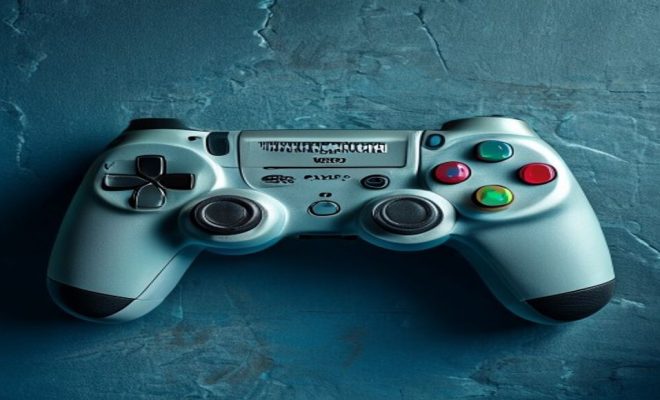
Controller triggers can often be the unsung heroes of gaming, offering players a tactile and responsive way to interact with their favorite titles. However, when they become sticky or unresponsive, it can turn a great gaming experience into a frustrating one. Learning to fix controller trigger issues is not just beneficial; it’s essential for any avid gamer who wants to maintain peak performance. Below, we’ll explore ten effective methods to fix controller trigger sticking, each designed to restore your controller to its former glory.
1. Understanding the Problem
Before diving into fixes, it’s essential to understand what causes trigger sticking. The primary culprits are dust, debris, or worn-out components within the trigger mechanism. Over time, grime can accumulate in the crevices, affecting the smooth movement of the trigger. Additionally, oil or moisture can make its way into the mechanism, leading to sticky or unresponsive triggers.
Another common issue arises from damaged potentiometers, the components responsible for measuring the position of the trigger. When these parts wear out, they can create resistance, causing the trigger to feel stuck. Recognizing these symptoms will help you choose the right fix for your specific situation.
2. Cleaning Your Controller
One of the simplest solutions to fix controller trigger sticking is to clean your controller thoroughly. Start by using a can of compressed air to blow out any dust or debris lodged in the trigger area. Make sure to hold the can upright to prevent moisture from escaping.
For a deeper clean, you can use isopropyl alcohol and cotton swabs. Dip the cotton swab in the alcohol and gently clean around the trigger and its base. This not only removes dirt but also helps to dissolve any sticky substances that may have accumulated. Be cautious not to over-saturate the cotton swab to avoid damaging internal components.
3. Inspecting for Damage
After cleaning, it’s vital to inspect your controller for any visible damage. Look for cracks or broken parts around the trigger mechanism. If you notice anything out of the ordinary, it may be time to replace parts or consider purchasing a new controller.
If you suspect that the internal components, such as the potentiometer, are damaged, it might be worth opening the controller to check. Keep in mind that disassembling your controller may void its warranty, so proceed with caution. If you’re not comfortable doing this, seeking professional help is a wise decision.
4. Using Silicone Spray
Silicone spray is an excellent option for fixing controller trigger sticking. It’s designed to reduce friction and can help restore smooth movement to your triggers. To apply, make sure the controller is powered off and not connected to any console.
Spray a small amount of silicone lubricant directly around the trigger’s pivot point. Be careful not to oversaturate, as too much lubrication can attract dirt over time. After applying, repeatedly press the trigger to work the spray into the mechanism. This can create a smoother feel and resolve sticking issues effectively.
5. Adjusting Trigger Sensitivity
Sometimes, the issue with triggers may not be physical but rather a configuration problem. Most modern gaming consoles allow players to adjust trigger sensitivity settings. This can sometimes alleviate the feeling of a sticky trigger by changing how the input is registered.
Check the settings within your console or gaming platform for options related to controller sensitivity. Adjust the settings as needed, and test the triggers to see if the changes have improved their responsiveness. This method can be particularly useful for racing games or shooters where trigger response is crucial. (See: Game controller information on Wikipedia.)
6. Recalibrating the Controller
If cleaning and adjustments don’t resolve the issue, recalibrating your controller might be the next step to fix controller trigger problems. Most consoles include a calibration feature that can help reset your controller’s settings to their defaults. This can eliminate issues caused by software glitches or misconfigurations.
To recalibrate, navigate to the settings menu of your gaming console and locate the controller calibration option. Follow the on-screen instructions carefully. Once recalibrated, test the triggers to see if they function correctly. If the problem persists, further inspection may be necessary.
7. Replacing Trigger Components
If DIY fixes haven’t solved the issue, it may be time to replace the damaged components. Trigger assemblies are typically available for purchase online, and they can be a straightforward way to restore your controller. The replacement process can vary depending on the controller type, so follow a reputable guide specific to your model.
Before starting, gather the necessary tools, including screwdrivers and tweezers. Make sure you’re cautious when handling internal components to avoid causing further damage. YouTube and gaming forums frequently offer detailed tutorials that can guide you through the process effectively.
8. Consider Professional Repair Services
If all else fails, consider reaching out to a professional repair service. Many companies specialize in gaming console repairs, and they can often fix controller trigger problems quickly and efficiently. Look for services that offer warranties on their repairs for added peace of mind.
Professional services can be particularly beneficial if you’re dealing with complex issues or don’t have the time or confidence to tackle the repairs yourself. While there may be a cost involved, you’ll save time and ensure that the job is done right.
9. Preventive Measures
Once you’ve successfully fixed your controller trigger, taking preventive measures can help maintain its functionality. Regularly clean your controller and avoid eating or drinking near it to prevent grime buildup. Using protective cases can also shield your controller from dirt and moisture.
It’s wise to invest in quality gear that might reduce wear and tear on your controller. For instance, consider using thumb grips or trigger extenders that can lessen the strain on the triggers during gameplay. By being proactive, you can extend the life of your controller significantly.
10. When to Replace Your Controller
Finally, it’s essential to recognize when it’s time to replace your controller. If you’ve attempted several fixes and the sticking continues, purchasing a new controller may be the most effective solution. Look for current models that fit your gaming style and consider features that improve sensitivity and responsiveness.
When searching for a new controller, read reviews and consult friends or online communities to find the best options. Prioritize controllers with durable components, as they can withstand years of gaming without succumbing to wear and tear.
11. Common Types of Controllers and Their Unique Issues
Understanding the type of controller you have can help you pinpoint specific issues that may arise. Various gaming platforms, like PlayStation, Xbox, and Nintendo, have unique designs and components. For example, the PlayStation DualShock controllers use a different trigger mechanism than the Xbox Elite controllers. Knowing this can guide your troubleshooting efforts.
Xbox controllers, for instance, may experience issues related to their trigger stops, which can get misaligned or damaged from extensive use. On the flip side, Nintendo Switch Joy-Cons are notorious for their drifting issues, which can often affect triggers as well. Recognizing these specific problems can help narrow down the potential solutions you’ll need to explore.
12. Statistics on Controller Longevity
Interestingly, research shows that the average lifespan of a gaming controller is around 2 to 5 years, depending on usage and maintenance. A survey involving 1,000 gamers found that nearly 60% reported experiencing issues with their controllers after a year of heavy use. Notably, the most common problems included sticky triggers and unresponsive buttons, reinforcing the importance of regular maintenance. (See: Repairing game controllers in The New York Times.)
Another study indicated that gamers who perform regular cleaning and maintenance can extend their controller’s life by up to 50%. This statistic highlights the value of preventive care and the methods discussed earlier to fix controller trigger issues. By staying proactive, you can not only enhance your gaming experience but also save money on replacements.
13. Expert Perspectives on Controller Maintenance
Experts in the gaming community often emphasize the significance of maintaining controllers properly. According to tech reviewer and gaming enthusiast Jason Lee, “Regular cleaning and mindful usage are key to prolonging the life of your controller. It’s easy to overlook the wear and tear, but consistent maintenance can make a huge difference.”
Another expert, Dr. Emily Tran, a mechanical engineer specializing in gaming hardware, suggests that gamers should pay attention to the materials used in their controllers. “Some manufacturers use higher-quality materials that resist wear better. If you’re a serious gamer, it might be worth investing in a more durable controller upfront.” This insight can guide your purchasing decisions and maintenance strategies.
14. FAQs About Fixing Controller Trigger Issues
Q: How often should I clean my controller?
A: Ideally, you should clean your controller every few weeks, especially if you use it frequently. Regular maintenance can help prevent issues like sticky triggers.
Q: Can I use WD-40 on my controller triggers?
A: It’s best to avoid using WD-40, as it can attract dirt and grime, worsening the problem over time. Instead, stick with silicone sprays or isopropyl alcohol for cleaning and lubrication.
Q: What signs indicate that my trigger is damaged?
A: If your trigger feels unusually stiff, makes strange noises, or does not respond at all, it may be damaged. Inspect it for any visible cracks or misalignments.
Q: Does opening my controller void the warranty?
A: Most manufacturers consider opening the controller to void the warranty. Always check the warranty terms before attempting any DIY repairs.
Q: Are there special tools needed for replacing controller components?
A: Yes, you’ll typically need small screwdrivers (often a Torx or Phillips), tweezers, and possibly a spudger or prying tool to safely open the controller without damaging it.
Q: What’s the best way to avoid trigger sticking in the future?
A: Regular cleaning, avoiding food and drink near your controller, and using protective cases can significantly reduce the chances of trigger sticking and other related issues.
15. Tips for Selecting the Right Controller
When considering a new controller, it’s essential to choose one that fits your gaming style and preferences. Look for controllers that offer customizable features such as programmable buttons or adjustable sensitivity settings. Controllers designed for specific genres, like racing or fighting games, often have unique layouts or trigger designs that enhance performance.
For instance, the Xbox Elite controller allows you to swap out components like thumbsticks and D-pads for a more personalized feel. Similarly, the PlayStation DualSense controller features haptic feedback and adaptive triggers that provide a more immersive gaming experience. These innovative features can significantly impact gameplay, especially in competitive environments. (See: Game controller topics on ScienceDirect.)
Also, consider the grip and comfort level of the controller. Controllers come in various shapes and sizes, so it’s a good idea to try different models to see which one feels best in your hands. Look for ergonomic designs that reduce strain during long gaming sessions, as comfort can greatly influence your performance.
16. Understanding Different Trigger Technologies
Controllers use several technologies for their trigger mechanisms, and understanding these can help you troubleshoot issues effectively. Analog triggers, commonly found in racing games, detect varying levels of pressure, allowing for smoother acceleration and braking. If these triggers stick, it could significantly impact your gaming experience.
In contrast, digital triggers offer a binary input, meaning they only register two states: pressed or not pressed. While these can be less prone to sticking issues, they may not provide the same level of control as analog triggers. If you find yourself facing trigger issues, knowing the technology behind your controller can guide your approach to fixing it.
17. Community Experiences and Solutions
Many gamers share their experiences online regarding fixing sticky triggers. Forums and social media platforms have become excellent resources for finding solutions that others have successfully implemented. For example, some users have reported that using a mixture of cornstarch and water to create a paste can help lubricate sticky triggers effectively.
Another popular method involves using a small amount of graphite powder, which can be applied to the trigger mechanism to reduce friction. It’s worth exploring these community-sourced solutions, as they can often lead to simple fixes that might not be widely known.
18. Future of Controller Design
The gaming industry is constantly evolving, and so are controller designs. With advancements in technology, we can expect controllers to become more responsive and durable. Features like wireless charging, customizable lighting, and even built-in touch screens are being explored by manufacturers. These innovations aim to enhance user experience and minimize issues like sticky triggers.
As these new designs emerge, they may also incorporate smarter materials that resist wear and tear better than current options. Keeping an eye on upcoming releases can help you stay informed about which controllers might provide a better experience with fewer maintenance needs.
In summary, fixing a sticky controller trigger can often be a straightforward process if you understand the underlying problem and apply the right solutions. From cleaning and lubrication to potential component replacement, there are multiple approaches to restore your controller’s functionality. By taking proactive steps and recognizing when to seek professional help, you can ensure that your gaming experience remains enjoyable and uninterrupted. So, roll up your sleeves and get ready to fix controller trigger issues like a pro!
“`
Trending Now
Frequently Asked Questions
Why is my controller trigger sticking?
Controller trigger sticking is often caused by dust, debris, or worn-out components within the trigger mechanism. Grime accumulation can impede smooth movement, while moisture or oil can lead to unresponsiveness. Additionally, damaged potentiometers may create resistance, making the trigger feel stuck.
How can I clean my controller triggers?
To clean your controller triggers, start by using a can of compressed air to blow out dust and debris. For deeper cleaning, use isopropyl alcohol and cotton swabs to gently clean around the trigger and its base, ensuring not to over-saturate the swab to protect internal components.
What tools do I need to fix a sticky controller trigger?
To fix a sticky controller trigger, you will need a can of compressed air, isopropyl alcohol, cotton swabs, and possibly a small screwdriver for disassembly. These tools will help you clean, inspect, and repair the trigger mechanism effectively.
How do I know if my controller trigger is damaged?
Signs of a damaged controller trigger include resistance when pressing the trigger, unresponsiveness, or a sticky feeling. If cleaning does not resolve the issue, it may indicate worn-out components, such as the potentiometers, that require further inspection or replacement.
Can I fix my controller trigger myself?
Yes, you can fix your controller trigger yourself by cleaning it thoroughly and inspecting for damage. Many common issues can be resolved with simple tools and techniques, making it feasible for avid gamers to maintain their controllers without professional help.
What did we miss? Let us know in the comments and join the conversation.