Mastering Discord: Create Your Own Custom Emojis!
“`html
1. Understanding Discord Emojis
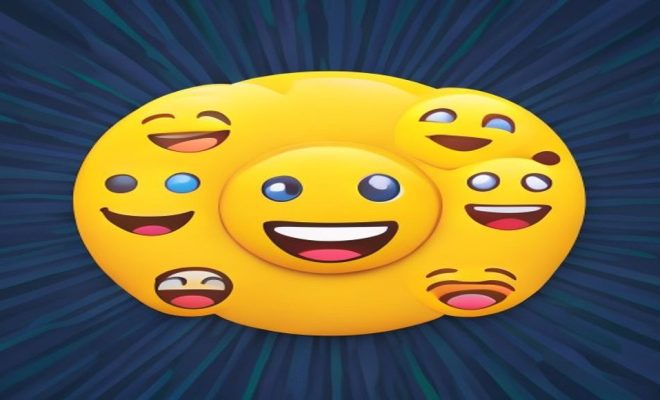
Discord emojis are more than just little images; they are a vibrant part of communication on the platform. They help convey emotions, reactions, and even enhance the overall aesthetic of a server. Emojis can be standard Unicode emojis, which are available universally, or custom emojis that users create for specific servers. The ability to create Discord emojis allows users to personalize their experience, making interactions more engaging and fun.
Custom emojis can reflect inside jokes, themes, or the unique personality of a community. They’re particularly beneficial in fostering camaraderie among server members, making conversations more lively and interactive. With the right approach, anyone can create Discord emojis tailored to their community’s preferences.
2. Why Create Custom Emojis?
Creating custom emojis serves several purposes. First and foremost, they add a personal touch to your server. Unlike standard emojis, custom ones can represent specific emotions, memes, or characters that resonate with your community members. This uniqueness can enhance engagement and make your server feel more inviting.
Moreover, custom emojis can also facilitate better communication. For example, if your community has an inside joke or a recurring theme, creating an emoji around it allows members to express themselves more clearly. It can even streamline interactions, as members can quickly react to messages using relevant emojis, making conversations more dynamic.
In addition, custom emojis can boost server branding. If your server is associated with a specific content creator, game, or theme, having unique emojis can help establish a recognizable identity. This branding can attract new members who resonate with the aesthetic or culture of your community. Furthermore, a well-curated emoji set can make your server stand out among countless others, enhancing its overall appeal.
3. Getting Started: Tools You’ll Need
Before you can create Discord emojis, you’ll need some tools at hand. While Discord has a built-in emoji creation feature, you might want to use graphic design software for more customization. Popular options include:
- Adobe Photoshop: A robust photo editing tool, perfect for creating detailed custom emojis.
- GIMP: A free alternative to Photoshop, GIMP offers a wide range of graphic design tools.
- Canva: Ideal for beginners, Canva provides templates and a user-friendly interface for creating emojis.
- Procreate: If you have an iPad, Procreate is an excellent app for creating custom illustrations and designs.
- Pixlr: An online photo editing tool that’s great for quick edits without downloading software.
Additionally, online emoji generators are available for those who prefer a quicker, less detailed approach. These tools can help create simple emojis by combining existing images or icons. The variety of tools means you can choose one that best fits your skill level and the complexity of the emoji you’re aiming to create.
4. Creating Your Custom Emoji
Now, let’s break down the actual process of creating your custom emoji. Here’s a step-by-step guide:
- Choose Your Image: Start with a clear image or design. This could be anything from a drawing to a character that represents your community.
- Resize Your Image: Discord allows custom emojis that are a maximum of 128 KB and must be at least 32×32 pixels. Aim for a size of around 256×256 pixels for optimal quality.
- Edit Your Image: Use your chosen software to crop and edit the image. You can add effects, text, or other elements to make it unique.
- Save Your Emoji: Once you’re satisfied with your design, save the image in PNG format. This maintains the quality and transparency of your emoji.
Remember, simplicity is key. The best emojis are often those that are easy to recognize at small sizes. If you’re unsure about what design to go with, consider looking at popular emojis used within other servers or communities for inspiration.
5. How to Upload Your Emoji to Discord
After creating your custom emoji, the next step is uploading it to your Discord server. Here’s how: (See: Understanding the history of emojis.)
- Open Discord: Log into your account and navigate to your server.
- Access Server Settings: Click on your server name at the top of the channel list, then select ‘Server Settings.’
- Go to Emoji Tab: In the server settings menu, find the ‘Emoji’ tab. Here you can upload new emojis.
- Upload Your Emoji: Click on the ‘Upload Emoji’ button. Select the emoji file you saved earlier and give it a name. The name will be used for typing the emoji quickly.
- Save Changes: After uploading, hit ‘Save Changes’ to finalize.
Now your custom emoji is available for your server members to use! They can access it through the emoji picker while typing in chat. To maximize usage, consider hosting events or discussions that encourage members to use the new emoji, helping them integrate seamlessly into your server’s culture.
6. Best Practices for Custom Emojis
Creating custom emojis can be a fun experience, but keeping a few best practices in mind can enhance their effectiveness:
- Keep It Simple: The most effective emojis are simple and easily recognizable. Avoid intricate designs that might not be clear when resized.
- Stay Relevant: Make sure your emojis resonate with the theme or culture of your server. Inside jokes or references can make them more engaging.
- Test for Readability: After creating your emoji, test it by sending it in chat. Ensure it’s clear and easy to understand for other users.
- Limit the Number: Having an overwhelming amount of emojis can be counterproductive. Focus on quality over quantity; a few well-designed emojis are often more effective than a large collection.
- Update Regularly: As your community grows and evolves, so should your emoji set. Regularly review and refresh your emoji collection to keep it aligned with your community’s current interests and trends.
This approach will ensure your emojis are widely accepted and used across your community. Remember that the most successful servers often have a strong sense of identity, and emojis can play a significant role in shaping that identity.
7. Using Bots to Enhance Emoji Features
If you want to take your emoji game to the next level, consider using Discord bots. These bots can automate the process of adding, managing, and even creating emojis. Some popular bots include:
- Dyno: A moderation bot that can also help manage your emojis with commands and automation features.
- Emoji Bot: Specifically designed for managing and creating emojis, this bot offers various features that make emoji management easier.
- Reaction Roles: This bot allows you to assign roles based on emoji reactions, which can make using your custom emojis even more engaging.
- MEE6: A versatile bot that can help with moderation, leveling, and also allows users to create custom commands to use your emojis effectively.
Using these bots can streamline the process and provide additional functionalities, such as searching for emojis or integrating them into commands. Bots can also engage users by hosting games or quizzes that involve using your custom emojis, making them more interactive and fun.
8. Understanding Emoji Limits and Permissions
When creating Discord emojis, it’s essential to be aware of the limitations and permissions associated with them. Each server has a cap on the number of custom emojis it can have, which is determined by the server level. For instance, a server can start with 50 custom emojis but can have more as it reaches higher levels through Nitro subscriptions.
Permissions are also crucial. Make sure your server members have the right permissions to use custom emojis. Generally, all members should be able to use the emojis, but server admins can restrict access if needed. Understanding these aspects can help maintain an organized and functional emoji system in your server. Additionally, consider creating specific roles for members who contribute to emoji creation, which can encourage participation and creativity within the community.
9. Staying Updated with Discord Updates
Discord frequently updates its platform, introducing new features and functionalities related to emojis. Keeping an eye on these updates can help you take advantage of new tools or options for creating and managing emojis. Additionally, user feedback often leads to enhancements in emoji functionalities, so participating in community discussions can provide insights into what’s coming next.
Check Discord’s official blog or their social media channels regularly for announcements regarding updates. This habit can ensure your community remains engaged and informed about the latest features that could enhance their emoji experience. Being proactive about these updates can also inspire new ways to utilize emojis creatively within your server.
10. Examples of Creative Custom Emoji Use Cases
Let’s explore some real-world examples of how communities effectively use custom emojis to enhance engagement and communication:
- Gaming Communities: In gaming servers, custom emojis can represent characters, weapons, or iconic game moments. For example, in a Fortnite server, emojis showcasing popular skins or emotes can be used for reactions during discussions about gameplay strategies.
- Art Communities: Artists often create emojis that represent their styles or specific artworks. This can serve as a signature or a way to react to others’ art. For instance, a painter might have emojis representing different paintbrushes or palettes.
- Book Clubs: In book-themed servers, emojis can symbolize genres, characters, or book quotes. Members may create an emoji for their favorite book cover, enhancing discussions and allowing for quick reactions during book discussions.
- Support Groups: Emojis can offer a non-verbal way of sharing feelings in support groups. A community focused on mental health may develop emojis that represent various emotions or coping mechanisms.
These examples show that the potential uses for custom emojis are only limited by the community’s creativity. Whether it’s humor, support, or creativity, custom emojis can foster a stronger sense of belonging and connection. (See: Using emojis in communication.)
11. Frequently Asked Questions about Creating Discord Emojis
What file format should I use for Discord emojis?
You should save your custom emojis in PNG format to ensure they maintain transparency and quality. JPG files do not support transparency, which can result in unwanted backgrounds.
How many custom emojis can my Discord server have?
The number of custom emojis a server can have depends on its level. A basic server can have up to 50 custom emojis, but this number can increase significantly with a Nitro subscription, allowing for more than 250 emojis.
Can I use custom emojis from other servers?
Yes, if you have the right permissions, you can use custom emojis from other servers. However, if you’re not a member of that server, the emojis will appear as regular emoji placeholders.
What if my emoji is too large or small?
Always ensure your emoji is within the 128 KB limit and sized appropriately. If it’s too large, you can use any graphic editing tool to resize and compress it without losing quality.
Can I animate my custom emojis?
Discord does support animated emojis, but they must be in GIF format. Keep in mind that animated emojis will also have the same 128 KB size limit.
How can I encourage my community to use custom emojis?
Engagement can be fostered through events, challenges, and discussions that encourage members to use emojis creatively. Highlighting their use in server announcements or offering incentives for using specific emojis can also help.
12. The Future of Emojis on Discord
As Discord continues to evolve, the role of emojis in communication is likely to expand. New features, such as enhanced emoji reactions or more customizable options, may emerge, allowing for even greater personalization. AI-generated emojis could also become more prevalent, enabling users to create unique designs with simple prompts.
Additionally, as communities grow and diversify, the demand for a richer emoji experience will likely lead to more interactive and inclusive features. Custom emojis may evolve to include interactive elements, allowing members to engage in new ways.
For now, focusing on creating meaningful, relevant emojis that resonate with your community’s identity is crucial. Staying ahead of trends and adapting to changes can help ensure your server remains vibrant and engaging. Whether through innovation or tradition, custom emojis will continue to play a significant role in how we communicate on Discord.
13. Advanced Tips for Creating Discord Emojis
If you want to become a pro at creating custom Discord emojis, consider these advanced tips: (See: The evolving meaning of emojis.)
- Incorporate Text: Adding a small word or phrase can give context to your emoji. Just keep it legible and relevant.
- Stay On-Brand: For servers connected to brands or personalities, ensure emojis reflect that branding. Use brand colors or motifs to create a cohesive look.
- Know Your Audience: Tailor your designs to your audience’s preferences. Conduct polls to understand what kinds of emojis resonate with your community.
- Use Shadows and Highlights: Adding these elements can create depth and make your emojis more visually appealing.
- Embrace Trends: Stay on top of current trends. For instance, if a meme is popular, consider creating an emoji that captures that essence.
These tips can help you create emojis that are not just functional but also stylish and engaging, elevating your server’s communication style.
14. Creating Animated Discord Emojis
Creating animated emojis can add an extra layer of fun to your server. Here are steps to guide you:
- Choose an Animation Tool: Tools like Adobe After Effects, Photoshop, or online platforms like Giphy can be used to create animations.
- Decide on the Animation: Keep it simple. Think of how the emoji can convey an action, like a wave or a bounce.
- Export as GIF: Once your animation is complete, export it as a GIF file, ensuring it remains under the 128 KB limit.
- Upload to Discord: Follow the same steps as you would for static emojis to upload your animated emoji to your server.
Animated emojis can bring excitement and engagement to chats, encouraging users to express themselves in new ways.
15. Community Guidelines for Emoji Creation
When creating emojis, it’s essential to adhere to community standards. Here are guidelines to consider:
- Respect Copyrights: Ensure your emojis don’t infringe on copyrighted materials unless you have permission.
- Avoid Offensive Content: Keep emojis light-hearted and avoid any images that could be deemed offensive or harmful.
- Get Feedback: Before finalizing emojis, consider sharing drafts with trusted community members for input.
- Maintain Diversity: If your server is diverse, consider creating a wide range of emojis that represent different cultures and backgrounds.
By following these guidelines, you can foster a positive environment that encourages creativity while ensuring your custom emojis remain inclusive and respectful.
16. Final Thoughts on Creating Discord Emojis
Creating custom emojis on Discord can transform the way your community interacts. It allows for personal expression and can make conversations more vibrant and memorable. Whether you’re a server admin or just someone who loves to engage with your friends, the ability to create Discord emojis opens up endless possibilities.
As you embark on this creative journey, remember to experiment, gather feedback, and most importantly, have fun with it. Your unique contributions can significantly enhance the server experience for everyone involved.
“`
Trending Now
Frequently Asked Questions
How do I create custom emojis for Discord?
To create custom emojis for Discord, you need to design your emoji using an image editing tool, ensuring it's under 256KB and ideally 128×128 pixels. Once created, go to your server settings, select 'Emoji', and upload your image. Custom emojis can reflect your community's personality and enhance interactions.
What are the benefits of custom emojis on Discord?
Custom emojis on Discord add a personal touch to your server, enhance communication through inside jokes or themes, and help establish a distinctive server identity. They foster engagement and make conversations more dynamic, attracting new members who resonate with your community's aesthetic.
Can I use custom emojis from other servers on Discord?
No, custom emojis from one Discord server cannot be used on another unless you have 'Server Boost' privileges. However, you can copy emojis from other servers if you have the necessary permissions or use standard Unicode emojis that are universally available.
What size should Discord emojis be?
Discord emojis should ideally be 128×128 pixels for optimal display, but they can be uploaded in any size as long as the file size does not exceed 256KB. Keeping them within these limits ensures they display correctly across different devices.
How can custom emojis improve server engagement?
Custom emojis improve server engagement by allowing members to express emotions and reactions more vividly. They can represent inside jokes or themes, making conversations more lively and relatable. This personalization helps create a welcoming atmosphere, encouraging more interaction among members.
What did we miss? Let us know in the comments and join the conversation.