The Tech Edvocate

Top Menu

  • Advertisement
  • Apps
  • Home Page
  • Home Page Five (No Sidebar)
  • Home Page Four
  • Home Page Three
  • Home Page Two
  • Home Tech2
  • Icons [No Sidebar]
  • Left Sidbear Page
  • Lynch Educational Consulting
  • My Account
  • My Speaking Page
  • Newsletter Sign Up Confirmation
  • Newsletter Unsubscription
  • Our Brands
  • Page Example
  • Privacy Policy
  • Protected Content
  • Register
  • Request a Product Review
  • Shop
  • Shortcodes Examples
  • Signup
  • Start Here
    • Governance
    • Careers
    • Contact Us
  • Terms and Conditions
  • The Edvocate
  • The Tech Edvocate Product Guide
  • Topics
  • Write For Us
  • Advertise

Main Menu

  • Start Here
    • Our Brands
    • Governance
      • Lynch Educational Consulting, LLC.
      • Dr. Lynch’s Personal Website
      • Careers
    • Write For Us
    • The Tech Edvocate Product Guide
    • Contact Us
    • Books
    • Edupedia
    • Post a Job
    • The Edvocate Podcast
    • Terms and Conditions
    • Privacy Policy
  • Topics
    • Assistive Technology
    • Child Development Tech
    • Early Childhood & K-12 EdTech
    • EdTech Futures
    • EdTech News
    • EdTech Policy & Reform
    • EdTech Startups & Businesses
    • Higher Education EdTech
    • Online Learning & eLearning
    • Parent & Family Tech
    • Personalized Learning
    • Product Reviews
  • Advertise
  • Tech Edvocate Awards
  • The Edvocate
  • Pedagogue
  • School Ratings

logo

The Tech Edvocate

  • Start Here
    • Our Brands
    • Governance
      • Lynch Educational Consulting, LLC.
      • Dr. Lynch’s Personal Website
        • My Speaking Page
      • Careers
    • Write For Us
    • The Tech Edvocate Product Guide
    • Contact Us
    • Books
    • Edupedia
    • Post a Job
    • The Edvocate Podcast
    • Terms and Conditions
    • Privacy Policy
  • Topics
    • Assistive Technology
    • Child Development Tech
    • Early Childhood & K-12 EdTech
    • EdTech Futures
    • EdTech News
    • EdTech Policy & Reform
    • EdTech Startups & Businesses
    • Higher Education EdTech
    • Online Learning & eLearning
    • Parent & Family Tech
    • Personalized Learning
    • Product Reviews
  • Advertise
  • Tech Edvocate Awards
  • The Edvocate
  • Pedagogue
  • School Ratings
  • The Brutal Truth: AI-Powered Crime Just Hit Healthcare — Here’s How to Fight Back

  • Unbelievable: AI-Powered Crime Ring Behind 12,000 Breaches Just Got Shut Down

  • The Bombshell AI Warning: Your Business Isn’t Safe Without These Fixes

  • Unbelievable: Anthropic’s IPO Filing Reveals AI’s Darkest Secrets

  • Unbelievable: AI Giant Warns Humanity Faces ‘Existential Risk’ in IPO Filing

  • Why Millions Are Switching to This New Cancer Test Right Now

  • The Revolutionary Galleri Test: What You Need to Know About Its Price Tag

  • Unbelievable: This Blood Test Just Got Closer to Detecting 50+ Cancers Years Earlier

  • The Zhipu ZCode Data Scandal: How Your Code Vanished and What Happens Next

  • Dramatic: Your Smart Glasses Are Recording You — And Everyone Around You

Digital & Mobile Technology
Home›Digital & Mobile Technology›How to Connect Spotify to Hulu

How to Connect Spotify to Hulu
By Matthew Lynch
June 3, 2023
0
Spread the love

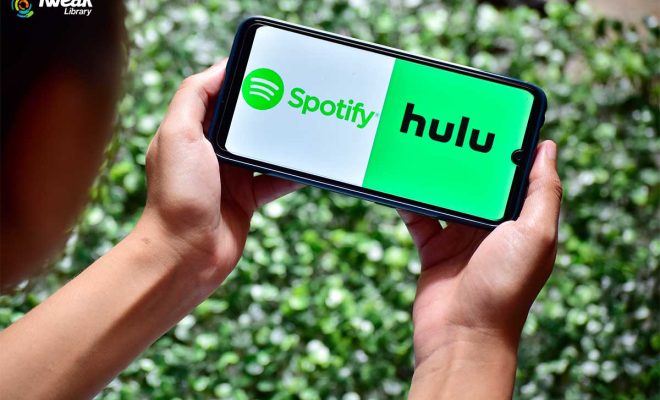
If you are one of those people who loves both music and movies, you might be interested in connecting your Spotify account to Hulu. Doing so will allow you to enjoy an uninterrupted streaming experience where you can listen to your favorite tracks while watching your favorite shows. Fortunately, connecting the two services is quite easy. In this article, we will guide you through the step-by-step process of connecting your Spotify account to Hulu.

Step 1: Ensure that You Have Active Accounts for Both Services

Before you proceed with connecting the two services, ensure that you have active accounts for both Spotify and Hulu. You can sign up for both apps separately, and each application offers monthly subscription services. For Spotify, you can subscribe to their paid Premium plan while for Hulu, you can choose their ad-supported plan or the ad-free plan.

Step 2: Access Your Account Settings on Spotify

Once you have verified that both services have active subscriptions, access your Spotify account settings. You can do this by opening the Spotify app, logging in to your account, and clicking on the “Settings” menu. From there, scroll down until you come across the “Social” option.

Step 3: Connect Your Spotify Account to Hulu

After accessing the account settings, click on the “Connect to Hulu” button. You will be redirected to Hulu’s website, where you will need to sign in to your account. If you don’t have an account, you can sign up and subscribe to one of their plans.

Step 4: Allow Permissions and Link Both Accounts

Once you’ve signed in to Hulu, you will receive a prompt asking you to permit Spotify to connect to your Hulu account. Click on “Continue” to proceed. Once you have granted the necessary permissions, both accounts will be linked, and you’re ready to start streaming music and movies.

Step 5: Start Listening to Music and Watching Movies

With your accounts linked, you can now start streaming music and movies. Your Spotify playlists will appear inside the Hulu app, and you can select a playlist to listen to while watching your favorite movies or TV shows.

Final Thoughts

Linking your Spotify account to Hulu is simple and easy, and with the two services combined, you can enjoy a seamless streaming experience. By following the above steps, you can link both accounts and start enjoying your preferred songs and shows in one place. So go ahead, connect your Spotify account to Hulu and start enjoying a unique streaming experience.


Previous Article

How to Fix a Mac That Stalls ...

Next Article

How to Control iPhone Safari Settings and ...

Matthew Lynch

Related articles More from author

  • Digital & Mobile Technology

    Bumble SuperSwipe: What It Is and How to Use It

    July 6, 2023
    By Matthew Lynch
  • Digital & Mobile Technology

    What Is Vsync (or Vertical Sync) and How Does It Impact Games?

    June 6, 2023
    By Matthew Lynch
  • Digital & Mobile Technology

    How to Sync a Phone to a PS3

    May 10, 2023
    By Matthew Lynch
  • Digital & Mobile Technology

    How to Fix It When Your PS5 Wi-Fi Is Slow

    June 12, 2023
    By Matthew Lynch
  • Digital & Mobile Technology

    How to Make App Folders on Android

    June 23, 2023
    By Matthew Lynch
  • Digital & Mobile Technology

    How to Rotate the Screen on Chromebook

    June 1, 2023
    By Matthew Lynch

Search

Login & Registration

  • Log in
  • Entries feed
  • Comments feed
  • WordPress.org

Newsletter

Signup for The Tech Edvocate Newsletter and have the latest in EdTech news and opinion delivered to your email address!

About Us

Since technology is not going anywhere and does more good than harm, adapting is the best course of action. That is where The Tech Edvocate comes in. We plan to cover the PreK-12 and Higher Education EdTech sectors and provide our readers with the latest news and opinion on the subject. From time to time, I will invite other voices to weigh in on important issues in EdTech. We hope to provide a well-rounded, multi-faceted look at the past, present, the future of EdTech in the US and internationally.

We started this journey back in June 2016, and we plan to continue it for many more years to come. I hope that you will join us in this discussion of the past, present and future of EdTech and lend your own insight to the issues that are discussed.

Newsletter

Signup for The Tech Edvocate Newsletter and have the latest in EdTech news and opinion delivered to your email address!

Contact Us

The Tech Edvocate
910 Goddin Street
Richmond, VA 23231
(601) 630-5238
[email protected]

Copyright © 2026 Matthew Lynch. All rights reserved.