The Tech Edvocate

Top Menu

  • Advertisement
  • Apps
  • Home Page
  • Home Page Five (No Sidebar)
  • Home Page Four
  • Home Page Three
  • Home Page Two
  • Home Tech2
  • Icons [No Sidebar]
  • Left Sidbear Page
  • Lynch Educational Consulting
  • My Account
  • My Speaking Page
  • Newsletter Sign Up Confirmation
  • Newsletter Unsubscription
  • Our Brands
  • Page Example
  • Privacy Policy
  • Protected Content
  • Register
  • Request a Product Review
  • Shop
  • Shortcodes Examples
  • Signup
  • Start Here
    • Governance
    • Careers
    • Contact Us
  • Terms and Conditions
  • The Edvocate
  • The Tech Edvocate Product Guide
  • Topics
  • Write For Us
  • Advertise

Main Menu

  • Start Here
    • Our Brands
    • Governance
      • Lynch Educational Consulting, LLC.
      • Dr. Lynch’s Personal Website
      • Careers
    • Write For Us
    • The Tech Edvocate Product Guide
    • Contact Us
    • Books
    • Edupedia
    • Post a Job
    • The Edvocate Podcast
    • Terms and Conditions
    • Privacy Policy
  • Topics
    • Assistive Technology
    • Child Development Tech
    • Early Childhood & K-12 EdTech
    • EdTech Futures
    • EdTech News
    • EdTech Policy & Reform
    • EdTech Startups & Businesses
    • Higher Education EdTech
    • Online Learning & eLearning
    • Parent & Family Tech
    • Personalized Learning
    • Product Reviews
  • Advertise
  • Tech Edvocate Awards
  • The Edvocate
  • Pedagogue
  • School Ratings

logo

The Tech Edvocate

  • Start Here
    • Our Brands
    • Governance
      • Lynch Educational Consulting, LLC.
      • Dr. Lynch’s Personal Website
        • My Speaking Page
      • Careers
    • Write For Us
    • The Tech Edvocate Product Guide
    • Contact Us
    • Books
    • Edupedia
    • Post a Job
    • The Edvocate Podcast
    • Terms and Conditions
    • Privacy Policy
  • Topics
    • Assistive Technology
    • Child Development Tech
    • Early Childhood & K-12 EdTech
    • EdTech Futures
    • EdTech News
    • EdTech Policy & Reform
    • EdTech Startups & Businesses
    • Higher Education EdTech
    • Online Learning & eLearning
    • Parent & Family Tech
    • Personalized Learning
    • Product Reviews
  • Advertise
  • Tech Edvocate Awards
  • The Edvocate
  • Pedagogue
  • School Ratings
  • A Visitors Guide to Santa Maria, Brazil

  • Uncovering the Truth: This Salmonella Outbreak Sprouts Warning You Can’t Ignore

  • This One Flaw Just Melted an RTX 5090 — What Happens Next?

  • This Startup Just Raised $40 Million to Revolutionize Women’s Health

  • This AI Coding Startup Just Tripled Its Value to $5 Billion Overnight

  • The Blood Of Dawnwalker: 10 Burning Questions After Its Console Demo Scandal

  • Gamers vs. Critics: Why Wolverine Game Reviews Are Sparking a Culture War

  • AI-Generated Content Is Flooding Social Media, Research Shows

  • Florida’s Latest Education Scandal: The Climate Change Curriculum You Won’t Believe

  • Millions Face a Brutal Student Loan Payment Hike — What You MUST Do Now

Assistive Technology
Home›Assistive Technology›How to Connect and Get Data Off a Hard Drive With These 6 Methods

How to Connect and Get Data Off a Hard Drive With These 6 Methods
By Matthew Lynch
June 23, 2023
0
Spread the love

As technology evolves, our storage needs also increase. Eventually, most people will find themselves with a surplus of data stored on old hard drives. Fortunately, there are several methods to retrieve the data from an old hard drive, and we’ll be discussing them in this article.

  1. External Enclosure or Docking Station

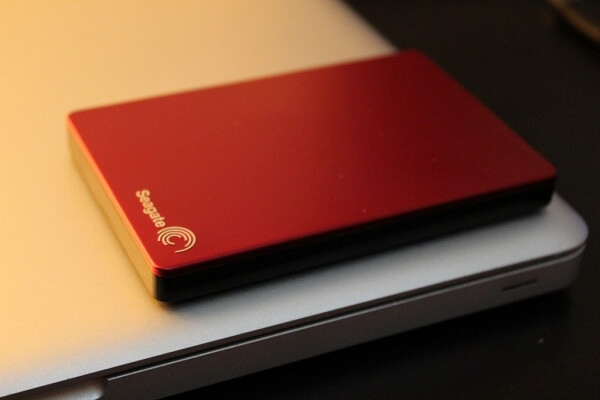
The most straightforward solution is to insert the hard drive into an external enclosure or docking station. With either of these options, the drive can be easily connected to a computer via USB, making retrieving data very easy. Most enclosures and docking stations are quite affordable, and the effort required to transfer data is minimal.

  1. Hard Drive Adapter

Suppose you do not have access to an external enclosure or docking station. In that case, another simple method of retrieving data is using a hard drive adapter or “connector.” These may come in the form of a cable or a small device that can be plugged into the hard drive, which then allows it to connect to the computer via USB, SATA, or IDE. However, these adapters may require some technical knowledge to use correctly.

  1. Internal Installation

For those less intimidated by hardware improvements, there is another option. It’s possible to install a recovered hard drive directly into the PC. Internal installation requires opening the computer’s case and connecting the disk drive to the motherboard using a data cable and power cables. While this method may be trickier, it proves to be more stable in some instances and doesn’t require any additional devices.

  1. Disk Imaging

Another possible solution is to create a disk image of the drive using a program such as Norton Ghost, WinImage or Clonezilla. Disk imaging will create a complete copy of the drive, including all files, folders, and even partitions. The significant benefit of this method is that the image can be mounted and accessed as if it is the original drive itself.

  1. Cloud Storage

Another option is to upload the retrieved data to cloud storage. Cloud storage services like Google Drive, OneDrive or Dropbox provide ample storage for free or for a monthly fee. This method allows you to access your data from anywhere with an internet connection, and your files remain secure and protected.

  1. Data Recovery Services

If none of the above methods work, it may be time to consider professional data recovery services. These services use specialized software and equipment to recover data from damaged, inaccessible or failed hard drives. However, these services can range in price depending on the severity of the damage, so they’re not always the most affordable option.


Previous Article

A Beginner’s Guide to Vampr, the “Tinder ...

Next Article

The Top Frames to 3D Print for ...

Matthew Lynch

Related articles More from author

  • Assistive Technology

    How to Use Clonezilla to Clone Your Windows Hard Drive

    June 22, 2023
    By Matthew Lynch
  • Assistive Technology

    How to Change the YouTube Language

    September 7, 2023
    By Matthew Lynch
  • Assistive Technology

    What Is ‘Anonymous Texting’ and How to Use It

    June 6, 2023
    By Matthew Lynch
  • Assistive Technology

    Why Your Car Won’t Start Even Though the Lights Work

    June 1, 2023
    By Matthew Lynch
  • Assistive Technology

    How to Turn Off an iPhone 12

    June 12, 2023
    By Matthew Lynch
  • Assistive Technology

    Ways to Fix Windows Update Errors in Windows 11

    June 15, 2023
    By Matthew Lynch

Search

Login & Registration

  • Log in
  • Entries feed
  • Comments feed
  • WordPress.org

Newsletter

Signup for The Tech Edvocate Newsletter and have the latest in EdTech news and opinion delivered to your email address!

About Us

Since technology is not going anywhere and does more good than harm, adapting is the best course of action. That is where The Tech Edvocate comes in. We plan to cover the PreK-12 and Higher Education EdTech sectors and provide our readers with the latest news and opinion on the subject. From time to time, I will invite other voices to weigh in on important issues in EdTech. We hope to provide a well-rounded, multi-faceted look at the past, present, the future of EdTech in the US and internationally.

We started this journey back in June 2016, and we plan to continue it for many more years to come. I hope that you will join us in this discussion of the past, present and future of EdTech and lend your own insight to the issues that are discussed.

Newsletter

Signup for The Tech Edvocate Newsletter and have the latest in EdTech news and opinion delivered to your email address!

Contact Us

The Tech Edvocate
910 Goddin Street
Richmond, VA 23231
(601) 630-5238
[email protected]

Copyright © 2026 Matthew Lynch. All rights reserved.