The Tech Edvocate

Top Menu

  • Advertisement
  • Apps
  • Home Page
  • Home Page Five (No Sidebar)
  • Home Page Four
  • Home Page Three
  • Home Page Two
  • Home Tech2
  • Icons [No Sidebar]
  • Left Sidbear Page
  • Lynch Educational Consulting
  • My Account
  • My Speaking Page
  • Newsletter Sign Up Confirmation
  • Newsletter Unsubscription
  • Our Brands
  • Page Example
  • Privacy Policy
  • Protected Content
  • Register
  • Request a Product Review
  • Shop
  • Shortcodes Examples
  • Signup
  • Start Here
    • Governance
    • Careers
    • Contact Us
  • Terms and Conditions
  • The Edvocate
  • The Tech Edvocate Product Guide
  • Topics
  • Write For Us
  • Advertise

Main Menu

  • Start Here
    • Our Brands
    • Governance
      • Lynch Educational Consulting, LLC.
      • Dr. Lynch’s Personal Website
      • Careers
    • Write For Us
    • The Tech Edvocate Product Guide
    • Contact Us
    • Books
    • Edupedia
    • Post a Job
    • The Edvocate Podcast
    • Terms and Conditions
    • Privacy Policy
  • Topics
    • Assistive Technology
    • Child Development Tech
    • Early Childhood & K-12 EdTech
    • EdTech Futures
    • EdTech News
    • EdTech Policy & Reform
    • EdTech Startups & Businesses
    • Higher Education EdTech
    • Online Learning & eLearning
    • Parent & Family Tech
    • Personalized Learning
    • Product Reviews
  • Advertise
  • Tech Edvocate Awards
  • The Edvocate
  • Pedagogue
  • School Ratings

logo

The Tech Edvocate

  • Start Here
    • Our Brands
    • Governance
      • Lynch Educational Consulting, LLC.
      • Dr. Lynch’s Personal Website
        • My Speaking Page
      • Careers
    • Write For Us
    • The Tech Edvocate Product Guide
    • Contact Us
    • Books
    • Edupedia
    • Post a Job
    • The Edvocate Podcast
    • Terms and Conditions
    • Privacy Policy
  • Topics
    • Assistive Technology
    • Child Development Tech
    • Early Childhood & K-12 EdTech
    • EdTech Futures
    • EdTech News
    • EdTech Policy & Reform
    • EdTech Startups & Businesses
    • Higher Education EdTech
    • Online Learning & eLearning
    • Parent & Family Tech
    • Personalized Learning
    • Product Reviews
  • Advertise
  • Tech Edvocate Awards
  • The Edvocate
  • Pedagogue
  • School Ratings
  • Miro vs Conceptboard for project management

  • How to use Teamwork for resource management

  • How much does Procore cost per month

  • How to organize Microsoft Planner buckets

  • Is Teamwork good for billable hours

  • Procore vs Buildertrend which is better

  • Airtable project management templates

  • Can Miro track project progress

  • How to use Basecamp for client work

  • Can Lucidchart create swimlane diagrams

Assistive Technology
Home›Assistive Technology›How to Change the Name of Your Android Device

How to Change the Name of Your Android Device
By Matthew Lynch
June 15, 2023
0
Spread the love

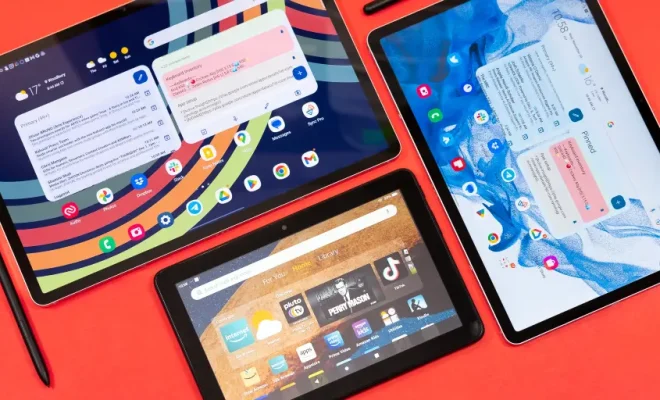
Android devices come with a default name assigned to them by the manufacturer. However, sometimes you might want to personalize your device by giving it a name that reflects your personality or interests. Changing the name of your Android device is a simple process and can be done in just a few steps.

Here’s how you can change the name of your Android device:

Step 1: Open the settings app

First, go to the “Settings” app on your Android device. The “Settings” app is represented by a gear icon and can usually be found on the home screen or the app drawer of your device.

Step 2: Navigate to the About phone section

Once you have the Settings app open, scroll down and tap on the “System” option. From there, select “About phone” to access the information about your device.

Step 3: Tap on the device name

On the About phone page, you will see various information about your device such as the Android version, model number, etc. Right at the top, you will see the current name of your device. Tap on the current name.

Step 4: Enter the new name for your device

Once you have tapped on the current name of your device, you will be directed to a screen where you can enter a new name for your device. Simply use your keyboard to type in the new name.

Step 5: Save the new name

After typing in the new name for your device, tap on the “Save” button to save the new name. Once you do this, the name of your device will be changed to the new name.

And that’s it! You have successfully changed the name of your Android device.

It’s important to note that changing the name of your Android device will not affect its performance or settings. It is purely a cosmetic change that can help you differentiate your device from others, especially if you have multiple Android devices in your household.

Previous Article

How to Create a Custom Header in ...

Next Article

Which Is the Best Food Delivery Service? ...

Matthew Lynch

Related articles More from author

  • Assistive Technology

    Mistakes to Avoid When Buying a MicroSD Card

    June 8, 2023
    By Matthew Lynch
  • Assistive Technology

    How to Cancel Automatic Payments in PayPal

    June 14, 2023
    By Matthew Lynch
  • Assistive Technology

    How Microtransactions Are Ruining the Gaming Industry

    June 21, 2023
    By Matthew Lynch
  • Assistive Technology

    How to Get Text Messages on Your Mac

    June 10, 2023
    By Matthew Lynch
  • Assistive Technology

    How to Forget a Network in Windows 11

    June 21, 2023
    By Matthew Lynch
  • Assistive Technology

    How to Export Text Messages From iPhone

    June 8, 2023
    By Matthew Lynch

Search

Login & Registration

  • Log in
  • Entries feed
  • Comments feed
  • WordPress.org

Newsletter

Signup for The Tech Edvocate Newsletter and have the latest in EdTech news and opinion delivered to your email address!

About Us

Since technology is not going anywhere and does more good than harm, adapting is the best course of action. That is where The Tech Edvocate comes in. We plan to cover the PreK-12 and Higher Education EdTech sectors and provide our readers with the latest news and opinion on the subject. From time to time, I will invite other voices to weigh in on important issues in EdTech. We hope to provide a well-rounded, multi-faceted look at the past, present, the future of EdTech in the US and internationally.

We started this journey back in June 2016, and we plan to continue it for many more years to come. I hope that you will join us in this discussion of the past, present and future of EdTech and lend your own insight to the issues that are discussed.

Newsletter

Signup for The Tech Edvocate Newsletter and have the latest in EdTech news and opinion delivered to your email address!

Contact Us

The Tech Edvocate
910 Goddin Street
Richmond, VA 23231
(601) 630-5238
[email protected]

Copyright © 2026 Matthew Lynch. All rights reserved.