The Tech Edvocate

Top Menu

  • Advertisement
  • Apps
  • Home Page
  • Home Page Five (No Sidebar)
  • Home Page Four
  • Home Page Three
  • Home Page Two
  • Home Tech2
  • Icons [No Sidebar]
  • Left Sidbear Page
  • Lynch Educational Consulting
  • My Account
  • My Speaking Page
  • Newsletter Sign Up Confirmation
  • Newsletter Unsubscription
  • Our Brands
  • Page Example
  • Privacy Policy
  • Protected Content
  • Register
  • Request a Product Review
  • Shop
  • Shortcodes Examples
  • Signup
  • Start Here
    • Governance
    • Careers
    • Contact Us
  • Terms and Conditions
  • The Edvocate
  • The Tech Edvocate Product Guide
  • Topics
  • Write For Us
  • Advertise

Main Menu

  • Start Here
    • Our Brands
    • Governance
      • Lynch Educational Consulting, LLC.
      • Dr. Lynch’s Personal Website
      • Careers
    • Write For Us
    • The Tech Edvocate Product Guide
    • Contact Us
    • Books
    • Edupedia
    • Post a Job
    • The Edvocate Podcast
    • Terms and Conditions
    • Privacy Policy
  • Topics
    • Assistive Technology
    • Child Development Tech
    • Early Childhood & K-12 EdTech
    • EdTech Futures
    • EdTech News
    • EdTech Policy & Reform
    • EdTech Startups & Businesses
    • Higher Education EdTech
    • Online Learning & eLearning
    • Parent & Family Tech
    • Personalized Learning
    • Product Reviews
  • Advertise
  • Tech Edvocate Awards
  • The Edvocate
  • Pedagogue
  • School Ratings

logo

The Tech Edvocate

  • Start Here
    • Our Brands
    • Governance
      • Lynch Educational Consulting, LLC.
      • Dr. Lynch’s Personal Website
        • My Speaking Page
      • Careers
    • Write For Us
    • The Tech Edvocate Product Guide
    • Contact Us
    • Books
    • Edupedia
    • Post a Job
    • The Edvocate Podcast
    • Terms and Conditions
    • Privacy Policy
  • Topics
    • Assistive Technology
    • Child Development Tech
    • Early Childhood & K-12 EdTech
    • EdTech Futures
    • EdTech News
    • EdTech Policy & Reform
    • EdTech Startups & Businesses
    • Higher Education EdTech
    • Online Learning & eLearning
    • Parent & Family Tech
    • Personalized Learning
    • Product Reviews
  • Advertise
  • Tech Edvocate Awards
  • The Edvocate
  • Pedagogue
  • School Ratings
  • A Visitors Guide to Long Beach (CA), United States

  • A Visitor’s Guide to Fresno (CA), United States

  • A Visitors Guide to New Orleans (LA), United States

  • A Visitors Guide to Sacramento (CA), United States

  • A Visitors Guide to Lyon, France

  • JisuLife Ultra2 Portable Fan: A Powerful Multi-Function Cooling Solution

  • A Visitors Guide to Viña del Mar, Chile

  • A Visitors Guide to Århus, Denmark

  • A Visitors Guide to Bakersfield (CA), United States

  • A Visitors Guide to Aurora (CO), United States

Tech Advice
Home›Tech Advice›Hidden iPhone SE Home Button Features You Didn’t Know About

Hidden iPhone SE Home Button Features You Didn’t Know About
By Matthew Lynch
July 24, 2023
0
Spread the love

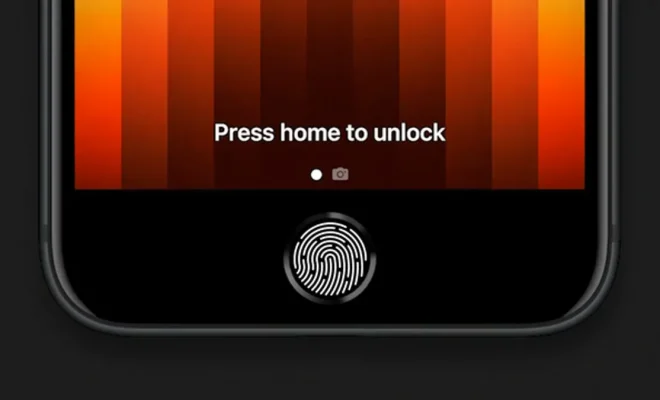
The iPhone SE is a compact and powerful device that offers a seamless user experience while still retaining its classic look. One crucial element of this design is the home button, which not only adds to the device’s unique functionality, it also boasts an array of lesser-known features. Below, we take a closer look at these hidden iPhone SE home button functions.

1. Quickly Switch Between Apps

To effortlessly switch between apps on your iPhone SE, double-tap the home button without fully pressing it. This launches the app switcher screen, allowing you to swipe left or right to choose an application you wish to open.

2. Create a Virtual Home Button

If you’re worried about damaging your physical home button or are suffering from reduced responsiveness, you can create and use the virtual home button. Go to Settings > General > Accessibility > AssistiveTouch and toggle it on. You’ll then see a virtual home button on your screen, which you can tap whenever necessary.

3. Activate Siri Hands-free

You can use the iPhone SE home button to activate Siri without the need for vocal input. To do so, simply hold down the home button until you hear two short beeps followed by Siri’s familiar chime. This indicates that your virtual assistant is ready for commands.

4. Control Accessibility Functions

The Apple Triple-click function allows you to enable accessibility features such as VoiceOver, Zoom, Magnifier, and Invert Colors by quickly pressing the home button three times in a row. You can customize this feature under Settings > General > Accessibility > Accessibility Shortcut.

5. Reachability Feature

For those having troubles reaching UI elements at the top of their iPhone SE’s screen while using the device one-handed, there is a handy built-in trick. Lightly double-tap on the home button without fully pressing; your screen’s content then slides halfway down for easy access. To exit reachability, repeat the double-tap or tap on an empty space above the active area.

In conclusion, the unassuming home button on your iPhone SE is a multipurpose tool with a variety of functionalities that can significantly simplify and enhance your user experience. Armed with these hidden features, you are now equipped to use your device to its full potential. So go on and explore all that your iPhone SE has to offer!

Previous Article

Alternative Facebook apps for Android and iOS

Next Article

tips and tricks for getting even better ...

Matthew Lynch

Related articles More from author

  • Tech Advice

    Best VPN for Chromebook (2023)

    August 8, 2023
    By Matthew Lynch
  • Tech Advice

    Best Scary Mobile Games to Play in the Dark This Halloween

    July 24, 2023
    By Matthew Lynch
  • Tech Advice

    Lenovo Tab P11 Plus Review

    July 20, 2023
    By Matthew Lynch
  • Tech Advice

    Millions Can’t Pay Their Car Loans: Here’s What You Can Do If You’re One of Them

    July 11, 2023
    By Matthew Lynch
  • Tech Advice

    Sony WH-1000XM4 review: A nearly flawless noise-canceling headphone

    July 16, 2023
    By Matthew Lynch
  • Tech Advice

    The Best Google Docs Alternatives for Online Word Processing

    June 15, 2023
    By Matthew Lynch

Search

Login & Registration

  • Register
  • Log in
  • Entries feed
  • Comments feed
  • WordPress.org

Newsletter

Signup for The Tech Edvocate Newsletter and have the latest in EdTech news and opinion delivered to your email address!

About Us

Since technology is not going anywhere and does more good than harm, adapting is the best course of action. That is where The Tech Edvocate comes in. We plan to cover the PreK-12 and Higher Education EdTech sectors and provide our readers with the latest news and opinion on the subject. From time to time, I will invite other voices to weigh in on important issues in EdTech. We hope to provide a well-rounded, multi-faceted look at the past, present, the future of EdTech in the US and internationally.

We started this journey back in June 2016, and we plan to continue it for many more years to come. I hope that you will join us in this discussion of the past, present and future of EdTech and lend your own insight to the issues that are discussed.

Newsletter

Signup for The Tech Edvocate Newsletter and have the latest in EdTech news and opinion delivered to your email address!

Contact Us

The Tech Edvocate
910 Goddin Street
Richmond, VA 23231
(601) 630-5238
[email protected]

Copyright © 2025 Matthew Lynch. All rights reserved.