Best Mailchimp integrations for ecommerce
“`html
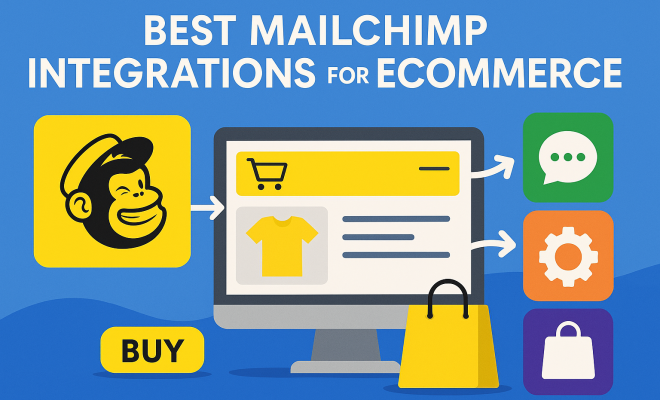
If you’re running an online store, you already know the grind. Attracting customers, converting sales, and keeping them coming back is a constant balancing act. Marketing automation, especially email marketing, isn’t just a nice-to-have; it’s absolutely essential. And when it comes to email marketing for ecommerce, Mailchimp often stands out as a top contender, thanks to its user-friendly interface and robust features. But here’s the thing: Mailchimp alone, while powerful, reaches its true potential when it’s seamlessly connected with your other business tools. That’s where Mailchimp ecommerce integrations come into play. These connections allow your customer data, order information, and marketing efforts to flow effortlessly, creating a cohesive, automated ecosystem that can dramatically boost your sales and customer loyalty.
Think about it: imagine a customer abandons their cart. Without an integration, you might have to manually export that data, upload it to Mailchimp, and then craft an email. With the right integration, that abandoned cart triggers an automated email sequence within minutes, personalized with the exact items they left behind. That’s not just convenience; it’s a direct path to recovering lost revenue. In this article, we’ll dive deep into the most crucial Mailchimp ecommerce integrations that can transform your marketing strategy, streamline your operations, and ultimately, grow your business. We’re talking about tools that make your life easier while making your customers happier and your bottom line fatter. Let’s dig in.
1. Shopify: The E-commerce Powerhouse Connection
It’s almost impossible to talk about Mailchimp ecommerce integrations without immediately bringing up Shopify. For millions of online retailers, Shopify is the platform of choice, offering an incredibly robust and scalable solution for building and managing an online store. The integration between Mailchimp and Shopify is, therefore, one of the most fundamental connections you can make. It’s designed to ensure that your customer data, purchase history, and product information flow smoothly between the two systems, creating a single source of truth for your customer interactions.
What does this mean in practice? When a customer makes a purchase on your Shopify store, their data—their name, email, items bought, and total spend—is automatically synced with your Mailchimp audience. This isn’t just about adding new subscribers; it’s about enriching existing profiles. You can segment customers based on their purchase history, frequency of buying, or even the specific products they’ve shown interest in. This level of detail allows you to send highly targeted campaigns, whether it’s a follow-up email after a purchase, a personalized recommendation based on past buys, or a win-back campaign for dormant customers. The synergy between these two platforms empowers you to move beyond generic newsletters and into truly personalized customer journeys that drive conversions.
2. WooCommerce: Open-Source Flexibility Meets Marketing Automation
For those who prefer the flexibility and control of an open-source platform, WooCommerce is the undisputed champion of WordPress ecommerce. Powering a significant percentage of all online stores, WooCommerce provides a highly customizable solution for selling products and services. Naturally, a robust Mailchimp ecommerce integration for WooCommerce is critical for any business leveraging this powerful duo. The integration brings the same level of data synchronization and marketing automation capabilities you’d expect from other top-tier platforms, all within the WordPress ecosystem.
The beauty of the WooCommerce-Mailchimp connection lies in its ability to centralize your customer data and automate your marketing workflows. When customers sign up for your newsletter or make a purchase on your WooCommerce store, their information, including order details and browsing behavior, is automatically pushed to Mailchimp. This allows for sophisticated segmentation based on purchase history, product categories viewed, or even how recently they’ve interacted with your store. Imagine sending a discount on dog toys specifically to customers who’ve previously bought pet supplies, or a re-engagement email to someone who hasn’t purchased in three months. These targeted campaigns, powered by the integration, are far more effective than broad-stroke marketing, leading to higher open rates, click-through rates, and ultimately, more sales for your WooCommerce-powered business.
3. Stripe: Streamlining Payments and Customer Communication
While Shopify and WooCommerce handle the storefront and product catalog, payment processing is the critical final step in any ecommerce transaction. Stripe has emerged as a leader in this space, known for its developer-friendly API, robust security, and global reach. Integrating Mailchimp with Stripe isn’t about selling directly through Mailchimp, but rather about enriching your customer data and automating communications based on payment events. This connection provides valuable insights into customer spending habits and subscription statuses, allowing for more nuanced marketing strategies.
When you connect Mailchimp to Stripe, you can automatically add customers who make a purchase or subscribe to a service via Stripe to your Mailchimp audience. More importantly, you can track their payment history, subscription status, and even failed payments. This data becomes incredibly powerful for segmentation. For instance, you could create a segment of customers whose subscriptions are about to expire and send them a personalized renewal offer. Or, if a payment fails, you could trigger an automated email sequence designed to help them update their payment information, preventing churn. This integration transforms raw transactional data into actionable marketing opportunities, ensuring your communications are timely, relevant, and supportive of your customer’s journey, whether they’re a first-time buyer or a long-term subscriber.
4. Facebook & Instagram Ads: Unifying Your Social and Email Efforts
In today’s digital landscape, social media is an indispensable channel for customer acquisition and engagement. Facebook and Instagram, with their massive user bases and sophisticated targeting capabilities, are often at the forefront of paid advertising efforts for ecommerce businesses. A Mailchimp ecommerce integration with these platforms is a game-changer because it allows you to unify your social advertising and email marketing strategies, creating a more cohesive and powerful approach. (See: importance of marketing automation.)
The primary benefit here is the ability to leverage your Mailchimp audience data for more precise social media targeting. You can create custom audiences on Facebook and Instagram directly from your Mailchimp lists. This means you can target ads to your existing subscribers, customers who’ve purchased specific products, or even those who haven’t opened your recent emails. Furthermore, you can create lookalike audiences based on your best customers, expanding your reach to new prospects who share similar characteristics. Conversely, the integration can also help grow your Mailchimp lists by enabling sign-up forms directly within your Facebook or Instagram campaigns. This symbiotic relationship ensures your marketing messages are consistent across channels, improving ad performance and nurturing leads more effectively from social discovery all the way to email conversion.
5. Google Analytics: Deep Dive into Customer Behavior
Understanding how customers interact with your website is paramount for any ecommerce business. Google Analytics provides an unparalleled depth of insight into website traffic, user behavior, conversion paths, and much more. Integrating Mailchimp with Google Analytics, while not a direct data sync in the same way as an ecommerce platform, is crucial for measuring the effectiveness of your email campaigns and understanding their impact on your overall website performance. This connection is about attribution and optimization.
When you link your Mailchimp account to Google Analytics, Mailchimp automatically adds tracking parameters to the links in your email campaigns. This means when a subscriber clicks a link in your email and lands on your website, Google Analytics can attribute that visit, and any subsequent actions (like purchases or sign-ups), back to the specific email campaign. You can then see which campaigns are driving traffic, which are leading to conversions, and how engaged those email-driven visitors are compared to other traffic sources. This data is invaluable for optimizing your email content, subject lines, and calls to action. It allows you to make data-driven decisions, ensuring your Mailchimp efforts are directly contributing to your ecommerce goals and providing a clear return on investment.
6. Zapier: The Ultimate Automation Swiss Army Knife
Sometimes, the direct integrations offered by Mailchimp or your ecommerce platform aren’t enough to connect every piece of your tech stack. This is where Zapier steps in, acting as an incredibly powerful middleware that connects thousands of different web applications. Think of Zapier as a universal translator and bridge builder, allowing you to create custom automated workflows (called ‘Zaps’) between Mailchimp and virtually any other app you use, even if there isn’t a native integration available. For Mailchimp ecommerce integrations, Zapier is truly indispensable for bespoke automation.
The possibilities with Zapier are nearly limitless. You could, for example, automatically add new leads from your CRM (like Salesforce or HubSpot) to a specific Mailchimp audience, or update a customer’s tag in Mailchimp when they complete a survey in SurveyMonkey. For ecommerce, imagine a scenario where a customer leaves a positive review on your product review platform (like Yotpo or Loox); Zapier could then automatically add them to a ‘Brand Advocates’ segment in Mailchimp, triggering an email asking them to refer a friend. Or, if you use a separate inventory management system, Zapier could potentially update Mailchimp tags based on product availability. This level of customizable automation saves countless hours, eliminates manual data entry, and ensures your customer data is always up-to-date across all your critical systems, enabling highly personalized and timely marketing campaigns.
7. Calendly / Acuity Scheduling: Booking and Beyond for Service-Based E-commerce
While many think of ecommerce solely in terms of physical products, the digital economy increasingly includes services, consultations, and online courses. For businesses that rely on appointments, bookings, or scheduling, tools like Calendly and Acuity Scheduling are vital. Integrating these scheduling platforms with Mailchimp provides a seamless way to manage customer communication before, during, and after a booked service. This is a crucial Mailchimp ecommerce integration for anyone selling their time or expertise online.
The primary benefit here is the ability to automatically add new clients or attendees to your Mailchimp audience when they book an appointment. You can then segment these contacts based on the type of service they booked, the date of their appointment, or even whether they’ve attended previously. This allows you to send targeted pre-appointment reminders, post-appointment follow-ups, feedback requests, or even promotional offers for related services. Imagine sending a personalized email to clients who’ve completed a specific coaching session, inviting them to a follow-up workshop, or offering a discount on a package deal. This integration ensures that every interaction, from the moment of booking, is part of a larger, nurturing customer journey, enhancing client relationships and driving repeat business for your service-based offerings.
8. Typeform / Google Forms: Capturing Data and Driving Engagement
Forms are often the unsung heroes of data collection, customer feedback, and lead generation. Whether you’re running a survey, gathering customer preferences, hosting a contest, or simply collecting contact information, tools like Typeform and Google Forms offer intuitive ways to create engaging forms. Integrating these form builders with Mailchimp is a simple yet powerful way to grow your audience, enrich existing contact profiles, and trigger automated marketing sequences based on collected responses. This is a foundational Mailchimp ecommerce integration for any business looking to gather more insights and act on them.
When you connect your form builder to Mailchimp, new submissions can automatically be added to your chosen Mailchimp audience, often with the option to tag them based on their responses. For an ecommerce store, this could mean creating a quiz about product preferences, and then automatically segmenting respondents into different groups based on their answers – say, ‘Loves Skincare’ or ‘Prefers Makeup.’ You can then send highly personalized product recommendations or content tailored to those preferences. Or, if you run a post-purchase feedback survey, positive responses could lead to an email asking for a review, while negative ones trigger an internal notification to your customer service team. This integration transforms passive data collection into active marketing opportunities, allowing you to understand your customers better and respond to their needs in a highly personalized and automated fashion, driving deeper engagement and loyalty.
9. Live Chat & Help Desk Integrations: Instant Support, Better Data
Customer service isn’t just a cost center; it’s a prime opportunity for engagement and data collection. Tools like Zendesk, Intercom, or LiveChat provide real-time support and help you manage customer inquiries. Integrating these live chat and help desk platforms with Mailchimp might seem indirect for ecommerce, but it can significantly enhance your customer profiles and marketing effectiveness. (See: Mailchimp's role in ecommerce.)
Think about it: when a customer interacts with your support team, they often share valuable information about their needs, pain points, or product interests. With an integration, you can automatically add these contacts to Mailchimp, tagging them based on the nature of their inquiry. For example, a customer asking about a specific product line could be tagged as “Interested in [Product Line],” allowing you to send them targeted promotions later. If a customer has a service issue, you can tag them for a follow-up email after their issue is resolved, checking in and offering a discount as an apology. This kind of nuanced data collection directly from support interactions helps you build richer customer profiles within Mailchimp, making your subsequent email campaigns even more relevant and effective. It’s about turning a support interaction into a marketing opportunity, ensuring every touchpoint contributes to a holistic understanding of your customer.
10. Loyalty & Rewards Programs: Nurturing Your Best Customers
Retaining existing customers is often more cost-effective than acquiring new ones. Loyalty and rewards programs, such as Smile.io or LoyaltyLion, are fantastic for encouraging repeat purchases and building a community around your brand. A Mailchimp ecommerce integration with these platforms closes the loop, allowing you to leverage loyalty data for highly targeted email marketing.
When your loyalty program is connected to Mailchimp, you can automatically sync customer loyalty tiers, points balances, and reward redemption history. This opens up a world of personalized marketing. Imagine sending an exclusive early-bird access email to your “VIP” loyalty members for a new product launch, or a special birthday discount to customers with a high points balance. You can also trigger automated emails for points milestones, encouraging customers to redeem rewards or make another purchase to reach the next tier. This integration ensures your most valuable customers feel appreciated and are consistently engaged, boosting their lifetime value and turning them into powerful brand advocates. It’s about using loyalty data to drive intelligent, rewarding email campaigns that deepen customer relationships and supercharge your retention efforts.
Optimizing Your Mailchimp Ecommerce Integrations for Maximum Impact
Setting up your Mailchimp ecommerce integrations is just the first step. To truly unlock their power, you need a strategy for optimization. This means regularly reviewing performance, refining your segments, and testing different approaches. Don’t set it and forget it.
A/B Testing Your Automated Flows
Once you’ve got those abandoned cart emails or post-purchase follow-ups running, don’t assume they’re perfect. A/B test everything: subject lines, email copy, calls to action, and even the timing of your sends. For example, does an abandoned cart email sent 30 minutes after abandonment perform better than one sent an hour later? Does a discount offer in your win-back campaign yield higher conversions than a free shipping offer? Mailchimp’s built-in A/B testing features, combined with the data flowing from your integrations, make this process straightforward and incredibly insightful.
Leveraging Advanced Segmentation
The richer your data from integrations like Shopify or WooCommerce, the more granular your segmentation can be. Go beyond basic demographics. Segment customers by products viewed but not purchased, by average order value, by last purchase date, or by specific categories they’ve shown interest in based on form responses or support interactions. The more specific your segments, the more personalized and effective your emails will be. For instance, if you sell pet supplies, you could segment by “cat owners who bought premium dry food in the last 6 months” and send them highly relevant content and offers.
Monitoring Integration Health
Integrations are powerful, but they’re also technical connections. It’s a good practice to periodically check that your integrations are still active and syncing correctly. Most platforms will have dashboards or logs that show sync status. If data isn’t flowing as expected, your automated campaigns could be impacted, leading to missed opportunities or outdated information. A quick weekly check can prevent bigger issues down the line.
Mailchimp Ecommerce Integrations: Frequently Asked Questions (FAQ)
Q1: Why are Mailchimp ecommerce integrations so important for my online store?
A: Mailchimp ecommerce integrations are crucial because they create a unified ecosystem for your customer data and marketing efforts. Instead of manually transferring data or sending generic emails, these integrations automate the flow of information (like purchases, browsing behavior, and support inquiries) between your store and Mailchimp. This allows for highly personalized campaigns, abandoned cart recovery, targeted product recommendations, and improved customer service, all of which directly lead to increased sales, better customer retention, and a more efficient marketing operation.
Q2: Which Mailchimp integration is most important for a brand new ecommerce store?
A: For a brand new ecommerce store, the most critical integration is with your primary ecommerce platform – typically Shopify or WooCommerce. This connection is foundational, as it syncs your customer and order data directly into Mailchimp, enabling basic but essential automated campaigns like welcome sequences, abandoned cart emails, and post-purchase follow-ups. Once that’s in place, integrating with Google Analytics for performance tracking and Facebook/Instagram for audience targeting would be the next smart steps. (See: Harvard's research on marketing strategies.)
Q3: Can I integrate Mailchimp with multiple ecommerce platforms?
A: Yes, you can. However, it’s generally recommended to choose one primary ecommerce platform (like Shopify or WooCommerce) to sync core customer and order data to avoid data duplication or conflicts within Mailchimp. If you operate multiple distinct stores, you might use separate Mailchimp audiences for each. For connecting other tools like payment processors (Stripe) or scheduling apps (Calendly) that might interact with multiple platforms, Mailchimp often handles these connections gracefully, or you can use a middleware like Zapier to orchestrate more complex multi-platform scenarios.
Q4: How do I know if my Mailchimp integration is working correctly?
A: You can usually verify your integration’s health in a few ways:
- Check Mailchimp’s Integration Dashboard: Mailchimp often provides a dashboard within your account that shows the status of connected integrations.
- Monitor Data Flow: Make a test purchase on your ecommerce store and then check your Mailchimp audience to see if the new contact and purchase data has synced.
- Review Logs (if available): Some integrations, especially through platforms like Zapier, provide logs that show successful or failed data transfers.
- Test Automated Campaigns: If you have an abandoned cart email, intentionally abandon a cart and see if the email triggers as expected.
Q5: Is Zapier necessary if Mailchimp has direct integrations?
A: Not always, but Zapier is incredibly useful for bridging gaps where direct Mailchimp integrations don’t exist, or for creating highly customized, multi-step workflows. For example, if you want to connect Mailchimp to a niche inventory management system or a specific customer survey tool that doesn’t have a native Mailchimp integration, Zapier becomes essential. It acts as a flexible automation layer, allowing you to connect thousands of apps and create bespoke data flows that direct integrations can’t provide.
Q6: How can Mailchimp integrations help with customer retention?
A: Mailchimp integrations significantly boost customer retention by enabling personalized and timely communication. For example:
- Post-Purchase Follow-ups: Integrate with Shopify/WooCommerce to send thank you emails, product care tips, or cross-sell recommendations.
- Loyalty Programs: Integrate with loyalty platforms to reward repeat customers with exclusive offers or early access.
- Subscription Management: Integrate with Stripe to send renewal reminders or payment update requests, reducing churn.
- Feedback Surveys: Integrate with Typeform/Google Forms to gather feedback and address issues proactively, showing customers you care.
By staying relevant and engaged, you foster stronger customer relationships that encourage repeat business.
Making the Most of Your Mailchimp Ecommerce Integrations
The power of Mailchimp in the ecommerce space isn’t just about sending emails; it’s about building comprehensive customer relationships through intelligent automation. The integrations we’ve explored here are not just individual tools; they’re pieces of a larger puzzle that, when connected, create a truly formidable marketing ecosystem. Each integration serves a specific purpose, from syncing core customer data and purchase history with Shopify or WooCommerce, to automating payment-based communications with Stripe, unifying social ads with Facebook and Instagram, or gaining deep behavioral insights with Google Analytics.
The key takeaway here is to think strategically about your entire customer journey. Where do customers interact with your brand? What data points are critical at each stage? By identifying these touchpoints and leveraging the right Mailchimp ecommerce integrations, you can ensure that your marketing efforts are always timely, relevant, and personalized. Whether it’s recovering abandoned carts, sending targeted product recommendations, or nurturing leads for your service-based business, these integrations are the backbone of effective, modern ecommerce marketing. Don’t just send emails; build experiences. And these integrations are how you do it efficiently and effectively.
“`
Trending Now
Frequently Asked Questions
What are the best Mailchimp integrations for ecommerce?
The best Mailchimp integrations for ecommerce include Shopify, WooCommerce, BigCommerce, and Magento. These platforms enhance your email marketing efforts by automating workflows, syncing customer data, and improving customer engagement, ultimately boosting sales and customer loyalty.
How does Mailchimp help ecommerce businesses?
Mailchimp helps ecommerce businesses by providing tools for email marketing automation, customer segmentation, and personalized campaigns. Its integrations with ecommerce platforms streamline data management, allowing businesses to recover lost sales and enhance customer relationships with targeted marketing strategies.
Can Mailchimp automate abandoned cart emails?
Yes, Mailchimp can automate abandoned cart emails through its integrations with ecommerce platforms. When a customer leaves items in their cart, Mailchimp can trigger personalized email sequences, reminding them of their abandoned items and encouraging them to complete their purchase.
Why should I integrate Mailchimp with my online store?
Integrating Mailchimp with your online store enhances your marketing capabilities by automating processes, synchronizing customer data, and improving communication. This integration ensures that your marketing efforts are more efficient, personalized, and effective in driving sales and customer retention.
What features make Mailchimp a good choice for ecommerce?
Mailchimp offers a user-friendly interface, robust email marketing automation, advanced analytics, and seamless integrations with various ecommerce platforms. Its features, such as customer segmentation and personalized campaigns, make it a powerful tool for enhancing online retail marketing strategies.
Agree or disagree? Drop a comment and tell us what you think.