The Tech Edvocate

Top Menu

  • Advertisement
  • Apps
  • Home Page
  • Home Page Five (No Sidebar)
  • Home Page Four
  • Home Page Three
  • Home Page Two
  • Home Tech2
  • Icons [No Sidebar]
  • Left Sidbear Page
  • Lynch Educational Consulting
  • My Account
  • My Speaking Page
  • Newsletter Sign Up Confirmation
  • Newsletter Unsubscription
  • Our Brands
  • Page Example
  • Privacy Policy
  • Protected Content
  • Register
  • Request a Product Review
  • Shop
  • Shortcodes Examples
  • Signup
  • Start Here
    • Governance
    • Careers
    • Contact Us
  • Terms and Conditions
  • The Edvocate
  • The Tech Edvocate Product Guide
  • Topics
  • Write For Us
  • Advertise

Main Menu

  • Start Here
    • Our Brands
    • Governance
      • Lynch Educational Consulting, LLC.
      • Dr. Lynch’s Personal Website
      • Careers
    • Write For Us
    • The Tech Edvocate Product Guide
    • Contact Us
    • Books
    • Edupedia
    • Post a Job
    • The Edvocate Podcast
    • Terms and Conditions
    • Privacy Policy
  • Topics
    • Assistive Technology
    • Child Development Tech
    • Early Childhood & K-12 EdTech
    • EdTech Futures
    • EdTech News
    • EdTech Policy & Reform
    • EdTech Startups & Businesses
    • Higher Education EdTech
    • Online Learning & eLearning
    • Parent & Family Tech
    • Personalized Learning
    • Product Reviews
  • Advertise
  • Tech Edvocate Awards
  • The Edvocate
  • Pedagogue
  • School Ratings

logo

The Tech Edvocate

  • Start Here
    • Our Brands
    • Governance
      • Lynch Educational Consulting, LLC.
      • Dr. Lynch’s Personal Website
        • My Speaking Page
      • Careers
    • Write For Us
    • The Tech Edvocate Product Guide
    • Contact Us
    • Books
    • Edupedia
    • Post a Job
    • The Edvocate Podcast
    • Terms and Conditions
    • Privacy Policy
  • Topics
    • Assistive Technology
    • Child Development Tech
    • Early Childhood & K-12 EdTech
    • EdTech Futures
    • EdTech News
    • EdTech Policy & Reform
    • EdTech Startups & Businesses
    • Higher Education EdTech
    • Online Learning & eLearning
    • Parent & Family Tech
    • Personalized Learning
    • Product Reviews
  • Advertise
  • Tech Edvocate Awards
  • The Edvocate
  • Pedagogue
  • School Ratings
  • The AI Education Revolution: 10 Urgent Questions Universities Must Answer Now

  • Explosive Zero-Day Vulnerability: 15 Million Websites Under Siege – Is Yours Next?

  • The Ultimate Kuru Footwear Trio: A Comfort Revolution for Every Adventure

  • Why Your Mortgage Could Be Denied by Biased AI – And What the Fed Is Doing About It

  • Unprecedented: Lawsuit Demands Total AI Shutdown Amid Rising Global Panic

  • The Astonishing Truth: Microcredentials Now Trump MBAs for Data Science Jobs

  • The Astonishing Twist: AI Cuts Your Job, Then Helps You Sue Your Boss

  • The Staggering Truth About Palo Alto’s $4.5 Billion AI Bet

  • Mind-Blowing: Satellite Metals Now Outweigh Meteoroids, Sparking Urgent Insurance Crisis

  • The Silent Threat From Above: Your Sky Is Changing, And Here’s Why

Assistive Technology
Home›Assistive Technology›Ways to Save Text Message Conversations on Your iPhone

Ways to Save Text Message Conversations on Your iPhone
By Matthew Lynch
June 14, 2023
0
Spread the love

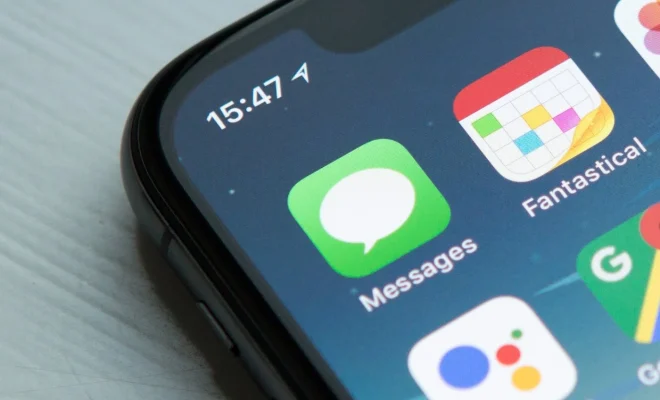
Text messaging has become an essential way of communication for most of us, and with the ever-increasing use of smartphones, it’s no surprise that most of these conversations happen on our iPhones. Text message conversations contain valuable information and memories, and one might want to save them for future reference. Here are some ways to save text message conversations on your iPhone:

  1. Take screenshots

One of the easiest ways to save a text message conversation is to take screenshots of the conversation. To take screenshots, press the power button and home button simultaneously. The screenshots will be saved in the Photos app on your iPhone, and you can easily access them whenever you want.

  1. Backup to iCloud

Another way of saving text message conversations is by backing them up to iCloud. Here’s how to do it:

Step 1: Go to Settings and tap on your name.

Step 2: Tap on iCloud and then iCloud Backup.

Step 3: Turn on iCloud Backup and then tap on Back Up Now.

All your text message conversations will now be backed up to iCloud, and you can restore them at any time.

  1. Use a third-party app

There are several third-party apps available on the App Store that allow users to save text messages. Some of these apps are free, while others require you to pay a small fee. One popular app is iExplorer. Here’s how to use it:

Step 1: Install iExplorer on your computer.

Step 2: Connect your iPhone to your computer using a USB cable.

Step 3: Launch iExplorer and click on the Data tab.

Step 4: Click on Messages and select the conversations that you want to save.

Step 5: Click on Export Conversation and choose a location on your computer to save the conversations.

  1. Email the conversation to yourself

If you just want to save a single text message conversation, you can email it to yourself. Here’s how to do it:

Step 1: Open the conversation that you want to save.

Step 2: Tap and hold on the message you want to save.

Step 3: Tap on More.

Step 4: Select the message that you want to save.

Step 5: Tap on the Share button and select Mail.

Step 6: Enter your email address and send the conversation to yourself.

Previous Article

How to Quickly Make a Resume on ...

Next Article

Best Wordle Clones for iPhone

Matthew Lynch

Related articles More from author

  • Assistive Technology

    How to Learn Microsoft Excel Quickly

    June 22, 2023
    By Matthew Lynch
  • Assistive Technology

    How to Convert Legacy BIOS to UEFI in Windows 10 and 11

    June 12, 2023
    By Matthew Lynch
  • Assistive Technology

    How to Use the Sync Center in Windows 10 Pro

    June 11, 2023
    By Matthew Lynch
  • Assistive Technology

    Tips for Flying With a Camera on Airplanes

    June 10, 2023
    By Matthew Lynch
  • Assistive Technology

    Ways to Keep Earbuds From Falling Out

    June 8, 2023
    By Matthew Lynch
  • Assistive Technology

    How to Set Up And Use iTunes Match on iPhone

    June 10, 2023
    By Matthew Lynch

Search

Login & Registration

  • Log in
  • Entries feed
  • Comments feed
  • WordPress.org

Newsletter

Signup for The Tech Edvocate Newsletter and have the latest in EdTech news and opinion delivered to your email address!

About Us

Since technology is not going anywhere and does more good than harm, adapting is the best course of action. That is where The Tech Edvocate comes in. We plan to cover the PreK-12 and Higher Education EdTech sectors and provide our readers with the latest news and opinion on the subject. From time to time, I will invite other voices to weigh in on important issues in EdTech. We hope to provide a well-rounded, multi-faceted look at the past, present, the future of EdTech in the US and internationally.

We started this journey back in June 2016, and we plan to continue it for many more years to come. I hope that you will join us in this discussion of the past, present and future of EdTech and lend your own insight to the issues that are discussed.

Newsletter

Signup for The Tech Edvocate Newsletter and have the latest in EdTech news and opinion delivered to your email address!

Contact Us

The Tech Edvocate
910 Goddin Street
Richmond, VA 23231
(601) 630-5238
[email protected]

Copyright © 2026 Matthew Lynch. All rights reserved.