The Tech Edvocate

Top Menu

  • Advertisement
  • Apps
  • Home Page
  • Home Page Five (No Sidebar)
  • Home Page Four
  • Home Page Three
  • Home Page Two
  • Home Tech2
  • Icons [No Sidebar]
  • Left Sidbear Page
  • Lynch Educational Consulting
  • My Account
  • My Speaking Page
  • Newsletter Sign Up Confirmation
  • Newsletter Unsubscription
  • Our Brands
  • Page Example
  • Privacy Policy
  • Protected Content
  • Register
  • Request a Product Review
  • Shop
  • Shortcodes Examples
  • Signup
  • Start Here
    • Governance
    • Careers
    • Contact Us
  • Terms and Conditions
  • The Edvocate
  • The Tech Edvocate Product Guide
  • Topics
  • Write For Us
  • Advertise

Main Menu

  • Start Here
    • Our Brands
    • Governance
      • Lynch Educational Consulting, LLC.
      • Dr. Lynch’s Personal Website
      • Careers
    • Write For Us
    • The Tech Edvocate Product Guide
    • Contact Us
    • Books
    • Edupedia
    • Post a Job
    • The Edvocate Podcast
    • Terms and Conditions
    • Privacy Policy
  • Topics
    • Assistive Technology
    • Child Development Tech
    • Early Childhood & K-12 EdTech
    • EdTech Futures
    • EdTech News
    • EdTech Policy & Reform
    • EdTech Startups & Businesses
    • Higher Education EdTech
    • Online Learning & eLearning
    • Parent & Family Tech
    • Personalized Learning
    • Product Reviews
  • Advertise
  • Tech Edvocate Awards
  • The Edvocate
  • Pedagogue
  • School Ratings

logo

The Tech Edvocate

  • Start Here
    • Our Brands
    • Governance
      • Lynch Educational Consulting, LLC.
      • Dr. Lynch’s Personal Website
        • My Speaking Page
      • Careers
    • Write For Us
    • The Tech Edvocate Product Guide
    • Contact Us
    • Books
    • Edupedia
    • Post a Job
    • The Edvocate Podcast
    • Terms and Conditions
    • Privacy Policy
  • Topics
    • Assistive Technology
    • Child Development Tech
    • Early Childhood & K-12 EdTech
    • EdTech Futures
    • EdTech News
    • EdTech Policy & Reform
    • EdTech Startups & Businesses
    • Higher Education EdTech
    • Online Learning & eLearning
    • Parent & Family Tech
    • Personalized Learning
    • Product Reviews
  • Advertise
  • Tech Edvocate Awards
  • The Edvocate
  • Pedagogue
  • School Ratings
  • The AI Education Revolution: 10 Urgent Questions Universities Must Answer Now

  • Explosive Zero-Day Vulnerability: 15 Million Websites Under Siege – Is Yours Next?

  • The Ultimate Kuru Footwear Trio: A Comfort Revolution for Every Adventure

  • Why Your Mortgage Could Be Denied by Biased AI – And What the Fed Is Doing About It

  • Unprecedented: Lawsuit Demands Total AI Shutdown Amid Rising Global Panic

  • The Astonishing Truth: Microcredentials Now Trump MBAs for Data Science Jobs

  • The Astonishing Twist: AI Cuts Your Job, Then Helps You Sue Your Boss

  • The Staggering Truth About Palo Alto’s $4.5 Billion AI Bet

  • Mind-Blowing: Satellite Metals Now Outweigh Meteoroids, Sparking Urgent Insurance Crisis

  • The Silent Threat From Above: Your Sky Is Changing, And Here’s Why

Digital & Mobile Technology
Home›Digital & Mobile Technology›Accessories to Improve Your Desk Setup

Accessories to Improve Your Desk Setup
By Matthew Lynch
June 12, 2023
0
Spread the love

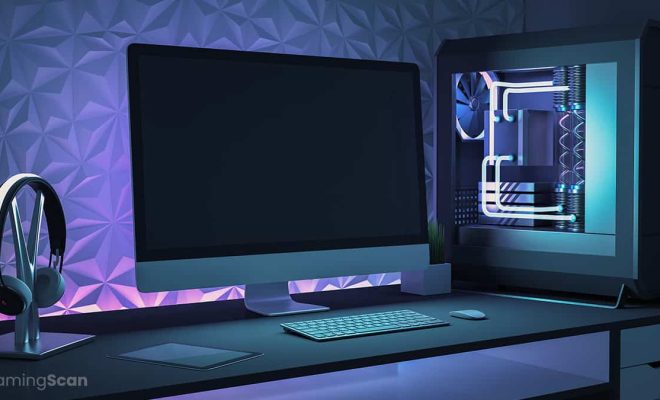
As more and more people work from home, improving your desk setup has become increasingly important. Not only can a well-designed workspace help increase productivity, but it can also promote good posture and reduce the risk of strain injuries. One way to enhance your desk setup is by adding accessories that can help you stay organized, comfortable, and focused throughout the day.

Here are some accessories to consider when aiming to improve your desk setup:

1. Monitor Stand: A monitor stand can help raise your computer screen to a comfortable eye level, reducing neck and eye strain. Look for one that is adjustable and can hold your monitor securely.

2. Keyboard Wrist Pad: Typing for long hours can strain your wrists, causing pain and discomfort. A keyboard wrist pad can provide extra support and cushioning, making it more comfortable to type.

3. Headphone/Headset: Invest in a good quality headphone or headset to block out any background noise and improve your audio quality for work-related calls or video conferences. Make sure the headphones are comfortable to wear and have good sound quality.

4. Desk Lamp: A desk lamp can help reduce eye strain by providing additional lighting to your workspace. Look for one that has adjustable brightness settings and a flexible neck, allowing you to move the light as needed.

5. Desk Organizer: Keep important documents and supplies sorted and within reach with a desk organizer. Look for a design that suits your style and has enough compartments to keep everything in order.

6. Ergonomic Chair: Spending hours sitting at your desk can put a significant strain on your back and posture. Investing in an ergonomic chair can help alleviate this pressure and reduce the risk of back pain. Ensure the chair has an adjustable seat height, backrest, and armrests to match your needs.

7. Ergonomic Mouse: Using a traditional mouse can cause wrist pain, especially when used for extended periods. An ergonomic mouse can help reduce this strain and make it more comfortable to use. Look for one with a comfortable grip and adjustable settings.

8. Cable Management: Cable clutter can make your workspace feel cluttered and disorganized. Use cable management tools like clips, sleeves, and ties to keep cables organized and tangle-free.

In conclusion, improving your desk setup with the right accessories can help reduce the risk of strain injuries, promote good posture, and increase productivity. Consider investing in accessories that suit your work style, preferences, and budget for maximum benefits.

Previous Article

How to Block All Facebook Notifications

Next Article

The Best Cheap Computer Parts Stores for ...

Matthew Lynch

Related articles More from author

  • Digital & Mobile Technology

    Avira Free Security Review

    July 24, 2023
    By Matthew Lynch
  • Digital & Mobile Technology

    What Is Video Compression?

    July 14, 2023
    By Matthew Lynch
  • Digital & Mobile Technology

    192.168.2.1 Default IP Address for Some Home Network Routers

    June 12, 2023
    By Matthew Lynch
  • Digital & Mobile Technology

    Sites to Listen to Free Christmas Music Online

    June 14, 2023
    By Matthew Lynch
  • Digital & Mobile Technology

    Play the Drums Virtually With These 6 Online Drum Sets

    August 5, 2023
    By Matthew Lynch
  • Digital & Mobile Technology

    How to Run Android Apps on Mac

    May 26, 2023
    By Matthew Lynch

Search

Login & Registration

  • Log in
  • Entries feed
  • Comments feed
  • WordPress.org

Newsletter

Signup for The Tech Edvocate Newsletter and have the latest in EdTech news and opinion delivered to your email address!

About Us

Since technology is not going anywhere and does more good than harm, adapting is the best course of action. That is where The Tech Edvocate comes in. We plan to cover the PreK-12 and Higher Education EdTech sectors and provide our readers with the latest news and opinion on the subject. From time to time, I will invite other voices to weigh in on important issues in EdTech. We hope to provide a well-rounded, multi-faceted look at the past, present, the future of EdTech in the US and internationally.

We started this journey back in June 2016, and we plan to continue it for many more years to come. I hope that you will join us in this discussion of the past, present and future of EdTech and lend your own insight to the issues that are discussed.

Newsletter

Signup for The Tech Edvocate Newsletter and have the latest in EdTech news and opinion delivered to your email address!

Contact Us

The Tech Edvocate
910 Goddin Street
Richmond, VA 23231
(601) 630-5238
[email protected]

Copyright © 2026 Matthew Lynch. All rights reserved.