The Tech Edvocate

Top Menu

  • Advertisement
  • Apps
  • Home Page
  • Home Page Five (No Sidebar)
  • Home Page Four
  • Home Page Three
  • Home Page Two
  • Home Tech2
  • Icons [No Sidebar]
  • Left Sidbear Page
  • Lynch Educational Consulting
  • My Account
  • My Speaking Page
  • Newsletter Sign Up Confirmation
  • Newsletter Unsubscription
  • Our Brands
  • Page Example
  • Privacy Policy
  • Protected Content
  • Register
  • Request a Product Review
  • Shop
  • Shortcodes Examples
  • Signup
  • Start Here
    • Governance
    • Careers
    • Contact Us
  • Terms and Conditions
  • The Edvocate
  • The Tech Edvocate Product Guide
  • Topics
  • Write For Us
  • Advertise

Main Menu

  • Start Here
    • Our Brands
    • Governance
      • Lynch Educational Consulting, LLC.
      • Dr. Lynch’s Personal Website
      • Careers
    • Write For Us
    • The Tech Edvocate Product Guide
    • Contact Us
    • Books
    • Edupedia
    • Post a Job
    • The Edvocate Podcast
    • Terms and Conditions
    • Privacy Policy
  • Topics
    • Assistive Technology
    • Child Development Tech
    • Early Childhood & K-12 EdTech
    • EdTech Futures
    • EdTech News
    • EdTech Policy & Reform
    • EdTech Startups & Businesses
    • Higher Education EdTech
    • Online Learning & eLearning
    • Parent & Family Tech
    • Personalized Learning
    • Product Reviews
  • Advertise
  • Tech Edvocate Awards
  • The Edvocate
  • Pedagogue
  • School Ratings

logo

The Tech Edvocate

  • Start Here
    • Our Brands
    • Governance
      • Lynch Educational Consulting, LLC.
      • Dr. Lynch’s Personal Website
        • My Speaking Page
      • Careers
    • Write For Us
    • The Tech Edvocate Product Guide
    • Contact Us
    • Books
    • Edupedia
    • Post a Job
    • The Edvocate Podcast
    • Terms and Conditions
    • Privacy Policy
  • Topics
    • Assistive Technology
    • Child Development Tech
    • Early Childhood & K-12 EdTech
    • EdTech Futures
    • EdTech News
    • EdTech Policy & Reform
    • EdTech Startups & Businesses
    • Higher Education EdTech
    • Online Learning & eLearning
    • Parent & Family Tech
    • Personalized Learning
    • Product Reviews
  • Advertise
  • Tech Edvocate Awards
  • The Edvocate
  • Pedagogue
  • School Ratings
  • 100 Best Apps for Data Backup

  • 100 Best Apps for Data Migration

  • 100 Best Apps for Data Transformation

  • 100 Best Apps for Data Cleaning

  • 100 Best Apps for Data Entry

  • 100 Best Apps for Business Process Automation

  • 100 Best Apps for Operational Efficiency

  • 100 Best Apps for Improving Processes

  • 100 Best Apps for Scaling Operations

  • 100 Best Apps for Community-Led Growth

Digital & Mobile Technology
Home›Digital & Mobile Technology›How to Create an Email Group and Distribution List in Outlook

How to Create an Email Group and Distribution List in Outlook
By Matthew Lynch
June 6, 2023
0
Spread the love

As communication is a vital aspect of any organization, it is essential to have an easily accessible group of people to communicate with at any given point. This is where email groups and distribution lists come in handy. These lists help to streamline communication and make it more efficient. In this article, we will take a look at the process of creating an email group and distribution list in Outlook.

Step 1: Open Outlook

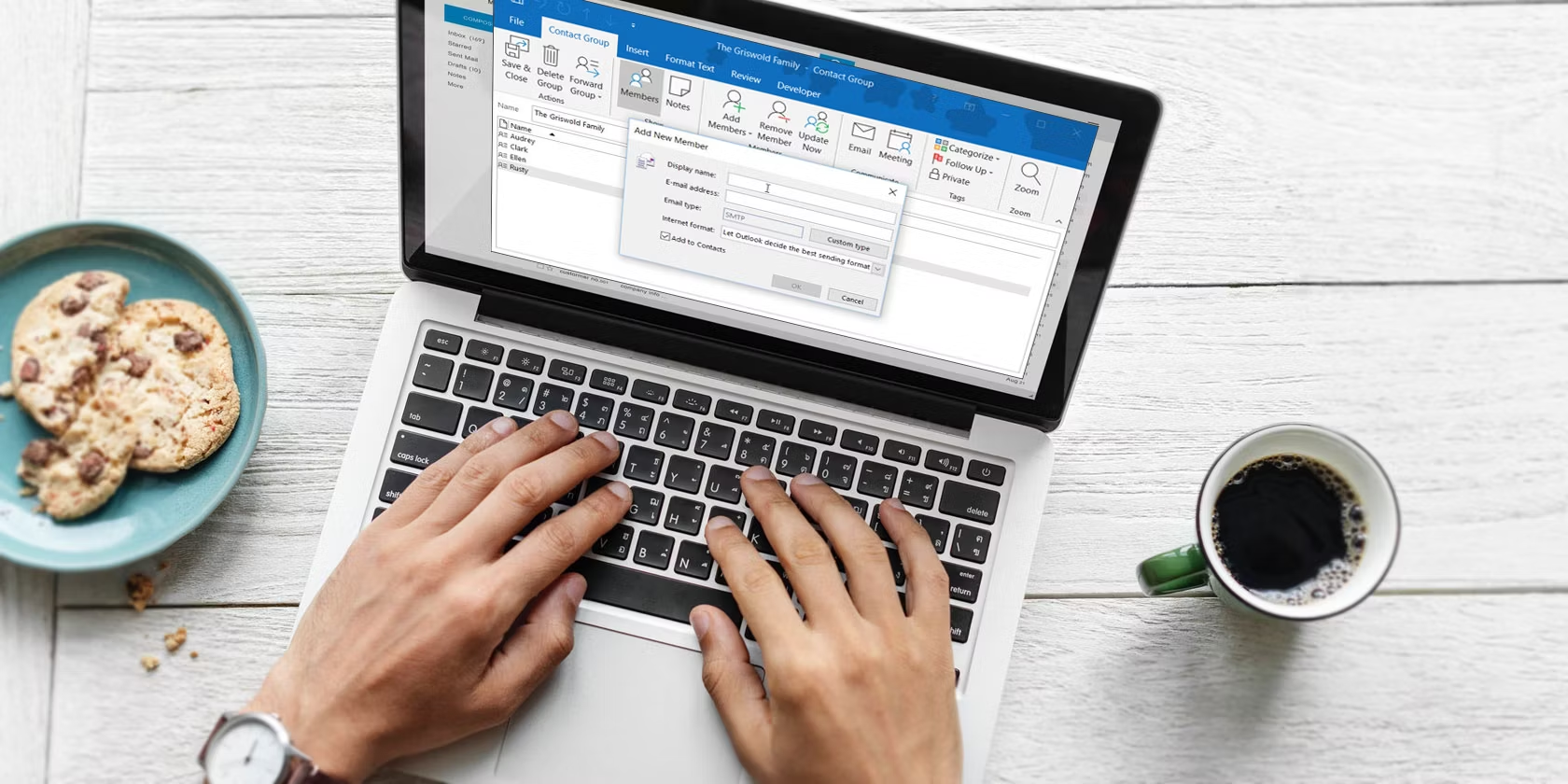
The first step is to open Outlook. Once you have opened Outlook, click on the “file” tab and then click on the “new” tab. This will show you a drop-down menu from where you can select “distribution list”. Alternatively, you can use the keyboard shortcut “Ctrl + Shift + L” to open the distribution list dialog box.

Step 2: Give your distribution list a name

Give your distribution list a name that accurately describes the purpose of the list. You can do this by typing in the name in the “Name” field of the distribution list dialog box.

Step 3: Add members to the distribution list

The next step is to add members to the distribution list. Click on the “Add Members” button, which will give you several options for adding members to your distribution list. You can add members from your contacts, from your email messages, or you can add members manually by typing in their name and email address in the “Members” field.

Step 4: Save and close the distribution list

Once you have added your members to the distribution list, click on the “Save and Close” button. Your new distribution list will now be saved in your contacts folder.

Step 5: Use your distribution list in an email

You can now create an email within Outlook and select your newly created distribution list. To do this, click on the “To” button in the email message window, select the distribution list from your contacts folder, click on the “Bcc” button to ensure that the recipients’ email addresses are not visible to others, and then click on “OK” to add the distribution list to the email.


Previous Article

How to Connect Any Phone or Tablet ...

Next Article

How to Run the Command Prompt as ...

Matthew Lynch

Related articles More from author

  • Digital & Mobile Technology

    Best Apps to Find Clothes by Picture

    June 6, 2023
    By Matthew Lynch
  • Digital & Mobile Technology

    What Is Crypto Swing Trading? Cryptocurrency Swing Trading Strategies Explained

    June 12, 2023
    By Matthew Lynch
  • Digital & Mobile Technology

    Best Workout Music Players of 2023

    June 8, 2023
    By Matthew Lynch
  • Digital & Mobile Technology

    How to Fix It When a Tablet Won’t Connect to Wi-Fi

    July 6, 2023
    By Matthew Lynch
  • Digital & Mobile Technology

    What to Do When Windows 11 Can’t Connect to a Network

    July 6, 2023
    By Matthew Lynch
  • Digital & Mobile Technology

    How to Curve Text in Word

    September 7, 2023
    By Matthew Lynch

Search

Login & Registration

  • Log in
  • Entries feed
  • Comments feed
  • WordPress.org

Newsletter

Signup for The Tech Edvocate Newsletter and have the latest in EdTech news and opinion delivered to your email address!

About Us

Since technology is not going anywhere and does more good than harm, adapting is the best course of action. That is where The Tech Edvocate comes in. We plan to cover the PreK-12 and Higher Education EdTech sectors and provide our readers with the latest news and opinion on the subject. From time to time, I will invite other voices to weigh in on important issues in EdTech. We hope to provide a well-rounded, multi-faceted look at the past, present, the future of EdTech in the US and internationally.

We started this journey back in June 2016, and we plan to continue it for many more years to come. I hope that you will join us in this discussion of the past, present and future of EdTech and lend your own insight to the issues that are discussed.

Newsletter

Signup for The Tech Edvocate Newsletter and have the latest in EdTech news and opinion delivered to your email address!

Contact Us

The Tech Edvocate
910 Goddin Street
Richmond, VA 23231
(601) 630-5238
[email protected]

Copyright © 2026 Matthew Lynch. All rights reserved.