The Tech Edvocate

Top Menu

  • Advertisement
  • Apps
  • Home Page
  • Home Page Five (No Sidebar)
  • Home Page Four
  • Home Page Three
  • Home Page Two
  • Home Tech2
  • Icons [No Sidebar]
  • Left Sidbear Page
  • Lynch Educational Consulting
  • My Account
  • My Speaking Page
  • Newsletter Sign Up Confirmation
  • Newsletter Unsubscription
  • Our Brands
  • Page Example
  • Privacy Policy
  • Protected Content
  • Register
  • Request a Product Review
  • Shop
  • Shortcodes Examples
  • Signup
  • Start Here
    • Governance
    • Careers
    • Contact Us
  • Terms and Conditions
  • The Edvocate
  • The Tech Edvocate Product Guide
  • Topics
  • Write For Us
  • Advertise

Main Menu

  • Start Here
    • Our Brands
    • Governance
      • Lynch Educational Consulting, LLC.
      • Dr. Lynch’s Personal Website
      • Careers
    • Write For Us
    • The Tech Edvocate Product Guide
    • Contact Us
    • Books
    • Edupedia
    • Post a Job
    • The Edvocate Podcast
    • Terms and Conditions
    • Privacy Policy
  • Topics
    • Assistive Technology
    • Child Development Tech
    • Early Childhood & K-12 EdTech
    • EdTech Futures
    • EdTech News
    • EdTech Policy & Reform
    • EdTech Startups & Businesses
    • Higher Education EdTech
    • Online Learning & eLearning
    • Parent & Family Tech
    • Personalized Learning
    • Product Reviews
  • Advertise
  • Tech Edvocate Awards
  • The Edvocate
  • Pedagogue
  • School Ratings

logo

The Tech Edvocate

  • Start Here
    • Our Brands
    • Governance
      • Lynch Educational Consulting, LLC.
      • Dr. Lynch’s Personal Website
        • My Speaking Page
      • Careers
    • Write For Us
    • The Tech Edvocate Product Guide
    • Contact Us
    • Books
    • Edupedia
    • Post a Job
    • The Edvocate Podcast
    • Terms and Conditions
    • Privacy Policy
  • Topics
    • Assistive Technology
    • Child Development Tech
    • Early Childhood & K-12 EdTech
    • EdTech Futures
    • EdTech News
    • EdTech Policy & Reform
    • EdTech Startups & Businesses
    • Higher Education EdTech
    • Online Learning & eLearning
    • Parent & Family Tech
    • Personalized Learning
    • Product Reviews
  • Advertise
  • Tech Edvocate Awards
  • The Edvocate
  • Pedagogue
  • School Ratings
  • This One Privacy Camera Feature Could Change Smart Homes Forever

  • Unprecedented: White House Mandates AI Security Incident Reporting After Troubling Breaches

  • The AI Storm Tracker Predicting Viral Narratives Just Landed $7 Million – Here’s Why It Matters

  • This State Just Unleashed AI to Prescribe Meds — Are We Ready for the Future of Medicine?

  • Outrageous: YouTuber Loses Decade of Work to Single YouTube Channel Ban

  • The CyberLeek Saga: What This New GTA 6 Footage Means For Rockstar

  • The Startling Truth About AI’s Medical Revolution You Need to Know

  • This Crucial Shift in AI in Higher Education Could Upend Your Future

  • Bizarre CloudConnect CRM Vulnerability: Why Thousands of Businesses Are Now Exposed

  • HomeSecure Breach: This is How 5 Million Mortgages Got Hacked

Digital & Mobile Technology
Home›Digital & Mobile Technology›VirtualBox vs. VMWare vs. Hyper-V: What’s the Best Virtual Machine?

VirtualBox vs. VMWare vs. Hyper-V: What’s the Best Virtual Machine?
By Matthew Lynch
June 5, 2023
0
Spread the love

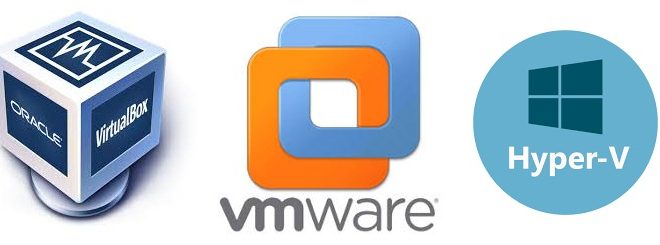
As the world becomes increasingly reliant on virtual machines, the need for reliable virtualization technology has become a necessity. Among the various virtualization software, VirtualBox, VMWare, and Hyper-V are three of the most popular applications. All three offer distinct features and capabilities, but which one is the best virtual machine? In this article, we will compare the various aspects of VirtualBox, VMWare, and Hyper-V to determine which one is the ideal solution for virtualizing systems.

Installation and Configuration:

Installation and setup of the software are crucial considerations for both novice and seasoned users. VirtualBox is easy to install and configure and provides a simple user interface, making it a preferred choice for beginners. VMWare, on the other hand, has many settings and options for a more advanced setup, making it an ideal choice for experienced users. Finally, Hyper-V is embedded with

Windows and requires activation from the Windows feature setting to start the virtualization process.

Operating System Compatibility:

Another crucial consideration when choosing virtualization software is operating system compatibility. Each of the three virtual machines has varying levels of compatibility, and choosing the right one will depend on the intended use. VMWare is known for being highly compatible with a wide range of operating systems, while VirtualBox offers extensive support for UNIX and Linux. Hyper-V is exclusive to the Windows platform and offers best compatibility with Windows operating systems.

Performance:

Performance is another critical consideration when choosing a virtual machine as it directly impacts the virtualization experience. VMWare offers superior performance, but at a price, as it demands a high level of hardware resources. VirtualBox’s performance is good and adequately meets the standard virtualization requirements. Hyper-V balances performance and reduced costs well, as it operates as a native feature in Windows Operating Systems.

Features and Functionality:

The features and functionality of these virtualization software vary, and choosing the most suitable one will depend on specific needs. VMWare offers advanced features such as the ability to run multiple virtual machines simultaneously, network isolation, virtual hard disk encryption, and support for high-end graphics. VirtualBox, on the other hand, provides enough functionality for standard virtual machine usage, including snapshot and cloning of virtual machines, remote display, and support for USB devices. Hyper-V offers virtual network functionality, cloud computing capabilities, and live migration, enabling seamless transition and mobility across virtual machines.

Cost:

Cost is an undeniable factor when choosing any software, and virtual machines are no exception. VMWare is the most expensive of the three, with its extensive features and functionality commanding a hefty price tag. VirtualBox is a cost-effective solution, making it more accessible to users who need to run a virtual machine without spending too much. Hyper-V is an excellent choice for businesses that want to virtualize systems on a budget, as it comes free with Windows.

Conclusion:

Choosing the most suitable virtual machine depends on a variety of factors, as discussed. Each platform has its strengths and weaknesses, and selecting the most appropriate one depends on the specific use case. If the goal is to create virtual machines on a Windows operating system, then Hyper-V would be the best option. For high-end graphics and flexibility, VMWare is the go-to choice. For standalone machines and cost-effectiveness, VirtualBox is the ideal solution. Ultimately, the most significant consideration when choosing a virtual machine is identifying the specific requirements and selecting the platform that best suits those needs.


Previous Article

Things You Might Not Know You Can ...

Next Article

How to Get Started With the Mail ...

Matthew Lynch

Related articles More from author

  • Digital & Mobile Technology

    How to Change MacBook Wallpaper

    June 6, 2023
    By Matthew Lynch
  • Digital & Mobile Technology

    How to Make AT&T My Home Page

    April 29, 2023
    By Matthew Lynch
  • Digital & Mobile Technology

    How to Add a Signature in Gmail

    May 17, 2023
    By Matthew Lynch
  • Digital & Mobile Technology

    How to Turn On Bluetooth on Windows 11: 5 Easy Ways

    May 29, 2023
    By Matthew Lynch
  • Digital & Mobile Technology

    What Is an STL File and What Is It Used For?

    June 12, 2023
    By Matthew Lynch
  • Digital & Mobile Technology

    Does the iPad Pro Have a USB Port?

    June 10, 2023
    By Matthew Lynch

Search

Login & Registration

  • Log in
  • Entries feed
  • Comments feed
  • WordPress.org

Newsletter

Signup for The Tech Edvocate Newsletter and have the latest in EdTech news and opinion delivered to your email address!

About Us

Since technology is not going anywhere and does more good than harm, adapting is the best course of action. That is where The Tech Edvocate comes in. We plan to cover the PreK-12 and Higher Education EdTech sectors and provide our readers with the latest news and opinion on the subject. From time to time, I will invite other voices to weigh in on important issues in EdTech. We hope to provide a well-rounded, multi-faceted look at the past, present, the future of EdTech in the US and internationally.

We started this journey back in June 2016, and we plan to continue it for many more years to come. I hope that you will join us in this discussion of the past, present and future of EdTech and lend your own insight to the issues that are discussed.

Newsletter

Signup for The Tech Edvocate Newsletter and have the latest in EdTech news and opinion delivered to your email address!

Contact Us

The Tech Edvocate
910 Goddin Street
Richmond, VA 23231
(601) 630-5238
[email protected]

Copyright © 2026 Matthew Lynch. All rights reserved.