The Tech Edvocate

Top Menu

  • Advertisement
  • Apps
  • Home Page
  • Home Page Five (No Sidebar)
  • Home Page Four
  • Home Page Three
  • Home Page Two
  • Home Tech2
  • Icons [No Sidebar]
  • Left Sidbear Page
  • Lynch Educational Consulting
  • My Account
  • My Speaking Page
  • Newsletter Sign Up Confirmation
  • Newsletter Unsubscription
  • Our Brands
  • Page Example
  • Privacy Policy
  • Protected Content
  • Register
  • Request a Product Review
  • Shop
  • Shortcodes Examples
  • Signup
  • Start Here
    • Governance
    • Careers
    • Contact Us
  • Terms and Conditions
  • The Edvocate
  • The Tech Edvocate Product Guide
  • Topics
  • Write For Us
  • Advertise

Main Menu

  • Start Here
    • Our Brands
    • Governance
      • Lynch Educational Consulting, LLC.
      • Dr. Lynch’s Personal Website
      • Careers
    • Write For Us
    • The Tech Edvocate Product Guide
    • Contact Us
    • Books
    • Edupedia
    • Post a Job
    • The Edvocate Podcast
    • Terms and Conditions
    • Privacy Policy
  • Topics
    • Assistive Technology
    • Child Development Tech
    • Early Childhood & K-12 EdTech
    • EdTech Futures
    • EdTech News
    • EdTech Policy & Reform
    • EdTech Startups & Businesses
    • Higher Education EdTech
    • Online Learning & eLearning
    • Parent & Family Tech
    • Personalized Learning
    • Product Reviews
  • Advertise
  • Tech Edvocate Awards
  • The Edvocate
  • Pedagogue
  • School Ratings

logo

The Tech Edvocate

  • Start Here
    • Our Brands
    • Governance
      • Lynch Educational Consulting, LLC.
      • Dr. Lynch’s Personal Website
        • My Speaking Page
      • Careers
    • Write For Us
    • The Tech Edvocate Product Guide
    • Contact Us
    • Books
    • Edupedia
    • Post a Job
    • The Edvocate Podcast
    • Terms and Conditions
    • Privacy Policy
  • Topics
    • Assistive Technology
    • Child Development Tech
    • Early Childhood & K-12 EdTech
    • EdTech Futures
    • EdTech News
    • EdTech Policy & Reform
    • EdTech Startups & Businesses
    • Higher Education EdTech
    • Online Learning & eLearning
    • Parent & Family Tech
    • Personalized Learning
    • Product Reviews
  • Advertise
  • Tech Edvocate Awards
  • The Edvocate
  • Pedagogue
  • School Ratings
  • 100 Best Apps for Incident Management

  • 100 Best Apps for Program Directors (Nonprofit)

  • 100 Best Apps for Addiction Counselors

  • 100 Best Apps for Landscape Designers

  • 100 Best Apps for Internal Communications Managers

  • 100 Best Apps for Superintendents

  • 100 Best Apps for Industrial Engineers

  • 100 Best Apps for Design Systems Designers

  • 100 Best Apps for TikTokers

  • 100 Best SSO Apps

Digital & Mobile Technology
Home›Digital & Mobile Technology›What Is the Windows Control Panel?

What Is the Windows Control Panel?
By Matthew Lynch
June 1, 2023
0
Spread the love

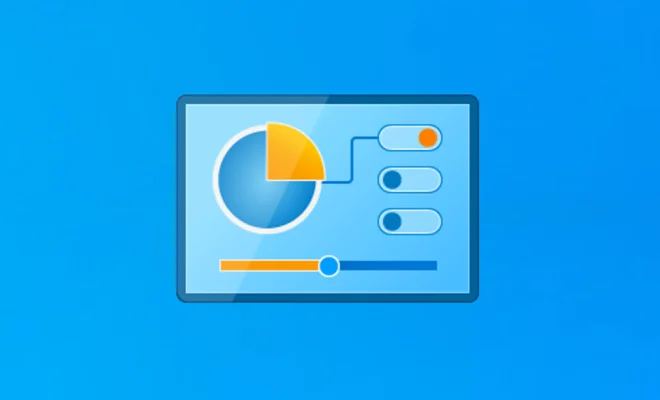
The Windows Control Panel is a vital part of the Windows operating system. It is the main hub where users can manage and customize their system’s settings, including hardware, software, and user accounts. The Control Panel has been an integral part of Windows since its early versions, and it remains a primary tool for Windows users today.

The Control Panel is essentially a set of graphical user interfaces that allow users to access various settings and features of their Windows operating system. Users can use the Control Panel to access settings such as network and sharing settings, power management, device and print management, sound and audio settings, display settings, and user accounts and security settings.

The Control Panel is easily accessible from the Start menu. Users can simply click on the Start menu and type in “Control Panel” to access it quickly. Once in the Control Panel, users can navigate through the different categories of settings using the search box, or by clicking on each category individually.

One of the most important features of the Control Panel is its ability to manage hardware devices. Users can use the Control Panel to install and configure new hardware devices, such as printers, monitors, and cameras. Additionally, the Control Panel also offers users the ability to troubleshoot and fix hardware-related issues.

Another significant feature of the Control Panel is its ability to manage software programs. Users can use the Control Panel to uninstall or change the programs installed on their system. Additionally, the Control Panel also provides users with the ability to modify program settings, such as startup behavior and default programs.

In addition to hardware and software management, the Control Panel also offers users the ability to manage user accounts and security settings. Users can create and modify user accounts, and change password policies to restrict unauthorized access to their system. Additionally, the Control Panel also provides options for configuring parental controls, firewall settings, and Windows Update.

Overall, the Windows Control Panel is an essential tool for managing and customizing your Windows operating system. It allows users to easily access and modify settings for hardware, software, and security features. While new versions of Windows offer alternative settings tools, such as the Settings app in Windows 10, the Control Panel remains a powerful and useful tool for managing your system.


Previous Article

How to Hard Reset or Restart an ...

Next Article

How to Enter BIOS on Windows 10

Matthew Lynch

Related articles More from author

  • Digital & Mobile Technology

    How to Fix Ieframe.dll Errors

    June 3, 2023
    By Matthew Lynch
  • Digital & Mobile Technology

    What Is USB Power Delivery (USB PD)?

    May 14, 2023
    By Matthew Lynch
  • Digital & Mobile Technology

    How to Update Your MacBook Pro

    June 3, 2023
    By Matthew Lynch
  • Digital & Mobile Technology

    How to Fix the Pink Screen of Death Error on Windows

    June 22, 2023
    By Matthew Lynch
  • Digital & Mobile Technology

    How to Use Gamelists to Keep Your PS5 Games Organized

    June 13, 2023
    By Matthew Lynch
  • Digital & Mobile Technology

    Best Free Microsoft Access Alternatives for Databases

    August 5, 2023
    By Matthew Lynch

Search

Login & Registration

  • Log in
  • Entries feed
  • Comments feed
  • WordPress.org

Newsletter

Signup for The Tech Edvocate Newsletter and have the latest in EdTech news and opinion delivered to your email address!

About Us

Since technology is not going anywhere and does more good than harm, adapting is the best course of action. That is where The Tech Edvocate comes in. We plan to cover the PreK-12 and Higher Education EdTech sectors and provide our readers with the latest news and opinion on the subject. From time to time, I will invite other voices to weigh in on important issues in EdTech. We hope to provide a well-rounded, multi-faceted look at the past, present, the future of EdTech in the US and internationally.

We started this journey back in June 2016, and we plan to continue it for many more years to come. I hope that you will join us in this discussion of the past, present and future of EdTech and lend your own insight to the issues that are discussed.

Newsletter

Signup for The Tech Edvocate Newsletter and have the latest in EdTech news and opinion delivered to your email address!

Contact Us

The Tech Edvocate
910 Goddin Street
Richmond, VA 23231
(601) 630-5238
[email protected]

Copyright © 2026 Matthew Lynch. All rights reserved.