The Tech Edvocate

Top Menu

  • Advertisement
  • Apps
  • Home Page
  • Home Page Five (No Sidebar)
  • Home Page Four
  • Home Page Three
  • Home Page Two
  • Home Tech2
  • Icons [No Sidebar]
  • Left Sidbear Page
  • Lynch Educational Consulting
  • My Account
  • My Speaking Page
  • Newsletter Sign Up Confirmation
  • Newsletter Unsubscription
  • Our Brands
  • Page Example
  • Privacy Policy
  • Protected Content
  • Register
  • Request a Product Review
  • Shop
  • Shortcodes Examples
  • Signup
  • Start Here
    • Governance
    • Careers
    • Contact Us
  • Terms and Conditions
  • The Edvocate
  • The Tech Edvocate Product Guide
  • Topics
  • Write For Us
  • Advertise

Main Menu

  • Start Here
    • Our Brands
    • Governance
      • Lynch Educational Consulting, LLC.
      • Dr. Lynch’s Personal Website
      • Careers
    • Write For Us
    • The Tech Edvocate Product Guide
    • Contact Us
    • Books
    • Edupedia
    • Post a Job
    • The Edvocate Podcast
    • Terms and Conditions
    • Privacy Policy
  • Topics
    • Assistive Technology
    • Child Development Tech
    • Early Childhood & K-12 EdTech
    • EdTech Futures
    • EdTech News
    • EdTech Policy & Reform
    • EdTech Startups & Businesses
    • Higher Education EdTech
    • Online Learning & eLearning
    • Parent & Family Tech
    • Personalized Learning
    • Product Reviews
  • Advertise
  • Tech Edvocate Awards
  • The Edvocate
  • Pedagogue
  • School Ratings

logo

The Tech Edvocate

  • Start Here
    • Our Brands
    • Governance
      • Lynch Educational Consulting, LLC.
      • Dr. Lynch’s Personal Website
        • My Speaking Page
      • Careers
    • Write For Us
    • The Tech Edvocate Product Guide
    • Contact Us
    • Books
    • Edupedia
    • Post a Job
    • The Edvocate Podcast
    • Terms and Conditions
    • Privacy Policy
  • Topics
    • Assistive Technology
    • Child Development Tech
    • Early Childhood & K-12 EdTech
    • EdTech Futures
    • EdTech News
    • EdTech Policy & Reform
    • EdTech Startups & Businesses
    • Higher Education EdTech
    • Online Learning & eLearning
    • Parent & Family Tech
    • Personalized Learning
    • Product Reviews
  • Advertise
  • Tech Edvocate Awards
  • The Edvocate
  • Pedagogue
  • School Ratings
  • Big Walk developer House House Confirms ‘Sparing’ Use of Gen AI – Press Start

  • Baffling: How a Cyber Breach at South Korea’s Top Security Watchdog Exposed Millions

  • Wenn Ordnung den Bildschirm beruhigt: Warum klare Abläufe Casino-Unterhaltung einladender machen

  • Reddit AI Reviews: The Quiet Reshaping of Online Opinion

  • The Chilling Truth: Iran Cyberattacks Europe’s Food and Blood Supplies

  • Anthropic’s $3.4 Billion Bet on Gas: The Unseen Cost of AI’s Future

  • Tribit FlyBuds C3 Earbuds: Premium Features at a Budget-Friendly Price

  • Is AuraCam Pro’s Emotional AI a Privacy Nightmare or Security Breakthrough?

  • Unprecedented: N-able’s Global Shutdown After 30+ Zero-Days Revealed

  • The Urgent Truth: Your AI Tools for Financial Advisors Could Be a Compliance Nightmare

Digital & Mobile Technology
Home›Digital & Mobile Technology›How to Get a Better Wi-Fi Signal for Security Cameras

How to Get a Better Wi-Fi Signal for Security Cameras
By Matthew Lynch
May 29, 2023
0
Spread the love

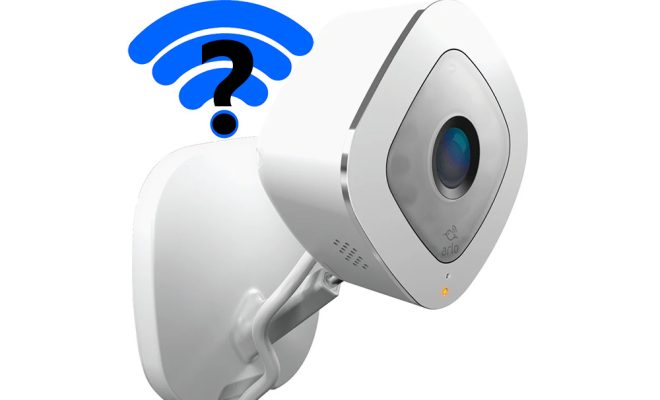
If you’ve invested in a security camera system, you want to make sure that it works properly. One of the most important factors that can affect your security camera is your Wi-Fi signal. A weak or spotty Wi-Fi signal not only compromises your internet speed but also makes your security cameras struggle to maintain a stable connection. Fortunately, there are some simple steps you can take to get a better Wi-Fi signal for your security cameras.

1. Upgrade Your Router

If you’ve had the same router for several years, it may be time to upgrade. Today’s routers offer much better speed and signal strength than models from years ago. Check if your Wi-Fi router supports the latest Wi-Fi standards, such as 802.11ac. If not, consider upgrading to a faster and more powerful model.

2. Relocate Your Router/Set Up a Mesh Network

The location of your router can significantly impact your Wi-Fi signal. If your router is in a far corner of your home, your signal may be weak or spotty. Consider moving your router to a more central location or closer to your security cameras.

If it’s not possible to move your router, consider setting up a mesh Wi-Fi network. Mesh Wi-Fi systems use multiple access points to create an interconnected network that offers better coverage and signal strength. Setting up a mesh network may be more expensive, but it can significantly improve your Wi-Fi signal for your security cameras.

3. Boost Your Wi-Fi Signal

If moving your router or setting up a mesh network isn’t feasible, you can try boosting your Wi-Fi signal with a signal booster or extender. A signal booster captures the Wi-Fi signal from your router and amplifies it, increasing the signal strength and coverage. A Wi-Fi extender, on the other hand, picks up your existing Wi-Fi signal and rebroadcasts it to extend your coverage.

4. Update Firmware & Security Settings

It’s essential to keep your router firmware up to date to ensure that it’s working correctly. Outdated or unpatched firmware can make your router more vulnerable to security threats that could affect the stability and security of your Wi-Fi network.

You should also review and update your security settings, including the Wi-Fi password and encryption settings. A secure Wi-Fi network can help protect your security cameras from hackers and other cyber threats.

5. Purchase High-Quality Cameras & Equipment

Lastly, you can opt for higher quality cameras and network equipment. Purchasing high-quality cameras with stronger Wi-Fi connectivity can help improve your signal strength and video quality. Quality equipment can also have advanced features such as motion detection, night vision, and two-way audio communication.

In conclusion, a reliable Wi-Fi signal is critical for the optimal performance of your security cameras. With the above tips, you can ensure that your cameras have a stable connection and that you have the peace of mind knowing that your home or business is protected.


Previous Article

How to Get a Donated Laptop

Next Article

How to Get a Live Rep With ...

Matthew Lynch

Related articles More from author

  • Digital & Mobile Technology

    What Is Art Mode (Ambient Mode) on TV?

    June 4, 2023
    By Matthew Lynch
  • Digital & Mobile Technology

    What is Email Encryption?

    May 6, 2023
    By Matthew Lynch
  • Digital & Mobile Technology

    How to Get a Satellite View of Your House Using Google Earth

    August 5, 2023
    By Matthew Lynch
  • Digital & Mobile Technology

    Mobile Apps With Bedtime Stories to Help Adults Drift Off to Sleep

    August 5, 2023
    By Matthew Lynch
  • Digital & Mobile Technology

    How to Turn Off Facebook Sounds

    June 2, 2023
    By Matthew Lynch
  • Digital & Mobile Technology

    How to Uninstall Firefox

    June 12, 2023
    By Matthew Lynch

Search

Login & Registration

  • Log in
  • Entries feed
  • Comments feed
  • WordPress.org

Newsletter

Signup for The Tech Edvocate Newsletter and have the latest in EdTech news and opinion delivered to your email address!

About Us

Since technology is not going anywhere and does more good than harm, adapting is the best course of action. That is where The Tech Edvocate comes in. We plan to cover the PreK-12 and Higher Education EdTech sectors and provide our readers with the latest news and opinion on the subject. From time to time, I will invite other voices to weigh in on important issues in EdTech. We hope to provide a well-rounded, multi-faceted look at the past, present, the future of EdTech in the US and internationally.

We started this journey back in June 2016, and we plan to continue it for many more years to come. I hope that you will join us in this discussion of the past, present and future of EdTech and lend your own insight to the issues that are discussed.

Newsletter

Signup for The Tech Edvocate Newsletter and have the latest in EdTech news and opinion delivered to your email address!

Contact Us

The Tech Edvocate
910 Goddin Street
Richmond, VA 23231
(601) 630-5238
[email protected]

Copyright © 2026 Matthew Lynch. All rights reserved.