The Tech Edvocate

Top Menu

  • Advertisement
  • Apps
  • Home Page
  • Home Page Five (No Sidebar)
  • Home Page Four
  • Home Page Three
  • Home Page Two
  • Home Tech2
  • Icons [No Sidebar]
  • Left Sidbear Page
  • Lynch Educational Consulting
  • My Account
  • My Speaking Page
  • Newsletter Sign Up Confirmation
  • Newsletter Unsubscription
  • Our Brands
  • Page Example
  • Privacy Policy
  • Protected Content
  • Register
  • Request a Product Review
  • Shop
  • Shortcodes Examples
  • Signup
  • Start Here
    • Governance
    • Careers
    • Contact Us
  • Terms and Conditions
  • The Edvocate
  • The Tech Edvocate Product Guide
  • Topics
  • Write For Us
  • Advertise

Main Menu

  • Start Here
    • Our Brands
    • Governance
      • Lynch Educational Consulting, LLC.
      • Dr. Lynch’s Personal Website
      • Careers
    • Write For Us
    • The Tech Edvocate Product Guide
    • Contact Us
    • Books
    • Edupedia
    • Post a Job
    • The Edvocate Podcast
    • Terms and Conditions
    • Privacy Policy
  • Topics
    • Assistive Technology
    • Child Development Tech
    • Early Childhood & K-12 EdTech
    • EdTech Futures
    • EdTech News
    • EdTech Policy & Reform
    • EdTech Startups & Businesses
    • Higher Education EdTech
    • Online Learning & eLearning
    • Parent & Family Tech
    • Personalized Learning
    • Product Reviews
  • Advertise
  • Tech Edvocate Awards
  • The Edvocate
  • Pedagogue
  • School Ratings

logo

The Tech Edvocate

  • Start Here
    • Our Brands
    • Governance
      • Lynch Educational Consulting, LLC.
      • Dr. Lynch’s Personal Website
        • My Speaking Page
      • Careers
    • Write For Us
    • The Tech Edvocate Product Guide
    • Contact Us
    • Books
    • Edupedia
    • Post a Job
    • The Edvocate Podcast
    • Terms and Conditions
    • Privacy Policy
  • Topics
    • Assistive Technology
    • Child Development Tech
    • Early Childhood & K-12 EdTech
    • EdTech Futures
    • EdTech News
    • EdTech Policy & Reform
    • EdTech Startups & Businesses
    • Higher Education EdTech
    • Online Learning & eLearning
    • Parent & Family Tech
    • Personalized Learning
    • Product Reviews
  • Advertise
  • Tech Edvocate Awards
  • The Edvocate
  • Pedagogue
  • School Ratings
  • Zola Suite pricing 2026

  • How to become Airbnb Superhost

  • Yelp Elite status how to get

  • Rocket Matter vs CosmoLex comparison

  • Lawyaw vs Documate which is better

  • How to use Yelp for marketing

  • How many templates in Lawyaw

  • Can TripAdvisor reviews be edited

  • How to manage documents in Zola Suite

  • Filevine vs Litify features

Digital & Mobile Technology
Home›Digital & Mobile Technology›How to Access and Manage Your Google Activity Using Google Activity Controls

How to Access and Manage Your Google Activity Using Google Activity Controls
By Matthew Lynch
May 16, 2023
0
Spread the love

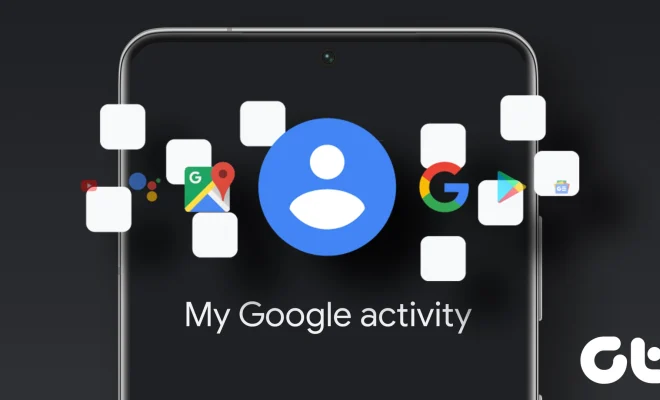
As we continue to rely more on the internet, it’s not uncommon for us to share a lot of our personal information online. And while it’s important to always be mindful of what information we’re putting out there, Google has made it easier for users to manage their own activity through their Google Activity Controls.

Google Activity Controls allows you to manage and control what information is being collected by Google across all its services, such as YouTube, Google Maps, and others. Here are some steps to help you access and manage your Google Activity:

1. Access your Google Account Settings

To access your Google Activity, you first need to sign into your Google Account. Once you’re in, click on your profile icon located in the upper right-hand corner of your screen. This will show a drop-down menu where you can access your Google Account. Click on it to open your account settings.

2. Find your Google Activity Controls

From your Google Account settings, you’ll be able to access all your account information, including your Google Activity. Scroll down to “Privacy and personalization” and click on “Manage your Google Activity” to access your activity controls.

3. Review Your Activity controls

Once you’re in your Google Activity Controls, you can start reviewing and managing your activity. Here are some of the controls you can use:

– Web & App Activity: This feature tracks your online activities and stores them to improve your search and other services personalized for you. You can toggle this feature on and off, or you can clear your past activities by clicking “Manage Activity”.
– Location History: This feature tracks the places you’ve been and the routes you’ve taken using Google Maps. You can also toggle this feature on and off, and you can manage your locations and delete your history by clicking “Manage Activity”.
– YouTube History: This feature tracks the videos you watch and searches you make on YouTube. You can remove videos from your history or bring up your watch history in “Manage Activity”.
– Ad settings: This feature allows you to control the advertising you see across Google’s services by changing your ad personalization settings.

4. Customize Your Settings

After reviewing your activity controls, personalize your settings based on your preferences. Toggling the switches allows you to toggle specific activities off, such as Web & App Activity, and Location History. Doing so will limit the collection of your personal data.

Conclusion

Google Activity Controls are an essential tool to help users manage their online activities better. With direct access to your Google Account, you can control and manage the data being stored by Google. So, take the steps to secure your privacy online by following the tips above.


Previous Article

How to Access an Android Phone using ...

Next Article

How to Access Facebook From School

Matthew Lynch

Related articles More from author

  • Digital & Mobile Technology

    How to Check a Verizon Call History Online

    May 21, 2023
    By Matthew Lynch
  • Digital & Mobile Technology

    What is CloudStack?

    May 6, 2023
    By Matthew Lynch
  • Digital & Mobile Technology

    How to Fix It When Netflix is Having Trouble Playing This Title Right Now

    July 4, 2023
    By Matthew Lynch
  • Digital & Mobile Technology

    How to Modify the Mac Finder Sidebar

    July 4, 2023
    By Matthew Lynch
  • Digital & Mobile Technology

    Is YouTube TV Worth It? 5 Reasons to Sign Up

    June 10, 2023
    By Matthew Lynch
  • Digital & Mobile Technology

    Generate an article about

    April 30, 2023
    By Matthew Lynch

Search

Login & Registration

  • Log in
  • Entries feed
  • Comments feed
  • WordPress.org

Newsletter

Signup for The Tech Edvocate Newsletter and have the latest in EdTech news and opinion delivered to your email address!

About Us

Since technology is not going anywhere and does more good than harm, adapting is the best course of action. That is where The Tech Edvocate comes in. We plan to cover the PreK-12 and Higher Education EdTech sectors and provide our readers with the latest news and opinion on the subject. From time to time, I will invite other voices to weigh in on important issues in EdTech. We hope to provide a well-rounded, multi-faceted look at the past, present, the future of EdTech in the US and internationally.

We started this journey back in June 2016, and we plan to continue it for many more years to come. I hope that you will join us in this discussion of the past, present and future of EdTech and lend your own insight to the issues that are discussed.

Newsletter

Signup for The Tech Edvocate Newsletter and have the latest in EdTech news and opinion delivered to your email address!

Contact Us

The Tech Edvocate
910 Goddin Street
Richmond, VA 23231
(601) 630-5238
[email protected]

Copyright © 2026 Matthew Lynch. All rights reserved.