The Tech Edvocate

Top Menu

  • Advertisement
  • Apps
  • Home Page
  • Home Page Five (No Sidebar)
  • Home Page Four
  • Home Page Three
  • Home Page Two
  • Home Tech2
  • Icons [No Sidebar]
  • Left Sidbear Page
  • Lynch Educational Consulting
  • My Account
  • My Speaking Page
  • Newsletter Sign Up Confirmation
  • Newsletter Unsubscription
  • Our Brands
  • Page Example
  • Privacy Policy
  • Protected Content
  • Register
  • Request a Product Review
  • Shop
  • Shortcodes Examples
  • Signup
  • Start Here
    • Governance
    • Careers
    • Contact Us
  • Terms and Conditions
  • The Edvocate
  • The Tech Edvocate Product Guide
  • Topics
  • Write For Us
  • Advertise

Main Menu

  • Start Here
    • Our Brands
    • Governance
      • Lynch Educational Consulting, LLC.
      • Dr. Lynch’s Personal Website
      • Careers
    • Write For Us
    • The Tech Edvocate Product Guide
    • Contact Us
    • Books
    • Edupedia
    • Post a Job
    • The Edvocate Podcast
    • Terms and Conditions
    • Privacy Policy
  • Topics
    • Assistive Technology
    • Child Development Tech
    • Early Childhood & K-12 EdTech
    • EdTech Futures
    • EdTech News
    • EdTech Policy & Reform
    • EdTech Startups & Businesses
    • Higher Education EdTech
    • Online Learning & eLearning
    • Parent & Family Tech
    • Personalized Learning
    • Product Reviews
  • Advertise
  • Tech Edvocate Awards
  • The Edvocate
  • Pedagogue
  • School Ratings

logo

The Tech Edvocate

  • Start Here
    • Our Brands
    • Governance
      • Lynch Educational Consulting, LLC.
      • Dr. Lynch’s Personal Website
        • My Speaking Page
      • Careers
    • Write For Us
    • The Tech Edvocate Product Guide
    • Contact Us
    • Books
    • Edupedia
    • Post a Job
    • The Edvocate Podcast
    • Terms and Conditions
    • Privacy Policy
  • Topics
    • Assistive Technology
    • Child Development Tech
    • Early Childhood & K-12 EdTech
    • EdTech Futures
    • EdTech News
    • EdTech Policy & Reform
    • EdTech Startups & Businesses
    • Higher Education EdTech
    • Online Learning & eLearning
    • Parent & Family Tech
    • Personalized Learning
    • Product Reviews
  • Advertise
  • Tech Edvocate Awards
  • The Edvocate
  • Pedagogue
  • School Ratings
  • Can Clio accept client payments

  • How to dispatch jobs in FieldAware

  • Can ServiceTitan do call booking

  • How to onboard construction workers BambooHR

  • Is FieldAware worth it for contractors

  • How many users in Jobber

  • Can JobNimbus track leads

  • How to create estimates in Housecall Pro

  • How many users in mHelpDesk

  • How to track certifications in BambooHR construction

Elementary EducationOnline Learning & eLearning
Home›Elementary Education›The Best Photoshop Alternatives for Mac

The Best Photoshop Alternatives for Mac
By Matthew Lynch
March 31, 2023
0
Spread the love

Photoshop is one of the most popular photo editing software available. However, it can be quite expensive and may not be suitable for everyone. Luckily, there are plenty of great Photoshop alternatives available for Mac users that are more affordable or even free.

Here are some of the best Photoshop alternatives for Mac:

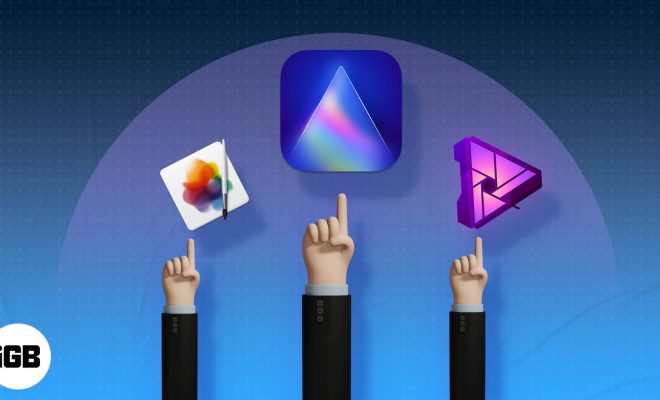
1. GIMP

GIMP is a well-known free Photoshop alternative that is available for Mac users. It provides a wide range of editing tools, including brushes, filters, and layers. GIMP can also support various file formats, such as PNG, JPEG, GIF, and TIFF.

2. Pixlr

Pixlr is another great option for those who want to edit their photos but don’t want to invest in expensive software. It’s a web-based photo editor, so you don’t need to install anything on your computer, and you can use it from anywhere. Pixlr comes with a variety of features including filters, effects, and border options.

3. Affinity Photo

Affinity Photo is a popular paid photo editor that can be considered as an alternative to Photoshop. It offers a wide range of editing tools, such as brushes, filters, and masking. Affinity Photo also comes with some unique features that aren’t available in Photoshop, such as the ability to edit 360-degree images.

4. Luminar

Luminar is another photo editing software that can be a great option for Mac users. It comes with a variety of features, including AI-powered editing tools, filters, masks, and layers. Luminar provides easy-to-use interface and powerful tools that enable you to polish your photos quickly and efficiently.

5. Pixelmator Pro

Pixelmator Pro is a paid editing software that provides all the tools and features required to edit photos effectively. It has a simple yet powerful interface that allows you to modify your images with precision. You can also use Pixelmator Pro to create digital paintings and illustrations.

6. PhotoScape X

PhotoScape X is a free photo editing software that comes with some powerful features that can rival Photoshop. It provides a vast range of tools, including selective color adjustment, batch editing, and GIF animation. PhotoScape X is an easy-to-use software that can help beginners explore their creativity while editing photos.

Conclusion

Photoshop may be the best photo editing software available, but it’s not the only option. There are plenty of great Photoshop alternatives available for Mac users. Whether you’re a professional photographer or just someone who loves editing photos, there is a software that can help you create stunning images without spending a fortune.


Previous Article

The Best PC Sound Cards You Can ...

Next Article

The Best Places to Buy a Domain ...

Matthew Lynch

Related articles More from author

  • FeaturedFreshOnline Learning & eLearning

    Fixing the Integration Gap Between LMS and Video Conferencing Improves the Online Instruction Experience

    November 1, 2018
    By Matthew Lynch
  • FeaturedFreshOnline Learning & eLearning

    An Insider’s View into the Edtech Market for Learning Management Systems (LMS)

    November 10, 2018
    By Matthew Lynch
  • Online Learning & eLearning

    Top 5 Ways to Fix High CPU Usage on Mac

    April 2, 2023
    By Matthew Lynch
  • Elementary EducationOnline Learning & eLearning

    Start Your Project Off Right With the Best 3D Printing Filament

    March 30, 2023
    By Matthew Lynch
  • Online Learning & eLearning

    Need Better Cell Phone Reception? Try These 10 Tips to Boost Your Weak Signal

    March 28, 2023
    By Matthew Lynch
  • Online Learning & eLearning

    YouTube Channels for ESL Learners

    October 30, 2020
    By Matthew Lynch

Search

Login & Registration

  • Log in
  • Entries feed
  • Comments feed
  • WordPress.org

Newsletter

Signup for The Tech Edvocate Newsletter and have the latest in EdTech news and opinion delivered to your email address!

About Us

Since technology is not going anywhere and does more good than harm, adapting is the best course of action. That is where The Tech Edvocate comes in. We plan to cover the PreK-12 and Higher Education EdTech sectors and provide our readers with the latest news and opinion on the subject. From time to time, I will invite other voices to weigh in on important issues in EdTech. We hope to provide a well-rounded, multi-faceted look at the past, present, the future of EdTech in the US and internationally.

We started this journey back in June 2016, and we plan to continue it for many more years to come. I hope that you will join us in this discussion of the past, present and future of EdTech and lend your own insight to the issues that are discussed.

Newsletter

Signup for The Tech Edvocate Newsletter and have the latest in EdTech news and opinion delivered to your email address!

Contact Us

The Tech Edvocate
910 Goddin Street
Richmond, VA 23231
(601) 630-5238
[email protected]

Copyright © 2026 Matthew Lynch. All rights reserved.