100 Best Apps for Geologists
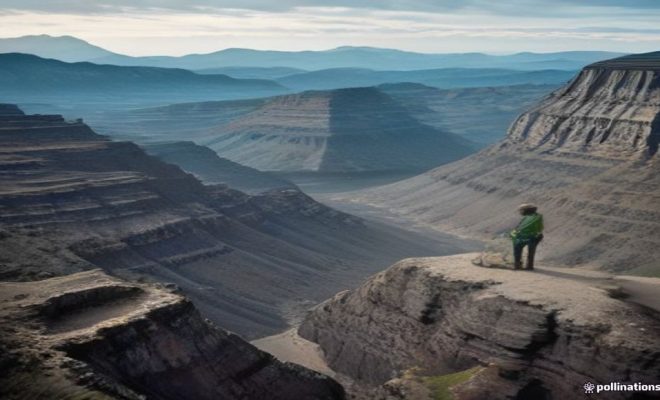
If you’re a geologist, you know that the right tools can make your work more efficient and enjoyable. Gone are the days when the only tools you carried were a hammer and a notebook. With technology at our fingertips, there’s a whole range of apps for geologists that can help you in the field, in the lab, or even at your desk. From mapping and data collection to educational resources and community engagement, the possibilities are endless. Let’s explore 100 of the best apps that every geologist should consider.
Field Mapping and Surveying Apps
When you’re out in the field, having a solid mapping app can be game-changing. These apps allow you to collect data, create maps, and navigate terrains with ease. One of the top choices is GIS Cloud, which lets you collect and visualize geospatial data on the go. Its user-friendly interface makes it accessible for users of all experience levels. You can quickly mark points of interest, draw lines, and even create polygons, all of which can be invaluable when you’re working with complex geological formations.
Another excellent option is ArcGIS Collector. This app integrates seamlessly with ArcGIS, allowing you to capture field data and sync it directly with your cloud-based GIS. It’s particularly useful for large projects where collaboration is key. With its offline capabilities, you can gather information even in remote locations where cell service is spotty. Imagine being in the middle of a national park, collecting data on rock formations, and having your findings instantly uploaded to your team back at the lab.
Don’t overlook QField for QGIS. This app is open-source and designed for field data collection in conjunction with QGIS. It’s powerful and flexible, making it perfect for a variety of geological mapping projects. You can customize your forms, define attributes, and utilize various data types. This adaptability is what makes QField a favorite, especially for academic researchers who need to tailor their data collection methods.
Data Collection and Analysis Apps
Collecting data is at the heart of geological work, and several apps excel in this area. One standout is GeoODK Collect, which allows you to design forms for data collection. Its offline functionality ensures you can gather data without a Wi-Fi signal, which is crucial for fieldwork. You can create complex forms with different question types, including multiple-choice, text, and even GPS coordinates, all tailored to your specific research needs.
Another great tool is Locus Map. It combines GPS navigation with offline mapping and allows you to create and manage waypoints, tracks, and routes. This app is particularly useful for geologists who need to navigate complex terrains while collecting data. The ability to overlay different map types, such as topographic maps and satellite imagery, can give you deeper insights into the areas you’re studying.
Don’t forget about Surfer, which is excellent for visualizing and analyzing geospatial data. While it’s more focused on desktop use, its mobile capabilities make it a versatile tool for any geologist. You can create detailed contour maps, 3D surface plots, and more, which can be shared with colleagues for further analyses. This level of visualization can enhance your presentations and make your findings more accessible.
Educational Resources and Learning Apps
Continual learning is vital in the field of geology. There are plenty of apps designed specifically for education. One of the best is Geological Time, which offers a detailed timeline of Earth’s history. It’s an excellent resource for both students and professionals looking to brush up on their geological knowledge. The app takes users through major geological eras, highlighting significant events and changes in Earth’s climate and biodiversity, serving as a quick refresher before fieldwork.
Another educational app worth considering is Rockd, which helps you identify rocks and minerals through a simple interface. It’s interactive and user-friendly, making it a favorite among geology students. By inputting characteristics like color, texture, and grain size, you can narrow down your options and discover more about the specimens you encounter.
For those who prefer visual learning, EarthViewer is a fantastic app that allows users to explore Earth’s geological history through an interactive timeline. It’s perfect for understanding major geological events and their impact on the planet. You can visualize processes like plate tectonics and mass extinctions, helping to contextualize your fieldwork within a larger geological framework.
Community and Networking Apps
Feeling connected to a community can make all the difference in your career. Apps like ResearchGate are perfect for networking with other geologists, sharing research, and collaborating on projects. You can connect with peers, ask questions, and even publish your work. It’s a platform where you can share your findings and get feedback, which can be incredibly valuable for professional growth.
Another option is LinkedIn, which isn’t just for job searching. It’s a valuable platform for connecting with other professionals in the geological field. Joining relevant groups can open doors to new opportunities and collaborations. You can share your experiences, find mentors, and even discover job openings that are not advertised elsewhere.
If you’re interested in citizen science, check out iNaturalist. This app allows you to contribute to biodiversity research by documenting species you encounter in your fieldwork. It’s a great way to engage with the community while furthering your own knowledge. By sharing your observations, you can help create a global database that helps scientists track changes in biodiversity.
Remote Sensing and Imaging Apps
Remote sensing technology has revolutionized geology, and a variety of apps can help you harness its power. Google Earth is a classic choice, offering satellite imagery and 3D terrain views that are invaluable for geological mapping and analysis. You can easily zoom in on specific areas of interest, measure distances, and even track changes over time using historical imagery.
Another app to consider is Sentinel Hub, which provides access to satellite data and imagery. It’s perfect for monitoring changes in land use, vegetation, and even mineral resources. With its advanced analytical tools, you can gain deeper insights into geological phenomena. For example, you might track the growth of vegetation over a newly reclaimed mine site, helping to assess the effectiveness of restoration efforts.
Don’t overlook the power of DroneDeploy, especially if you’re using drones for surveying. This app allows you to plan and execute drone flights and helps analyze the collected imagery for geological applications. The ability to create precise topographical maps and 3D models from drone data can drastically improve efficiency in large-scale projects.
Geological Reference and Guides Apps
Having quick access to geological references can save you time and effort. One of the best apps for this is Geology Toolkit, which provides a comprehensive database of rocks, minerals, fossils, and more. It’s a handy resource for both fieldwork and academic studies. You can search for specific rocks or minerals and get detailed descriptions, including their physical properties and uses.
The Rock Identification App is another must-have. It enables you to identify various rock types based on their characteristics. Simply take a picture, and the app will guide you through the identification process. This feature can be particularly useful during fieldwork when you’re unsure about a specimen and need quick assistance.
For a broader reference, check out the USGS app, which offers access to a wealth of geological information, including maps, data, and educational resources. It’s a powerful tool for any geologist looking to expand their knowledge base. The app provides live updates on geological hazards, which can inform your fieldwork plans and keep you safe.
Safety and Survival Apps
Fieldwork often takes you into remote areas where safety is a concern. Having the right apps can help ensure you stay safe. One critical app is What3words, which provides a precise location system that can be invaluable in emergencies. It divides the globe into a grid of 3m x 3m squares, each identified by a unique combination of three words. This can simplify communication with emergency services if you find yourself in trouble.
Another essential app is MyRadar, which offers real-time weather updates and radar imagery. Keeping an eye on the weather can be crucial when you’re out in the field. The app provides alerts for severe weather conditions, helping you make informed decisions about your safety while working outdoors.
Don’t forget about offline maps like Maps.me. This app allows you to download detailed maps for offline use, ensuring you won’t get lost in unfamiliar territory. It’s a practical tool for any geologist working in remote locations. You can also mark waypoints for key locations, making it easy to navigate back to them later.
Project Management and Collaboration Apps
Managing a geology project can be complex, especially when multiple team members are involved. That’s where project management apps come into play. Tools like Trello can help you organize tasks, set deadlines, and keep everyone on the same page. You can create boards for different projects, assign tasks to team members, and even set up checklists to ensure nothing falls through the cracks.
Another excellent option is Asana, which also focuses on team collaboration. It allows you to create detailed project timelines and communicate with your team in real time. Imagine being able to update your colleagues on field data collection progress while you’re still in the field—that’s the power of these tools.
For those who prefer a more scientific approach, consider Mendeley. This reference manager not only helps you organize your research papers but also connects you with other researchers. You can share your findings, cite sources in your reports, and even discover new research relevant to your projects.
Embracing Technology: The Future of Geology Apps
As technology advances, the future of geology apps looks bright. Artificial Intelligence (AI) is starting to play a significant role in data analysis and interpretation, helping geologists make more accurate predictions and assessments. Apps utilizing machine learning algorithms can analyze geological data patterns, making it easier to identify potential mineral resources or assess environmental impacts.
Augmented Reality (AR) is another exciting frontier. Imagine using an AR app to visualize geological formations as you walk through a landscape, overlaying historical data onto the present view. Such applications are being developed and could change how geologists analyze and interact with their environment.
Finally, the integration of IoT (Internet of Things) technology into geology is set to enhance fieldwork. Sensors placed in various geological formations can provide real-time data on changes in the environment, helping to monitor issues such as landslides or groundwater contamination. Apps that aggregate this data will be invaluable for geologists in the field.
Conclusion: Embracing Technology in Geology
With so many apps for geologists available, it’s easier than ever to enhance your work and stay connected with the geological community. Whether you need tools for mapping, data collection, education, or safety, there’s an app out there that fits your needs. Embrace these technologies, and you’ll likely find that your fieldwork becomes more efficient and rewarding. The right apps can transform an overwhelming amount of data into actionable insights, making your work not only easier but also more impactful.