How to manage queue Buffer Android
“`html
Ever notice your Android phone feeling a bit sluggish, perhaps stuttering when streaming video, or maybe app launches aren’t as snappy as they used to be? You might instinctively blame your Wi-Fi, or perhaps a rogue app. While those can certainly be culprits, there’s a less obvious, often overlooked component playing a crucial role in your device’s performance: the queue buffer. Understanding how to manage queue buffer Android effectively isn’t just for developers; it’s a practical skill that can significantly improve your daily smartphone experience, from smoother media playback to more responsive app interactions. Let’s dig into why this often-invisible system component matters so much and what you can do about it.
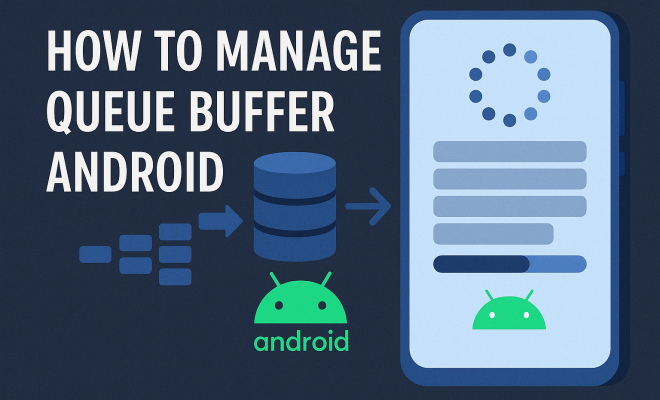
At its core, a queue buffer in Android is a temporary storage area designed to hold data that’s waiting to be processed. Think of it like a waiting room for data packets. When you’re streaming a YouTube video, for instance, the data doesn’t arrive all at once; it comes in chunks. These chunks are held in the buffer, allowing the video player to maintain smooth playback even if there are momentary network hiccups. The concept applies broadly across various system functions, from network operations to graphics rendering and audio processing. If this buffer isn’t managed well, or if it becomes overwhelmed, that’s when you start seeing those frustrating performance dips. It’s a fundamental aspect of system architecture that directly impacts how fluidly your device operates.
1. Understanding What a Queue Buffer Is and Why It Matters: The Data Holding Zone
To truly grasp how to manage queue buffer Android, we first need a solid understanding of what it actually is. Imagine a conveyor belt at a factory. Products (data) arrive on the belt, but the processing station (your phone’s CPU, GPU, or network stack) can only handle so many at a time. The queue buffer is like the section of the conveyor belt where products wait in line for their turn. It’s a first-in, first-out (FIFO) system, meaning the data that arrived first gets processed first. This sequential handling is critical for maintaining order and preventing data corruption or out-of-sequence processing, which would lead to glitches or errors.
Its importance cannot be overstated. Without a buffer, any tiny delay in data delivery or processing would immediately manifest as a stutter, freeze, or dropped connection. Buffers provide resilience. They absorb transient fluctuations, giving your phone a chance to catch up without interrupting the user experience. For example, when you’re downloading a large file, the data streams into a network buffer. If your Wi-Fi momentarily drops a packet, the buffer can still feed data to the download manager, preventing the download from pausing or failing immediately. It’s a crucial shock absorber in the intricate machinery of your Android device, ensuring continuity and smoothness.
2. Network Queue Buffer Management: Keeping Your Streams Smooth
One of the most common and noticeable applications of a queue buffer is in network operations. Every time your Android device connects to the internet, whether it’s for browsing, streaming, or downloading, network data flows through various buffers. These buffers are essential for accommodating differences in data transmission rates and processing speeds. When you stream video, for example, the streaming app pre-fetches a certain amount of video data and stores it in a network queue buffer. This pre-loading is why your video doesn’t immediately stop if your internet connection experiences a micro-drop; there’s a small reservoir of data ready to be played.
However, an overly large or poorly managed network buffer can sometimes be detrimental. While a larger buffer provides more resilience against network fluctuations, it also introduces latency. If your buffer is too big, you might experience a longer initial loading time for streams, or a greater delay in real-time applications like video calls. Conversely, a buffer that’s too small makes your connection highly susceptible to even minor network instability, leading to frequent buffering interruptions. The challenge in network buffer management, particularly for Android developers, is finding that sweet spot that balances smoothness with responsiveness, optimizing for the user’s current network conditions and application type.
3. Graphics Buffer (Frame Buffer) Optimization: Visual Fluidity
Beyond network data, graphics are another area where queue buffers are absolutely critical. When you’re playing a game, scrolling through your social media feed, or simply navigating the Android interface, your device’s Graphics Processing Unit (GPU) is constantly rendering frames. These rendered frames need to be displayed on your screen in a smooth, continuous sequence. This is where the graphics buffer, often called a frame buffer, comes into play. The GPU renders frames into this buffer, and the display controller then pulls these frames from the buffer to show them on your screen.
Effective management of this frame buffer is paramount for achieving a fluid user interface and preventing visual tearing or stuttering. If the GPU renders frames faster than the display can refresh, or vice versa, you can get issues. Modern Android devices often use a technique called ‘triple buffering’ (or sometimes ‘double buffering’) to enhance smoothness. In triple buffering, there are three buffers: one being displayed, one being rendered into, and one waiting to be displayed. This allows the GPU to always be rendering without waiting for the display, significantly reducing lag and improving the perceived responsiveness of the UI and games. Proper optimization here means avoiding situations where the buffers are starved or overwhelmed, ensuring a consistent frame rate. This builds on fix device compatibility issues.
4. Audio Buffer Management: Eliminating Stutter and Latency
Audio processing on Android devices also heavily relies on queue buffers. Whether you’re listening to music, making a call, or recording a voice note, audio data is constantly moving through various buffers. Microphones capture sound, which is then digitized and placed into an input buffer. This data is then processed (e.g., for noise reduction, encoding) and moved to an output buffer before being sent to the speakers or headphones. The goal is to maintain a continuous, uninterrupted audio stream. (See: Understanding buffers in computing.)
Poor audio buffer management can lead to noticeable issues like crackling, popping sounds, dropouts, or significant latency (delay between an action and its audible result). For professional audio applications on Android, such as music production apps, minimizing audio latency is a critical challenge. Developers need to meticulously manage buffer sizes – smaller buffers reduce latency but increase the risk of dropouts if processing can’t keep up, while larger buffers provide stability but introduce more delay. The Android audio framework includes features like OpenSL ES and AAudio that provide low-latency audio capabilities, but even with these tools, careful buffer size selection and management within the application itself are essential to deliver a high-quality audio experience.
5. System-Wide vs. App-Specific Buffers: Who’s in Charge?
It’s important to differentiate between system-wide queue buffers and those managed by individual applications. Android as an operating system maintains its own set of buffers for core functions like network communication, display rendering, and inter-process communication. These are fundamental to the OS’s stability and performance. For instance, the Linux kernel, which underpins Android, has its own network stack with various buffering mechanisms.
However, individual applications also implement their own buffers based on their specific needs. A video player app will have its own media buffer to ensure smooth playback, distinct from the system’s network buffer. A camera app might use a buffer to hold image frames before they are processed and saved. The challenge arises when these various buffers interact. An app’s buffer settings can influence system-wide performance, and vice-versa. A poorly coded app that requests an excessively large buffer, or one that processes data too slowly, can hog system resources and impact other apps or the overall responsiveness of the device. This interaction highlights why understanding how to manage queue buffer Android from both a system and application perspective is key to holistic device optimization.
6. Developer Options: Tweak Your Buffer Settings (with Caution!)
For those who want to get a little more hands-on, Android’s hidden Developer Options menu offers a few settings that directly or indirectly relate to buffer management. While these options are primarily intended for developers, curious users can sometimes find ways to optimize their device, though it’s crucial to proceed with caution as incorrect settings can lead to instability. To enable Developer Options, you typically go to ‘Settings > About phone’ and tap ‘Build number’ seven times.
One notable setting is ‘Logger buffer sizes’ or ‘Log buffer size.’ This controls the size of the buffer used to store system logs. While not directly related to media or graphics buffers, a very large log buffer can consume RAM, especially on devices with limited memory, potentially impacting overall performance. Reducing it might free up some resources, but it could also mean you have less diagnostic information if something goes wrong. Another relevant setting is ‘Hardware accelerated rendering’ or ‘Force GPU rendering,’ which encourages apps to use the GPU for drawing, offloading work from the CPU and potentially improving graphics buffer efficiency. However, forcing this on older apps not designed for it can sometimes cause glitches. Always research what a setting does before changing it, and be prepared to revert if things go awry.
7. Impact of RAM and Storage Speed on Buffer Performance: Beyond Software
While we often think of buffers as purely software constructs, their performance is fundamentally tied to your phone’s hardware, particularly its RAM (Random Access Memory) and storage speed. Buffers reside in RAM. The more RAM your phone has, the more capacity it has for various buffers without having to constantly swap data to slower storage or aggressively clear out buffers. Devices with insufficient RAM will struggle to maintain large or numerous buffers, leading to more frequent stuttering, app reloads, and overall sluggishness, especially when multitasking.
Equally important is the speed of your phone’s internal storage (UFS or eMMC). When the system needs to clear out RAM to make space for new buffers, it might offload less critical data to storage. If the storage is slow, this process becomes a bottleneck, directly impacting how quickly new data can be loaded into buffers. Furthermore, for tasks like recording high-resolution video, the raw video data is streamed into a buffer before being written to storage. A slow storage medium will quickly overwhelm this buffer, leading to dropped frames or corrupted recordings. So, when considering how to manage queue buffer Android, remember that hardware limitations often set the ultimate ceiling on what software optimizations can achieve. (troubleshoot notification sound)
8. Real-World Scenarios: When Buffers Fail You: Identifying the Symptoms
Understanding the theory is one thing, but recognizing when buffer issues are causing problems in your daily use is another. Here are a few common real-world scenarios where poorly managed or overwhelmed buffers manifest as frustrating performance problems:
- Video Streaming Buffering: The classic example. Your video pauses, shows a spinning circle, then resumes for a few seconds only to pause again. This often means the network buffer isn’t receiving data fast enough to keep ahead of playback, perhaps due to a slow internet connection, network congestion, or a small buffer size set by the streaming app.
- Audio Dropouts/Stuttering: Your music suddenly cuts out for a split second, or a phone call experiences brief interruptions. This indicates a problem with the audio buffers, either due to the system being too busy to process audio data in time or an application struggling to manage its audio output.
- UI Lag and Jitter: Scrolling through lists feels sticky, animations aren’t smooth, or there’s a noticeable delay between touching the screen and a reaction. This points to graphics buffer issues, where the GPU isn’t rendering frames fast enough, or the display controller isn’t receiving them consistently.
- App Crashes/Freezes: While many things can cause app crashes, a buffer overflow (where an application tries to write more data into a buffer than it can hold) can certainly be a culprit, leading to instability and unexpected shutdowns.
- Slow Downloads/Uploads with Fast Internet: If your internet speed tests show high bandwidth but actual file transfers are slow, it might indicate a bottleneck in the network buffer processing, or even storage write speeds struggling to keep up with incoming data.
Recognizing these symptoms is the first step in diagnosing whether a buffer issue is at play, helping you decide if you need to investigate your network, app settings, or even consider a device upgrade.
9. Best Practices for Optimizing Your Android’s Buffer Performance: Your Action Plan
So, what can you actually do to manage queue buffer Android and improve your device’s overall performance? While you can’t directly configure every buffer parameter like a developer, a combination of good practices can significantly help: (See: Improving Android performance tips.)
- Maintain Sufficient Free RAM: Close unnecessary background apps regularly. Many apps continue to consume RAM even when not actively used, hogging resources that could be allocated to buffers for active tasks. Use Android’s recent apps switcher to swipe away apps you’re done with.
- Keep Your Storage Clean: Delete old files, unused apps, and clear app caches. When internal storage gets close to full, the system struggles with temporary files and virtual memory swaps, impacting overall performance and buffer efficiency.
- Update Your OS and Apps: Developers and Google frequently release updates that include performance optimizations, bug fixes, and improvements to how buffers are managed. Keeping everything up to date ensures you benefit from the latest enhancements.
- Optimize Network Conditions: For network buffers, a stable and fast internet connection is paramount. If you’re frequently buffering videos, check your Wi-Fi signal, move closer to your router, or consider upgrading your internet plan.
- Avoid Overclocking/Underclocking (Unless You Know What You’re Doing): While tempting, messing with CPU/GPU frequencies can have unpredictable effects on buffer timing and stability. It’s generally not recommended for average users.
- Use High-Quality Peripherals: For audio and video recording, using high-speed SD cards (if applicable) and reliable external microphones can help ensure data moves efficiently through buffers without getting bottlenecked.
- Monitor App Behavior: If a particular app consistently causes performance issues, check its settings for any buffer-related options (e.g., video player buffer size) or consider finding an alternative app that is better optimized.
- Reboot Regularly: A simple reboot can often clear out accumulated temporary files, free up RAM, and reset various system buffers, giving your phone a fresh start. It’s like giving your phone a mini-vacation.
By adopting these practices, you’re not just superficially cleaning your phone; you’re actively contributing to a healthier, more efficient buffer ecosystem within your Android device. It’s about optimizing the flow of data, ensuring that your phone can handle everything you throw at it with grace and speed. A well-managed queue buffer Android leads directly to a more pleasant and productive smartphone experience.
10. The Role of Android OS Versions in Buffer Management: Evolving Optimizations
It’s worth noting that how Android manages its various buffers isn’t static; it evolves with each new operating system version. Google and device manufacturers continually refine the underlying kernel, drivers, and frameworks to improve efficiency and performance. For example, Project Butter, introduced with Android 4.1 Jelly Bean, specifically aimed to make the UI smoother by ensuring a consistent 60 frames per second (FPS) through better VSync timing and triple buffering. Subsequent versions brought further refinements to memory management, ART (Android Runtime) optimizations, and low-latency audio APIs. For more on this, see compare Pixel 6 models.
Newer Android versions, like Android 12 and 13, have focused on areas like background app management and resource allocation, which indirectly impact buffer availability and performance. They’ve introduced stricter controls over what background apps can do, reducing their ability to hog CPU cycles or RAM that might otherwise be used for active buffers. This means that simply keeping your device updated to the latest Android version often provides built-in improvements to how queue buffers are managed, without you having to lift a finger. This continuous optimization by Google is a testament to the critical role buffers play in the overall user experience.
11. Comparisons with Other OS Buffering Strategies: A Broader Perspective
While we’re focusing on how to manage queue buffer Android, it’s interesting to see how other operating systems approach similar challenges. iOS, for instance, is renowned for its smooth UI and low latency, partly due to its highly optimized buffer management. Apple’s tight control over hardware and software allows for very specific tuning of buffer sizes and priorities, often leading to a perception of snappier performance on devices with comparable specs to Android counterparts.
Desktop operating systems like Windows and macOS also rely heavily on buffers for everything from file I/O to display rendering. However, their buffering strategies differ due to different use cases and hardware flexibility. For example, a desktop OS might prioritize larger file system caches (a form of buffer) to speed up disk operations, while a mobile OS like Android needs to balance this with immediate responsiveness and battery life. Understanding these differences helps highlight the unique challenges and solutions inherent in Android’s mobile-first buffering approach, emphasizing the importance of efficient resource utilization on a power-constrained device.
12. Future Trends in Buffer Management: What’s Next?
The quest for faster, smoother, and more responsive devices is ongoing, and buffer management will continue to be a key area of innovation. We’re likely to see advancements in several areas:
- AI/ML-Driven Buffering: Imagine a system that intelligently adjusts buffer sizes in real-time based on your usage patterns, network conditions, and even anticipated actions. AI could predict when you’re about to switch apps or start a video, pre-emptively adjusting buffers for optimal performance.
- Hardware-Assisted Buffering: Specialized hardware components could offload even more buffering tasks from the main CPU, leading to lower latency and higher throughput, especially for demanding tasks like 8K video processing or advanced gaming.
- More Granular App Control: Developers might gain even more fine-grained control over buffer parameters, allowing them to optimize performance for specific scenarios within their apps without impacting the rest of the system negatively.
- Cross-Device Buffering: With the rise of interconnected devices (smartwatches, tablets, IoT), we might see more sophisticated buffering strategies that span across multiple devices, allowing for seamless handoffs and shared processing.
These trends suggest that while the core concept of a queue buffer remains, the sophistication and intelligence of its management will only grow, further enhancing the user experience on Android devices.
Frequently Asked Questions about Android Queue Buffers
Q1: What exactly is a queue buffer in Android?
A queue buffer in Android is a temporary storage area, like a holding zone, for data waiting to be processed by a component of your phone. Think of it as a line where data packets wait their turn. This ensures smooth operations by absorbing minor delays or inconsistencies in data flow, preventing stutters in videos, audio, or UI interactions.
Q2: Why is managing queue buffers important for my Android phone’s performance?
Proper buffer management is crucial because it directly impacts how smoothly your phone runs. If buffers are too small, data processing can’t keep up, leading to stuttering and lag. If they’re too large or poorly managed, they can consume excessive RAM, slow down responsiveness due to increased latency, or even cause app crashes. Optimizing them means a snappier, more reliable device.
Q3: Can I directly change buffer settings on my Android phone?
For most users, direct manipulation of core system buffers isn’t possible. However, Android’s Developer Options menu offers settings like “Logger buffer sizes” that indirectly relate to buffer management. You can also influence app-specific buffers if an app provides such options (e.g., video player buffer size). Always exercise caution with Developer Options as incorrect changes can affect stability.
Q4: How does my Wi-Fi speed relate to network queue buffers?
Your Wi-Fi speed determines how quickly data can fill the network queue buffer. A faster, more stable connection means the buffer fills efficiently, allowing for smooth streaming. If your Wi-Fi is slow or inconsistent, the buffer might empty faster than it can refill, causing frequent buffering pauses in videos or audio. So, good Wi-Fi is key to effective network buffering.
Q5: What are common signs that my Android phone might have buffer-related issues?
Look out for persistent video buffering, audio dropouts or crackling, noticeable UI lag (sticky scrolling, delayed responses), or apps frequently crashing or freezing, especially during data-intensive tasks. These symptoms often point to buffers being overwhelmed, starved, or mismanaged by the system or an application.
Q6: Does having more RAM help with buffer performance?
Absolutely. Buffers reside in your phone’s RAM. More RAM means your device has greater capacity to maintain larger or more numerous buffers simultaneously. This reduces the need for the system to constantly clear and reload buffers, leading to better multitasking, fewer app reloads, and overall smoother performance, particularly under heavy load. There’s a fuller look at resolve verification code issues.
Q7: Should I clear my app caches to improve buffer performance?
Yes, clearing app caches regularly is a good practice. While app caches aren’t strictly “queue buffers,” they are temporary storage areas that can grow quite large. Keeping your storage clean ensures the system has ample space for its own temporary files and can allocate RAM efficiently for various buffers without resorting to slower virtual memory swaps.
Q8: How often should I reboot my Android phone to help with buffer management?
Rebooting your phone regularly, perhaps once a week, is a simple yet effective way to help with buffer management. A reboot clears out accumulated temporary files, refreshes RAM, and resets various system buffers to a clean state. This can resolve minor performance glitches and give your phone a fresh start, improving overall responsiveness.
“`
Trending Now
Frequently Asked Questions
What is a queue buffer in Android?
A queue buffer in Android is a temporary storage area that holds data waiting to be processed. It allows for smooth playback of media and efficient app performance by temporarily storing data chunks, ensuring that the system can handle fluctuations in data flow without interruptions.
How does queue buffer affect performance on Android devices?
The queue buffer significantly impacts performance by managing data flow to the CPU, GPU, and network. If the buffer is overwhelmed or not managed properly, it can lead to sluggish performance, stuttering during video playback, and delayed app launches.
Why is queue buffer management important for Android users?
Managing the queue buffer is crucial for Android users as it directly influences the smoothness of media playback and app responsiveness. Effective management can enhance user experience, reducing frustrating performance dips and improving overall device efficiency.
What happens if the queue buffer is not managed well?
If the queue buffer is not managed properly, users may experience performance issues such as lagging apps, stuttering videos, and slower response times. This can occur when the buffer becomes overwhelmed or fails to efficiently process incoming data.
Can I improve my Android phone's performance by managing the queue buffer?
Yes, by understanding and managing the queue buffer, you can improve your Android phone's performance. This involves optimizing data handling processes, which can lead to smoother app interactions and better media playback, enhancing your overall smartphone experience.
Agree or disagree? Drop a comment and tell us what you think.