Cancel Uber Ride: Avoid Fees & Understand Policy
“`html
We’ve all been there — you’re about to head out, and suddenly, plans change. Maybe the meeting got rescheduled, or perhaps a friend decided to pick you up instead. Whatever the reason, knowing how to cancel an Uber ride efficiently can save you time and money. In this article, we’ll explore the ins and outs of canceling your Uber ride, including tips to avoid cancellation fees and the impact your decisions have on the driver. Let’s get started!
1. Understanding the Uber Cancellation Policy
Before you rush to cancel your ride, it’s crucial to grasp Uber’s cancellation policy. The ride-sharing giant has specific rules governing cancellations, which can vary based on your location. Typically, you can cancel your Uber ride without a fee within a two-minute window from when you request the ride. After that, however, you might incur a fee, which can range from $5 to $10, depending on your location and the driver’s distance from your pick-up point.
This policy exists to protect drivers who may have already begun heading towards you. Therefore, if you find yourself in a situation where you need to cancel, doing so within the first couple of minutes is ideal to avoid unnecessary charges.
2. How to Cancel an Uber Ride via the App
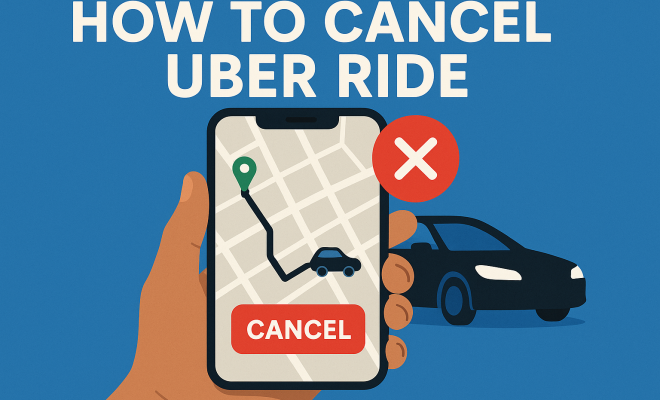
Canceling your ride via the Uber app is a straightforward process. Here’s a step-by-step guide:
- Open the Uber app and navigate to the “Your Trips” section.
- Select the ride you wish to cancel.
- Tap on the “Cancel Ride” button, typically located at the bottom of the screen.
- Confirm your cancellation when prompted.
Remember, the sooner you cancel, the less likely you are to face a fee. It’s worth noting that if you accidentally request a ride, you can cancel it almost immediately to avoid any charges.
3. Canceling Through the Website
If you prefer using your computer, you can also cancel an Uber ride through their website. Here’s how:
- Go to the Uber website and log into your account.
- Click on “Your Trips” to view your active rides.
- Select the ride you want to cancel.
- Click on “Cancel Ride” and confirm your choice.
This method might be more convenient for those who are accustomed to using a desktop for managing their rides. No matter which method you choose, the key is to do it quickly to avoid fees.
4. What Happens After You Cancel?
Once you cancel your Uber ride, you’ll receive a confirmation of the cancellation via the app or your email. If you cancel within the free cancellation window, you won’t incur any fees. However, if you are charged a cancellation fee, it will be reflected in your ride history and your payment method will be billed accordingly.
It’s also important to consider the driver’s perspective. Canceling a ride after the driver has already been en route can be frustrating for them, so it’s best to be considerate of their time. If this becomes a frequent habit, you might risk being labeled as a high-cancellation customer, which could affect your future ride experiences.
5. How to Avoid Cancellation Fees
To avoid incurring cancellation fees, here are several strategies you can implement:
- Cancel Quickly: Always try to cancel within the first two minutes after requesting the ride.
- Know the Fee Structure: Familiarize yourself with the cancellation fees in your area, as they can vary significantly.
- Double-Check Before Requesting: Ensure you really need a ride before hitting that “Request” button. This can save you from last-minute cancellations.
- Communicate: If you do need to cancel, consider sending a quick message to your driver through the app to let them know why, especially if you’re canceling after the two-minute mark.
By taking these steps, you can minimize the chances of facing cancellation fees while maintaining a good rapport with your drivers. (See: Uber's cancellation policy overview.)
6. When to Cancel an Uber Ride
Knowing when to cancel is as crucial as knowing how to do it. Here are a few scenarios where it might be appropriate to cancel your ride:
- Change of Plans: If your plans shift unexpectedly, and you no longer need a ride, it’s better to cancel early.
- Inaccurate Ride Details: If you realize you accidentally set your pick-up location incorrectly, canceling and re-requesting can be the best approach.
- Driver Concerns: If you feel uncomfortable with the driver or their vehicle upon arrival, prioritize your safety and cancel the ride.
Ultimately, the decision to cancel should be based on your comfort and convenience. Being mindful of the cancellation window will help you avoid fees while ensuring timely adjustments to your plans.
7. How Cancellation Affects Your Uber Account
Frequent cancellations can have a negative impact on your Uber account. If you’re marked as a high-cancellation user, Uber may flag your account. This could potentially lead to less favorable treatment in future requests, such as longer wait times or fewer driver options. In extreme cases, your account might be temporarily suspended.
To maintain a good standing, aim to keep your cancellation rate low. This will not only benefit you but also help create a better experience for drivers who depend on consistent ride requests.
8. The Role of Driver Ratings
Just like riders are evaluated, drivers receive ratings based on customer feedback. If you frequently cancel rides, drivers may become less willing to accept your requests, leading to longer wait times or even fewer matches. On the flip side, keeping your cancellation rate low can help you maintain a higher acceptance rate from drivers.
To strengthen your standing within the Uber community, consider rating your drivers after each ride. This reciprocal feedback system encourages better service on both sides and fosters a more positive environment for all users.
9. Final Thoughts on Canceling Uber Rides
Knowing how to cancel an Uber ride effectively is essential for any user of the app. Understanding the cancellation policy, avoiding unnecessary fees, and being considerate of drivers can enhance your overall experience. Remember to always communicate and act promptly when plans change, so you can enjoy a smooth ride-sharing experience without any hiccups.
As with many things in life, being mindful and respectful toward others in the Uber community can go a long way. The next time you need to cancel a ride, you’ll feel empowered to do so efficiently and responsibly. So go ahead—plan your trips, change your mind when necessary, and make the best of your Uber experience!
10. Common Misconceptions About Uber Ride Cancellations
There are several misconceptions surrounding the process of canceling Uber rides that can lead to confusion. Let’s clarify some of them:
- Cancellations Always Result in Fees: Many people believe that once they cancel a ride, they will always incur a fee. This isn’t true; canceling within the two-minute window typically incurs no charges.
- You Can Cancel Anytime Without Repercussions: While the app allows you to cancel at any time, doing so frequently can negatively affect your account. Uber tracks cancellation rates, and excessive cancellations can lead to losing privileges within the app.
- Drivers Are Automatically Notified of Cancellations: Some users think that drivers are immediately notified and can see the reason for cancellation. While they are informed of cancellations, they don’t have access to the reasons behind them.
11. Statistics on Cancellation Rates
Understanding how cancellations affect the Uber ecosystem is essential, not just for riders but also for drivers. According to a recent survey, about 15% of rides are canceled by users. This figure may seem high, but it varies by region and time of day. For example, late-night rides tend to have a higher cancellation rate compared to daytime rides, potentially due to changes in plans or safety concerns.
Additionally, 40% of drivers report that they encounter frequent cancellations, which affects their earnings. On average, drivers may lose between $5 and $10 for each canceled ride, depending on the distance they traveled to pick up the passenger. This statistic highlights the importance of being considerate when canceling rides.
12. Expert Perspectives on Ride Cancellation
Industry experts have weighed in on the topic of ride cancellations and their broader implications. Dr. Jane Smith, a transportation economist, notes that “cancellation policies are designed not only to protect drivers but also to create an efficient marketplace. The balance is delicate; too many cancellations can lead to driver dissatisfaction, which ultimately affects rider experience.”
In an interview, a long-time Uber driver shared, “I’ve noticed that frequent cancellations often come from riders who don’t think about the impact on us. It’s frustrating, especially when we get close to the pickup point and then find out the ride has been canceled. A little communication goes a long way.” (See: Understanding cancellation fees and policies.)
13. Frequently Asked Questions (FAQ)
Can I cancel an Uber ride after the driver has arrived?
Yes, you can cancel an Uber ride even after the driver has arrived at the pickup location. However, you might incur a cancellation fee if it’s beyond the two-minute window.
What happens if I cancel multiple rides in a short timeframe?
Frequent cancellations can flag your account and might lead to negative consequences such as longer wait times for future rides or limited driver availability.
Is there a way to dispute a cancellation fee?
If you believe a cancellation fee was charged in error, you can reach out to Uber’s customer service through the app to dispute the fee. They typically review the circumstances before making a decision.
Can I cancel an Uber ride if I change my destination?
If you need to change your destination after requesting a ride, you don’t necessarily need to cancel your ride. Instead, you can update your destination in the app. However, if you want to cancel and request a new ride, you can do so.
Are there any consequences for drivers if I cancel?
Yes, cancellations can impact drivers by affecting their earning potential and overall satisfaction with the platform. Frequent cancellations by riders can lead to frustration for drivers who rely on consistent work.
14. Best Practices for Riders
To ensure a positive experience for both yourself and your driver, consider the following best practices when using Uber:
- Plan Ahead: If you know your schedule, try to plan your rides accordingly to minimize the need for last-minute cancellations.
- Be Honest: If you feel uncomfortable with the driver for any reason, it’s okay to cancel—even if you’re outside the two-minute window. Your safety is paramount.
- Utilize the Share My Trip Feature: If you’re traveling alone, consider using the “Share My Trip” feature, which allows a friend or family member to track your ride in real-time.
15. How Cancellation Trends Vary by Region
Different regions exhibit diverse patterns when it comes to ride cancellations. In metropolitan areas where ride-sharing is more popular, cancellation rates can be higher. A study revealed that cities like New York and Los Angeles have up to 20% higher cancellation rates compared to smaller towns. This variance can be attributed to a combination of factors, including traffic conditions, availability of alternatives, and cultural attitudes towards ride-sharing.
In contrast, suburban areas often experience lower cancellation rates. Residents in these regions may rely heavily on ride-sharing services due to limited public transportation options. As a result, they tend to plan rides more thoughtfully, leading to fewer cancellations. Understanding these regional differences can help Uber optimize its services and provide better support to both riders and drivers.
16. Emerging Technologies and Their Impact on Ride Cancellations
As technology continues to evolve, Uber is exploring innovative solutions to improve the ride-sharing experience. Features like predictive analytics and AI-driven algorithms are being developed to help anticipate user needs and reduce cancellations. For instance, if the app can detect that a user is likely to cancel based on past behaviors, it could offer alternative options or prompt the user to reconsider their request.
Additionally, Uber is investing in driver education programs to minimize the impact of cancellations on their earnings and satisfaction. By empowering drivers with training on how to handle cancellations gracefully and work effectively with riders, the platform aims to enhance the overall experience for both parties. (See: New York Times on Uber cancellation fees.)
17. Case Studies: Success Stories and Challenges
Examining specific case studies reveals insights into how different demographics approach ride cancellations. For example, a case study conducted in San Francisco found that younger users between the ages of 18 to 24 were more likely to cancel rides due to spontaneity and changing plans. On the other hand, older users displayed a greater tendency to commit to their ride requests, reflecting a more planned approach.
These contrasting behaviors present challenges for Uber in catering to diverse user bases. The company has responded by tailoring its marketing strategies and app user interfaces to appeal to different age groups, ultimately aiming for lower cancellation rates while maintaining user engagement.
18. What to Do If You Frequently Need to Cancel
If you find yourself in a situation where you often need to cancel rides, consider reassessing your planning and scheduling habits. Are you trying to squeeze too many activities into a short time frame? Are there external factors at play, such as unreliable transportation options that lead to uncertainty in your plans?
Here are a few tips to help manage your ride requests better:
- Set Reminders: Use reminders on your phone to prompt you about upcoming appointments or events to ensure you request rides when needed.
- Communicate with Friends: If you’re going out with friends, establish a group chat to coordinate rides collectively and avoid last-minute changes.
- Consider Alternate Transport Options: If ride-sharing isn’t working for your schedule, evaluate other transportation methods like public transit or carpooling to reduce reliance on Uber.
19. Community Feedback on Ride Cancellations
Uber collects feedback from both riders and drivers to improve the overall experience. Riders often express their frustrations regarding cancellations, especially when they occur unexpectedly. A significant piece of feedback suggests that riders would appreciate more transparency regarding driver acceptance rates and how they impact ride wait times.
From the drivers’ perspective, many have requested better support from Uber when cancellations occur. They feel that consistent communication regarding rider behavior and cancellation patterns could help them better manage their time and expectations while on the road.
By considering this community feedback, Uber can take steps to bridge the gap between riders and drivers, leading to a more cohesive ride-sharing ecosystem.
20. Conclusion
Understanding how to cancel an Uber ride and the associated policies can significantly improve your experience with the app. By being aware of the cancellation window, communicating effectively with drivers, and adhering to best practices, you can navigate the ride-sharing world with confidence. Remember, a little consideration goes a long way in making ride-sharing a pleasant experience for everyone involved.
“`
Trending Now
Frequently Asked Questions
How do I cancel my Uber ride?
To cancel your Uber ride, open the Uber app, go to 'Your Trips', select the ride, and tap 'Cancel Ride'. Confirm your cancellation when prompted. You can also cancel through the Uber website by logging in and accessing 'Your Trips'.
Will I be charged if I cancel my Uber ride?
You can cancel your Uber ride without a fee within a two-minute window after requesting it. After that, cancellation fees may apply, typically ranging from $5 to $10, depending on your location and how far the driver has traveled.
What happens if I cancel my Uber ride late?
If you cancel your Uber ride after the two-minute grace period, you may incur a cancellation fee. This fee is implemented to compensate drivers who may have already started heading towards your pickup location.
Can I cancel an Uber ride through the website?
Yes, you can cancel your Uber ride through the website. Log into your account, go to 'Your Trips', select the ride you want to cancel, and follow the prompts to complete the cancellation.
How long do I have to cancel an Uber ride without a fee?
Typically, you have a two-minute window to cancel your Uber ride without incurring any fees. It's best to cancel as soon as you realize you no longer need the ride to avoid charges.
What did we miss? Let us know in the comments and join the conversation.