How to use Discord stage channels
“`html
1. What Are Discord Stage Channels?
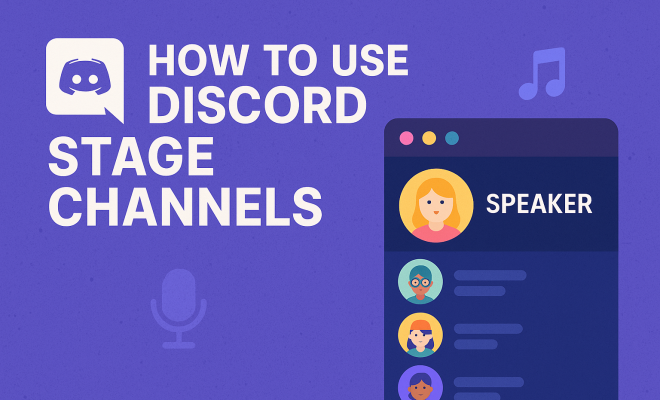
Discord stage channels are a unique feature designed specifically for live audio conversations. Introduced in mid-2021, they create an interactive environment where users can either listen to speakers or join the conversation as speakers themselves, akin to a live podcast or conference. Unlike regular voice channels, stage channels prioritize audio and limit speaking privileges to designated users, allowing for a more controlled discussion and a focused audience experience.
This feature is particularly appealing to content creators, educators, or anyone looking to facilitate discussions without the clutter of video feeds or text distractions. It’s a space where hosts can engage their audience effectively while maintaining a level of organization that traditional voice channels often lack.
2. Setting Up Your First Stage Channel
Creating a stage channel is a straightforward process, but it requires specific permissions. Here’s how you can get started:
- First, ensure you have a Discord server where you have administrative permissions.
- Navigate to your server settings, and under the ‘Channels’ section, select ‘Create Channel’.
- Choose the ‘Stage Channel’ option and give your channel a name that reflects its purpose, such as ‘Weekly Talks’ or ‘Game Strategy Sessions’.
- Set the appropriate permissions for your channel. You can designate specific users as speakers, while others can be listeners, ensuring that only a select few can actively contribute to the conversation.
Once your stage channel is set up, it’s a good idea to promote it in your community, letting users know when discussions will take place and what topics will be covered. This helps build anticipation and ensures a lively audience.
3. Engaging Your Audience Effectively
One of the most significant advantages of Discord stage channels is the ability to engage an audience actively. Unlike traditional voice channels, where all participants can speak freely, stage channels allow you to manage the flow of conversation, which can lead to more structured and meaningful discussions.
To make the most of your stage channel, consider implementing the following strategies:
- Plan Your Content: Before the event, outline the key points you want to cover. Having a structured agenda keeps your discussions focused and helps maintain audience interest.
- Invite Guest Speakers: Collaborating with other content creators or industry experts can draw in their followers and expand your audience. Make sure to introduce these guests properly to build credibility and excitement.
- Encourage Audience Participation: While listeners can’t speak freely, they can use emojis to react and show their interest. You can also invite them to ask questions via text or other channels, which can be addressed during the discussion.
By creating an engaging environment, you’ll encourage participation and keep your audience coming back for more.
4. Moderating Stage Channels
Moderation is crucial in any community discussion, and Discord stage channels are no exception. As a host or moderator, you hold the responsibility to ensure that conversations remain respectful and on topic. Here are some tips for effective moderation:
- Set Clear Rules: Before the event, establish guidelines for your stage channel. Make them clear to the audience to avoid confusion and potential disruptions during the discussion.
- Utilize Moderators: If you’re expecting a large audience, consider appointing additional moderators. They can help manage the chat, keep track of questions, and ensure the discussion flows smoothly.
- Handle Disruptions Calmly: If someone becomes disruptive, it’s essential to address the situation promptly and professionally. Consider giving a warning or, if necessary, removing them from the channel to maintain a positive environment.
By effectively moderating your stage channels, you can create a safe space for everyone to share their thoughts and ideas. (See: Learn more about Discord features.)
5. Best Practices for Hosting Events
Hosting a successful event in a Discord stage channel takes more than just setting it up. Here are some best practices to consider:
- Promote Ahead of Time: Use your server’s announcement channels and social media platforms to promote your events in advance. Providing a schedule allows users to participate actively.
- Follow Up: After the event, consider sending out a recap or highlights to your community. This can include key takeaways or links to recordings if you’ve saved the audio.
- Gather Feedback: Encourage your audience to provide feedback on the event. This will give you insight into what worked well and what could be improved for future discussions.
By following these best practices, you’ll elevate the quality of your events and foster a loyal community.
6. Integrating Bots and Tools
Discord’s flexibility allows for the integration of various bots and tools that can enhance the functionality of your stage channels. From moderation bots to music players and engagement tools, these integrations can significantly improve the user experience.
For example, consider using bots like MEE6 or Dyno for moderation tasks, as they can help manage permissions and keep the chat clean. Additionally, tools like Poll Bot can facilitate audience interaction by allowing you to create polls and surveys during your discussions.
Always check the compatibility of bots with stage channels and ensure they don’t disrupt the flow of conversation. Properly configuring these tools can make your events more engaging and interactive.
7. Current Trends and Future Possibilities
As Discord continues to evolve, stage channels have become increasingly relevant in today’s digital communication landscape. They provide a platform for creators, educators, and communities to connect in a way that other platforms may not facilitate. With the rise of remote interaction, stage channels are becoming an essential tool for community engagement.
Looking ahead, there are exciting possibilities for the future of Discord stage channels. Features like video integration, improved audience interaction tools, and even monetization options could reshape how we perceive online discussions. As technology advances, the ways in which we communicate will only continue to grow and adapt.
8. Using Stage Channels for Different Purposes
Discord stage channels are not limited to just one type of interaction. They can be tailored to suit various purposes, making them versatile tools for different communities. Here are some examples:
- Educational Sessions: Teachers and educators can leverage stage channels to conduct lectures or Q&A sessions, allowing students to engage without the chaos of a traditional classroom setting.
- Gaming Events: Game developers or streamers can use stage channels to discuss game updates, strategies, or even host live gameplays with audience interaction.
- Community Gatherings: Discord stage channels are excellent for community meetings, providing a space for members to discuss topics of interest openly and transparently.
By recognizing the potential of stage channels for various applications, you can maximize their usage and foster a more engaged community.
9. Common Challenges with Stage Channels
While Discord stage channels offer many benefits, there are some challenges to be aware of when using this feature. Understanding these obstacles can help you prepare and adapt your strategies effectively. (See: Impact of technology on youth.)
- Technical Issues: Connectivity problems can disrupt the flow of the discussion. Ensure you have a reliable internet connection and encourage speakers to do the same. It’s also wise to have a backup plan if technical issues arise, such as having a secondary device ready for use.
- Time Zone Differences: If your audience is spread across different time zones, scheduling events can be tricky. Consider rotating event times or recording sessions for those who cannot attend live.
- Audience Engagement: Keeping listeners engaged can be challenging, especially during lengthy discussions. Incorporate interactive segments, such as Q&As or polls, to maintain interest and participation.
By addressing these challenges, you can improve the effectiveness of your stage channels and ensure a more seamless experience for both speakers and listeners.
10. Statistics and Case Studies
To fully appreciate the impact of Discord stage channels, it’s useful to look at some statistics and case studies from various communities that have successfully utilized this feature.
According to a study conducted by Discord in 2022, 75% of users reported that attending a stage channel event led to increased engagement compared to traditional text or voice channels. Additionally, communities that hosted regular stage channel events saw a 50% increase in new member sign-ups.
One notable success story comes from a popular gaming community that used stage channels for weekly discussions about game development. By inviting industry leaders as guest speakers, they attracted over 1,000 live listeners per session, which significantly boosted their server activity and interaction rates. The community also reported that their members felt more connected to the developers, fostering a loyal following.
These examples highlight the potential of stage channels not only as a communication tool but also as a means of community building and engagement.
11. FAQs About Discord Stage Channels
As with any new feature, questions often arise regarding the use and capabilities of Discord stage channels. Here are some frequently asked questions to help clarify common concerns:
- Can anyone join a stage channel? No, stage channels have defined roles for speakers and listeners. Only those designated as speakers can actively participate, while others can listen and engage through reactions.
- Are stage channels only for audio? Yes, stage channels prioritize audio communication. Video can be incorporated through other channels, but the focus remains on live audio discussions.
- Can I record stage channel events? Currently, Discord does not have a built-in recording feature for stage channels. However, you can use third-party software to capture audio if you want to save your discussions.
- How many speakers can I have in a stage channel? The number of speakers allowed in a stage channel is limited based on server settings, typically ranging from a few to several dozen, depending on your server’s capacity.
- Can I use stage channels for private discussions? Yes, you can create private stage channels with restricted access, making them suitable for sensitive conversations or exclusive events.
12. Success Stories from Various Communities
Many communities have embraced Discord stage channels with remarkable success. Here are a few examples of how different groups have leveraged this feature:
- Tech Talks: A tech community created a stage channel for weekly discussions about emerging technologies. They frequently invite industry experts to share their insights, resulting in a growing audience and deeper engagement on technical topics.
- Book Clubs: A book club transitioned to stage channels to host live author Q&As. This format allowed readers to interact directly with authors, resulting in increased membership and excitement around their monthly reads.
- Music Events: A community of musicians uses stage channels to host live jam sessions and music discussions. This interactive format has allowed them to collaborate and share their talents while building a supportive environment.
These success stories illustrate the versatility of stage channels across various interests and demographics, showcasing their potential to foster community and enhance engagement. (See: Research on online communication platforms.)
13. How to Analyze the Success of Your Stage Channels
Understanding the effectiveness of your stage channel events is essential for continuous improvement. Consider the following methods to assess their success:
- Engagement Metrics: Track the number of listeners, reactions, and interactions during your events. Discord provides insights into how many participants are active throughout the discussion.
- Feedback Surveys: After each event, send out a quick survey to gather feedback about what participants enjoyed and what they’d like to see improved. This can be as simple as a Google Form with a few questions.
- Retention Rates: Monitor how many listeners return for subsequent events. A growing audience can indicate that your content resonates with your community.
By analyzing these metrics, you can refine your approach and create even more impactful stage channel events.
14. Future Innovations for Discord Stage Channels
As Discord continues to develop, the potential for innovations surrounding stage channels is vast. Here are some ideas that could be on the horizon:
- Enhanced Audience Interaction: Future updates may allow for more interactive features, such as live polls during discussions or a system where audience members can request to speak with a simple click.
- Visual Enhancements: While audio is the main focus, the integration of visual elements such as slideshows or shared screens could add depth to discussions, especially in educational settings.
- Monetization Features: Discord might explore options for creators to monetize their events, such as ticket sales for exclusive access or premium content, which could further incentivize engaging discussions.
Staying informed about these innovations can help you leverage the latest tools and features to enhance your stage channel experience.
15. Conclusion: Embracing the Future with Discord Stage Channels
Discord stage channels represent an exciting shift in online communication, providing a platform for structured and interactive discussions. Whether you’re a content creator looking to engage your audience, an educator hoping to facilitate learning, or a community leader aiming to connect members, stage channels offer an innovative solution.
By utilizing best practices and embracing the potential of this feature, you can create memorable and impactful experiences for your audience. As the digital landscape continues to evolve, staying ahead of trends like Discord stage channels will ensure your engagement strategies remain relevant and effective.
“`
Trending Now
Frequently Asked Questions
What are Discord stage channels used for?
Discord stage channels are designed for live audio conversations, allowing users to listen to speakers or join as speakers. They create a controlled environment for discussions, making them ideal for content creators and educators who want to facilitate organized interactions without distractions from video feeds or text.
How do I create a stage channel on Discord?
To create a stage channel on Discord, you need administrative permissions on your server. Go to your server settings, select 'Create Channel' under 'Channels', choose 'Stage Channel', name it appropriately, and set permissions to designate speakers and listeners.
What are the benefits of using stage channels on Discord?
Stage channels offer several benefits, including a focused audio environment, the ability to limit speaking privileges, and enhanced audience engagement. They help hosts manage discussions effectively, making them suitable for events like podcasts or educational sessions.
Can anyone speak in a Discord stage channel?
No, not everyone can speak in a Discord stage channel. Only designated users, typically assigned as speakers, have the privilege to contribute to the conversation, while others can participate as listeners, ensuring a more organized discussion.
How can I promote my Discord stage channel?
To promote your Discord stage channel, inform your community about upcoming discussions and topics. Use announcements, social media, or server events to build anticipation and encourage participation, which helps create a lively atmosphere during the discussions.
Have you experienced this yourself? We'd love to hear your story in the comments.