Change Airbnb Dates: A Complete Guide to Modifying Your Booking
“`html
Airbnb has revolutionized the way we travel, allowing guests to book unique accommodations worldwide. However, plans can change unexpectedly, leading many travelers to find themselves needing to change Airbnb dates. Fortunately, understanding how to navigate this process can save you time, money, and a lot of frustration. In this comprehensive guide, we’ll break down everything you need to know about modifying your Airbnb reservation.
1. Understanding Airbnb’s Date Change Policy
Before diving into the nitty-gritty of changing your reservation, it’s crucial to understand Airbnb’s policies. Generally, the ability to change your booking dates depends on the host’s cancellation policy. Airbnb offers several types of policies including Flexible, Moderate, and Strict, each with its own set of rules regarding modifications. For example, a Flexible policy allows guests to change their dates without a fee up to 24 hours before check-in, while a Strict policy may not allow any changes at all.
Moreover, if your host has enabled Instant Book, you might find it easier to change dates without waiting for approval. Always check the specific listing for the cancellation policy to know what to expect. You can find this information on the listing page under “Cancellation Policy.”
2. Step-by-Step Guide to Changing Your Dates
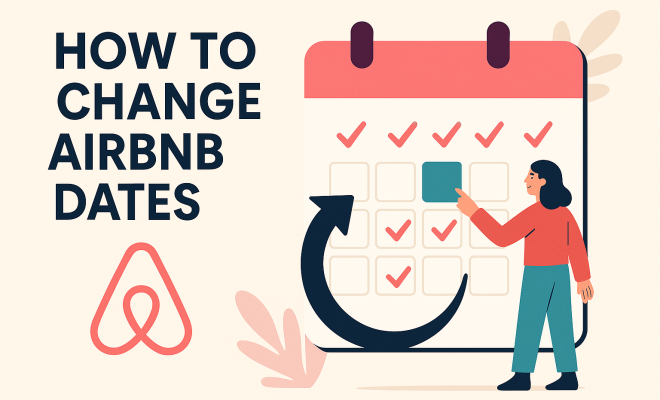
Changing your Airbnb dates is generally straightforward. Here’s a step-by-step process to guide you:
- Log into Your Account: Start by logging into your Airbnb account on the website or app.
- Navigate to Your Trips: Click on “Trips” in the top right corner to view your upcoming reservations.
- Select the Reservation: Click on the trip you want to adjust. This will take you to the details page.
- Click on Change Dates: Look for the option to change your dates. This option is usually found alongside your booking details.
- Choose New Dates: Input your new travel dates and check the availability. If the host has the dates open, you should see a confirmation at this stage.
- Review and Confirm: Review the changes, including any price adjustments, and confirm the new dates.
While the steps are simple, keep in mind the potential for additional charges or changes in the pricing structure based on the new dates you select. Always double-check before finalizing.
3. What to Do If Your Host Doesn’t Allow Changes
There might be situations where your host does not allow changes to your dates, especially under stricter policies. In such cases, you have a few options:
- Contact the Host: Sometimes, hosts may be willing to make exceptions. Directly messaging your host to explain your situation could lead to a favorable resolution.
- Cancel and Rebook: If changing your dates is not possible, you might consider canceling your reservation and rebooking for the desired dates. Keep in mind, this route might incur cancellation fees depending on the host’s policy.
- Explore Other Listings: If your original accommodation is no longer feasible, browsing similar listings in the area might yield another suitable option.
These alternatives can help you adapt your travel plans, even when a straightforward date change isn’t available.
4. Fees Associated with Changing Your Dates
Understanding the financial implications of changing your Airbnb dates is crucial. Depending on the host’s cancellation policy, you might encounter various fees:
- Change Fees: While many hosts allow date changes without fees, some may charge a fee for any modifications.
- Price Differences: If your new dates fall during peak season or a special event, the cost for your stay might be higher. Always check how the price shifts with your date changes.
- Cancellation Fees: If you opt to cancel and rebook instead of changing dates, ensure you are aware of any cancellation fees that would apply.
Being aware of these potential costs can help you make more informed decisions and manage your travel budget effectively. (See: Airbnb overview on Wikipedia.)
5. Changing Airbnb Dates for Group Bookings
If you’re traveling with a group, changing Airbnb dates can be a bit more complex. Since multiple parties may be involved, it’s essential to coordinate effectively. Here are some tips:
- Discuss Changes Early: Communicate with all members of your group about potential changes as early as possible to ensure everyone is on board.
- Check Availability for All Guests: Make sure that the new dates work for everyone involved. It can be frustrating to secure a new booking only to find out that someone can’t make it.
- Consider Alternative Accommodations: If changing dates isn’t feasible for the original listing, you might look into multiple accommodations in the same area that can accommodate your group.
Effective communication and planning can make the process smoother when multiple guests are involved.
6. Using the Airbnb App to Change Dates
The Airbnb mobile app offers a convenient way to manage your bookings on-the-go. Changing your dates through the app is just as simple as it is on the website:
- Open the App: Launch the Airbnb app on your mobile device and log in.
- Access Your Trips: Tap on the “Trips” icon to view your reservations.
- Select Your Booking: Choose the trip you want to modify.
- Find the Change Option: Look for the “Change Dates” button and select it.
- Input New Dates: Follow prompts to enter your desired dates and review the changes.
Using the app can be particularly handy when you’re traveling, allowing for easy access to your bookings, even if you’re away from your laptop.
7. Common Issues When Changing Dates
While changing your Airbnb dates is usually a straightforward process, there are some common hurdles guests might face:
- Availability Issues: The most prevalent issue is discovering that your desired new dates are not available. This can often happen during peak travel seasons, holidays, or special events.
- Communication Delays: If your host is slow to respond, it may delay your ability to change dates. Always allow for some extra time when waiting for confirmation.
- Technical Glitches: Occasionally, users may experience technical problems with the app or website that can impede the ability to change dates. In this case, contacting Airbnb support can be beneficial.
Being aware of these potential issues can help you prepare and navigate any challenges that may arise.
8. Alternatives to Airbnb for Flexible Bookings
While Airbnb is known for its unique accommodations, other platforms offer similar services with flexible booking options. Here are a few alternatives:
- Vrbo: Known for vacation rentals, Vrbo typically offers flexibility in changing dates depending on the host’s policies.
- Booking.com: This platform has a range of options from hotels to apartments, many of which offer free cancellation or date changes.
- HomeAway: Similar to Vrbo, HomeAway emphasizes vacation rentals and often includes flexible booking conditions.
Exploring these alternatives can provide you with additional options, especially if you prioritize flexible booking terms.
9. Final Thoughts on Changing Your Airbnb Dates
Travel plans can be unpredictable, and knowing how to change Airbnb dates is an invaluable skill for any traveler. By understanding Airbnb’s policies, following the steps to modify your booking, and being aware of alternatives, you can navigate the process with ease. Take the time to communicate effectively with your host and prepare for potential issues, and you’ll find that adjusting your travel plans is much smoother than it may initially seem. Remember, flexibility is key in travel, and being proactive can lead to more enjoyable experiences.
10. Tips for Making the Most of Your Airbnb Experience
When you’re changing your Airbnb dates, it’s a great time to think about how to enhance your overall experience. Here are some tips: (See: CDC travel guidelines.)
- Read Reviews: Before you settle on new dates, take some time to read through the reviews of your potential accommodation. Previous guests often share valuable insights about their experiences, which can guide your choice.
- Engage with Your Host: Don’t hesitate to ask your host questions about the property or local amenities. A good host can provide recommendations that make your stay even better.
- Be Flexible with Check-In and Check-Out Times: If your travel plans are flexible, consider asking your host if they can accommodate different check-in or check-out times. This can help you maximize your time in the area.
- Look for Discounts: If you’re a frequent traveler, check if the host offers discounts for extended stays. Sometimes, staying an extra night can save you money overall.
11. Statistics on Airbnb Usage
Understanding the broader landscape of Airbnb usage can provide you with context about your own experience. Here are some interesting statistics about Airbnb:
- As of 2023, Airbnb has over 7 million listings worldwide, showcasing a vast array of properties from cozy apartments to luxury villas.
- Data shows that approximately 30% of Airbnb bookings are made within a week of the check-in date, indicating that many travelers are making last-minute plans.
- The average length of stay in an Airbnb property is around 4 nights, suggesting that guests often seek a home-like experience for a more extended period.
- Airbnb reports a significant increase in bookings to rural areas, with a 100% increase in demand for listings in small towns and rural communities since the pandemic.
12. Expert Perspectives on Changing Dates
To gain deeper insights into the process of changing dates, we reached out to travel experts and Airbnb hosts. Here’s what they had to say:
Travel Expert Anna Smith emphasizes, “Being proactive with your travel plans is crucial. If you anticipate a change, try to modify your dates as soon as possible. This gives you the best chance of finding available accommodations that meet your needs.”
Superhost Mark Johnson shares, “I always tell my guests to communicate directly with me if they need to change their dates. Open communication can often lead to solutions that are beneficial for both parties.”
13. Frequently Asked Questions (FAQ)
Can I change my Airbnb dates after booking?
Yes, you can change your Airbnb dates after booking, provided that the host allows it under their cancellation policy. Follow the steps outlined in this guide to make the changes through the website or app.
Are there fees associated with changing dates on Airbnb?
Fees depend on the host’s policy. Some hosts allow date changes without fees, while others might charge a modification fee or have price adjustments based on the new dates.
What if I need to change my dates last minute?
If you need to change your dates last minute, it’s crucial to act quickly. Check your host’s policy and reach out to them immediately. If the new dates are available, you may be able to change them without any additional fees.
How can I ensure I find a property with flexible dates?
When searching for properties, use the filter options on Airbnb to look for listings that offer flexible cancellation policies. This can help you find accommodations that allow date changes without penalties. (See: New York Times on Airbnb cancellation policies.)
What other platforms offer flexible booking options?
While Airbnb is popular, platforms like Vrbo, Booking.com, and HomeAway also provide flexibility in booking and cancellation. It’s worth exploring multiple options to find the best fit for your needs.
14. Best Practices for Communicating with Hosts
Effective communication with your Airbnb host can significantly ease the process of changing your dates. Here are some best practices:
- Be Polite and Respectful: Always start with a friendly tone. Remember that hosts are people too, and a little kindness can go a long way.
- Be Clear and Concise: Clearly state your request and provide necessary details such as your current booking dates and the new dates you’d like to change to.
- Express Appreciation: If a host agrees to make accommodations, be sure to thank them for their flexibility and understanding.
- Follow Up: If you don’t hear back in a reasonable amount of time, it’s okay to send a polite follow-up message.
15. Common Scenarios for Changing Dates
Understanding common scenarios where changing dates may come into play can help you navigate your own travel needs better. Here are a few scenarios:
- Travel Delays: Flights can be delayed or canceled, leading to the need for rescheduling your accommodation. In this case, it’s essential to inform your host as soon as possible.
- Change in Travel Plans: Sometimes, personal or professional commitments can change your travel plans. If your trip is shortened or extended, communicate your needs to your host promptly.
- Health Issues: If a guest falls ill or has a family emergency, it’s crucial to contact the host and discuss potential options. Many hosts will empathize with your situation and may be willing to help.
16. What to Do If Your Host is Unresponsive
If you’ve tried reaching out to your host about changing dates and haven’t received a response, here are some steps you can take:
- Wait a Reasonable Time: Be patient, especially if your host has a busy schedule. Wait a few days before trying to reach them again.
- Contact Airbnb Support: If you still can’t get in touch, you can contact Airbnb’s support team. They may be able to facilitate communication or assist with your booking.
- Consider Alternative Options: If you don’t hear back and your plans are urgent, it may be wise to start looking for alternative accommodations.
17. Using Calendar Tools for Better Planning
One way to simplify your travel planning and minimize the need to change dates is to use digital calendar tools. Here’s how they can help:
- Sync Your Calendars: By syncing your travel plans with your personal calendar, you can keep track of important dates and avoid double-booking.
- Set Reminders: Use reminders to alert you when it’s time to book accommodations, check in, or follow up with hosts.
- Review Availability: Before making any changes, check your calendar against potential new dates to ensure they work with your existing commitments.
In summary, navigating the process of changing your Airbnb dates can be a smooth experience if you understand the policies, communicate effectively, and plan ahead. Whether it’s a personal trip or a group gathering, being flexible and prepared can turn potential hassles into easy adjustments, making your travel experiences even more enjoyable.
“`
Trending Now
Frequently Asked Questions
How do I change my Airbnb reservation dates?
To change your Airbnb reservation dates, log into your account, navigate to 'Trips', select the reservation, and click on 'Change Dates'. Input your new travel dates and check availability. Ensure to review the host's cancellation policy, as it affects your ability to modify your booking.
What is Airbnb's cancellation policy for changing dates?
Airbnb's cancellation policy for changing dates varies by host. Policies include Flexible, Moderate, and Strict. A Flexible policy allows date changes without fees up to 24 hours before check-in, while a Strict policy may not permit changes at all. Always check the specific listing for details.
Can I change my Airbnb dates after booking?
Yes, you can change your Airbnb dates after booking, provided you follow the steps in your account and your host's cancellation policy allows it. Log into your account, go to 'Trips', select your reservation, and look for the 'Change Dates' option to proceed.
What happens if I need to change my Airbnb dates?
If you need to change your Airbnb dates, log into your account, find your reservation, and select 'Change Dates'. Your ability to modify dates depends on the host's cancellation policy. Make sure to check if there are any fees or restrictions before making changes.
Is there a fee to change dates on Airbnb?
Whether there is a fee to change dates on Airbnb depends on the host's cancellation policy. A Flexible policy typically allows changes without fees, while a Strict policy may not permit changes at all. Always review the specific policy associated with your booking.
What's your take on this? Share your thoughts in the comments below — we read every one.