How to download languages on Google Translate
“`html
In an increasingly globalized world, the ability to communicate across language barriers is more important than ever. Google Translate has emerged as a powerful tool, helping millions of users translate text and speech seamlessly. But did you know you can also download languages on Google Translate for offline use? This feature is incredibly useful when traveling abroad or in areas with limited connectivity. In this guide, we’ll explore how to download languages on Google Translate, delve into its benefits, and provide tips to enhance your translation experience.
1. Understanding Google Translate
Launched in 2006, Google Translate has grown exponentially to support over 100 languages, making it one of the leading translation services available. The platform uses advanced machine learning algorithms and neural machine translation technology to improve accuracy and fluency. At its core, Google Translate allows users to translate text, voice, images, and even handwriting in real-time.
The app is available on various platforms, including Android, iOS, and web browsers, making it highly accessible. One of its standout features is the ability to download languages for offline translation. This means you can continue using the app without an internet connection, which is invaluable in many situations.
2. Why Download Languages on Google Translate?
Downloading languages on Google Translate can significantly enhance your user experience. Here are some compelling reasons to consider this feature:
- Accessibility: In many countries, internet connectivity can be unreliable or non-existent. By downloading languages, you ensure you have access to translation tools when you need them most.
- Data Savings: Using mobile data for translations can quickly eat into your data plan. Offline translations eliminate the need for data, allowing you to save on costs.
- Speed: Offline translations are often faster since there’s no need to wait for a connection. This is particularly helpful when you’re in a rush or need to translate something quickly.
3. How to Download Languages on Google Translate
Downloading languages on Google Translate is a straightforward process. Here’s how to do it on both Android and iOS devices: fixing device compatibility offers useful background here.
For Android Users
- Open the Google Translate app on your smartphone.
- Tap the hamburger menu icon (three horizontal lines) in the upper left corner.
- Select “Offline translation.”
- Tap on “+” to add a new language.
- Browse the list of languages and select the ones you want to download.
- Tap “Download” next to the desired language.
- Wait for the download to complete. The app will notify you once it’s done.
For iOS Users
- Open the Google Translate app on your iPhone or iPad.
- Tap on the “Settings” icon (gear icon).
- Choose “Offline translation.”
- Tap on the “+” icon to add a new language.
- Select the language you wish to download.
- Wait for the download to finish, and you’ll be ready to go offline!
Once the languages are downloaded, you can switch to offline mode by turning off your Wi-Fi and mobile data. The app will automatically recognize the downloaded languages and allow you to translate without an internet connection.
4. Supported Languages and Their Features
Google Translate supports over 100 languages, but not all offer the option for offline downloading. As of 2023, here’s a list of some popular languages you can download:
- Spanish
- French
- German
- Italian
- Chinese (Simplified)
- Japanese
- Korean
- Russian
- Arabic
- Hindi
Each language pack varies in size and features. Some languages may include additional dialects, which can enhance your translation results, especially in regions with linguistic diversity. For instance, downloading the Spanish language pack may give you access to both European and Latin American Spanish dialects. This is particularly beneficial for travelers, ensuring that translations are contextually appropriate based on the region. (See: Wikipedia page on Google Translate.)
5. Enhancing Your Offline Translation Experience
Once you’ve downloaded languages on Google Translate, there are several tips and tricks to optimize your offline experience:
- Familiarize Yourself with the Interface: Spend some time exploring the app’s features, including voice translation, camera translation, and conversation mode. Understanding how to use these features offline can save you time.
- Practice Common Phrases: Pre-download basic phrases that are commonly used in your destination country. This will ensure you have quick access to essential communication without the need to search for translations.
- Keep Language Packs Updated: Regularly check for updates to your downloaded language packs. Google often improves translation quality, and keeping your language packs updated helps you benefit from these enhancements.
6. Limitations of Offline Translation
While downloading languages on Google Translate offers significant advantages, there are a few limitations to keep in mind:
- Limited Language Support: Not all languages are available for offline download. Less commonly spoken languages may not have offline packs.
- Translation Quality: Offline translations may not be as accurate as those conducted online. This is because the app relies on pre-downloaded databases, which can lack the latest updates and contextual nuances.
- No Internet Features: Certain features, such as text-to-speech and some advanced learning capabilities, require an internet connection and won’t function offline.
Despite these limitations, the utility of offline language downloading makes it a worthwhile feature for many users, particularly travelers.
7. Alternatives to Google Translate
While Google Translate is a dominant player in the translation market, there are several alternatives offering similar offline capabilities. Here are a few noteworthy options:
- Microsoft Translator: This app allows users to download languages for offline use, similar to Google Translate. It also offers a unique conversation mode for real-time chat translations.
- iTranslate: A popular alternative that features offline downloads and voice translation capabilities. iTranslate includes a pro version that offers even more features.
- SayHi: Focused on voice translations, SayHi is a mobile-centric solution that allows users to converse in different languages, making it ideal for verbal communication.
Each of these alternatives has its strengths and weaknesses, but they can serve as useful supplements or substitutes depending on your translation needs.
8. Current Relevance of Google Translate
In 2023, the relevance of Google Translate continues to grow, especially as globalization strengthens and more people travel internationally. The app plays a vital role in cross-cultural communication by breaking down language barriers. Its capabilities, especially the ability to download languages for offline use, are especially beneficial in various contexts, such as:
- Traveling: Language barriers can hinder your travel experience, making it challenging to navigate or ask for assistance. Offline downloads ensure you have necessary translations at your fingertips.
- Business: In an increasingly global economy, businesses are expanding across borders and need effective communication tools to engage with international clients. Google Translate assists in reaching diverse markets.
- Education: As educational institutions become more multicultural, tools like Google Translate help bridge communication gaps among students, parents, and educators.
Furthermore, with ongoing advancements in machine learning and artificial intelligence, we can expect continued improvements in Google Translate’s accuracy and functionality over the coming years.
9. Best Practices for Using Google Translate
To make the most out of Google Translate, especially when using the offline feature, consider these best practices:
- Be Clear and Concise: When entering text for translation, clarity is key. Simple sentences often yield better results than complex ones.
- Use the Conversation Mode: For verbal translations, try using the conversation mode, which allows two users to speak in different languages. This can be particularly useful when communicating with locals.
- Check Contextual Accuracy: Before relying on a translation, read through it to ensure it makes sense contextually. Sometimes translations may not capture local idioms or phrases accurately.
10. Real-World Examples of Google Translate Usage
Many users have benefited from Google Translate in various situations. Here are a few real-world scenarios:
- Traveling in Japan: A tourist in Japan downloaded Japanese and English languages on Google Translate. When lost, they used the app to ask locals for directions and ended up discovering hidden gems in the city that weren’t on the usual tourist trails.
- Business Meetings: An international company used Google Translate in a meeting with partners from different countries. By downloading the relevant language packs, they were able to converse freely without the concern of miscommunication affecting their negotiations.
- Learning a New Language: A student learning French utilized Google Translate to assist with homework. By downloading the French language pack, they could translate texts even when offline, enhancing their study routines.
11. Statistics on Language Usage and Translation Needs
The need for translation services is growing rapidly. Here are some insights based on 2023 statistics: (See: CDC on communication across language barriers.)
- Over 5 billion translations are performed daily on Google Translate.
- Approximately 500 million people use Google Translate each month.
- Spanish, English, and Arabic are among the top languages translated on the platform.
- Users in non-English speaking countries represent 70% of Google’s translation requests, indicating a clear need for multi-language support.
12. Frequently Asked Questions (FAQ)
Can I use Google Translate without downloading languages?
Yes, you can use Google Translate online without downloading any languages. However, you will need an internet connection to access translations.
How much storage space do downloaded language packs take?
The size of language packs varies by language but generally ranges from 20 MB to 50 MB. You can manage storage by deleting languages you no longer need.
Are downloaded language packs updated automatically?
Language packs do not update automatically. You need to manually check for updates on the Google Translate app to ensure you have the latest translations.
What if I need to translate a less common language?
If a language isn’t available for download, you can still use Google Translate online for real-time translations. Alternatively, consider using other translation apps or services that may offer those languages.
Is Google Translate accurate for professional use?
While Google Translate is effective for basic translations and everyday use, it may not always be suitable for professional or legal documents due to potential inaccuracies. For important documents, it’s advisable to consult a professional translator.
13. Final Thoughts
Downloading languages on Google Translate can transform your translation experience, giving you access to essential communication tools when you need them most. Whether you’re traveling abroad, managing a business, or simply trying to understand a new language, having offline capabilities enhances your ability to communicate effectively.
As technology continues to evolve, the importance of tools like Google Translate in fostering global connectivity and understanding will only increase. So, if you haven’t already, consider downloading languages on Google Translate and unlock a world of communication possibilities! (See: New York Times article on Google Translate.)
14. Future Trends in Translation Technology
The future of translation technology looks promising as advancements in AI and machine learning continue to unfold. Companies are investing heavily in improving translation accuracy and expanding language coverage. Here are some trends worth noting:
- Real-time Translation: With the rise of AR and VR technologies, real-time translation capabilities will likely become more prevalent, allowing users to communicate without any language barriers in immersive environments.
- Increased AI Integration: Future translation apps may leverage advanced AI to learn from user interactions, making translations more contextually relevant and personalized over time.
- Enhanced Security Features: As translation apps become more widely used in sensitive business and legal contexts, enhanced security measures to protect user data and privacy are likely to be prioritized.
15. Exploring Google Translate’s Additional Features
Google Translate offers more than just basic text translation. Here are some additional features that can significantly enhance your experience:
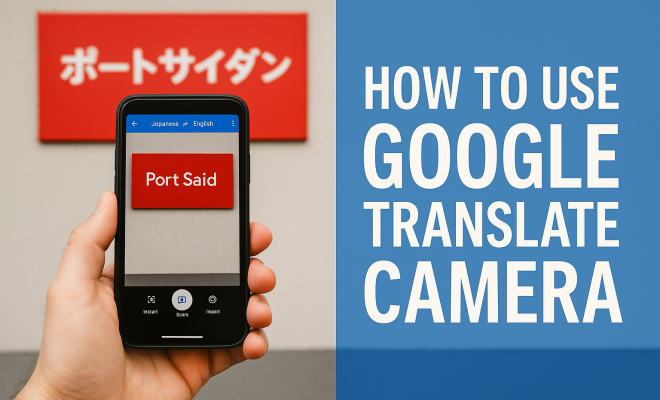
- Camera Translation: Use your smartphone camera to translate text from images, menus, signs, and more in real-time. This is especially useful when navigating foreign cities or reading menus.
- Voice Translation: Speak directly into the app to get instant translations. This feature supports conversation mode, allowing two users to converse in different languages seamlessly.
- Phrasebook: You can save your favorite translations in a phrasebook for quick access later. This is particularly helpful for travelers who need to remember essential phrases.
16. Using Google Translate for Learning
Google Translate can also aid in language learning. Here’s how you can harness its power to enhance your language skills:
- Practice Vocabulary: Use the app to translate words and phrases you encounter in your studies or daily life. This will help reinforce your learning.
- Engage with Native Speakers: Use the conversation feature to practice speaking with native speakers, allowing you to improve your pronunciation and conversational skills.
- Explore Cultural Context: Understanding a language goes beyond vocabulary. Use Google Translate to research cultural expressions, idioms, and nuances, which can deepen your appreciation for the language.
17. User Feedback and Experiences
User feedback provides valuable insights into how Google Translate performs in real-world situations. Here are some common themes from user experiences:
- Travelers’ Praise: Many travelers express gratitude for the offline feature, citing it as a lifesaver when navigating foreign cities where internet access is limited.
- Learning Tool: Language learners appreciate the app’s versatility, noting that it helps them grasp new vocabulary and understand sentence structures.
- Room for Improvement: While users appreciate the app’s capabilities, many have pointed out that certain translations can still sound awkward or be contextually off. This feedback underscores the importance of context in translation.
18. Conclusion
In a world where communication is key, Google Translate stands out as a vital tool for bridging language gaps. Whether you’re on a business trip, exploring a new country, or learning a foreign language, downloading languages on Google Translate can enhance your experience significantly. With its range of features and continuous improvements, it remains an essential app for anyone looking to communicate across cultures effectively.
Don’t forget to utilize the offline capabilities, which can be a game-changer, especially in places where connectivity is a challenge. So, download the languages you need today and step into a world of limitless interaction!
“`
Trending Now
Frequently Asked Questions
How do I download languages on Google Translate?
To download languages on Google Translate, open the app, go to 'Settings', then 'Offline translation'. Select the languages you want to download and tap 'Download'. Ensure you have enough storage on your device for the downloads.
Can I use Google Translate offline?
Yes, you can use Google Translate offline by downloading specific languages. This feature allows you to access translation tools without internet connectivity, making it ideal for travel or areas with limited access.
Why should I download languages for Google Translate?
Downloading languages on Google Translate enhances accessibility, saves mobile data, and provides faster translations. It ensures you can translate text even in areas with poor or no internet connectivity.
Which languages can I download on Google Translate?
Google Translate supports over 100 languages, and you can download many of them for offline use. Check the app's offline translation section to see the complete list of available languages for download.
Is it free to download languages on Google Translate?
Yes, downloading languages on Google Translate is completely free. Users can select and download their preferred languages without any additional costs, making it a convenient option for travelers.
Agree or disagree? Drop a comment and tell us what you think.