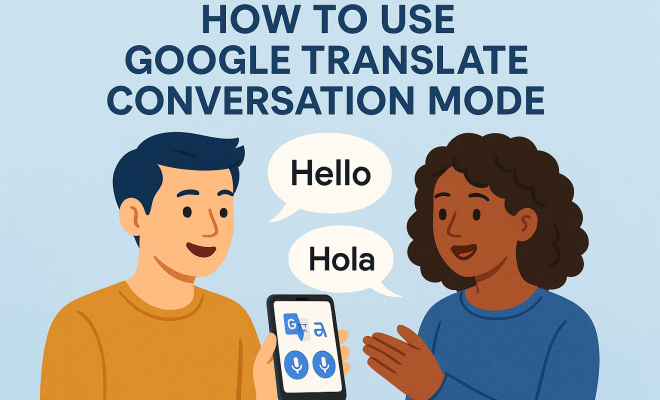
How to use Google Translate conversation mode
“`html
In a world that’s increasingly interconnected, effective communication across language barriers is more vital than ever. Enter Google Translate conversation mode, a feature that has revolutionized how we communicate with others who speak different languages. This comprehensive guide dives deep into the mechanics of conversation mode, offering insights on its usability, effectiveness, and relevance in today’s global society.
1. Understanding Google Translate Conversation Mode
At its core, Google Translate is a service that allows users to translate text and speech between languages. However, conversation mode takes it a step further by facilitating real-time, back-and-forth dialogues between two people speaking different languages. Launched in 2016, this feature allows users to have fluid, natural conversations as it translates spoken phrases almost instantaneously.
Conversation mode is available on both the mobile app and the web version of Google Translate. For mobile users, it is especially handy for travelers, business professionals, or anyone engaged in cross-cultural communication, as it eliminates the need for cumbersome phrasebooks or reliance on third-party interpreters. This convenience empowers users to connect authentically, regardless of language differences.
2. Setting Up Conversation Mode
To use the Google Translate conversation mode, follow these simple steps:
- Download the App: If you haven’t already, download the Google Translate app from the App Store or Google Play.
- Open the App: Launch the app and select the languages you want to translate between by tapping on the drop-down menus at the top.
- Access Conversation Mode: Tap the microphone icon at the bottom of the screen, then select the conversation mode option. This will enable the app’s microphone to pick up speech from both users.
Once you are set up, simply speak into the microphone, and Google Translate will process your speech and provide a translation almost instantly. The app can handle multiple languages, and you can switch between them seamlessly during the conversation, making it a versatile tool for multilingual interactions.
3. Features and Functionalities of Conversation Mode
Google Translate conversation mode is packed with features that enhance its usability. One of the standout functionalities is its ability to detect languages automatically. This means that users can converse without having to manually switch languages — the app recognizes the spoken language and translates it accordingly.
Additionally, the app offers offline capabilities. If you’re traveling to an area where internet access is limited, you can download specific language packs in advance. This allows you to maintain seamless communication even without a data connection, ensuring you’re never at a loss for words.
Another feature worth mentioning is the visual translation capability. While conversation mode primarily focuses on spoken dialogue, users can also enter text for translation. This is particularly useful for reading signs or menus when you’re in a foreign country. By combining both spoken and written translations, Google Translate becomes an indispensable tool for any traveler or global communicator.
4. Real-World Applications
The real power of Google Translate conversation mode shines in practical applications. For instance, in the realm of travel, it can help you navigate new cities, order food, ask for directions, and engage with locals in their native tongue. Travelers have reported that using the app mitigates language barriers effectively, enhancing their cultural experiences.
In business settings, this feature has proven invaluable as companies expand into international markets. It facilitates meetings, negotiations, and collaborations with partners from diverse linguistic backgrounds. Many professionals find that communication barriers can be dissolved with the help of technology, leading to more productive outcomes and smoother interactions.
A specific example includes a small business owner from the United States who used Google Translate conversation mode during a trade show in Germany. By communicating directly with potential customers and suppliers, they were able to establish relationships that would have been difficult otherwise due to language differences. This demonstrates the immediate impact that effective communication can have on business operations.
5. Limitations and Challenges
Despite its many advantages, Google Translate conversation mode does come with limitations. For instance, while it excels in translating straightforward dialogue, it may struggle with nuanced expressions, regional dialects, or idiomatic phrases. Users might find that the translations aren’t perfect, which could lead to misunderstandings if the context is not clear. (See: Wikipedia page on Google Translate.)
Additionally, background noise can pose challenges. In loud environments, the app may have difficulty accurately hearing and translating speech, which can hinder effective communication. Users should be mindful of their surroundings and try to utilize the feature in quieter settings whenever possible.
Another challenge is the app’s reliance on internet connectivity for optimal performance, especially for more complex translations. While the offline mode is beneficial, it may not always have access to the most updated linguistic data, potentially leading to inaccuracies. Users should keep this in mind, especially in critical situations where accurate communication is essential. We covered Wheres Your Voice guide in more detail.
6. Best Practices for Effective Use
To maximize the effectiveness of Google Translate conversation mode, here are some best practices to keep in mind:
- Speak Clearly: Enunciate your words clearly and avoid speaking too quickly. This gives the app a better chance to catch every word accurately.
- Use Simple Language: When possible, stick to simple phrases and avoid slang or idioms, as these can confuse the translation algorithms.
- Keep Context in Mind: If you’re discussing a specific topic, providing context beforehand can help the app generate more accurate translations.
- Check Translations: If possible, ask the other person to confirm the translation to ensure that the intended meaning has been communicated accurately.
Practicing these tips can lead to smoother conversations and a more enjoyable experience overall. Users will find that taking a little extra care in how they communicate can significantly enhance the effectiveness of the conversation mode.
7. Comparative Tools and Alternatives
While Google Translate conversation mode is a powerful tool, it’s not the only option available. Other platforms, like Microsoft Translator and iTranslate, also offer similar features. Microsoft Translator provides a group conversation mode that allows multiple participants to join a discussion, which can be an advantage in larger settings.
iTranslate, on the other hand, has a feature called iTranslate Converse, which focuses on voice-to-voice translations. Users have reported favorable experiences with both alternatives, though they may not be as widely recognized as Google Translate. When considering which tool to use, it’s essential to evaluate the specific needs of your situation.
For instance, if you’re traveling with a group and need to communicate in various languages simultaneously, Microsoft Translator might be the better choice due to its group conversation feature. On the other hand, if you’re engaging in a one-on-one conversation, Google Translate conversation mode would likely suffice. It’s beneficial to test different options and see which works best for your needs.
8. Current Relevance and Future Potential
The relevance of Google Translate conversation mode is only expected to grow as global travel resumes and businesses continue to expand internationally. The ongoing push for inclusivity and diversity in communication is leading to a heightened demand for effective translation tools. With advancements in artificial intelligence and natural language processing, we can anticipate improvements in accuracy and functionality over time.
Emerging technologies, such as augmented reality and wearable devices, may also enhance the way we use translation tools. Imagine a future where you could wear smart glasses that provide real-time translations of spoken conversations right in your field of vision. This could further eliminate language barriers and foster deeper connections between individuals from diverse backgrounds.
In addition, as machine learning continues to evolve, we can expect translation services to become more personalized. Future iterations of Google Translate may learn from user interactions, leading to more tailored and contextually appropriate translations. This could drastically improve the user experience, making communication even more seamless.
9. Personal Experiences and Testimonials
Many users have shared their experiences with Google Translate conversation mode, highlighting moments where the app saved the day. One traveler recounted how the app helped her navigate a complex train system in Japan, allowing her to ask locals for guidance and make new friends along the way. Another professional shared how the app facilitated a crucial business negotiation by enabling effective communication despite a language barrier.
These testimonials illustrate the profound impact that conversation mode can have, not just in terms of practicality, but also in building relationships and fostering understanding across cultures. In an increasingly globalized world, the ability to communicate effectively can open doors to countless opportunities.
Additionally, a recent survey indicated that approximately 75% of users felt more confident engaging with speakers of other languages after using Google Translate conversation mode. This statistic underscores the app’s role in enhancing not only practical communication but also social interactions and cultural exchanges. (See: CDC guide on translation tools.)
10. The Future of Communication Technology
As we look ahead, the evolution of communication technology will continue to shape the way we connect. The increasing reliance on devices and apps for translation purposes suggests that tools like Google Translate will become even more integral to our daily lives. It’s worth noting that while technology can enhance our communication, it’s essential to remain aware of the human element — the nuances of conversation that may not always translate perfectly.
Ultimately, Google Translate conversation mode represents a significant leap forward in bridging language gaps, but it is still one piece of a larger puzzle. As users, we must remain engaged, adaptable, and open to the richness of multilingual interactions. By embracing both technology and the essence of human communication, we can create a more connected world.
11. Frequently Asked Questions (FAQ)
What languages are supported in Google Translate conversation mode?
Google Translate conversation mode supports a vast array of languages, including but not limited to Spanish, Mandarin, French, German, Japanese, and Arabic. You can find the complete list of supported languages on the Google Translate website.
Can I use Google Translate conversation mode offline?
Yes, you can use Google Translate conversation mode offline by downloading specific language packs in advance. This is particularly useful when traveling to areas without reliable internet access. This builds on Understanding language barriers.
How accurate is Google Translate conversation mode?
While Google Translate conversation mode is generally reliable for basic conversations, its accuracy can vary based on the complexity of the dialogue, regional accents, and idiomatic expressions. It’s always a good idea to verify critical translations with a native speaker when possible.
Is Google Translate conversation mode free to use?
Yes, Google Translate is free to use, including the conversation mode feature. It is available on both iOS and Android platforms without any subscription fees.
Can I use Google Translate conversation mode in professional settings?
Absolutely! Many businesses utilize Google Translate conversation mode to facilitate communication during meetings and negotiations with international partners. However, for highly sensitive discussions, it’s advisable to have professional interpreters present to ensure accuracy and confidentiality.
What should I do if Google Translate doesn’t understand me?
If Google Translate struggles to comprehend your speech, try speaking more slowly and clearly, ensuring that you’re in a quiet environment. Alternatively, you can type your phrases into the app for a more accurate translation.
Are there any privacy concerns with using Google Translate?
Yes, privacy is a concern. Google Translate may collect data from its users, which raises questions about the confidentiality of communications. It’s advisable to avoid sharing sensitive or personal information through the app.
How can I provide feedback on translations?
Users can provide feedback on translations through the app, which helps improve the accuracy of future translations. This feedback loop is valuable for refining the algorithms that drive Google Translate’s conversational capabilities.
12. Case Studies of Google Translate Conversation Mode in Use
To better understand the impact of Google Translate conversation mode, examining real-life case studies can be enlightening. One notable example involved a humanitarian organization working in refugee camps. Volunteers used the app to communicate effectively with refugees from various countries. The ability to converse in real-time helped build trust and provide essential services more efficiently.
Another instance occurred in the healthcare sector, where doctors and nurses utilized Google Translate conversation mode to communicate with non-English speaking patients. This use not only improved patient care but also ensured that patients understood their medical conditions and treatment options. In such scenarios, the app proved to be a vital tool in bridging the communication gap, demonstrating its potential in critical situations. (See: New York Times article on Google Translate.)
13. Statistics on Language Use and Technology
Understanding the broader context of language use can shed light on the importance of tools like Google Translate conversation mode. According to a report by the United Nations, over 7,000 languages are spoken worldwide, yet only a few hundred are commonly used in global communication. This disparity highlights the potential for miscommunication and the necessity for translation tools.
Furthermore, a survey by the Pew Research Center found that about 54% of respondents believe that language barriers can prevent them from expressing themselves effectively. This statistic emphasizes a critical need for solutions that facilitate communication across different languages. As global interactions increase, the demand for effective translation methods will only grow.
14. Challenges in Machine Translation
While Google Translate conversation mode has made significant strides, there are inherent challenges in the realm of machine translation. One of the main hurdles is the complexity of human language. Nuances, emotions, and cultural references that are often conveyed through tone or context can be difficult for algorithms to interpret accurately. For example, translating humor or sarcasm can result in confusion or miscommunication. There’s a fuller look at Google Classroom mobile features.
Additionally, keeping up with evolving colloquialisms and slang presents another challenge. Languages are constantly changing, and translation tools must adapt in real-time to provide relevant and accurate translations. Continuous learning and updates are essential for maintaining the relevance of tools like Google Translate.
15. Looking Ahead: Innovations in Translation Technology
The future of translation technology looks promising, with innovations on the horizon. Companies are investing in advanced AI algorithms that can learn from user interactions and improve over time. This could lead to a more intuitive translation experience that understands context better than ever before.
Additionally, we might see advancements in real-time translation devices, like earbuds that translate spoken language as you hear it. Such technology could make conversations more immersive, allowing users to engage without pauses for translation. The integration of machine learning and natural language processing will likely play a significant role in these developments.
16. The Role of Community in Language Learning
While tools like Google Translate conversation mode are invaluable, fostering a sense of community around language learning can further enhance communication. Many users find that practicing with native speakers, either through language exchange apps or local meetups, can complement their use of translation technology. Engaging with others in a conversational setting can help solidify understanding and appreciation for different cultures.
Community-driven platforms also allow users to share experiences, tips, and resources, creating a supportive environment for language learners. This collaborative approach not only boosts language skills but also promotes cultural exchange and understanding.
“`
Trending Now
Frequently Asked Questions
How do I enable conversation mode in Google Translate?
To enable conversation mode in Google Translate, first download and open the app. Select your desired languages from the drop-down menus, then tap the microphone icon at the bottom of the screen and choose the conversation mode option. This allows the app to capture and translate speech from both users in real-time.
Is Google Translate conversation mode available on mobile?
Yes, Google Translate conversation mode is available on both the mobile app and the web version. It is particularly useful for travelers and professionals, allowing for seamless communication in real-time between speakers of different languages.
What is the benefit of using Google Translate conversation mode?
The primary benefit of using Google Translate conversation mode is that it facilitates real-time, back-and-forth dialogue between two people speaking different languages. This feature enhances communication by providing instant translations, making conversations more fluid and natural without the need for third-party interpreters.
Can Google Translate conversation mode translate multiple languages?
Yes, Google Translate conversation mode can translate between multiple languages. Users can select from a variety of languages in the app, allowing for effective communication across different linguistic backgrounds during conversations.
How accurate is Google Translate conversation mode?
Google Translate conversation mode is designed to provide near-instantaneous translations, making it quite effective for casual conversations. However, accuracy can vary depending on the complexity of the phrases and dialects spoken, so it's best used for general communication rather than formal or nuanced discussions.
What did we miss? Let us know in the comments and join the conversation.