How to change Instagram username
“`html
Changing your Instagram username can seem like a daunting task, especially with the platform’s vast user base and the importance of maintaining a strong online presence. Whether you’re looking to rebrand your account, align with a new business venture, or simply want a name that reflects your current interests, knowing how to change your Instagram username is crucial. Here’s a comprehensive guide to help you through the process, step by step.
1. Understanding the Importance of Your Username
Your Instagram username is more than just a label; it’s your digital identity. It’s how people find you, remember you, and engage with your content. A relevant and catchy username can attract followers and establish your brand. Before you change Instagram username, consider what your new name will convey about you or your brand. Are you aiming for something professional, quirky, or memorable?
Additionally, the username you choose can impact your visibility on the platform. Instagram uses usernames in its search algorithms, meaning a username that reflects your niche or brand can improve your discoverability. For instance, if you’re a photographer, incorporating the word ‘photo’ or ‘pics’ in your username may help potential followers find you more easily.
There are numerous successful brands that have leveraged strategic usernames to enhance their visibility and engagement. For example, @natgeo effectively aligns its username with its brand identity, drawing in millions of followers who are interested in nature and exploration.
2. Checking Username Availability
Before you dive into changing your username, it’s essential to check if your desired name is available. Instagram doesn’t allow two accounts to have the same username at the same time. To do this, simply search for the username in Instagram’s search bar. If it’s taken, you may need to brainstorm variations or consider a different approach.
You can also use tools like Namechk or Knowem to check the availability of your desired username across multiple social media platforms. This is especially useful if you want to maintain a consistent brand identity across different channels. If you find a name that is available, have a backup option just in case – usernames can be snatched up quickly!
In addition, don’t forget to consider domain availability if you plan to expand your online presence. Using a consistent username across social media and your website can reinforce your brand identity.
3. How to Change Your Username on Instagram
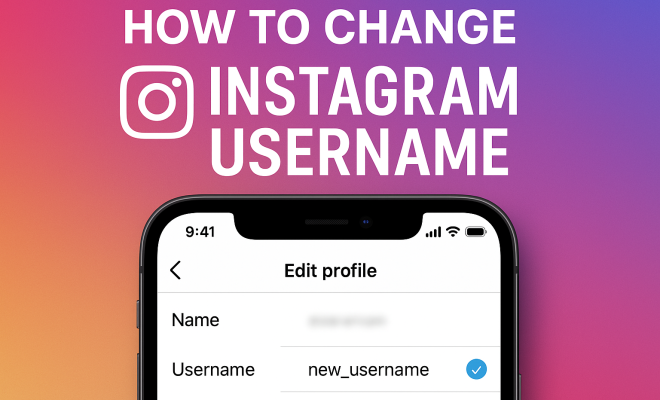
Once you’ve settled on a new username that’s both appealing and available, the actual process of changing it is straightforward. To change your Instagram username, follow these steps:
- Open the Instagram app and log into your account.
- Go to your profile by tapping on your profile icon in the bottom right corner.
- Tap on the ‘Edit Profile’ button.
- In the username field, delete your current username and enter the new one.
- Tap ‘Done’ (for iPhone) or the checkmark (for Android) to save your changes.
Once you confirm the change, your new username will be live immediately. However, keep in mind that changing your username also affects your Instagram URL, so make sure to inform your followers of the change, especially if you’ve used your username in other contexts.
It’s also a good idea to update any linked accounts or profiles, such as your Twitter or Facebook, to reflect your new Instagram username. This ensures that your branding remains cohesive across all platforms.
4. What Happens When You Change Your Username?
Changing your username can have several implications. First, your followers will still be able to find you under your new username, but any old links that led to your profile will now redirect to the new username. This is useful for maintaining continuity, but it’s always a good idea to announce the change on your account.
Moreover, all your past posts will remain intact, meaning your comments and likes won’t vanish. However, any tags that were made to your previous username in photos will not update automatically, so be prepared for that. It’s a good opportunity to engage with your audience by sharing a post explaining the change or even a fun story behind it.
Interestingly, some users have reported a temporary drop in engagement immediately after changing their username. This could be due to Instagram’s algorithm needing time to adjust to the new name. It’s worth considering the timing of your change if you’re currently running campaigns or promotions.
5. Best Practices for Choosing a Username
Choosing a username is a crucial process that can significantly influence your online presence. Here are some tips to ensure that the username you select stands out:
- Keep it Short: Shorter usernames are easier to remember and type. Aim for something that doesn’t exceed 15 characters if possible.
- Make it Relevant: Your username should reflect your brand or personal identity. Use keywords or phrases that speak to what you do or what your content is about.
- Avoid Special Characters: While underscores and periods are sometimes necessary, avoid using too many special characters. They can make your username harder to remember and less professional.
- Be Unique: Ensure your username is distinctive. Instead of a generic name, try to incorporate your personality or niche.
Remember, once you choose a username, it becomes part of your personal brand. Take the time to find something that you will be happy with in the long run. (See: Understanding the concept of usernames.)
For a more comprehensive strategy, consider researching usernames of successful influencers in your niche. Analyzing their choices can provide insight into trends and keywords that resonate with audiences.
6. Potential Issues After Changing Your Username
While changing your Instagram username is a relatively simple process, there can be potential issues that arise after the fact. One common issue is a loss of brand continuity. If your username was closely associated with your brand, changing it may confuse followers who are used to your previous identity.
Furthermore, if you have previously collaborated with brands or been featured on other platforms, those mentions may not link back to your profile anymore. To counteract this, consider reaching out to those platforms or collaborators to update those links where necessary.
Lastly, be aware that frequent username changes can affect your credibility. If followers see you changing your username often, they might question your brand stability or commitment. Aim for consistency once you choose a new name.
It’s also worth noting that some users have experienced verification issues after changing their usernames. If you’re verified, changing your username may require you to go through the verification process again, which can be a hassle.
7. Announcing Your New Username
Once you’ve successfully changed your Instagram username, it’s crucial to inform your followers. A clear announcement can help ease any confusion and maintain your connection with your audience. Consider making a post or an Instagram Story explaining why you changed your username and what followers can expect moving forward.
Utilizing your stories can also be effective for this purpose. A series of stories can help garner attention, and you can create engaging content that highlights your new name. You could even use polls or questions to get your audience involved and build excitement around the change.
Lastly, don’t be afraid to use hashtags to spread awareness. If you have a following that engages with your content regularly, they might help share your new username, making the transition smoother.
Visual content can be particularly engaging, so consider creating a short video or infographic that showcases your new username and any new directions for your content. This can create a buzz and generate interest in your refreshed profile.
8. Changing Instagram Username for Business Accounts
If you’re managing a business account, changing your username can be more complex due to existing brand recognition and marketing strategies. Ensure that your new username aligns with your overall brand message and positioning. Once you’ve selected a suitable name, update all marketing materials, from your website to business cards, to reflect the change.
Additionally, consider the impact on SEO. Your username is part of your social media branding strategy, and changes can affect your search engine optimization. Use analytics tools to track engagement with your new username, and remain flexible to make adjustments as necessary.
Don’t forget to inform your customers through posts or email newsletters. This way, they understand why the change is happening and remain connected to your brand.
It may also be beneficial to analyze your competitors’ usernames to see how they position themselves. Understanding their strategies can provide inspiration and help you carve out a unique space for your brand.
9. Common Myths About Changing Your Username
There are several myths surrounding the topic of changing your Instagram username. Here are a few misunderstandings that are worth addressing:
- Myth 1: Changing your username will lead to losing all your followers. This isn’t true! Your followers will still be able to find you under your new username, but it’s essential to communicate the change effectively.
- Myth 2: Your content will be affected. Changing your username doesn’t erase your content, likes, or comments. Everything remains intact, allowing for a seamless transition.
- Myth 3: You can only change your username once. This is false; you can change your username multiple times, though doing so frequently is not advisable due to the potential confusion it may cause your followers.
Understanding these myths can help you approach the process with confidence and clarity.
10. Final Thoughts on Changing Your Instagram Username
Changing your Instagram username is a significant step that shouldn’t be taken lightly. It’s more than just a simple shift in text; it’s about reshaping how you present yourself online. Take the time to consider why you’re making the change, what your new username will represent, and how it will impact your existing followers.
Ultimately, whether you’re rebranding, aligning with new ventures, or simply looking for a fresh start, the process can enhance your visibility and engagement on the platform. By following these steps and best practices, you can successfully change your Instagram username and keep your followers in the loop. (See: Impact of social media on youth.)
So, are you ready to take the plunge and change Instagram username? Your new identity awaits!
11. FAQ
Q: Will I lose my blue verification badge if I change my username?
A: Not necessarily. Your verification badge should remain intact after a username change, but it’s wise to check your status following the modification.
Q: How often can I change my Instagram username?
A: There’s no official limit to how many times you can change your username, but frequent changes can confuse your followers and affect your brand credibility.
Q: Can I revert to my old username after changing it?
A: If your old username is still available, you can revert to it. However, if someone else claims it in the meantime, it may be gone for good.
Q: Does changing my username affect my followers’ notifications?
A: Followers typically won’t receive a direct notification about your username change, but they may notice when they search for you or see your posts in their feed.
Q: What should I do if my desired username is taken?
A: Consider adding a relevant keyword, an underscore, or a number to create a unique variation. Experimenting with different combinations can help you find a suitable name that’s still available.
Changing your Instagram username is an exciting opportunity to refresh your brand, connect with your audience, and enhance your digital presence. Be thoughtful and strategic about your choice, and you’ll set yourself up for success!
12. Influence of Changing Your Username on Engagement
When you decide to change your Instagram username, one of the first things you may notice is the potential impact on your engagement levels. Some users experience a temporary drop in likes, comments, and overall interaction immediately after making the change. This isn’t necessarily a reflection of your content quality but rather a byproduct of Instagram’s algorithm adapting to your new username.
Engagement can fluctuate significantly based on how well followers recognize your new identity. If your username change is well communicated, you’re likely to mitigate negative impacts. Consider leveraging Instagram Insights to track your engagement metrics and understand how your audience responds to your updates.
In fact, studies suggest that posts made shortly after a username change may see a 20-30% decrease in visibility until the algorithm recalibrates. This makes it crucial to plan your username change during a period of lower activity or to accompany it with a strong content campaign that keeps your followers engaged. (See: The importance of a good username.)
13. Branding Considerations After Changing Your Username
Your username is integral to your branding strategy. Once you change it, you should evaluate how it aligns with the rest of your branding elements. This includes your bio, visuals, and content themes. Are they cohesive and do they reinforce the identity you want to present?
It might be beneficial to create a branding checklist to ensure that everything reflects your new username effectively. For example, if you’ve shifted to a more professional tone, ensure that your profile picture, bio, and post aesthetics convey that same professional image. And don’t overlook engagement with your audience post-change; encourage feedback and discussions about your new name.
Additionally, consider testing your new username with a focus group or loyal followers before finalizing it. Their insights can provide valuable direction, helping you gauge potential reception.
14. Technical Steps to Ensure a Smooth Transition
While the actual act of changing your username is straightforward, there are several technical steps you can take to ensure a smooth transition. First, update your profile picture if necessary, especially if your new username reflects a change in your branding strategy or content focus.
Make sure to update any promotions or campaigns that feature your old username. This includes advertisements, collaborations, and even partnerships with influencers. Keeping this information current ensures that your audience won’t get confused.
You should also consider updating your email signature and any other digital footprints you may have—like blogs or forums—where your Instagram account is mentioned. This thorough approach helps build a seamless brand presence across all platforms.
15. Using Analytics to Guide Future Username Changes
If you’re considering changing your Instagram username again in the future, leveraging analytics can provide insights into what works best for your audience. Tracking metrics such as follower growth, engagement rates, and reach before and after your username change can help inform your decision-making process.
Instagram Insights allows you to see how your audience interacts with your content, and this data can be invaluable. If you find that a specific type of username attracts more followers or increases engagement, you’ll have a better sense of direction for future changes.
Many brands utilize A/B testing with their usernames, trying out different variations to see which resonates more with their audience. This strategy not only helps in refining future usernames but also fosters a more engaged community.
16. Conclusion: Embrace the Change
Changing your Instagram username is more than just a simple task; it’s a chance to redefine your online identity and enhance your brand. As you navigate this process, take the opportunity to engage with your audience and reinforce your brand’s message. Whether you’re doing it for personal reasons or as part of a business strategy, ensuring that your new username aligns with your goals will help you make the most of this transition.
So, go ahead and take your time to choose a name that resonates with you and your audience. After all, your new username could be the key to unlocking greater engagement and a stronger online presence!
“`
Trending Now
Frequently Asked Questions
How do I change my Instagram username?
To change your Instagram username, go to your profile, tap 'Edit Profile', and enter your new username in the designated field. Make sure to save the changes. Remember to check if your desired username is available before finalizing the change.
What happens when I change my Instagram username?
When you change your Instagram username, your previous username becomes available for others to use. Your followers will still be able to find you, but you may need to inform them of the change to avoid confusion.
Can I change my Instagram username multiple times?
Yes, you can change your Instagram username as many times as you like. However, frequent changes may confuse your followers, so it's best to choose a username that you plan to use long-term.
Why is my desired Instagram username not available?
Your desired Instagram username may not be available because it is already in use by another account. Instagram does not allow duplicate usernames, so you may need to consider variations or a completely different name.
Does changing my Instagram username affect my followers?
Changing your Instagram username does not affect your followers directly; they will still follow you. However, if they search for your old username, they won't find you, so it's a good idea to announce the change to keep them informed.
What's your take on this? Share your thoughts in the comments below — we read every one.