How to fix AirPods case not charging
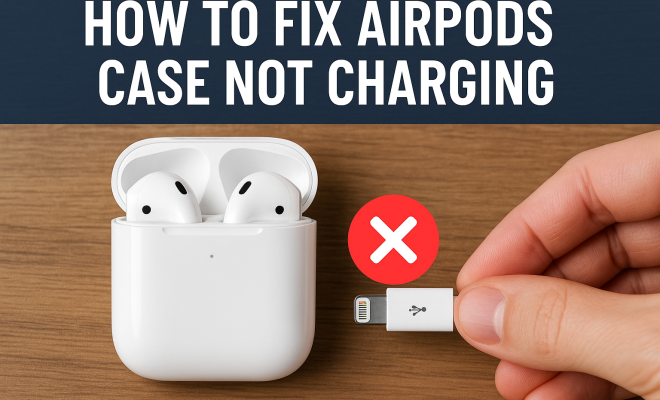
“`html
If you’ve ever faced the frustrating situation where your AirPods case is not charging, you’re not alone. Many users encounter this issue at some point, and it can be particularly vexing when you’re in the middle of a busy day and need your earbuds. Understanding the reasons why your AirPods case may not be charging is essential to resolving the issue efficiently. In this article, we’ll explore nine effective solutions to tackle the problem, ensuring you can get back to enjoying your music, podcasts, or calls without interruption.
1. Check the Charging Cable
The first step in troubleshooting your AirPods case not charging is to examine the charging cable itself. Often, a faulty or worn-out cable is the root cause of the problem. Look for frays, bends, or visible damage along the length of the cable. If you notice any issues, it’s time to replace it.
Another common issue is using a non-certified cable. Always opt for an Apple-certified charging cable (Lightning cable) to ensure compatibility and avoid potential damage to your case. You can test your cable with another device to confirm whether it’s functional. If the cable works well with another device but not with your AirPods case, consider buying a new cable from a reputable source.
2. Inspect the Charging Port
Sometimes, the charging port on your AirPods case may be obstructed by lint, dust, or debris, leading to connectivity issues. This blockage can prevent the charging cable from making a proper connection. To resolve this, carefully inspect the charging port and use a soft, dry brush or a compressed air canister to gently clean it.
Be cautious while cleaning; avoid using sharp objects that might damage the port. Once you’ve thoroughly cleaned the port, reconnect your Lightning cable and see if the charging issue persists. This simple step often resolves many charging problems.
3. Examine the Power Source
It might sound simple, but the power source you’re using could be the issue. Sometimes, the wall charger, USB port on your computer, or power bank might not be delivering power effectively. To check if this is the case, try a different power outlet or USB port. If possible, use a wall adapter with higher amperage.
Additionally, if you’re using a power strip, try plugging the charger directly into the wall to eliminate any potential issues. It’s crucial to ensure that the power source isn’t overburdened, as this may lead to insufficient power delivery to your AirPods case.
4. Reset Your AirPods
Resetting your AirPods can sometimes resolve connectivity and charging issues. To reset your AirPods, follow these steps: First, put them in their charging case and close the lid. Wait for at least 30 seconds. Then, open the lid and press and hold the setup button on the back of the case for about 15 seconds. You’ll notice the status light flashing amber, then white.
After the reset, reconnect your AirPods to your device. This fresh connection can often help resolve any quirks that were causing the case to fail to charge properly.
5. Update Firmware
Like any electronic device, keeping your AirPods updated is essential. Apple periodically releases firmware updates that can fix bugs and improve performance. To check if an update is available, connect your AirPods to your iPhone or iPad. Ensure both devices are on the same network, and then navigate to Settings > General > About. Select your AirPods, and if an update is available, it will automatically download and install while your AirPods are charging in their case.
If you find that your AirPods case is still not charging after confirming you’re on the latest firmware, don’t fret. This may indicate a deeper issue, potentially requiring more extensive troubleshooting. (See: CDC on ergonomics and device use.)
6. Monitor Battery Levels
It’s essential to be mindful of your AirPods and their charging case battery levels. If your AirPods case has run out of battery, it will not charge the AirPods, leading to confusion when trying to pinpoint the issue. To check the battery levels, open the case near your connected device to see the battery status pop-up. You can also check the battery level via the Batteries widget on your iPhone.
If the case is indeed dead, connect it to a power source and wait a few minutes before attempting to use it again. If the battery levels seem fine but the case still isn’t charging, try some of the other troubleshooting methods mentioned above.
7. Try a Different Charging Case
If you have access to another AirPods case, try charging your AirPods in that case. This test is particularly useful if you suspect a hardware issue with your original charging case. If your AirPods charge well in another case, you can confirm that the issue lies within your original case.
In cases where the original charging case is indeed faulty, consider reaching out to Apple Support or visiting an Apple Store for a replacement. Remember that warranties and AppleCare+ plans may cover these types of issues, potentially saving you from incurring out-of-pocket costs.
8. Consult Apple Support
If you’ve tried all the troubleshooting steps and your AirPods case is still not charging, it may be time to consult Apple Support. Their dedicated team can help diagnose the problem and provide advice tailored to your situation. When contacting support, have your purchase information handy, as they may ask for it.
Additionally, if your AirPods are still under warranty or covered by AppleCare+, you might be eligible for a replacement or repair at no extra cost. Apple’s support team can guide you through the options available and help you choose the best course of action.
9. Consider Environmental Factors
Sometimes, the environment where you’re charging your AirPods can affect their ability to charge. Extreme temperatures — both hot and cold — can impact battery performance. Ideally, your AirPods case should be charged in a temperature range of 32°F to 95°F (0°C to 35°C).
If you’ve been charging your AirPods case in an environment that doesn’t fall within these temperature ranges, bring them to a more suitable location and try charging them there. This can sometimes resolve the issue, allowing you to get back to using your AirPods without further interruptions.
10. Explore Battery Health
Another angle to explore when your AirPods case is not charging is the overall health of the battery itself. Over time, lithium-ion batteries can degrade, leading to reduced capacity and charge retention. Apple does not provide a built-in tool for checking AirPods battery health, but you can monitor how quickly the case discharges or if it struggles to hold a charge.
Users have reported that their charging cases sometimes show erratic battery levels, where the indicator might suggest a full charge, yet the case fails to charge the AirPods effectively. If you suspect battery health is a concern, consider contacting Apple Support for a diagnostic check.
11. The Importance of Genuine Accessories
Using genuine Apple accessories can often prevent many of the charging issues users face. Third-party cables and accessories may not provide the same level of quality and compatibility as those made by Apple. It’s always best to invest in genuine products, even if they’re pricier. They not only ensure a better charging experience but also protect your devices from potential damage caused by inferior products.
For instance, Apple’s Lightning cables are designed to handle the electrical requirements of AirPods, while many generic versions might not. This mismatch can lead to charging issues, including the case not charging at all. If you’re unsure about a product’s authenticity, check for certification logos or purchase directly from Apple’s website or authorized retailers. (See: New York Times on AirPods technology.)
12. Common Myths About AirPods Charging
There are numerous myths surrounding AirPods and their charging capabilities. One prevalent myth is that leaving your AirPods case plugged in all the time can overcharge the battery and damage it. While overcharging can be a concern for some batteries, Apple designs its devices to prevent this from happening. Once the battery reaches 100%, it stops drawing power, so you can safely leave your AirPods case connected to power when not in use.
Another myth is that any USB cable will work for charging. This isn’t the case; non-certified cables can lead to malfunctioning of both the cable and the device. Using the right cable is crucial, as previously mentioned, for maintaining the integrity of your AirPods case.
13. Frequently Asked Questions
Why is my AirPods case not charging even with a new cable?
If your AirPods case is still not charging with a new cable, the issue may lie within the charging port or the case itself. Inspect the port for debris, or try charging another device with the same cable. If another device charges without issue, consider seeking further assistance from Apple Support.
Can I charge my AirPods case wirelessly if it doesn’t charge with a cable?
If your AirPods case supports wireless charging, you can attempt to charge it using a compatible wireless charging pad. Just place the case on the pad and ensure that it’s properly aligned. If it charges wirelessly, the problem may be related to the charging port rather than the case itself.
What does it mean when the AirPods case LED light is flashing?
When the LED light on your AirPods case is flashing amber, it usually indicates that there’s a connection issue or that the case needs to be charged. A flashing white light means that your AirPods are ready to connect to a device. If the light is continuously flashing, it might be a sign that the case or AirPods require attention.
How can I prolong the life of my AirPods case battery?
To prolong the life of your AirPods case battery, avoid exposing it to extreme temperatures, keep it clean, and ensure that you’re using genuine charging accessories. Additionally, try to keep the case charged between 20% and 80% for optimal battery health.
What should I do if my AirPods case won’t hold a charge?
If your AirPods case won’t hold a charge, it may be a sign of battery degradation. Try resetting the case and checking for firmware updates. If the issue persists, consider contacting Apple Support or visiting an Apple Store for a battery health assessment.
14. Understanding the Warranty and Repair Options
When dealing with an AirPods case that isn’t charging, it’s essential to be aware of your warranty and repair options. Apple typically provides a one-year limited warranty on AirPods and their accessories. If your case is within this period and has developed a fault, you may be eligible for a free replacement.
For those who purchased AppleCare+, additional coverage may apply that can extend your warranty and reduce repair costs. When you reach out to Apple Support, be sure to mention your warranty status, as this can significantly influence your options. Apple may offer you a replacement at a reduced fee, or in some cases, a complete replacement for free if the fault is deemed a manufacturing issue.
15. Understanding Common Charging Issues
While troubleshooting the case not charging, it’s useful to understand some of the common issues that might arise. For instance, when Apple introduced the AirPods Pro, many users experienced difficulties with the case not charging due to a glitch in the firmware that was quickly addressed in subsequent updates. Keeping up with software updates is crucial, as companies frequently release fixes for known issues.
Another common problem involves older AirPods models. As batteries age, they may not hold a charge effectively, leading to confusion when trying to charge the case. According to Apple, the battery in AirPods is designed to retain about 80% of its capacity after 1000 complete charge cycles, but this can vary widely based on usage patterns and environmental conditions.
16. Comparing Charging Methods
There are two primary ways to charge your AirPods case: using a Lightning cable or employing a wireless charging pad. While both methods serve the same purpose, each comes with its pros and cons. Charging via Lightning cable is generally faster, allowing for quicker power-ups when you’re in a hurry. On the other hand, wireless charging offers convenience, eliminating the hassle of dealing with cables. However, it’s worth noting that the charging speed may vary depending on the pad’s output and how well the case is aligned with the charging surface.
When considering which method to use, think about your lifestyle. If you’re frequently on the go and prefer fast charging, a cable may be the most efficient choice. If you prefer a clutter-free environment, wireless charging could be the way to go. Just remember that if your AirPods case is experiencing issues, the method of charging may not significantly affect the underlying problem.
17. Tips for Maintaining Your AirPods Charging Case
Proper maintenance can help prolong the life of your AirPods case and prevent charging issues. Start by regularly cleaning the exterior and ensuring that the charging port is free of debris. Use a soft, lint-free cloth to wipe down the case and maintain its appearance.
Additionally, avoid exposing your AirPods case to extreme temperatures, liquids, and environments where it might get bumped or dropped. Investing in a protective case may help shield it from physical damage. Lastly, if you’re not using your AirPods for an extended period, store them in a cool, dry place to maintain battery health.
18. In-Depth Troubleshooting Steps
If you find that your AirPods case still refuses to charge, it’s time for a more thorough examination. Begin by checking if there are any software conflicts on your device that may be affecting the AirPods. Restart your iPhone or iPad and reconnect your AirPods. If that doesn’t help, you might want to try unpairing and then repairing your AirPods to refresh the connection.
Next, if you have access to a multimeter, you can test the voltage output of the charging cable. If the voltage is below standard levels, the cable may be defective even if it appears to be working. If you’re comfortable doing so, inspect the internal components of the charging case for any signs of damage or loose connections. This step, while more advanced, can sometimes reveal problems not visible from the outside.
In summary, it can be frustrating when your AirPods case is not charging. However, by systematically addressing each potential issue, you can often find a solution. From checking your charging cable to consulting support, these steps will guide you through troubleshooting effectively. Remember, if all else fails, professional assistance is just a call away — don’t hesitate to reach out for help.
“`
Trending Now
Frequently Asked Questions
Why is my AirPods case not charging?
There can be several reasons why your AirPods case isn't charging. Common causes include a faulty charging cable, an obstructed charging port, or issues with the power source. Inspecting these elements can help identify the problem.
How do I fix my AirPods case that won't charge?
To fix your AirPods case not charging, start by checking the charging cable for damage. Clean the charging port of any debris and ensure you are using a compatible power source. If issues persist, consider replacing the cable.
What should I do if my AirPods case is not charging?
If your AirPods case isn't charging, first inspect the charging cable and port for damage or blockages. Ensure you're using a certified charging cable and try a different power source. Cleaning the port can also resolve connectivity issues.
Can a dirty charging port prevent my AirPods case from charging?
Yes, a dirty charging port can prevent your AirPods case from charging. Dust, lint, or debris can block the connection, so it's important to clean the port carefully with a soft brush or compressed air.
What type of charging cable should I use for my AirPods case?
Always use an Apple-certified Lightning cable for your AirPods case. Non-certified cables may cause compatibility issues and potentially damage the case. If you're experiencing charging problems, testing the cable with another device can help determine if it's faulty.
Agree or disagree? Drop a comment and tell us what you think.