Fix VPN DNS Leaks: Protect Your Online Privacy Now
“`html
When it comes to online privacy, a Virtual Private Network (VPN) is one of the most effective tools at your disposal. However, even the best VPNs aren’t immune to issues, and one of the most concerning problems users face is a DNS leak. Understanding how to address a VPN DNS leak fix is essential for anyone looking to secure their online activities. This guide breaks down everything you need to know about VPN DNS leaks and how to resolve them effectively.
1. What is a DNS Leak?
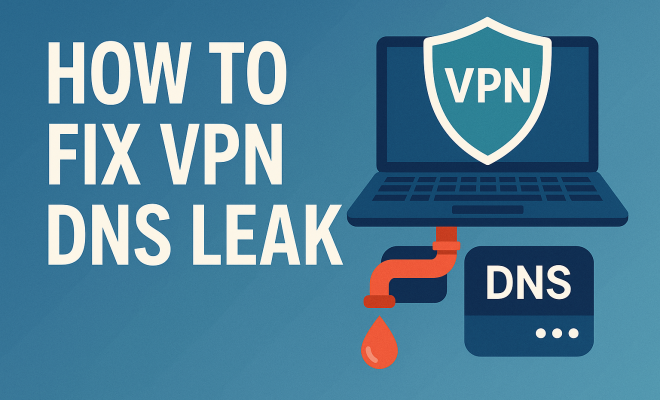
A DNS leak occurs when your device fails to send DNS queries through the VPN tunnel, causing them to be sent over the regular internet connection instead. This can expose your browsing history to your Internet Service Provider (ISP) or any third party that might be monitoring your connection. Essentially, while your traffic is encrypted via the VPN, the DNS requests reveal the websites you visit, undermining your privacy.
To illustrate this, consider this scenario: You’re using a VPN to stream content that isn’t available in your location. You expect your activities to remain hidden, but if a DNS leak occurs, your ISP can see the DNS queries you make, thus compromising your anonymity. This situation can be particularly troubling for those who use VPNs to bypass geographical restrictions or maintain privacy while surfing the web.
2. Why Are DNS Leaks a Concern?
DNS leaks are a significant privacy risk for several reasons. First and foremost, they can expose your browsing habits. If a hacker or an ISP can see your DNS requests, they can easily deduce which websites you visit, when, and potentially why. This information can be leveraged for targeted advertising, surveillance, or worse.
Moreover, a DNS leak can defeat the purpose of using a VPN altogether. If you’re using a VPN for security, bypassing geo-blocks, or maintaining anonymity, a leak puts all of that at risk. For example, if you are in a country with strict internet censorship and rely on a VPN, a leak could lead to legal implications or account termination on the services you’re trying to access.
3. How Do You Know If You Have a DNS Leak?
Detecting a DNS leak is crucial for maintaining your online privacy. Thankfully, there are several tools available that can help you identify whether your VPN is leaking DNS requests. Websites like DNSLeakTest.com allow you to run a quick test by checking which DNS servers your device is using.
To perform a DNS leak test, connect to your VPN and visit a DNS leak test website. The results will show the DNS servers being used. If the servers displayed are those of your ISP or other non-VPN servers, you have a DNS leak. Regularly testing for DNS leaks should be part of your VPN usage routine to ensure your privacy remains intact.
4. Common Causes of DNS Leaks
Understanding the causes of DNS leaks can help you prevent them in the first place. Some of the most common reasons include:
- Improper VPN Configuration: Sometimes, the settings in your VPN client may not be correctly configured to use its DNS servers.
- IPv6 Leaks: Many VPNs still struggle with IPv6 traffic, which can lead to leaks if the VPN isn’t set up to handle it properly.
- Network Connection Changes: Switching between networks, like moving from Wi-Fi to mobile data, can disrupt the VPN connection and expose DNS queries.
- Firewall and Security Software: Some firewall or antivirus settings may interfere with VPN operations, causing DNS requests to bypass the VPN.
Being aware of these causes is the first step in mitigating DNS leaks. If you can identify potential problems in your setup, you can often prevent leaks from occurring in the first place.
5. How to Fix DNS Leaks
Fixing a DNS leak involves a combination of settings adjustments and best practices. Here are essential steps to take: (See: understanding the Domain Name System.)
- Check Your VPN Settings: Make sure your VPN is configured to use its own DNS servers instead of the default ones provided by your ISP.
- Disable IPv6: If your VPN does not support IPv6, disable it in your network settings to prevent leakage.
- Use a Reliable VPN: Choose a VPN known for its robust security features and good leak protection. Research and opt for providers with a proven track record.
- Manual DNS Configuration: Consider manually configuring your device to use public DNS services like Google DNS (8.8.8.8) or Cloudflare DNS (1.1.1.1) in conjunction with your VPN settings.
These steps can help ensure that your DNS queries are routed through the VPN, securing your online activities.
6. Advanced DNS Leak Prevention Techniques
If you want to go beyond basic fixes, there are more advanced techniques to enhance your protection against DNS leaks. One option is to implement a killswitch feature, which automatically disconnects your internet if the VPN drops. This ensures that no data is sent unencrypted if your VPN connection is lost.
Another approach is using split tunneling cautiously. While this feature allows you to choose which apps go through the VPN and which do not, it can also increase the risk of leaks if not configured properly. Be sure to test each app’s connection to confirm that DNS queries are handled correctly.
7. The Importance of Regularly Testing for DNS Leaks
Even after implementing fixes, it’s vital to continuously monitor your VPN for DNS leaks. Regular testing should be part of your routine, especially after changing VPN servers, configurations, or updates. The cybersecurity landscape is always shifting, and software updates can inadvertently introduce new vulnerabilities.
As an example, consider the case of user experiences with popular VPNs. Some users have reported leaks following updates, underscoring the need for vigilance. By conducting routine tests, you can catch any potential issues early, ensuring your data remains secure.
8. Choosing the Right VPN
Not all VPNs are created equal when it comes to DNS leak prevention. It’s crucial to research and select a VPN with robust security measures, including DNS leak protection. Look for features like:
- Built-in DNS Leak Protection: Some VPNs have integrated DNS leak protection features that automatically route DNS queries through their own servers.
- Reputable Security Protocols: Ensure the VPN uses strong encryption protocols like OpenVPN or WireGuard to safeguard your data.
- No-Log Policies: A provider that does not keep logs of your internet activity is a better choice for privacy.
Investing time in finding the right VPN can save you from future headaches related to DNS leaks and ensure that your online activities remain private.
9. Case Studies: Real-World Implications of DNS Leaks
Understanding the real-world implications of DNS leaks can reinforce the importance of addressing this issue. For instance, in 2019, several popular VPNs were found to be leaking DNS requests, leading to user data exposure. One case involved a high-profile VPN that faced backlash after users discovered their data was not as secure as advertised.
In another instance, a journalist relying on a VPN to access sensitive information faced serious consequences when a DNS leak revealed their activities. These examples highlight how critical it is to ensure your VPN is configured correctly to prevent exposure of your online activities.
10. The Future of VPNs and DNS Leak Prevention
The future of VPNs and DNS leak prevention is looking towards greater integration of security features. As cyber threats evolve, VPN services are also expected to adapt. Innovations in technology may lead to more robust DNS leak protection mechanisms, such as automatic DNS query encryption or more sophisticated connection protocols that inherently combat leaks.
Moreover, as public awareness of online privacy grows, users are increasingly demanding transparency from VPN providers regarding their security practices. This pressure could lead to more stringent industry standards to safeguard against DNS leaks and protect user privacy. (See: VPN usage and security considerations.)
11. Frequently Asked Questions About VPN DNS Leak Fix
What should I do if I suspect a DNS leak?
If you suspect a DNS leak, the first step is to run a DNS leak test using reliable websites. After confirming a leak, check your VPN settings and ensure it’s using its own DNS servers. You may also want to contact your VPN’s customer support for assistance.
Can a DNS leak affect my online security?
Absolutely. A DNS leak can expose your browsing history and personal information, potentially allowing ISPs, advertisers, and hackers to monitor your online activities, defeating the purpose of using a VPN for privacy and security.
Is it safe to use public DNS servers with a VPN?
Using public DNS servers like Google DNS or Cloudflare DNS can enhance privacy if configured correctly with your VPN. However, it’s essential to ensure that your VPN’s protective measures are still in place to keep your data secure while using these services.
How often should I test for DNS leaks?
It’s best to test your VPN for DNS leaks regularly, especially after making changes to your VPN settings or updating the software. A monthly test is a good practice, but more frequent checks may be warranted if you notice any connectivity issues or changes in your online behavior.
Are there VPNs that guarantee no DNS leaks?
While no VPN can guarantee 100% protection against DNS leaks, many reputable providers offer robust features designed to minimize the risk. Look for VPNs with built-in DNS leak protection, good reviews regarding leak issues, and a clear no-logs policy.
12. Statistics on VPN Usage and DNS Leaks
The use of VPNs has surged in recent years due to growing concerns about privacy and data security. A 2023 survey found that approximately 31% of internet users globally use a VPN, with that number rising significantly in regions with heavy censorship, such as Asia and Europe.
According to research, nearly 25% of VPN users reported experiencing at least one DNS leak during their usage. This statistic emphasizes the importance of understanding DNS leaks and taking proactive steps to address them.
Furthermore, nearly 70% of users who experienced DNS leaks reported that it led to significant privacy concerns, influencing their choice of VPN provider. This highlights the need for VPN services to prioritize DNS leak prevention in their offerings.
13. Comparing VPNs: A Closer Look at DNS Leak Protection
When comparing VPNs, it’s essential to evaluate how each handles DNS leak protection. Below are some of the top VPN services and their approaches to DNS leaks: (See: VPNs and their impact on privacy.)
- ExpressVPN: Known for its strong DNS leak protection, ExpressVPN uses its own DNS servers and offers a killswitch feature. Users have reported very few DNS leak incidents.
- NordVPN: This provider also has a strong reputation for DNS leak prevention, utilizing its own DNS servers. NordVPN offers features such as CyberSec to block ads and malicious websites, further enhancing security.
- Surfshark: Surfshark includes a built-in DNS leak protection feature and a killswitch. Users praise its transparency and commitment to user privacy.
- CyberGhost: With a user-friendly interface, CyberGhost provides DNS leak protection and allows users to select specific servers for enhanced privacy.
Choosing a VPN that prioritizes DNS leak protection is crucial for safeguarding your online activities. Always check for user reviews and tests regarding DNS leaks before making a decision.
14. User Experiences and Feedback on VPN DNS Leak Fixes
User feedback is invaluable when it comes to identifying the effectiveness of DNS leak fixes. Many users have shared their experiences on forums and review sites, highlighting various solutions that worked for them. For instance, numerous users found that switching from their default DNS to a dedicated DNS service like OpenDNS or Quad9 significantly improved their security and reduced leaks.
Others reported success after enabling specific settings within their VPN software, such as toggling the DNS leak protection feature on or off, depending on their provider. Personal anecdotes showcase the importance of trial and error when configuring VPN settings as the effectiveness can vary significantly between different ISPs and network environments.
Additionally, many users emphasize the importance of keeping their VPN application updated. Regular updates often include fixes for security vulnerabilities, including DNS leaks, and users have noted fewer issues after ensuring they’re running the latest versions available.
15. Tips for Enhancing Your VPN Security
While fixing DNS leaks is a critical step in securing your online activities, several additional measures can further enhance your VPN security:
- Enable Multi-Factor Authentication: If your VPN provider offers multi-factor authentication (MFA), enabling it adds an extra layer of security to your account.
- Stay Informed About Security Practices: Follow cybersecurity news and updates to stay informed about new vulnerabilities or threats that could affect your VPN usage.
- Regularly Review Privacy Policies: As VPN providers update their policies, reviewing them can provide insights into how your data is handled and whether it aligns with your privacy expectations.
- Limit Data Sharing: Be cautious about the amount of personal information you share while using VPNs—use aliases or temporary emails when required.
By implementing these tips alongside DNS leak fixes, you can significantly bolster your online privacy and security.
16. Final Thoughts on VPN DNS Leak Fixes
DNS leaks pose a significant threat to online privacy, especially for VPN users. By understanding the causes of leaks and knowing how to fix them, you’re taking an important step toward securing your digital footprint. Remember that the landscape of cybersecurity is always changing, and maintaining awareness and vigilance in your online practices is key. Regular testing, choosing the right VPN, and staying informed about the tools at your disposal will help you navigate the digital world more securely.
“`
Trending Now
Frequently Asked Questions
What is a DNS leak?
A DNS leak occurs when your device sends DNS queries outside the VPN tunnel, exposing your browsing history to your Internet Service Provider (ISP) or third parties. This undermines your online privacy, as your DNS requests reveal the websites you visit, even while your traffic is encrypted through the VPN.
Why are DNS leaks a concern?
DNS leaks are concerning because they can expose your browsing habits to ISPs and potential hackers. If your DNS requests are visible, they can be used for targeted advertising or surveillance. This defeats the purpose of using a VPN for privacy, security, and bypassing geo-restrictions.
How can I check if my VPN has a DNS leak?
You can check for a DNS leak by using online DNS leak test tools. These tools will show which DNS servers your device is using. If the results indicate that your ISP's DNS servers are being used instead of the VPN's, then a DNS leak is present.
What are the signs of a DNS leak?
Signs of a DNS leak include unexpected slowdowns in your internet speed, being unable to access geo-restricted content, and discovering that your DNS requests are not routed through your VPN. You may also notice that your browsing history is visible to your ISP.
How do I fix a DNS leak?
To fix a DNS leak, you can change your DNS settings to use a public DNS server, disable IPv6 on your device, or use a VPN that has built-in DNS leak protection. Regularly testing for leaks and ensuring your VPN is configured correctly can also help maintain your privacy.
Have you experienced this yourself? We’d love to hear your story in the comments.