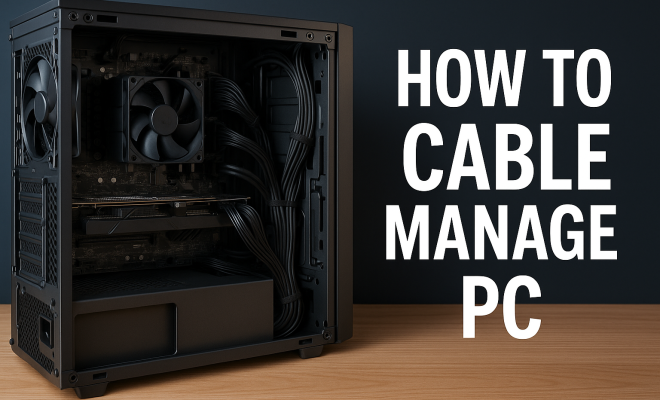
How to cable manage PC
“`html
In the world of computing, a tidy workspace is not just about aesthetics; it’s about functionality, efficiency, and the longevity of your equipment. If you’re a PC enthusiast or just someone who spends hours in front of their desktop, you’ve probably encountered the chaos of tangled cables. Effective cable management for PC can drastically improve your setup. Here are ten essential tips to help you master this critical aspect of your computing environment.
1. Start with a Plan
Before diving into organizing your cables, take a moment to assess your workspace. Consider the layout of your desk, the positioning of your PC, and where all your peripherals are situated. Drawing a simple diagram can help visualize where cables will run and what tools you might need. Think about how often you’ll need to access the cables; this will determine how you should secure them.
Having a plan in place means you won’t be scrambling to find solutions as you go. Identify which cables are essential and prioritize them. For instance, power cables and those for your main peripherals should be easily accessible, while less frequently used cables can be tucked away.
2. Choose the Right Tools
There are numerous tools and accessories available to help you with cable management for PC. Some essentials include:
- Cable ties: These are excellent for bundling cables together.
- Cable sleeves: These help to group cables and protect them from wear and tear.
- Velcro straps: Ideal for reusable cable management, especially if you often rearrange your setup.
- Cable clips: Great for securing cables along the edges of your desk or wall.
- Raceways: These can hide a cluster of cables and give your space a clean, professional look.
Investing in the right tools will make your cable management efforts much more effective and sustainable.
3. Label Your Cables
Cable identification is often overlooked but is incredibly beneficial. Labeling each cable can save you time and hassle in the long run. Utilize simple tags or stickers to designate what each cable connects to — this is especially handy when troubleshooting or swapping out components. Clear labeling can also help others who might need to interact with your setup.
Consider using color-coded labels for different types of cables. For example, power cables could be one color, while data cables could be another. This visual differentiation makes it easier to identify which cable does what at a glance.
4. Utilize Cable Ties and Clips
Cable ties and clips are indispensable for keeping your cables organized and neat. Use cable ties to bundle cables together, reducing clutter and preventing tangling. This is particularly useful if you have multiple cables running to the same device, such as a monitor with several input options.
Clips can be affixed to the back of your desk or along walls to guide cables along a designated path. This not only hides them but also prevents them from getting caught in chair wheels or other movable parts. Make sure to keep tension in mind; you don’t want your cables pulled too tight, as this can lead to damage over time.
5. Employ Cable Sleeves
Cable sleeves are an effective way to manage multiple cables as a single unit. They provide protection against wear and tear while giving your setup a streamlined appearance. Sleeves come in various materials and colors, allowing you to customize your look further.
When using cable sleeves, consider organizing your cables by type. For instance, group all USB cables together in one sleeve and HDMI cables in another. This makes it easy to access the cables you need without having to sift through a tangled mess. (See: cable management overview.)
6. Keep Cables Off the Floor
One of the easiest ways to enhance your cable management for PC is to keep cables off the floor. Not only does this look better, but it protects cables from accidental damage, such as being stepped on or snagged by a vacuum. There are various cable management solutions available that can help elevate cables off the ground.
Consider using under-desk trays or adhesive hooks to run cables along the underside of your desk. This not only keeps them out of sight but also allows for easy access when you need to rearrange or swap out components.
7. Organize Power Strips Wisely
A cluttered power strip can contribute to a chaotic workspace. Invest in a good-quality power strip with multiple outlets and USB ports. Position it strategically to minimize long cables running across your desk. Some power strips even come with built-in cable management features, like clips or covers.
To further streamline your setup, consider mounting the power strip under your desk or in a place that is easily accessible but doesn’t clutter your surface space. This can reduce the visual chaos while making it easier to plug in or unplug devices when necessary.
8. Regular Maintenance
Cable management isn’t a one-and-done task. Over time, as you add or change equipment, your cable situation will evolve. Set a reminder to review your cable organization every few months. This helps ensure that your cables remain manageable and that any new devices fit seamlessly into your existing setup.
During these maintenance checks, take the time to clean up any dust or debris that may have accumulated around your cables, particularly behind your desk. Keeping your cables clean and organized not only looks better but also helps your equipment run more efficiently.
9. Consider Wireless Options
While this may not always be feasible, opting for wireless peripherals can significantly reduce the number of cables you have to manage. Today, many keyboards, mice, printers, and even monitors have wireless options available. By switching to wireless devices, you can minimize clutter and simplify your setup.
However, keep in mind that wireless connections may require regular charging or battery replacements, so it’s essential to plan for this in your maintenance routine. Still, fewer cables can lead to a cleaner and more streamlined workspace overall.
10. Personalize Your Setup
Finally, don’t overlook the opportunity to personalize your cable management setup. Use colored cable ties or sleeves that match the aesthetic of your workspace. Consider adding decorative elements that not only enhance the look of your cables but also reflect your style. Whether you prefer a sleek minimalist look or a colorful, creative setup, there are many ways to express yourself through your cable organization.
Your setup should feel like it belongs to you, so don’t be afraid to experiment with different cable management techniques until you find what works best. Remember, the goal is not only to manage cables but also to create an environment that inspires productivity and creativity.
11. Advanced Techniques for Cable Management
If you’re looking to take your cable management for PC to the next level, consider more advanced techniques. For instance, using custom-cut cable raceways can create a professional finish that hides cables altogether. You can paint them to match your wall or desk, making them virtually invisible.
Another technique is the use of cable combs. These are particularly useful for managing the cables from power supplies, giving your setup a clean and organized look. They allow you to arrange cables in a neat and orderly fashion, preventing them from becoming tangled or cluttered. (See: ergonomics in workspace design.)
For those who are tech-savvy, consider a DIY cable management box. This can house multiple power strips and excess cable lengths, keeping them out of sight. You can even create a custom box with ventilation to prevent overheating of electrical components.
12. Statistics on Cable Management
Did you know that an estimated 80% of tech users experience frustration due to poor cable management? According to a survey conducted by the Cable Management Association, a tidy workspace can increase productivity by up to 25%. When technology is easier to access and manage, users report feeling less stressed and more efficient in their tasks.
Additionally, 60% of respondents noted that they were less likely to damage equipment in a well-organized environment. This underlines the importance of effective cable management not just for aesthetics, but for the preservation of your hardware and enhancing your overall computing experience.
13. Expert Perspectives on Cable Management
Experts in ergonomic workspace design emphasize that effective cable management for PC can contribute to overall health. Dr. Sarah Johnson, an ergonomics specialist, states, “A clutter-free workspace reduces distractions and helps maintain focus, which is crucial for both mental well-being and productivity.”
Similarly, tech reviewer Mark Lee mentions, “Investing a little time in organizing your cables can save you hours of frustration later, especially when troubleshooting hardware issues. Well-labeled cables make it easy to swap out components as needed without the headache of guessing.”
14. Comparative Analysis: DIY vs. Store-Bought Solutions
When it comes to cable management for PC, you may find yourself wondering whether to go with DIY solutions or pre-made products. DIY options, such as using household items like binder clips or even repurposing old materials, can save you money and allow for customization. However, they may lack the professional look and durability of store-bought options.
On the other hand, store-bought solutions typically offer a variety of designs, materials, and sizes tailored specifically for cable management. While they may cost more upfront, they often come with warranties and are designed to last longer.
Ultimately, the choice between DIY and store-bought will depend on your budget, requirements, and personal preference. Some users even find success in combining both approaches for optimal efficiency.
15. FAQ: Common Questions About Cable Management
- Q: How often should I reorganize my cables?
A: It’s a good idea to review your cable organization every few months, especially after adding new devices. Keeping your workspace tidy will help you avoid frustration in the long run. - Q: Do cable sleeves affect the performance of cables?
A: Generally, no. High-quality cable sleeves are designed to protect and organize without impacting performance. However, be cautious with sleeves that are too tight, which may cause overheating. - Q: How can I safely hide power strips?
A: You can mount them under your desk or inside a cable management box. Ensure they’re easily accessible for plugging in or unplugging devices. - Q: Can I use adhesive hooks on all surfaces?
A: Adhesive hooks work well on smooth, clean surfaces. However, be cautious on textured or porous surfaces, as they may not stick properly or could damage the finish when removed. - Q: What are the best ways to manage cables in a small workspace?
A: Utilize vertical space with wall-mounted solutions, use cable sleeves to group cables, and consider wireless devices to minimize clutter. Every inch counts in a small workspace!
16. Creating a Cable Management Plan
Once you’ve gathered your tools and materials, it’s beneficial to draft a cable management plan. This could be as simple as drawing a diagram of your workspace and marking where each cable will go. For example, if you know you have a desktop, monitor, keyboard, mouse, and printer, make note of the cable routes for each device. Also, factor in how much slack you need for ease of movement.
Consider the flow of your workspace – you might prefer having shorter cables that lead to a nearby power strip, or you might want longer ones that allow more versatility in positioning your devices. Documenting this can save you time in the long run and streamline your setup process. (See: latest technology news.)
17. Incorporating Smart Technology
With the rise of smart technology, consider integrating smart plugs or smart power strips into your setup. These devices not only simplify cable management but also allow you to control your devices remotely through an app. This means you can turn off devices when they’re not in use, reducing clutter and energy consumption. Some even come with built-in cable management features that help keep everything in check.
For instance, the Kasa Smart Wi-Fi Power Strip allows you to manage multiple devices from one app, reducing the need for tangled cords connecting various electronics. By leveraging technology, you can achieve a high-tech, minimalist look while enhancing functionality.
18. Safety Considerations
As you implement your cable management strategy, keeping safety in mind is crucial. Cables that are left lying around can pose tripping hazards or could be accidentally damaged. Use cable wraps or sleeves to protect cables from pinching or fraying, particularly in high-traffic areas. Additionally, make sure that power cords are not running underneath carpets or rugs, as this could lead to overheating and potential fire hazards.
Regularly check your cables for signs of wear and tear. If you notice any fraying or damaged insulation, it’s best to replace the cable to avoid electrical issues. Safety should always be a priority in your cable management practices.
19. Resources and Recommendations
There are countless resources available to help you improve your cable management for PC. Websites like YouTube have a plethora of tutorials showcasing various cable management techniques. You can find everything from basic DIY solutions to advanced professional-grade setups.
When it comes to products, brands like Anker, JOTO, and UGREEN have consistently high ratings for their cable management products. Reading customer reviews can provide insight into which products might work best for your specific needs. Also, consider looking at community forums, such as Reddit’s r/pcmasterrace, where enthusiasts share their workspace setups and tips.
20. Final Thoughts on Cable Management
Effective cable management for PC is an ongoing process that can make a significant difference in your workspace. From staying organized to enhancing the longevity of your equipment, the benefits are clear. Implement these tips and strategies to create a cleaner, more efficient, and more enjoyable computing experience.
“`
Trending Now
Frequently Asked Questions
What are the best tips for cable management in a PC?
Start with a plan to assess your workspace layout and prioritize essential cables. Use tools like cable ties, sleeves, and clips to organize your setup effectively. Additionally, labeling your cables can help with identification, making it easier to manage them in the long run.
How can I hide cables on my desk?
You can hide cables on your desk by using raceways to conceal them, securing them with cable clips along the edges, or utilizing cable sleeves to group them together. This creates a cleaner look and minimizes clutter.
What tools do I need for effective cable management?
Essential tools for effective cable management include cable ties for bundling, cable sleeves for protection, Velcro straps for reusability, cable clips for securing cables, and raceways for hiding multiple cables. Investing in these tools enhances your setup's organization.
Why is cable management important for a PC?
Cable management is crucial for maintaining a tidy workspace, which enhances functionality and efficiency. It helps prevent wear and tear on cables, reduces the risk of tripping hazards, and contributes to better airflow, ultimately improving the longevity of your PC components.
How do I label my cables for easy identification?
Labeling your cables can be done using adhesive labels or cable tags. Clearly mark each cable based on its function or device, making it easier to identify and manage them when adjustments are needed or troubleshooting occurs.
Agree or disagree? Drop a comment and tell us what you think.