How to clean keyboard without removing keys
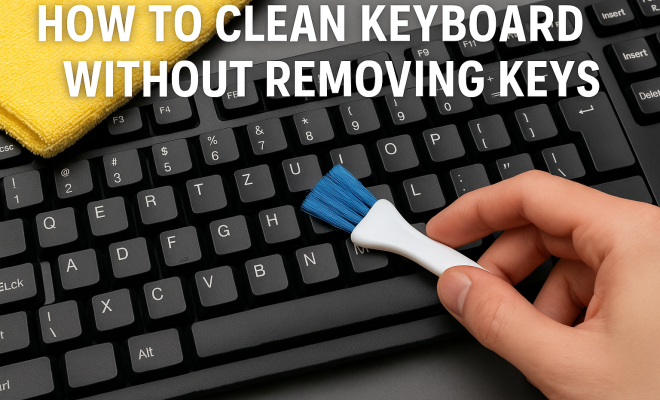
“`html
Keeping your keyboard clean is essential for both hygiene and performance. Dust, crumbs, and other debris can accumulate over time, leading to a less-than-ideal typing experience. While you might think that cleaning your keyboard properly means removing the keys, that’s not always necessary. In this guide, we’ll explore how to effectively clean a keyboard without removing keys, ensuring that your workspace stays tidy and functional.
1. Understanding the Importance of Keyboard Hygiene
First things first, why does keyboard cleanliness matter? Your keyboard is a hotspot for germs and dirt. According to studies, keyboards can harbor more bacteria than a toilet seat. This is particularly concerning for those who spend long hours at their computers. Regularly cleaning your keyboard helps minimize the risk of spreading germs and keeps your workspace more hygienic.
Moreover, a clean keyboard contributes to better performance. Dust and debris can cause keys to stick, respond sluggishly, or even malfunction. By taking the time to keep your keyboard tidy, you can enhance your typing experience and prolong the lifespan of your keyboard.
2. Gathering Your Cleaning Supplies
Before you begin the cleaning process, gather all the necessary supplies. For cleaning your keyboard without removing keys, you will need:
- Microfiber cloths
- Compressed air or a handheld vacuum
- Isopropyl alcohol (at least 70% concentration)
- Cotton swabs
- Distilled water
- A soft brush (like a paintbrush)
These items will help you effectively remove dirt and grime without damaging your keyboard. Using the right materials is crucial in ensuring that your keyboard remains functional while being cleaned.
3. Dusting Off Your Keyboard
The first step in cleaning a keyboard without removing keys is to get rid of loose dirt and debris. Using a can of compressed air, tilt your keyboard upside down and give it a few short blasts. This method can help dislodge crumbs and particles stuck between the keys.
Alternatively, you can also use a handheld vacuum on a low setting to gently suck up dirt. Be cautious with vacuum attachments; make sure they’re soft to avoid scratching the keyboard’s surface.
4. Wiping Down the Surface
Once you’ve cleared away loose debris, it’s time to wipe down the keyboard’s surface. Dampen a microfiber cloth with a mixture of isopropyl alcohol and distilled water (at a 1:1 ratio). Make sure the cloth is not dripping wet, as excess liquid can seep into the keys and cause damage.
Gently wipe the surface of the keys and the keyboard deck. The alcohol will help disinfect the surface while evaporating quickly, reducing the risk of moisture damage. Avoid using harsh chemicals or abrasive materials that could scratch or wear down the finish of the keys.
5. Cleaning Between the Keys
Even after dusting and wiping, dirt often settles in the crevices between the keys. To address this, utilize a soft brush or cotton swabs. Dip the cotton swab in your alcohol solution, and carefully clean around the edges of each key. (See: importance of hand hygiene.)
The swab allows for precision cleaning, ensuring you get to those hard-to-reach areas without damaging the keyboard. If you’re using a brush, make sure you swipe gently to avoid displacing any keys or causing damage.
6. Dealing with Stains and Sticky Residue
Sometimes, you’ll encounter stubborn stains or sticky residue from spills. For these situations, applying a bit more product on your cloth or swab can help. Make sure to let the cloth sit for a few seconds on the stain before wiping, which can help loosen the residue.
If the residue is particularly tough, gently scrape it off with a plastic scraper or an old credit card (being careful not to scratch the surface). Always finish with a clean microfiber cloth to buff any remaining cleaner and leave a nice finish.
7. Maintaining Your Keyboard
Cleaning your keyboard is not a one-time task; it requires regular maintenance to keep it in top shape. Make it a habit to wipe down your keyboard weekly and perform a deep clean monthly. Regular upkeep can help minimize the buildup of dirt and germs, enhancing your overall typing experience.
It’s also a good idea to keep food and drinks away from your keyboard. If you do have a snack near your workstation, consider using a keyboard cover to protect against crumbs and spills. These covers are easy to clean and provide an additional layer of protection.
8. Best Practices for Avoiding Damage
While cleaning your keyboard, there are several best practices to keep in mind to avoid damage. First, avoid using excessive moisture, as it can lead to electrical issues or corrosion. Always ensure that your cleaning cloths are only slightly damp, not wet.
Second, be cautious with the pressure you apply when cleaning. Aggressive scrubbing can dislodge or damage key switches. Finally, always unplug your keyboard before cleaning, especially if it’s wired, to avoid any accidental key presses or electrical mishaps.
9. Assessing Your Keyboard Type
Your keyboard type can influence your cleaning method. Mechanical keyboards, for instance, are typically more durable and can handle a bit of extra pressure. However, they can also accumulate more debris due to their construction. On the other hand, a laptop keyboard may require more gentleness due to its compact design and sensitivity.
Consider reviewing your keyboard’s manual or manufacturer’s website for specific cleaning recommendations. Some brands might have guidelines on what products to use or avoid, ensuring you maintain your keyboard without inadvertently causing damage.
10. When to Seek Professional Help
Sometimes, despite your best efforts, your keyboard might not respond as it should. If you notice persistent issues like broken keys or failure to register key presses even after cleaning, it might be time to consult a professional. This is especially true if you notice liquid damage or other significant issues that could impact functionality.
For specialized keyboards, like gaming keyboards or custom builds, consider reaching out to the manufacturer for repair or maintenance options. They may offer services that can restore the keyboard without the need for replacement.
11. Additional Cleaning Techniques
In addition to the methods mentioned above, there are some alternative cleaning techniques that can be effective for maintaining your keyboard’s cleanliness. One popular method is to use a sticky gel or putty product designed for cleaning keyboards. This gel can be pressed into the spaces between keys and can pick up dust and debris without the need for additional cleaning liquids. (See: study on bacteria in keyboards.)
Another useful trick is to use a soft-bristled toothbrush. If you have a particularly dirty keyboard, you can gently scrub the tops and sides of the keys to dislodge built-up dirt. Just be sure to use a light touch to avoid damaging the keys or switches.
12. Statistics on Keyboard Hygiene
Understanding the extent of keyboard contamination can motivate you to keep your device clean. A study by the University of Arizona found that keyboards can have up to 200 times more bacteria than a toilet seat. This statistic highlights the importance of regular cleaning, especially in shared environments, such as offices or schools.
Furthermore, according to a survey by the cleaning company Initial, 43% of office workers admitted to rarely cleaning their keyboards or other office equipment. This indicates a significant gap in hygiene awareness that could lead to health risks.
13. Expert Opinions on Keyboard Cleaning
Industry experts suggest that regular maintenance is crucial for both hygiene and device longevity. Dr. Charles Gerba, a microbiologist at the University of Arizona, emphasizes the importance of cleaning keyboards: “People may not realize how much bacteria can accumulate on their keyboards. Regular cleaning can help mitigate the risk of illness and improve overall workspace hygiene.” Following these expert recommendations, you can keep your keyboard clean and your workspace healthy.
14. Comparing Cleaning Methods
| Method | Effectiveness | Ease of Use | Cost |
|---|---|---|---|
| Compressed Air | High | Easy | Low |
| Microfiber Cloth with Alcohol | Very High | Easy | Low |
| Sticky Gel | Moderate | Moderate | Medium |
| Handheld Vacuum | High | Easy | Medium |
| Toothbrush | Moderate | Moderate | Low |
15. Frequently Asked Questions (FAQ)
What is the best way to clean a keyboard without removing keys?
The best approach involves using compressed air to dislodge debris, followed by wiping the surface with a slightly damp microfiber cloth. This method effectively cleans without risking damage to the keys.
How often should I clean my keyboard?
It’s recommended to clean your keyboard at least once a week for regular use. For higher traffic keyboards or shared spaces, a more frequent cleaning may be necessary.
Can I use water to clean my keyboard?
Using plain water is not recommended, as it can cause damage. Instead, use a mixture of isopropyl alcohol and distilled water for safe cleaning that disinfects without excessive moisture.
What if my keyboard has sticky keys?
If you have sticky keys, try wiping them down with a damp cloth and using cotton swabs for precision cleaning around the edges. For serious stickiness, consider using a mild cleaning solution designed for electronics.
Are there any cleaning products I should avoid?
Avoid products containing bleach, strong solvents, or abrasive materials, as these can damage the finish and components of your keyboard. Stick to alcohol-based cleaners and soft cloths.
Does cleaning my keyboard really make a difference?
Yes, regular cleaning can improve your typing experience by preventing keys from sticking and reducing the spread of germs. A clean keyboard can also extend its lifespan. (See: news on hygiene and technology.)
16. Understanding Common Keyboard Issues
Even with regular cleaning, keyboards can experience issues that might seem related to dirt but are actually due to other factors. Recognizing these issues can help you determine the right cleaning approach or if further action is needed. Common problems include:
- Key Sticking: Often caused by buildup of dirt or residue but can also indicate mechanical failure in some cases.
- Unresponsive Keys: May result from moisture damage or wear over time. If keys aren’t responding, cleaning might not solve the problem.
- Double Pressing: A key registering two presses instead of one can be a sign of dirt or damage beneath the keycap.
If you notice these issues despite keeping your keyboard clean, consider seeking a technician’s help.
17. Eco-Friendly Cleaning Options
If you’re concerned about the environmental impact of cleaning products, there are eco-friendly options you can consider. Vinegar, for example, can be a natural disinfectant and cleaner. Mix equal parts of white vinegar and distilled water to create a cleaning solution that’s both effective and eco-conscious.
Another option is to use baking soda. Sprinkling a bit of baking soda over your keyboard can help absorb odors and loosen debris. After a few minutes, gently brush it off with a soft brush or vacuum it up.
18. Keyboard Maintenance for Gamers
Gamers often require more from their keyboards due to heavy usage and sometimes aggressive play styles. Keeping a gaming keyboard clean is especially important since these keyboards can have customizable and sensitive keys. Here are a few tips specifically for gamers:
- Invest in a Keyboard Cover: A silicone cover can protect against spills and dust. It’s easy to clean and can extend the life of your keyboard.
- Regular Deep Cleaning: Schedule a thorough cleaning every month, including between keys. This can help prevent build-up that can affect performance during critical gaming moments.
- Check for Firmware Updates: Some gaming keyboards have firmware that can be updated. Keeping the firmware up to date can help improve performance and fix bugs.
19. Tips for Different Keyboard Models
Different keyboard models may have unique features that influence how they should be cleaned. Here’s a breakdown of cleaning considerations for various types:
- Mechanical Keyboards: These are generally more durable but be gentle around the switches when cleaning. Mechanical keyboards can also have removable keycaps, which makes cleaning easier when done carefully.
- Membrane Keyboards: These are typically less durable but often more susceptible to moisture. Avoid using too much liquid and focus on surface cleaning.
- Laptop Keyboards: Due to their compact design, extra caution is required. Use compressed air and a soft brush to clean without displacing keys.
20. Conclusion: A Clean Keyboard for a Healthy Workspace
In summary, learning how to clean your keyboard without removing keys is a practical skill that can enhance both its longevity and your hygiene. By following these tips and regularly maintaining your keyboard, you ensure a clean and functional workspace that can support your productivity and health. Taking the time to care for your keyboard will enhance your overall computer experience, making it a worthwhile endeavor.
“`
Trending Now
Frequently Asked Questions
How can I clean my keyboard without removing the keys?
To clean your keyboard without removing keys, use a can of compressed air to dislodge crumbs and debris, followed by a microfiber cloth dampened with isopropyl alcohol. Utilize cotton swabs for tight spaces and a soft brush to sweep away dust.
What supplies do I need to clean my keyboard?
For cleaning your keyboard, gather microfiber cloths, compressed air, isopropyl alcohol (at least 70%), cotton swabs, distilled water, and a soft brush. These materials help effectively remove dirt without damaging the keyboard.
Why is it important to clean your keyboard?
Cleaning your keyboard is crucial for hygiene and performance. Keyboards can harbor more bacteria than a toilet seat, and regular cleaning helps minimize the spread of germs while ensuring keys function properly and last longer.
Can I use water to clean my keyboard?
Yes, you can use distilled water to clean your keyboard, but it should be used sparingly. Combine it with isopropyl alcohol on a microfiber cloth to avoid excess moisture, which can damage the keyboard.
How often should I clean my keyboard?
It's recommended to clean your keyboard at least once a month, or more frequently if you eat near it or use it often. Regular cleaning helps maintain hygiene and ensures optimal performance.
Have you experienced this yourself? We’d love to hear your story in the comments.