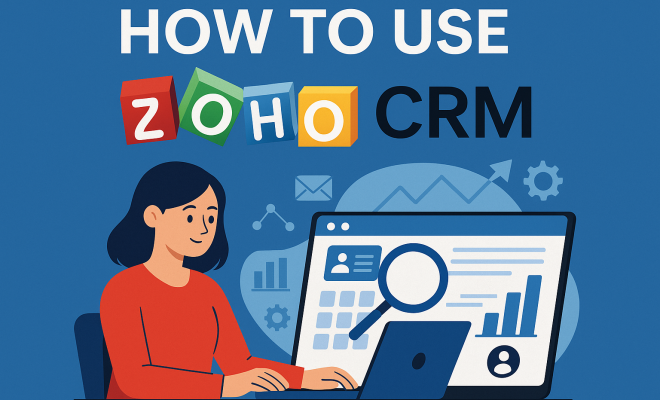
How to use Zoho CRM
“`html
Customer Relationship Management (CRM) systems have revolutionized how businesses interact with their clients, and Zoho CRM stands out as one of the most versatile solutions available today. Whether you’re a small startup or a large enterprise, mastering Zoho CRM can significantly enhance your customer interactions, streamline your sales processes, and ultimately drive growth. This comprehensive Zoho CRM tutorial will take you through the essential features, practical tips, and key strategies to make the most out of this powerful tool.
1. What is Zoho CRM?
Launched in 2005, Zoho CRM is part of the larger suite of Zoho applications designed to help businesses manage their operations more efficiently. It provides a platform for tracking sales, managing customer relationships, and automating marketing processes. With over 250,000 customers across various industries, Zoho CRM has established itself as a go-to solution for businesses looking to enhance their customer engagement.
One of the standout features of Zoho CRM is its flexibility. Businesses can customize the platform with modules and extensions tailored to their specific needs, making it suitable for companies of all sizes. The system integrates with other applications in the Zoho ecosystem, as well as popular third-party tools like Google Workspace, Microsoft Outlook, and more, allowing for a seamless workflow.
2. Getting Started with Zoho CRM
Before diving into the various functionalities of Zoho CRM, you first need to set up your account. Start by visiting the Zoho CRM website and signing up for a free trial, which allows you to explore the platform without any commitment. Once you’ve set up your account, the initial steps involve configuring your settings, which include adding your company name, logo, and other essential business information.
Next, you’ll want to import any existing contacts and leads into Zoho CRM. The platform supports various import formats, making it easy to bring your data over from spreadsheets or other CRM systems. Follow the import wizard to map your fields correctly, ensuring that all information aligns with Zoho’s architecture. This step is crucial as it lays the foundation for your future customer interactions.
3. Understanding the Dashboard
The dashboard is your command center within Zoho CRM, providing a snapshot of your business’s overall performance. You can customize your dashboard to display metrics that matter most to you, such as sales figures, lead conversion rates, and customer engagement statistics. This feature allows you to monitor real-time data and make informed decisions quickly.
Widgets can be added or removed, and you can arrange them according to your preferences. For instance, if you’re a sales manager, you might want to highlight your team’s performance KPI (Key Performance Indicators) prominently. Understanding how to navigate and utilize your dashboard effectively is essential, as it can save you time and help you focus on your priorities.
4. Managing Leads and Contacts
Managing leads and contacts is at the heart of any CRM system, and Zoho CRM excels in this area. The platform allows you to segment your contacts into different categories such as leads, potential clients, and existing customers, making it easier to tailor your communication strategy. You can also add custom fields to your contacts to capture additional information that suits your business needs.
One of the best features for managing leads is the lead scoring system. This feature enables you to prioritize your leads based on their engagement levels and likelihood to convert. For example, a lead who frequently opens your emails and interacts with your content will score higher than a less engaged contact. Utilizing this feature ensures that your sales team focuses their efforts on high-potential leads, optimizing your conversion rates.
5. Sales Pipeline Management
Sales pipeline management is another core component of Zoho CRM. The platform enables you to visualize your sales process through customizable pipelines, allowing you to track the status of deals at any given time. You can create multiple pipelines for different products or services and define the stages that a deal must pass through before closing.
Using Zoho CRM’s automation features, you can set up triggers for different stages of your pipeline. For instance, when a lead moves from the ‘Negotiation’ stage to ‘Closed Won’, you can automate a thank-you email or generate a follow-up task for your team. This level of automation not only enhances efficiency but also ensures a consistent experience for your customers. (See: Customer Relationship Management overview.)
6. Automating Marketing Efforts
Marketing automation is crucial in today’s competitive landscape, and Zoho CRM offers a suite of tools to streamline this process. From email campaigns to social media management, the system allows you to create, manage, and track your marketing efforts seamlessly. You can design personalized email campaigns right within the CRM platform, using templates and automation rules.
Moreover, integration with Zoho Campaigns allows you to manage your email lists and segment your audience based on their interactions. This means you can send targeted messages to specific customer groups, increasing your chances of engagement. Tracking campaign performance through the analytics dashboard helps you assess what works and what doesn’t, allowing you to fine-tune your marketing strategies continuously.
7. Analytics and Reporting
Insights and analytics are vital for making data-driven decisions, and Zoho CRM doesn’t disappoint in this area. The platform provides comprehensive reporting tools that allow you to generate reports on various aspects of your business, including sales performance, lead conversion rates, and customer satisfaction levels.
You can create custom reports tailored to your needs and schedule them to be sent automatically to key stakeholders. This feature ensures that everyone remains informed about the latest developments, enabling your team to take proactive steps based on the insights gathered. The ability to visualize data through charts and graphs makes it easier to interpret trends and patterns, providing a deeper understanding of your business health.
8. Integrating with Other Tools
One of the most significant advantages of Zoho CRM is its ability to integrate with a wide range of other tools and applications. This includes popular software like Slack, Mailchimp, and Google Drive, enhancing the functionality of your CRM. For example, integrating with Slack allows your sales team to receive instant notifications about lead status changes or new inquiries, enabling them to act quickly.
Additionally, Zoho offers APIs for businesses looking to build custom integrations. This flexibility makes it easier for companies with unique needs to enhance their CRM experience further. Whether you’re looking to integrate your accounting software or create a unique customer support system, Zoho CRM’s integration capabilities can accommodate a variety of business scenarios.
9. Best Practices for Using Zoho CRM
To truly maximize the benefits of Zoho CRM, it helps to adopt some best practices that can streamline your experience. First, proper training for your team is crucial. Ensure that everyone understands how to use the system effectively, from entering leads to generating reports. Consider offering regular training sessions or access to online resources to keep skills sharp.
Another best practice is to regularly clean and update your contact database. Outdated or incorrect information can hinder your sales efforts, so make it a priority to review your contacts periodically. Encourage your team to add notes and updates after each interaction, ensuring that everyone has the most current information available.
Lastly, don’t hesitate to explore the full suite of tools and features that Zoho CRM offers. Experiment with different modules, automation rules, and integrations to discover what works best for your business. The more you familiarize yourself with the platform, the better you can leverage its capabilities for your growth.
10. Advanced Features of Zoho CRM
Zoho CRM is packed with advanced features that can significantly enhance your business operations. These include AI-driven insights, advanced analytics, and predictive sales capabilities. The AI assistant, Zia, helps users make sense of data trends and suggests the best actions based on historical performance.
With features like workflow automation, you can configure complex processes with minimal effort. For example, you can automate reminders for follow-ups, create approval processes for quotes, or send alerts for upcoming tasks. This level of automation not only saves time but also reduces the chances of human error, ensuring that your sales process runs smoothly.
11. Industry-Specific Solutions
Another noteworthy aspect of Zoho CRM is its ability to cater to various industries. Whether you’re in real estate, healthcare, or finance, Zoho CRM offers specific modules that meet the unique needs of these sectors. For instance, real estate professionals can benefit from features like property management and listing integration, while healthcare providers might find value in patient management functionalities.
Creating industry-specific solutions allows businesses to tailor their CRM experience, facilitating better customer engagement and improved service delivery. This adaptability is one reason why Zoho CRM is so popular among diverse sectors. (See: Technology in customer engagement.)
12. Customer Support and Resources
Zoho CRM provides extensive customer support and resources to help users navigate the platform effectively. The help center includes documentation, FAQs, and instructional videos, covering everything from basic setup to advanced features. Users can also benefit from community forums where they can ask questions and share experiences with other Zoho CRM users.
If you prefer personalized help, Zoho offers various support plans, including chat, email support, and even phone assistance. Investing in a support plan can be particularly beneficial for larger teams or businesses that rely heavily on their CRM system.
13. Pricing Structure of Zoho CRM
Understanding the pricing structure of Zoho CRM is essential, especially if you’re weighing it against other CRM solutions. Zoho offers several pricing tiers, ranging from a basic free version for small teams to more advanced paid plans that unlock additional features. The paid plans offer various functionalities tailored to businesses’ needs, including advanced analytics, automation, and integrations with other Zoho apps.
For example, the Standard plan might be sufficient for small businesses just getting started, while the Professional or Enterprise plans provide extensive features like territory management and custom reporting. It’s important to assess your business requirements carefully to choose the plan that offers the best value for you.
14. Real-World Examples of Zoho CRM Success
It’s often beneficial to learn from real-world examples of how companies have utilized Zoho CRM to enhance their operations. For instance, a mid-sized e-commerce business utilized Zoho CRM to streamline its customer service processes. By integrating customer support tickets directly into the CRM, they improved response times by 40% and increased customer satisfaction ratings.
Another example is a software development firm that adopted Zoho CRM to manage client relations and project timelines. With the help of Zoho’s project management tools, they were able to keep clients informed about project progress, leading to a 30% increase in repeat business. These success stories illustrate how Zoho CRM can be adapted to meet various business needs and drive significant results.
15. FAQs about Zoho CRM
Here are some frequently asked questions about Zoho CRM that might help clarify any doubts you may have:
What is the difference between the free and paid versions of Zoho CRM?
The free version is limited in features and is primarily suitable for small teams with basic needs. Paid versions offer advanced functionalities, including increased storage, customization options, and access to automation features.
Can Zoho CRM handle multiple currencies?
Yes, Zoho CRM supports multiple currencies, allowing businesses that operate internationally to manage their transactions more effectively.
Is Zoho CRM mobile-friendly?
Absolutely! Zoho CRM has mobile applications available for both iOS and Android devices, enabling users to access their data and manage tasks on the go. (See: Latest trends in CRM software.)
How secure is my data in Zoho CRM?
Zoho places a high priority on data security and employs various measures, including encryption and multi-factor authentication, to protect user data.
Can I customize Zoho CRM to fit my business needs?
Yes, Zoho CRM is highly customizable. You can add custom fields, create unique layouts, and automate workflows to suit your specific business processes.
16. Tips for Optimizing Your Use of Zoho CRM
To get the most out of Zoho CRM, consider the following optimization tips:
- Regularly Analyze Data: Frequently review your sales data and metrics. This will help you understand your sales trends and identify opportunities for improvement.
- Leverage Templates: Utilize Zoho’s email templates for outreach and communication. This can save time and maintain consistency in your messaging.
- Feedback Loop: Encourage your team to provide feedback on the CRM features. This can lead to insights about what is working and what could be improved.
17. Future of Zoho CRM
As technology continues to evolve, so does Zoho CRM. The platform is increasingly adopting AI and machine learning to enhance customer interactions and automate mundane tasks. Future updates may include more predictive analytics capabilities, enabling businesses to forecast trends based on historical data.
Moreover, integrations with emerging technologies like chatbots and voice assistants are becoming more commonplace. These advancements will streamline communication and improve the overall customer experience, making Zoho CRM an even more valuable tool for businesses.
18. Common Challenges in Using Zoho CRM and Solutions
While Zoho CRM offers numerous benefits, users may encounter challenges. Here are some common issues and their solutions:
- Data Overload: With so much information available, it can be overwhelming. To combat this, utilize Zoho’s filtering and tagging features to organize your data effectively.
- User Adoption: Sometimes team members may resist using new software. Providing comprehensive training and showcasing the benefits of using Zoho CRM can help with this.
- Integration Issues: Some users may face difficulties integrating with other software. Utilizing Zoho’s support resources and community forums can provide solutions to common integration challenges.
19. Exploring the Zoho CRM Community
The Zoho CRM community is a vibrant space where users can share tips, seek advice, and learn from each other. Engaging with this community can uncover hidden features, best practices, and innovative uses of the software. Zoho often hosts webinars and events where users can learn directly from experts and network with peers. Participating in these activities can enhance your understanding of Zoho CRM and how to leverage it effectively in your business.
In summary, mastering Zoho CRM requires time and effort, but the rewards are well worth it. By following this Zoho CRM tutorial and implementing the recommended practices, you can transform your customer relationships and drive your business to new heights.
“`
Trending Now
Frequently Asked Questions
What is Zoho CRM used for?
Zoho CRM is a Customer Relationship Management system designed to help businesses manage customer interactions, track sales, and automate marketing processes. It provides a platform for enhancing customer engagement and streamlining operations, making it suitable for organizations of all sizes.
How do I get started with Zoho CRM?
To get started with Zoho CRM, visit the Zoho CRM website and sign up for a free trial. After setting up your account, configure your settings by adding your company name and logo, and then import existing contacts and leads into the system.
Is Zoho CRM customizable?
Yes, Zoho CRM is highly customizable. Businesses can tailor the platform with different modules and extensions to meet their specific needs, ensuring it effectively supports their customer relationship management processes.
Can Zoho CRM integrate with other applications?
Absolutely! Zoho CRM integrates seamlessly with other applications within the Zoho ecosystem, as well as popular third-party tools like Google Workspace and Microsoft Outlook, enabling a smooth workflow across different platforms.
What industries can benefit from using Zoho CRM?
Zoho CRM is versatile and can benefit a wide range of industries. With over 250,000 customers, it is suitable for small startups to large enterprises looking to enhance customer interactions and improve sales processes.
What did we miss? Let us know in the comments and join the conversation.