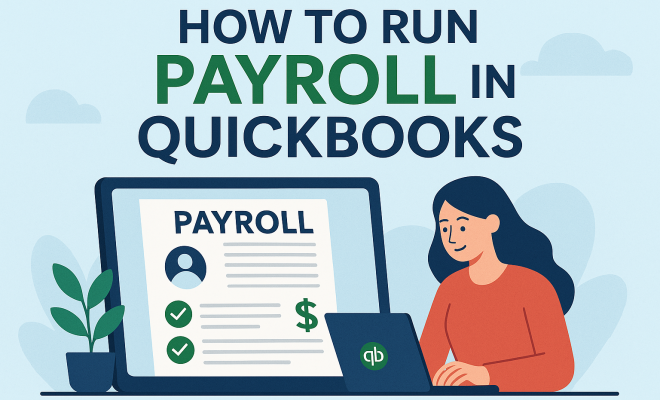
How to run payroll in QuickBooks
“`html
Managing payroll can feel overwhelming, especially for small business owners juggling multiple responsibilities. Fortunately, software like QuickBooks makes this task significantly easier. If you’re looking to streamline your payroll process and ensure accuracy, this guide will walk you through the steps to effectively run payroll in QuickBooks. From setup to execution, we’ll cover everything you need to know.
1. Understanding QuickBooks Payroll Features
Before diving into the specifics of running payroll, it’s essential to understand the features QuickBooks offers. At its core, QuickBooks Payroll is designed to automate and simplify the payroll process. Key features include automatic tax calculations, direct deposit options, and employee self-service portals.
Additionally, QuickBooks integrates seamlessly with accounting features, allowing you to manage your payroll alongside other financial tasks. This integration ensures that your payroll data syncs with your financial reports, giving you a comprehensive view of your business’s financial health.
QuickBooks also provides tools for tracking employee time and attendance, which can be particularly beneficial for businesses with hourly employees. With time tracking integrated into the payroll system, you can ensure that you’re paying your employees accurately based on the hours they’ve worked.
Another valuable feature is the ability to manage benefits and deductions. Employers can configure options for health insurance, retirement plans, and various deductions to ensure compliance with employee agreements and tax regulations. This makes QuickBooks a robust tool for managing not only payroll but also the overall employee compensation process.
2. Setting Up QuickBooks for Payroll
The first step to successfully run payroll in QuickBooks is setting up your account. To initiate the payroll setup, you will need a QuickBooks account, preferably with the payroll feature enabled. This can be done by choosing a QuickBooks plan that includes payroll services.
Once logged in, navigate to the payroll menu. Here, you’ll be prompted to enter crucial information such as your business details, employee information, and tax withholding settings. Make sure to gather all necessary documentation, including W-4 forms for employees, to ensure compliance with tax regulations.
During the setup process, you’ll also need to enter your business’s tax identification number and state information. This step is vital for QuickBooks to accurately calculate and withhold the correct taxes from employee paychecks. Additionally, keep your business’s financial structure in mind, as this may influence how you categorize employee payments and benefits.
3. Adding Employees to Your Payroll
With your QuickBooks account set up, the next step is adding employees. You can manually input each employee’s information or import from an existing list. Key information includes their full name, Social Security number, and payment details, such as hourly wage or salary.
QuickBooks allows you to categorize employees as either salaried or hourly, and you can specify different pay rates based on job roles. Additionally, make sure to enter tax deduction preferences, such as federal and state withholdings, to ensure accurate tax calculations.
Don’t forget to add any necessary employee benefits or deductions during this process. If your employees are eligible for health insurance or retirement plans, you can configure these options in QuickBooks to auto-deduct the appropriate amounts from their paychecks. This approach not only ensures accuracy but also simplifies your payroll processing each pay period.
4. Setting Up Payroll Schedules
After adding your employees, you’ll need to establish payroll schedules. QuickBooks offers flexibility in choosing how often to pay employees, whether weekly, bi-weekly, or monthly. Each schedule can be customized based on your business needs.
Setting a payroll schedule is crucial because it impacts your cash flow management. Plan ahead and ensure that your business can support the payroll schedule you choose, taking into consideration other operational expenses.
When selecting your payroll schedule, consider the average time employees need to complete their tasks and how that aligns with your business’s cash flow cycles. For instance, if you tend to receive payments from clients on a specific schedule, aligning payroll according to that can prevent cash flow issues.
5. Running Payroll: Step-by-Step
Now that everything is set up, it’s time to run payroll. QuickBooks simplifies this process. Begin by navigating to the payroll menu and selecting the option to run payroll. You’ll be prompted to review employee hours if you have hourly employees, ensuring that the hours entered are accurate. (See: Understanding payroll taxes and regulations.)
Next, QuickBooks will calculate the payroll automatically, including salaries, overtime, and any bonuses. Review the figures carefully before proceeding. Once you’re satisfied, you can finalize the payroll, and QuickBooks will take care of the rest, including calculating taxes and generating payslips.
Another handy feature is the ability to run payroll for multiple pay periods at once if you’re catching up on missed payrolls. This flexibility allows you to keep your payroll up to date even if you’ve missed a cycle due to unforeseen circumstances or administrative lapses.
6. Understanding Payroll Taxes and Compliance
One of the most critical aspects of running payroll is ensuring compliance with tax regulations. QuickBooks takes the guesswork out of tax calculations by automatically calculating federal, state, and local taxes based on the information provided for each employee.
However, it’s vital to stay informed about changes in tax laws. Regularly reviewing tax compliance requirements is essential to avoid penalties. QuickBooks provides updates regarding tax changes, but as a business owner, you should also stay vigilant and informed.
In addition to tax calculations, QuickBooks also assists with filing payroll taxes, which can save you significant time and reduce errors. You can set reminders for tax due dates and even file your taxes directly through the platform to ensure timely payments.
7. Direct Deposit and Payment Options
In today’s world, direct deposit is a preferred method of compensating employees. QuickBooks allows you to set up direct deposits, ensuring that employees receive their paychecks directly in their bank accounts on payday. This not only enhances employee satisfaction but also simplifies your payroll processes.
For those who prefer traditional checks, QuickBooks provides customizable check printing options. Whichever method you choose, ensure that employees are aware of their payment options and any necessary steps they need to take to receive their pay.
Additionally, consider offering a payroll card option for those without bank accounts. This can be a convenient solution that allows employees to receive pay directly onto a prepaid card, giving them immediate access to their funds without the need for a traditional bank account.
8. Year-End Payroll Tasks
Running payroll doesn’t end with each pay period; year-end tasks are just as important. At the end of the year, you need to generate W-2 forms for your employees. QuickBooks simplifies this process by allowing you to prepare and distribute W-2 forms directly from the platform.
In addition, you should review your payroll reports to ensure that all information is accurate before filing your taxes. This includes verifying employee earnings, tax withholdings, and any deductions taken throughout the year. Accurate records will save you time and stress during tax season.
Don’t forget to provide your employees with access to their pay stubs throughout the year. QuickBooks allows employees to view and print their pay stubs anytime, which promotes transparency and helps them keep track of their earnings for personal budgeting.
9. Common QuickBooks Payroll Issues and Solutions
Even with the best systems in place, issues can arise. Some common payroll issues include incorrect tax calculations, missed deadlines, or errors in employee information. If you find yourself facing these problems, QuickBooks offers a support center with numerous resources, including tutorials and customer support.
Another practical solution is to regularly back up your payroll data. This ensures that you have access to accurate records should an error occur. Additionally, consider regularly auditing your payroll processes to identify and rectify potential issues before they escalate.
Common errors can be avoided by double-checking employee information before finalizing payroll. Implement a practice of regularly updating employee records, especially when there are changes to tax withholding or benefits that could affect pay calculations.
10. Continuous Learning and Resources
The landscape of payroll management is always changing, and staying updated is crucial for compliance and best practices. QuickBooks provides an array of resources, including webinars, tutorials, and community forums, where you can connect with other users.
Investing time in ongoing education not only enhances your skills but also empowers you to make informed decisions regarding your payroll processes. Engage with the QuickBooks community, explore official resources, and keep learning to become proficient in running payroll.
Consider joining professional organizations or local business groups that focus on payroll and tax issues. Networking with other business owners can provide valuable insights and best practices that you can apply to your payroll processes. (See: Importance of financial wellness in workplaces.)
11. Advanced Features of QuickBooks Payroll
If you’re looking to elevate your payroll management, QuickBooks also offers advanced features that can be particularly advantageous for growing businesses. One such feature is the ability to create custom reports. With QuickBooks, you can generate payroll reports that fit your specific needs, whether it’s tracking overtime costs, benefit deductions, or overall labor costs.
Another advanced feature is the ability to set up automated reminders for important payroll tasks, such as submitting tax payments or generating year-end forms. This can help ensure you never miss critical deadlines and stay compliant with tax regulations.
QuickBooks also offers integration with third-party applications that can expand its capabilities. For instance, integrating time-tracking software can enhance the accuracy of reported hours, while HR management systems can help with onboarding new employees and managing benefits.
12. Comparing QuickBooks Payroll with Other Payroll Solutions
When considering payroll solutions, it’s useful to compare QuickBooks Payroll with other popular options available in the market. For example, Gusto and ADP are two other payroll services that many small businesses consider.
Gusto is known for its user-friendly interface and strong employee benefits management features, making it an attractive choice for companies looking to provide comprehensive benefits to their staff. However, it may not have the same level of accounting integration as QuickBooks, which can be a disadvantage if you’re already using QuickBooks for your accounting needs.
On the other hand, ADP offers a wider range of payroll and HR services, but it can be more expensive and complex to set up. ADP is often preferred by larger businesses that require extensive payroll and HR support.
Ultimately, the right choice will depend on your specific business needs, budget, and the level of integration you desire with your existing financial systems.
13. FAQs about Running Payroll in QuickBooks
What are the costs associated with QuickBooks Payroll?
QuickBooks Payroll generally has a monthly subscription fee that varies based on the features you choose. Basic payroll services may start at a lower cost, while advanced options that include HR features or additional integrations may come at a higher price.
Can I run payroll manually in QuickBooks?
Yes, QuickBooks allows you to run payroll manually if you prefer not to use the automated features. However, you’ll need to ensure that you input all relevant data correctly to avoid errors in calculations.
How often can I run payroll in QuickBooks?
You can run payroll as often as your payroll schedule dictates. QuickBooks supports various payroll frequencies, including weekly, bi-weekly, and monthly, which you can customize based on your business’s needs.
Is there customer support available for QuickBooks Payroll users?
Yes, QuickBooks offers customer support through various channels, including phone, chat, and online resources. They also provide an extensive help center with articles and tutorials to guide you through common payroll tasks.
Can I switch payroll providers easily?
Switching payroll providers can be a complex process, but QuickBooks does offer features to help you transition your payroll data. It’s essential to back up your data and understand the implications for your tax filings and employee records during the transition.
Is QuickBooks Payroll suitable for all business sizes?
While QuickBooks Payroll is a great solution for small to medium-sized businesses, larger organizations may need more advanced features or support. QuickBooks provides scalability, but be sure to assess your specific needs and compare them with the services offered.
Can I customize employee pay rates in QuickBooks?
Absolutely! QuickBooks allows you to customize pay rates for each employee based on their role, hours worked, and other factors. You can also easily update these rates when necessary.
What if I make a mistake during payroll processing?
Mistakes can happen, and QuickBooks provides tools to correct them. If you realize you’ve made an error, you can make adjustments directly in the system. It’s also wise to consult with a tax professional to ensure compliance is maintained. (See: New York State payroll services overview.)
How does QuickBooks ensure data security for payroll?
QuickBooks takes data security seriously. They use advanced encryption and security protocols to protect your payroll information from unauthorized access. Regular backups and secure servers also help keep your data safe.
In summary, running payroll in QuickBooks can be a seamless experience when you understand how to utilize the platform effectively. By following the outlined steps and utilizing the resources available, you can manage payroll confidently and focus on growing your business.
14. Benefits of Running Payroll in QuickBooks
Using QuickBooks for payroll offers a range of benefits beyond just ease of use. One significant advantage is the time-saving automation. Instead of manually calculating paychecks and tax deductions, QuickBooks does the heavy lifting for you, allowing you to focus on other vital aspects of your business.
Additionally, QuickBooks helps reduce human error, which can be particularly costly in payroll management. Automatic calculations minimize the risk of mistakes, ensuring that your employees are paid accurately and on time. This reliability helps build trust between you and your staff.
Furthermore, QuickBooks provides access to insightful payroll reports that can help you analyze labor costs and make informed financial decisions. By tracking payroll expenses more efficiently, you can identify trends and adjust your budgeting accordingly.
15. Common Misconceptions about QuickBooks Payroll
There are several misconceptions about using QuickBooks for payroll that can deter business owners from adopting this solution. One common myth is that QuickBooks is only beneficial for larger businesses. In reality, it caters to businesses of all sizes, especially small and medium enterprises that need a reliable payroll system without high overhead costs.
Another misconception is that the software is overly complex. While there is a learning curve, many users find the interface intuitive once they familiarize themselves with it. QuickBooks also offers extensive resources to assist users at every step.
Lastly, some believe that switching to QuickBooks Payroll requires significant technical knowledge. In fact, many users with basic computer skills can navigate the setup and management processes effectively, thanks to the step-by-step guidance provided by the software.
16. Future of Payroll Management with QuickBooks
The future of payroll management in QuickBooks looks promising as technology continues to evolve. With advancements in artificial intelligence and machine learning, future iterations of QuickBooks may offer even more robust predictive analytics. This could help businesses anticipate payroll costs and manage budgets more effectively.
Additionally, as remote work becomes more prevalent, QuickBooks will likely evolve to support an even more flexible payroll system that accommodates a dispersed workforce. Features like mobile access and enhanced self-service portals will empower employees to manage their payroll information from anywhere.
Lastly, as regulatory requirements continue to change, QuickBooks is expected to stay ahead of the curve by updating its software to ensure compliance. This will help reduce the burden on business owners and enhance the overall payroll experience.
“`
Trending Now
Frequently Asked Questions
What are the features of QuickBooks Payroll?
QuickBooks Payroll offers several key features, including automatic tax calculations, direct deposit options, employee self-service portals, and integration with accounting features. It also provides tools for tracking employee time and attendance, making it easier to manage payroll and ensure accurate payments based on hours worked.
How do I set up QuickBooks for payroll?
To set up QuickBooks for payroll, you need to create a QuickBooks account with the payroll feature enabled. Once your account is ready, follow the setup prompts to enter your business information, employee details, and configure payroll settings to ensure accurate processing.
Can QuickBooks handle employee benefits and deductions?
Yes, QuickBooks allows employers to manage employee benefits and deductions efficiently. You can configure options for health insurance, retirement plans, and various deductions to ensure compliance with employee agreements and tax regulations, making payroll management comprehensive.
Is QuickBooks Payroll suitable for small businesses?
Absolutely! QuickBooks Payroll is designed to simplify payroll management for small business owners. Its automation features, integration with accounting tools, and user-friendly interface make it an ideal choice for businesses looking to streamline their payroll processes.
How does QuickBooks integrate with accounting?
QuickBooks seamlessly integrates payroll data with its accounting features, allowing you to manage payroll alongside other financial tasks. This integration ensures that payroll information syncs with your financial reports, providing a comprehensive view of your business's financial health.
Have you experienced this yourself? We’d love to hear your story in the comments.