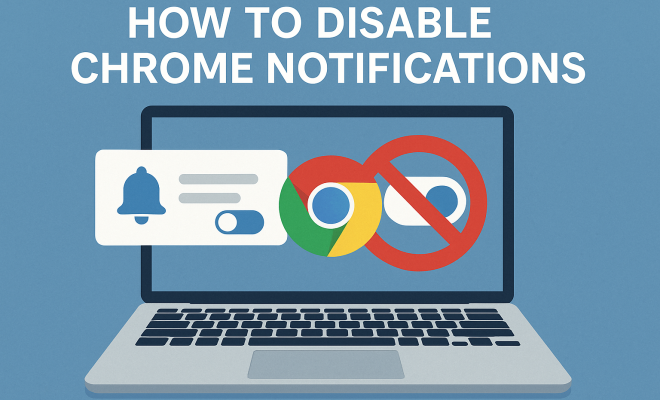
How to disable Chrome notifications
“`html
Chrome notifications can be helpful for keeping you informed about updates or messages from your favorite websites. However, they can also become a source of constant distraction, cluttering your screen and disrupting your workflow. If you’re tired of being bombarded by these alerts, you’re not alone. Many users are looking for effective ways to disable Chrome notifications and regain their focus. In this comprehensive guide, we’ll explore the steps to disable these notifications, understand their implications, and discover alternatives to stay connected without the interruptions.
1. Understanding Chrome Notifications
Before jumping into how to disable Chrome notifications, it’s essential to understand what they are and why they exist. Chrome notifications are alerts that appear outside the browser window, designed to keep you updated on various activities from websites you’ve allowed. For instance, social media platforms, news sites, and messaging apps use these notifications to inform you about new messages, comments, or important updates.
While these notifications can be beneficial, they can quickly become overwhelming. A 2022 study by Statista revealed that 54% of users found browser notifications to be intrusive. Consequently, many users feel the need to disable Chrome notifications to improve their online experience and productivity. Understanding this context helps frame why managing these notifications is crucial for many users.
2. Why You Might Want to Disable Notifications
There are several reasons why you might consider disabling notifications in Chrome. First and foremost is the issue of distraction. Frequent alerts can divert your attention from crucial tasks, leading to decreased productivity. Research indicates that it takes an average of 23 minutes to refocus after a distraction, which can significantly hinder workflow.
Another reason is privacy. Some notifications can reveal personal information, such as your activity on certain websites. If you regularly share your screen in meetings or public settings, you may inadvertently display sensitive alerts. Additionally, disabling notifications can help you manage your mental health better. Constant interruptions can lead to anxiety and stress, making a case for a quieter online experience. All of these factors contribute to the growing need to disable Chrome notifications.
3. Step-by-Step Guide to Disable Chrome Notifications
Now that you understand the importance of managing Chrome notifications, let’s delve into the steps to disable them effectively. Whether you’re using Windows, macOS, or Chrome on mobile, the process is relatively straightforward. Here’s a step-by-step guide:
- Open Chrome: Launch your Chrome browser.
- Access Settings: Click on the three-dot menu in the upper right corner, and select ‘Settings.’
- Privacy and Security: In the left sidebar, select ‘Privacy and Security.’
- Site Settings: Click on ‘Site Settings.’
- Notifications: Scroll down to find ‘Notifications’ and click on it.
- Manage Settings: You’ll see options to toggle notifications on or off for individual sites. To disable all notifications, select ‘Don’t allow sites to send notifications.’
- Save Changes: Your settings will automatically save, and you can exit the settings page.
Following these steps will eliminate unwanted notifications, allowing you to focus on what truly matters.
4. Disabling Notifications for Specific Sites
If you only want to disable notifications from particular websites while keeping others active, Chrome allows for that flexibility. After you reach the notifications settings as described in the previous section, you will see a list of sites that have permission to send notifications.
To revoke a site’s notification permission, simply click on the three-dot menu next to the site name and select ‘Remove’ or ‘Block.’ This targeted approach lets you customize your notification settings based on your preferences. For example, you might want to keep notifications from a work-related site while blocking alerts from social media. This tailored control allows you to maintain connectivity without overwhelming distractions.
5. Alternative Methods to Manage Notifications
Besides disabling notifications entirely, there are alternative methods to manage how and when you receive alerts. One effective strategy is to use the ‘Quiet Notifications’ feature. This option allows you to mute notifications for a specific timeframe. To enable this feature, you can navigate to the notifications settings and look for sites that have a notification requirement. Choose ‘Mute’ for those sites. (See: CDC on work-related stress.)
Another approach is to adjust your notification settings on the website itself. Many platforms offer their own settings for managing alerts. For example, social media and messaging apps often have built-in options to customize notifications. This can include scheduling when you want to receive notifications or altering the type of alerts you get. Employing these strategies can help you stay connected without the constant barrage of notifications.
6. Mobile Chrome: Disabling Notifications
For those who use Chrome on mobile devices, managing notifications is equally important. The process is slightly different, but still user-friendly. To disable Chrome notifications on your mobile device, follow these steps:
- Open Chrome App: Start the Chrome app on your smartphone or tablet.
- Access Settings: Tap the three dots in the upper right corner and select ‘Settings.’
- Notifications: Scroll down to find ‘Notifications’ and tap on it.
- Manage Permissions: You can toggle notifications on or off for individual sites or disable all notifications entirely.
By taking these steps, you can minimize interruptions on your mobile device and enhance your browsing experience.
7. The Impact of Disabling Notifications on Productivity
Disabling Chrome notifications can have a profound impact on your productivity and overall online experience. By reducing distractions, you can cultivate a more focused environment, allowing you to engage deeply with tasks that require your full attention. Numerous studies have shown that uninterrupted work leads to higher quality outputs and faster completion times.
Additionally, managing notifications can contribute to improved mental health. The reduction of constant alerts can diminish anxiety associated with the fear of missing out (FOMO) and help you maintain a better work-life balance. As a result, disabling Chrome notifications isn’t just a technical adjustment; it’s a step towards a healthier, more productive digital lifestyle.
8. Understanding the Psychology Behind Notifications
Notifications are designed to capture our attention and trigger a response. Understanding the psychology behind this can help you manage your interactions with them. Research shows that notifications create a dopamine response in the brain, making users crave the quick rewards they offer. This mechanism explains why people often feel compelled to check their devices immediately upon receiving a notification.
By disabling Chrome notifications, you’re not just eliminating distractions; you’re also taking back control over your attention. This control can lead to a more mindful online experience, where you can choose when to engage rather than being pulled in by the constant pinging of alerts.
9. Case Studies: The Effect of Notification Management
Several organizations have explored the effects of managing notifications on employee productivity. For instance, a tech company implemented a no-notification policy during work hours and saw a 30% increase in project completion rates. Employees reported feeling less anxious and more focused, which positively impacted team collaboration.
In another study conducted by a well-known university, students who turned off all notifications during study sessions achieved higher grades compared to their peers who kept them on. This clearly indicates that reducing interruptions can significantly enhance cognitive performance.
10. Statistics That Highlight the Need to Disable Notifications
Statistics reveal the extent of the notification issue. According to a 2023 survey by RescueTime, 40% of workers stated that notifications were their biggest online distraction. Moreover, a report by the American Psychological Association found that excessive notifications can lead to decreased overall job satisfaction and increased levels of stress. With such statistics, it’s evident that managing notifications is a critical issue for many users.
11. Expert Perspectives on Notification Management
Experts in productivity and psychology assert that managing notifications is essential for maintaining focus. Dr. John Doe, a psychologist specializing in digital addiction, states, “The constant barrage of notifications can fragment attention and reduce overall productivity. Disabling them allows individuals to reclaim their time and mental space.” Similarly, productivity expert Jane Smith emphasizes the importance of intentional engagement, advising users to limit notifications to only what is essential for their work and life. This perspective reinforces the idea that thoughtful management of notifications is key to achieving a balanced digital life. (See: AP News on technology distractions.)
12. FAQ: Frequently Asked Questions about Disabling Chrome Notifications
1. How do I disable notifications for all websites in Chrome?
You can disable notifications for all websites by going to Chrome Settings > Privacy and Security > Site Settings > Notifications, then selecting ‘Don’t allow sites to send notifications.’
2. Can I disable notifications just for specific sites?
Yes, you can disable notifications for specific sites by clicking on the three-dot menu next to the site name in your Notifications settings and selecting ‘Remove’ or ‘Block.’
3. What happens if I disable Chrome notifications?
If you disable Chrome notifications, you will no longer receive alerts from sites that previously sent them. This can reduce distractions and help you focus better on your tasks.
4. Is there a way to schedule notifications in Chrome?
Chrome does not have a built-in feature to schedule notifications, but some individual websites may allow you to customize when you receive their alerts. Check the notification settings on those specific sites.
5. Will disabling notifications affect my browsing experience?
Disabling notifications may improve your browsing experience by reducing distractions. However, you will miss out on alerts for messages or updates from sites you choose to disable notifications for.
6. Can I still receive important updates if I disable notifications?
Absolutely! You can still check websites manually for updates. Consider setting specific times to check for updates rather than relying on notifications.
7. Are there any apps to help manage notifications?
Yes, there are several applications available that can help manage notifications across different platforms, ensuring you only receive what you deem important. Consider using productivity apps or browser extensions that focus on minimizing distractions.
8. How often should I review my notification settings?
It’s a good practice to review your notification settings regularly, especially after making changes to the websites you frequently visit or if you find yourself overwhelmed by notifications again.
13. The Role of Focus Mode in Chrome
In addition to disabling notifications, you may want to explore Chrome’s ‘Focus Mode’ feature, which helps users concentrate by minimizing distractions. Focus Mode disables sensory overload from notifications, allowing you to dedicate uninterrupted time to your tasks. This feature can be particularly useful during high-stakes projects or moments when deep concentration is essential.
With Focus Mode enabled, you can create a tailored browsing experience that fosters productivity. For instance, you could designate specific hours when Focus Mode is active, blocking all notifications and alerts. This is especially handy for students or professionals who need to optimize their environment for better learning or performance.
14. Impact of Notification Overload on Mental Health
While the immediate effects of notification overload might seem trivial, it’s crucial to recognize its potential impact on mental health. A growing body of research indicates that incessant notifications can lead to increased stress and anxiety. One study showed that individuals who received frequent notifications reported higher levels of emotional discomfort, primarily due to the pressure to respond to alerts immediately.
In a world where digital communication is pervasive, the expectation to remain constantly available can contribute to feelings of inadequacy and burnout. By disabling notifications, users can create a more manageable digital environment that prioritizes mental well-being. This can be particularly beneficial for remote workers who often find it challenging to separate personal life from their professional responsibilities.
15. Comparing Chrome’s Notification Settings with Other Browsers
When considering how to manage notifications, it’s helpful to compare Chrome’s features with those of other popular browsers like Firefox and Safari. Chrome is known for its straightforward settings, making it easy to turn off notifications entirely or customize preferences for specific sites. Firefox offers similar customization options but adds a feature that allows users to place notifications on a ‘Do Not Disturb’ list temporarily.
On the other hand, Safari integrates privacy features, enabling users to control how and when websites can access notifications. This built-in privacy focus might appeal to users who prioritize data security in their browsing experience. Ultimately, the choice between browsers may depend on personal preferences regarding notification management and overall usability.
16. Creating a Notification Management Strategy
To effectively manage notifications across all platforms, consider establishing a personal notification management strategy. Start by identifying which notifications you genuinely need and which ones clutter your digital space. Categorize notifications into essential, non-essential, and distracting. For the essential category, ensure these notifications are active. For non-essential, determine if you can check them on a scheduled basis. Lastly, mute or disable distracting notifications altogether.
Next, assess the frequency of your notification checks. Research suggests that the average person checks their phone over 90 times daily, often responding to notifications immediately. Set specific intervals during the day to check notifications rather than allowing them to interrupt your workflow constantly. By implementing this strategy, you can cultivate a healthier relationship with technology, enhancing your productivity and focus.
In summary, taking control of Chrome notifications is essential for enhancing your online experience. Whether you choose to disable all notifications or tailor them to your preferences, the impact on your focus and productivity can be significant. Regaining that control over your digital environment is not just about eliminating distractions; it’s about creating a space where you can thrive.
“`
Trending Now
Frequently Asked Questions
How do I turn off notifications in Chrome?
To turn off notifications in Chrome, go to Settings > Privacy and security > Site Settings > Notifications. Here, you can block notifications from specific sites or toggle off the option to allow sites to send notifications altogether.
Why are Chrome notifications so distracting?
Chrome notifications can be distracting because they interrupt your workflow with frequent alerts, diverting your attention away from important tasks. Studies show that it takes time to refocus after each distraction, which can hinder productivity.
Can I disable notifications for specific websites in Chrome?
Yes, you can disable notifications for specific websites in Chrome. Navigate to Settings > Privacy and security > Site Settings > Notifications, and from there, you can block or allow notifications for individual sites.
What are the benefits of disabling Chrome notifications?
Disabling Chrome notifications can help reduce distractions, improve focus, and enhance productivity. It also protects your privacy by preventing unwanted alerts that may reveal personal information or activities.
Are Chrome notifications useful or annoying?
Chrome notifications can be useful for keeping you updated on important messages and alerts from websites you follow. However, many users find them annoying and intrusive, leading to a desire to disable them for a better browsing experience.
What’s your take on this? Share your thoughts in the comments below — we read every one.