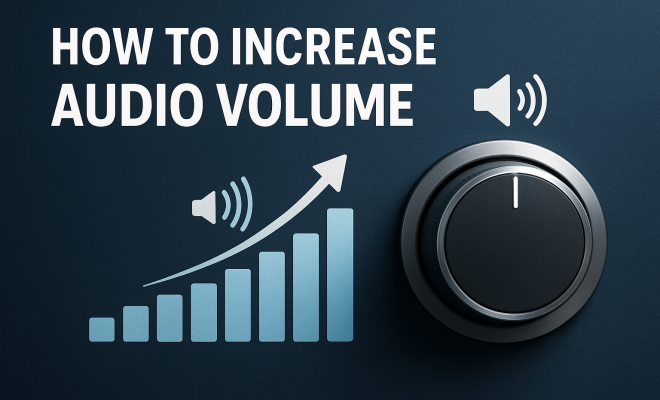
Boost Your Sound: The Ultimate Guide to Increasing Audio Volume
“`html
In a world increasingly driven by multimedia content, audio clarity is paramount. Whether you’re watching a movie, listening to music, or participating in a video call, low audio volume can quickly become a frustrating issue. If you’ve ever found yourself straining to hear the dialogue during a pivotal scene or the subtle notes in a complex musical piece, you’re not alone. Luckily, there are numerous ways to increase audio volume without compromising on sound quality. Here, we’ll take a deep dive into various methods, tips, and tools that can help you amplify sound effectively.
1. Adjust Device Settings
The first step in increasing audio volume often lies within your device’s settings. Most operating systems—be it Windows, macOS, iOS, or Android—allow for audio adjustments that can significantly enhance volume.
On Windows, for example, you can right-click on the sound icon in your taskbar and select ‘Playback devices’. From there, choose your active audio device, click ‘Properties’, and under the ‘Enhancements’ tab, you might find options like ‘Loudness Equalization’, which boosts overall volume levels. macOS users can explore ‘Audio MIDI Setup’ to adjust output levels. For mobile devices, ensuring that your media volume is maximized in the settings can make a noticeable difference.
2. Use Audio Enhancement Applications
Software solutions can also help increase audio volume. Various applications are designed specifically to enhance sound quality and volume output. Programs like Boom 3D or Equalizer APO (for Windows) allow for extensive sound customization.
These applications often come with built-in equalizers, letting you boost specific frequencies that may be lacking in your audio. Many of them even support spatial audio, providing a richer listening experience by simulating surround sound. Experimenting with these settings can lead to an optimal listening environment tailored to your preferences.
3. Check for External Volume Controls
When trying to increase audio volume, it’s crucial to check any external controls that might be in play. Many speakers, headphones, or audio interfaces come with their own volume dials. If you’re using Bluetooth speakers, for instance, ensure that both the device’s volume and the speaker’s volume are maximized.
Moreover, some media applications have their own volume controls, which can be adjusted independently of the system volume. Always double-check these settings to ensure you’re getting the most out of your audio devices.
4. Upgrade Your Audio Hardware
If you consistently struggle with low audio volume, it might be time to consider upgrading your hardware. Cheap speakers and earbuds often limit volume output due to their construction. Investing in quality audio equipment can make a world of difference.
Look for speakers that offer clear sound at high volumes, with a frequency response that suits your listening habits. Brands like Bose, Sonos, and Audioengine are known for producing high-quality audio devices that deliver impressive sound volume without distortion. For headphones, consider options from Sennheiser or Sony, which often feature advanced technology to increase audio output effectively.
5. Optimize Your Listening Environment
The space you’re in can significantly impact audio quality and perceived volume. Hard surfaces can reflect sound, while soft materials like carpets and curtains can absorb it. To increase audio volume perceptually, try rearranging your setup or adding sound-absorbing materials to your listening area.
Additionally, speaker placement plays a crucial role. Ensure that speakers are positioned at ear level and aren’t obstructed by furniture. If you have a home theater system, consider calibrating your setup using tools like Audyssey or similar technologies, which optimize sound based on your room’s acoustics.
6. Utilize Equalizers Effectively
Equalizers are powerful tools that can be used to increase audio volume by adjusting specific frequencies. Most devices come with a built-in equalizer, which can help enhance certain sound characteristics based on the type of audio you’re listening to.
For instance, if you’re listening to music heavy on bass, you can slightly boost the lower frequencies while reducing the mids and highs to avoid distortion. Similarly, when watching movies, it may be beneficial to increase the dialogue frequencies, ensuring that speech is clear and prominent. Experimenting with these settings can lead to a listening experience that’s not only louder but also richer. (See: CDC on audio health and safety.)
7. Update Your Drivers and Software
Keeping your audio drivers and software up to date is essential for optimal performance. Outdated drivers can lead to various issues, including diminished audio output. Most operating systems allow you to automatically check for updates, ensuring that your audio devices function correctly.
Additionally, if you’re using specific applications for media playback, make sure they’re updated as well. Developers frequently release updates that can enhance performance and volume output. Regular maintenance of your audio software leads to better sound quality overall.
8. Consider Using a Soundbar
For those who enjoy watching movies or playing games on a TV, a soundbar can be a game-changer in increasing audio volume. Unlike built-in TV speakers, which often deliver a lackluster sound experience, soundbars provide a more robust audio output, enhancing dialogue clarity and overall sound dynamics.
Many modern soundbars come with built-in subwoofers and support advanced audio formats like Dolby Atmos. This can be particularly beneficial for creating an immersive sound experience without the need for a full-fledged surround sound system. If you’re looking to increase audio volume for cinematic experiences, a soundbar is worth considering.
9. Use a Headphone Amplifier
If you’re an audiophile or simply someone who enjoys high-quality sound, consider investing in a headphone amplifier. These devices can significantly boost volume output and improve sound quality, particularly for high-impedance headphones that require more power to reach optimal performance.
Headphone amplifiers come in various sizes, from portable options you can carry with you to larger stationary units designed for home use. By providing a cleaner, more powerful signal to your headphones, a good amplifier can make a noticeable difference, allowing you to enjoy your favorite audio at a higher volume without distortion.
10. Explore Accessibility Features
Finally, many devices offer accessibility features designed to help those with hearing impairments, which can also be useful for anyone looking to increase audio volume. These features often include options like mono audio, sound balance adjustments, and audio descriptions that can enhance clarity.
For instance, both iOS and Android devices have settings that allow users to adjust audio balance between left and right channels or increase loudness for voices. Exploring these options can help you tailor your audio experience to suit your needs effectively.
11. Advanced Audio Techniques
If you’re looking to take your audio experience beyond the basics, consider exploring advanced audio techniques. This could include the use of digital signal processing (DSP) technologies, which can manipulate audio signals to enhance volume and clarity further.
DSP allows for real-time adjustments to the audio signal, compensating for issues like room acoustics or speaker placement. With the help of some audio interfaces, you can apply effects like compression and limiting, which can raise the overall loudness of audio tracks without introducing distortion.
Another technique is to use multi-band compressors, which apply compression to different frequency ranges independently. This way, you can boost the volume of softer sounds while taming louder frequencies, making the overall output clearer and more balanced.
12. Using Acoustic Treatment
Your room’s acoustics play a significant role in how sound is perceived. You might be surprised at how much of a difference proper acoustic treatment can make in increasing audio volume. Install acoustic panels to absorb excess sound and reduce echo. This not only enhances clarity but also allows your speakers or sound systems to perform better.
For those looking to get more serious about sound quality, bass traps can help manage lower frequencies that tend to muddle audio. Adding strategically placed soft furnishings can also help in achieving a more controlled sound environment.
Consider consulting with an acoustics expert if you’re unsure about how to optimize your space. They can provide insights into your specific setup and recommend solutions tailored to your needs. (See: New York Times technology articles.)
13. Statistics on Audio Clarity
When it comes to audio clarity, studies have shown that nearly 70% of consumers express dissatisfaction with the sound quality of their devices. In a recent survey, 65% of respondents claimed they often struggle to hear dialogue in movies or TV shows, leading to frustration and interruptions in viewing experiences.
Additionally, research indicates that poor audio quality can significantly impact user engagement. A study from the University of California found that presentations with poor audio quality caused a 40% decrease in audience retention compared to those with high-quality sound.
These statistics underline the importance of investing time and resources into increasing audio volume and improving sound clarity, making a more enjoyable experience overall.
14. Expert Perspectives
Experts in audio engineering stress the significance of high-quality components in amplifying sound. According to Dr. Emily Roth, a sound engineer with over 15 years of experience, “The right combination of hardware and software can transform your audio experience. Investing in a good sound card and utilizing software equalizers can yield noticeable results.”
Similarly, renowned audio producer Mark Hill emphasizes the importance of tailoring settings to individual preferences. “Everyone’s ears are different. What might sound great to one person may not work for another. It’s crucial to experiment and find what suits you best.”
These insights remind us that increasing audio volume is a personal journey, and exploring different options is key to finding what works for you.
15. Frequently Asked Questions (FAQ)
Q1: Can I increase audio volume on Bluetooth devices?
A1: Yes, you can increase audio volume on Bluetooth devices. Make sure both the device you’re using and the Bluetooth device itself are set to maximum volume levels. Additionally, check if your audio application has its own volume settings.
Q2: Is it safe to use third-party apps for increasing audio volume?
A2: Generally, yes. However, be cautious and use reputable applications to avoid potential security risks or software issues. Always download from official websites or trusted sources.
Q3: Will increasing volume damage my speakers or headphones?
A3: Increasing volume beyond the recommended levels can potentially damage speakers or headphones, especially if they are not designed to handle high output. It’s important to know the limits of your audio equipment.
Q4: How can I enhance audio quality without increasing volume?
A4: You can enhance audio quality by adjusting equalizer settings, utilizing sound enhancement software, and using higher-quality audio files. Improving the acoustics of your listening environment can also help.
Q5: What is the difference between a soundbar and a subwoofer?
A5: A soundbar is a long speaker designed to provide a broader sound stage and is typically used to improve the audio quality of TV and media playback. A subwoofer, on the other hand, is focused on reproducing low-frequency sounds, adding depth to music and movie soundtracks. Both can work together to create a fuller audio experience.
Q6: Can I use my smartphone as a portable amplifier?
A6: Yes, some apps can turn your smartphone into an audio amplifier. However, the sound quality may not match dedicated amplifiers. Using external portable amplifiers designed for smartphones is a better option for audiophiles.
Q7: What should I look for in quality headphones to ensure high volume output?
A7: Look for headphones with a high sensitivity rating (measured in decibels per milliwatt, or dB/mW) and low impedance (measured in ohms). These factors generally indicate that a headphone can produce louder sounds without requiring excessive power. (See: WHO on noise and health.)
16. Different Audio Formats and Their Impact on Volume
The type of audio format you’re using can significantly affect volume and quality. Lossy formats like MP3 and AAC compress audio data, which can lead to a lower dynamic range and volume output compared to lossless formats like FLAC or WAV. If you want to maximize audio volume while maintaining clarity, consider switching to a lossless format.
In fact, using high-resolution audio files can provide a richer listening experience with better dynamics and more detail. Many streaming services now offer high-res audio options as well. For audiophiles, investing in high-resolution audio equipment and library can lead to substantial improvements in how sound is perceived.
17. The Role of Streaming Services in Audio Quality
Streaming services have changed how we consume audio, but they can also impact volume and quality. Some services, like Spotify and Apple Music, allow users to select playback quality settings. For instance, choosing a higher quality setting can result in better audio volume and clarity.
Moreover, be aware that some platforms apply normalization to audio tracks, which can limit dynamic range. For the best experience, explore options that let you bypass normalization features, allowing for the fullest expression of your music or video soundtracks. This means you can enjoy a higher audio volume and improve overall listening satisfaction.
18. Adjusting Volume for Different Media Types
Different types of media require different audio settings for optimal volume and clarity. For instance, when watching movies, you may want to boost the dialogue frequencies while slightly lowering the background music. Similarly, when listening to podcasts or audiobooks, clarity is paramount, so emphasizing mid-range frequencies can make it easier to understand speech.
In gaming, sound design is critical, as you want to hear both the music and in-game sound effects. Adjusting the audio settings to balance these elements can enhance your gaming experience significantly. Most modern games come with audio settings that allow you to customize these aspects specifically, so take advantage of these features to increase audio volume effectively.
19. Future Trends in Audio Technology
The future of audio technology is exciting, with advancements poised to revolutionize how we experience sound. Innovations like AI-driven sound processing can adapt to your environment and personal preferences, ensuring optimal audio volume and quality automatically.
Spatial audio technologies are also on the rise, providing immersive listening experiences. With advancements in 3D audio rendering, we can expect audio that not only sounds louder but also more realistic. As these technologies become mainstream, they will offer new ways to enjoy media, making it easier than ever to increase audio volume while enhancing clarity and depth.
20. Conclusion
In closing, there are multiple effective strategies available to increase audio volume, ranging from simple adjustments in settings to investing in high-quality hardware. By implementing these tips, you can create a more enjoyable audio experience whether you’re watching movies, listening to music, or taking part in video calls. With the right approach, you’ll never have to struggle with low volume again!
“`
Trending Now
Frequently Asked Questions
How can I increase the volume on my computer?
To increase the volume on your computer, right-click the sound icon in the taskbar, select 'Playback devices', choose your active audio device, and adjust settings under the 'Enhancements' tab. Options like 'Loudness Equalization' can boost overall volume significantly.
What apps can I use to boost audio volume?
There are several applications designed to enhance audio volume, such as Boom 3D and Equalizer APO for Windows. These apps provide customizable equalizers and sound enhancements that allow you to boost specific frequencies for a better listening experience.
How do I adjust audio settings on my phone?
To adjust audio settings on your phone, go to the settings menu and locate the sound or audio section. Ensure that your media volume is maximized and explore any additional options for sound enhancement available on your device.
Can I improve audio quality without new speakers?
Yes, you can improve audio quality without new speakers by adjusting your device's audio settings, using audio enhancement applications, and enabling features like equalizers that boost specific sound frequencies, enhancing overall clarity.
What should I do if my audio is too quiet?
If your audio is too quiet, start by checking your device's volume settings and ensuring they are maximized. Additionally, consider using audio enhancement applications that can amplify sound and improve clarity without compromising quality.
What did we miss? Let us know in the comments and join the conversation.