The Tech Edvocate

Top Menu

  • Advertisement
  • Apps
  • Home Page
  • Home Page Five (No Sidebar)
  • Home Page Four
  • Home Page Three
  • Home Page Two
  • Home Tech2
  • Icons [No Sidebar]
  • Left Sidbear Page
  • Lynch Educational Consulting
  • My Account
  • My Speaking Page
  • Newsletter Sign Up Confirmation
  • Newsletter Unsubscription
  • Our Brands
  • Page Example
  • Privacy Policy
  • Protected Content
  • Register
  • Request a Product Review
  • Shop
  • Shortcodes Examples
  • Signup
  • Start Here
    • Governance
    • Careers
    • Contact Us
  • Terms and Conditions
  • The Edvocate
  • The Tech Edvocate Product Guide
  • Topics
  • Write For Us
  • Advertise

Main Menu

  • Start Here
    • Our Brands
    • Governance
      • Lynch Educational Consulting, LLC.
      • Dr. Lynch’s Personal Website
      • Careers
    • Write For Us
    • The Tech Edvocate Product Guide
    • Contact Us
    • Books
    • Edupedia
    • Post a Job
    • The Edvocate Podcast
    • Terms and Conditions
    • Privacy Policy
  • Topics
    • Assistive Technology
    • Child Development Tech
    • Early Childhood & K-12 EdTech
    • EdTech Futures
    • EdTech News
    • EdTech Policy & Reform
    • EdTech Startups & Businesses
    • Higher Education EdTech
    • Online Learning & eLearning
    • Parent & Family Tech
    • Personalized Learning
    • Product Reviews
  • Advertise
  • Tech Edvocate Awards
  • The Edvocate
  • Pedagogue
  • School Ratings

logo

The Tech Edvocate

  • Start Here
    • Our Brands
    • Governance
      • Lynch Educational Consulting, LLC.
      • Dr. Lynch’s Personal Website
        • My Speaking Page
      • Careers
    • Write For Us
    • The Tech Edvocate Product Guide
    • Contact Us
    • Books
    • Edupedia
    • Post a Job
    • The Edvocate Podcast
    • Terms and Conditions
    • Privacy Policy
  • Topics
    • Assistive Technology
    • Child Development Tech
    • Early Childhood & K-12 EdTech
    • EdTech Futures
    • EdTech News
    • EdTech Policy & Reform
    • EdTech Startups & Businesses
    • Higher Education EdTech
    • Online Learning & eLearning
    • Parent & Family Tech
    • Personalized Learning
    • Product Reviews
  • Advertise
  • Tech Edvocate Awards
  • The Edvocate
  • Pedagogue
  • School Ratings
  • Cybersecurity vs. Green Energy: Which Path Will Make You Richer in 2026?

  • Why These 10 Renewable Energy Certifications Are Quietly Reshaping Careers by 2026

  • Why Millions Are Rushing to Online Renewable Energy Certifications Right Now

  • August AI vs. USMLE: The Unsettling Future of Medical Licensing

  • One AI’s Perfect USMLE Score Just Blew Up Medical Education As We Know It

  • This AI Just Aced the USMLE: Why Your Medical Career Might Never Be the Same

  • The Quiet Exodus: Why Senior FinTech Developers Are Abandoning Corporate Life

  • The Quiet Revolution: Where Elite FinTech Developers Are Fleeing in 2026

  • The Quiet Exodus: Why Senior FinTech Developers Are Ditching Corporate Life

  • AI Governance Software: Pricing and Features Comparison

Tech Advice
Home›Tech Advice›The Best Free and Paid Photo Editing Apps for iPhone and Android

The Best Free and Paid Photo Editing Apps for iPhone and Android
By Matthew Lynch
July 16, 2023
0
Spread the love

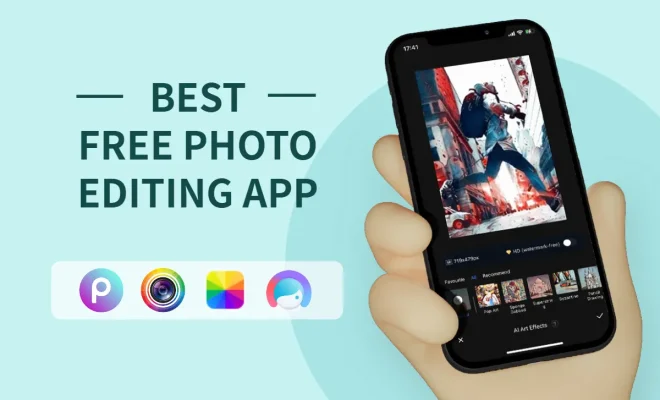
In today’s digital age, having an efficient photo editing app is essential for both amateur and professional photographers alike. With the rise of smartphones equipped with powerful cameras, people are now able to capture high-quality images on-the-go. To help you enhance your shots and express your creativity, we’ve compiled a list of the best free and paid photo editing apps for iPhone and Android devices.

Free Photo Editing Apps

1. Snapseed (Android, iOS)

Snapseed is a versatile photo editing app by Google that offers a variety of tools and filters to perfect your images. With its easy-to-use interface, you can make adjustments such as brightness, contrast, saturation, and more. Furthermore, Snapseed allows you to apply selective adjustments to specific areas of a photo.

2. Adobe Photoshop Express (Android, iOS)

Adobe Photoshop Express offers essential editing tools, filters, and effects in a user-friendly interface. It features basic adjustments like crop, rotate, and red-eye removal, as well as advanced features like noise reduction and image healing.

3. VSCO (Android, iOS)

VSCO is an all-in-one photography app that combines a camera app with powerful editing tools. Known for its beautiful filter presets and minimalist interface, VSCO allows you to apply subtle enhancements or create more artistic edits.

Paid Photo Editing Apps

1. Lightroom Mobile (Android, iOS)

Subscription: $4.99/month

As one of the most popular professional-grade photo editors on desktops, Adobe Lightroom Mobile brings the same powerful capabilities to your smartphone or tablet. With its advanced editing tools like curves adjustments and selective editing features, it’s perfect for those who want complete control over their images.

2. Afterlight 2 (iOS)

Price: $2.99

Afterlight 2 boasts a wide variety of creative filters, textures, and frames to give your photos a unique touch. Equipped with advanced editing tools like curves control and selective color adjustments, it also allows you to create custom presets for a more streamlined editing experience.

3. TouchRetouch (Android, iOS)

Price: $1.99

TouchRetouch is specifically designed for removing unwanted objects from your photos. Whether it’s power lines, photobombers, or blemishes, the app uses sophisticated algorithms to analyze surrounding areas and fill in the space seamlessly.

Conclusion

Whether you’re looking for basic edits or more advanced tools, there’s an app out there to suit your needs. With these free and paid options available for both iPhone and Android devices, you can elevate your mobile photography skills and create stunning images effortlessly.


Previous Article

Best 43-Inch TV for 2023

Next Article

Best 32-inch TV for 2023

Matthew Lynch

Related articles More from author

  • Tech Advice

    2023 McLaren 750S Reportedly Replacing the Retired 720S

    August 11, 2023
    By Matthew Lynch
  • Tech Advice

    Understanding Your Cellphone Bill’s Extra Charges and Fees

    October 19, 2023
    By Matthew Lynch
  • Tech Advice

    Breeo X Series 24 vs. Solo Stove Yukon: 2 Premium Smokeless Fire Pits Compared

    July 10, 2023
    By Matthew Lynch
  • Tech Advice

    11 Easy Ways to Restart Windows With or Without Keyboard

    February 20, 2024
    By Matthew Lynch
  • Tech Advice

    Apple Card Review: Is It Right for You?

    September 5, 2023
    By Matthew Lynch
  • Tech Advice

    Top 6 Fixes for Roblox Installer Not Working on Windows

    February 19, 2024
    By Matthew Lynch

Search

Login & Registration

  • Log in
  • Entries feed
  • Comments feed
  • WordPress.org

Newsletter

Signup for The Tech Edvocate Newsletter and have the latest in EdTech news and opinion delivered to your email address!

About Us

Since technology is not going anywhere and does more good than harm, adapting is the best course of action. That is where The Tech Edvocate comes in. We plan to cover the PreK-12 and Higher Education EdTech sectors and provide our readers with the latest news and opinion on the subject. From time to time, I will invite other voices to weigh in on important issues in EdTech. We hope to provide a well-rounded, multi-faceted look at the past, present, the future of EdTech in the US and internationally.

We started this journey back in June 2016, and we plan to continue it for many more years to come. I hope that you will join us in this discussion of the past, present and future of EdTech and lend your own insight to the issues that are discussed.

Newsletter

Signup for The Tech Edvocate Newsletter and have the latest in EdTech news and opinion delivered to your email address!

Contact Us

The Tech Edvocate
910 Goddin Street
Richmond, VA 23231
(601) 630-5238
[email protected]

Copyright © 2026 Matthew Lynch. All rights reserved.