The Tech Edvocate

Top Menu

  • Advertisement
  • Apps
  • Home Page
  • Home Page Five (No Sidebar)
  • Home Page Four
  • Home Page Three
  • Home Page Two
  • Home Tech2
  • Icons [No Sidebar]
  • Left Sidbear Page
  • Lynch Educational Consulting
  • My Account
  • My Speaking Page
  • Newsletter Sign Up Confirmation
  • Newsletter Unsubscription
  • Our Brands
  • Page Example
  • Privacy Policy
  • Protected Content
  • Register
  • Request a Product Review
  • Shop
  • Shortcodes Examples
  • Signup
  • Start Here
    • Governance
    • Careers
    • Contact Us
  • Terms and Conditions
  • The Edvocate
  • The Tech Edvocate Product Guide
  • Topics
  • Write For Us
  • Advertise

Main Menu

  • Start Here
    • Our Brands
    • Governance
      • Lynch Educational Consulting, LLC.
      • Dr. Lynch’s Personal Website
      • Careers
    • Write For Us
    • The Tech Edvocate Product Guide
    • Contact Us
    • Books
    • Edupedia
    • Post a Job
    • The Edvocate Podcast
    • Terms and Conditions
    • Privacy Policy
  • Topics
    • Assistive Technology
    • Child Development Tech
    • Early Childhood & K-12 EdTech
    • EdTech Futures
    • EdTech News
    • EdTech Policy & Reform
    • EdTech Startups & Businesses
    • Higher Education EdTech
    • Online Learning & eLearning
    • Parent & Family Tech
    • Personalized Learning
    • Product Reviews
  • Advertise
  • Tech Edvocate Awards
  • The Edvocate
  • Pedagogue
  • School Ratings

logo

The Tech Edvocate

  • Start Here
    • Our Brands
    • Governance
      • Lynch Educational Consulting, LLC.
      • Dr. Lynch’s Personal Website
        • My Speaking Page
      • Careers
    • Write For Us
    • The Tech Edvocate Product Guide
    • Contact Us
    • Books
    • Edupedia
    • Post a Job
    • The Edvocate Podcast
    • Terms and Conditions
    • Privacy Policy
  • Topics
    • Assistive Technology
    • Child Development Tech
    • Early Childhood & K-12 EdTech
    • EdTech Futures
    • EdTech News
    • EdTech Policy & Reform
    • EdTech Startups & Businesses
    • Higher Education EdTech
    • Online Learning & eLearning
    • Parent & Family Tech
    • Personalized Learning
    • Product Reviews
  • Advertise
  • Tech Edvocate Awards
  • The Edvocate
  • Pedagogue
  • School Ratings
  • The Silent Revolution: How AI Property Valuation Is Quietly Reshaping Real Estate

  • The Astonishing Truth: Why Your Dream Car Is Now a $52,000 Illusion

  • Toxic Algorithms: Why Your Bank’s AI Could Cost You Everything

  • OpenAI’s GPT-6 Cyber: A Dangerous New AI Threat or Our Ultimate Digital Guardian?

  • This Game-Changing Natural Ozempic Alternative Just Blew Up on Social Media

  • Bónuszösszeg, ingyen pörgetés és befizetési feltétel: üdvözlő és befizetés nélküli kaszinóajánlatok magyar játékosoknak

  • 9 Critical Reasons Why Athexio Might Be The Investment You Need (Or Should Avoid)

  • A Single Breakthrough Could Finally Kill Range Anxiety for Millions of EV Owners

  • Your Money, Their AI: The Secret Agents Invading Bank Accounts

  • US Battery as a Service Market Shifts Toward Fleet-Based Energy

Tech Advice
Home›Tech Advice›10 Mac Hacks You Should Know About

10 Mac Hacks You Should Know About

By Matthew Lynch
July 15, 2023
0
Spread the love

1. Use Spotlight for Quick Calculations and Conversions

Spotlight search can be used for quick math calculations, unit conversions, currency conversions, and more. Just press Command+Space and start typing the calculation or conversion.

2. Create Custom Keyboard Shortcuts

Navigate to System Preferences > Keyboard > Shortcuts, and click the “+” button to create custom shortcuts for any application on your Mac, streamlining your productivity.

3. Use Quick Look to Preview Files without Opening Them

Select a file in Finder and press the Spacebar to quickly preview the content of the file without actually opening it.

4. Use Split View for Multitasking

Hover your mouse pointer over the green button located in the top-left corner of a window, then click and hold it. From there, choose Tile Window to Left or Right to utilize split-screen view for seamless multitasking.

5. Sign Documents with Preview

Open a PDF file in Preview, then click on Tools > Annotate > Signature. Create your signature using the trackpad or by holding up a signed piece of paper to the camera, and easily add it to any document.

6. Use Siri to Set Reminders

Ask Siri to set reminders based on time or locations like “Remind me to send an email at 3 p.m.” or “Remind me to buy milk when I leave work.”

7. Quickly Access Emojis with Control+Command+Space

Hold Control+Command and press Space to access the emoji picker anywhere you are typing text on Mac.

8. Utilize Built-In Dictionary Lookup

With any word selected, press Control+Command+D to access its definition through an inline pop-up without leaving your current application.

9. Hide and Show All Desktop Items

Press Command+F3 (or Command+fn+F3) to hide all desktop icons temporarily and have a clean workspace. Press the same keys again to reveal the items.

10. Use Voice Typing for Faster Text Input

Press Fn key twice or go to Edit > Start Dictation in any application that accepts text input. Start speaking, and your Mac will convert your speech to text seamlessly

Previous Article

This Is the Only Way You Should ...

Next Article

Easy Ways to Cast Your Android Screen ...

Matthew Lynch

Related articles More from author

  • Tech Advice

    Best Credit Cards With No Annual Fee for 2023

    July 11, 2023
    By Matthew Lynch
  • Tech Advice

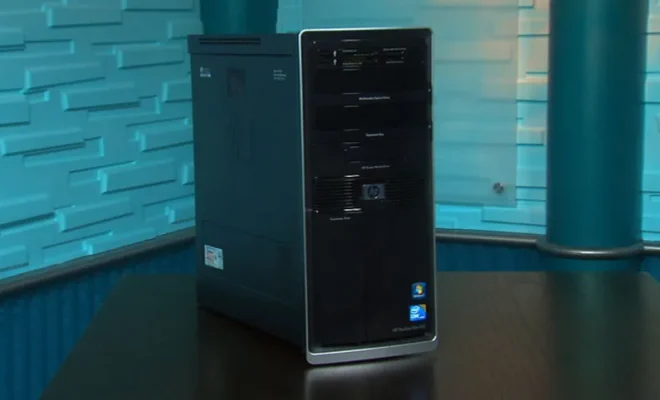
    HP Pavilion Elite HPE-190t Review

    July 12, 2023
    By Matthew Lynch
  • Tech Advice

    Emoji Keyboards to Make Texting More Fun

    July 17, 2023
    By Matthew Lynch
  • Tech Advice

    Parmesan Cheese vs Parmigiano-Reggiano – Unraveling the Mystery

    July 9, 2023
    By Matthew Lynch
  • Tech Advice

    7 Tech Stocks for Getting Rich

    August 11, 2023
    By Matthew Lynch
  • Tech Advice

    Best AirPods Pro Accessories for 2023: Cases, Ear Tips, Wireless In-Flight Transmitters and Chargers

    July 17, 2023
    By Matthew Lynch

Search

Login & Registration

  • Log in
  • Entries feed
  • Comments feed
  • WordPress.org

Newsletter

Signup for The Tech Edvocate Newsletter and have the latest in EdTech news and opinion delivered to your email address!

About Us

Since technology is not going anywhere and does more good than harm, adapting is the best course of action. That is where The Tech Edvocate comes in. We plan to cover the PreK-12 and Higher Education EdTech sectors and provide our readers with the latest news and opinion on the subject. From time to time, I will invite other voices to weigh in on important issues in EdTech. We hope to provide a well-rounded, multi-faceted look at the past, present, the future of EdTech in the US and internationally.

We started this journey back in June 2016, and we plan to continue it for many more years to come. I hope that you will join us in this discussion of the past, present and future of EdTech and lend your own insight to the issues that are discussed.

Newsletter

Signup for The Tech Edvocate Newsletter and have the latest in EdTech news and opinion delivered to your email address!

Contact Us

The Tech Edvocate
910 Goddin Street
Richmond, VA 23231
(601) 630-5238
[email protected]

Copyright © 2026 Matthew Lynch. All rights reserved.