The Tech Edvocate

Top Menu

  • Advertisement
  • Apps
  • Home Page
  • Home Page Five (No Sidebar)
  • Home Page Four
  • Home Page Three
  • Home Page Two
  • Home Tech2
  • Icons [No Sidebar]
  • Left Sidbear Page
  • Lynch Educational Consulting
  • My Account
  • My Speaking Page
  • Newsletter Sign Up Confirmation
  • Newsletter Unsubscription
  • Our Brands
  • Page Example
  • Privacy Policy
  • Protected Content
  • Register
  • Request a Product Review
  • Shop
  • Shortcodes Examples
  • Signup
  • Start Here
    • Governance
    • Careers
    • Contact Us
  • Terms and Conditions
  • The Edvocate
  • The Tech Edvocate Product Guide
  • Topics
  • Write For Us
  • Advertise

Main Menu

  • Start Here
    • Our Brands
    • Governance
      • Lynch Educational Consulting, LLC.
      • Dr. Lynch’s Personal Website
      • Careers
    • Write For Us
    • The Tech Edvocate Product Guide
    • Contact Us
    • Books
    • Edupedia
    • Post a Job
    • The Edvocate Podcast
    • Terms and Conditions
    • Privacy Policy
  • Topics
    • Assistive Technology
    • Child Development Tech
    • Early Childhood & K-12 EdTech
    • EdTech Futures
    • EdTech News
    • EdTech Policy & Reform
    • EdTech Startups & Businesses
    • Higher Education EdTech
    • Online Learning & eLearning
    • Parent & Family Tech
    • Personalized Learning
    • Product Reviews
  • Advertise
  • Tech Edvocate Awards
  • The Edvocate
  • Pedagogue
  • School Ratings

logo

The Tech Edvocate

  • Start Here
    • Our Brands
    • Governance
      • Lynch Educational Consulting, LLC.
      • Dr. Lynch’s Personal Website
        • My Speaking Page
      • Careers
    • Write For Us
    • The Tech Edvocate Product Guide
    • Contact Us
    • Books
    • Edupedia
    • Post a Job
    • The Edvocate Podcast
    • Terms and Conditions
    • Privacy Policy
  • Topics
    • Assistive Technology
    • Child Development Tech
    • Early Childhood & K-12 EdTech
    • EdTech Futures
    • EdTech News
    • EdTech Policy & Reform
    • EdTech Startups & Businesses
    • Higher Education EdTech
    • Online Learning & eLearning
    • Parent & Family Tech
    • Personalized Learning
    • Product Reviews
  • Advertise
  • Tech Edvocate Awards
  • The Edvocate
  • Pedagogue
  • School Ratings
  • 100 Best Apps for Team Building

  • 100 Best Apps for Performance Reviews

  • 100 Best Apps for Employee Development

  • 100 Best Threat Detection Apps

  • 100 Best Apps for Employee Training

  • 100 Best Data Protection Apps

  • 100 Best Apps for Employee Onboarding

  • 100 Best Apps for Hospital Administrators

  • 100 Best Apps for Bloggers

  • 100 Best Computer Vision Apps

Digital & Mobile Technology
Home›Digital & Mobile Technology›How to Allow Access to Google Docs

How to Allow Access to Google Docs
By Matthew Lynch
July 31, 2023
0
Spread the love

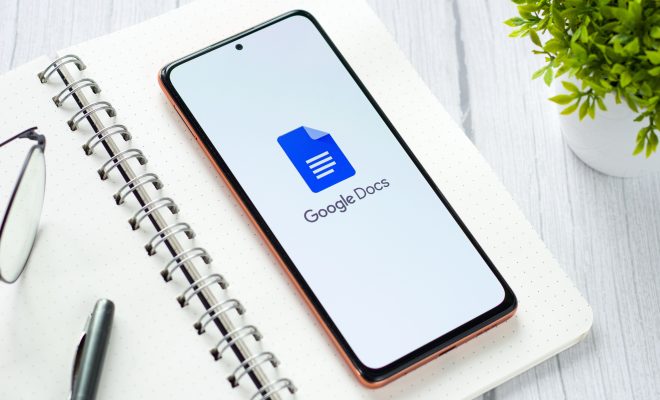
Google Docs is a versatile online & cloud-based suite of productivity tools that lets you create, edit, store, and collaborate on common document formats like documents, spreadsheets, and presentations. It is straightforward to create a new document in Google docs and share it with your team. With Google Docs, you can allow access to your files to colleagues, customers, or other stakeholders over email or links.

In this article, we’ll walk you through the steps to allow access to Google Docs.

Sharing a Google Doc

1. To share a Google Doc, you must first create a new document or open an existing one.

2. Once you’ve created the document, click the “Share” button located on the top right of the page.

3. In the “Share with others” pop-up window, you can either add the email addresses of the people you want to share it with or get a shareable link.

4. If you choose to share the document via email, add the email addresses and add a message to the email explaining why you’re sharing the doc.

5. If you choose to get a shareable link, click the “Get Link” button located on the bottom right of the pop-up window.

6. Once you’ve shared the link with others, they can click the link to access and edit the Google Doc.

Access Levels

Google Docs offers four access levels that you can choose to determine how viewers or collaborators can interact with a document. Each access level has different permissions that allow users to edit, comment, or view the document. The four levels of access are:

1. Owner:

the user who creates the document and has full editing and sharing rights.

2. Editor:

the person who has editing rights to the document.

3. Commenter:

the person who can add comments to the document but does not have editing privileges.

4. Viewer:

the person who can only view the document.

To change the access level of a document, click on the “More” button to the right of the share option, select “Advanced” at the bottom of the drop-down menu, and then select the access level you want to set for your document.

Final Thoughts

By following the steps outlined in this article, you can easily allow access to Google Docs documents. Using Google Docs to collaborate and share documents in real-time is an excellent way to increase teamwork and productivity in the workplace or classroom!


Previous Article

How to Create a Download Link

Next Article

How to Create a Drop-Down List in ...

Matthew Lynch

Related articles More from author

  • Digital & Mobile Technology

    ALAC Audio Format: Is It Better to Use Than AAC?

    June 12, 2023
    By Matthew Lynch
  • Digital & Mobile Technology

    Anker Soundcore Life Q30 Review

    June 15, 2023
    By Matthew Lynch
  • Digital & Mobile Technology

    How to Use Speaker Notes in PowerPoint

    June 12, 2023
    By Matthew Lynch
  • Digital & Mobile Technology

    How to Turn Obsidian Into a Personal Kanban Organizer

    August 2, 2023
    By Matthew Lynch
  • Digital & Mobile Technology

    Free Pedometer Apps That Are Better Than Fitbit

    June 14, 2023
    By Matthew Lynch
  • Digital & Mobile Technology

    Cheapest SSL Certificates: Are They Worth It?

    June 8, 2023
    By Matthew Lynch

Search

Login & Registration

  • Log in
  • Entries feed
  • Comments feed
  • WordPress.org

Newsletter

Signup for The Tech Edvocate Newsletter and have the latest in EdTech news and opinion delivered to your email address!

About Us

Since technology is not going anywhere and does more good than harm, adapting is the best course of action. That is where The Tech Edvocate comes in. We plan to cover the PreK-12 and Higher Education EdTech sectors and provide our readers with the latest news and opinion on the subject. From time to time, I will invite other voices to weigh in on important issues in EdTech. We hope to provide a well-rounded, multi-faceted look at the past, present, the future of EdTech in the US and internationally.

We started this journey back in June 2016, and we plan to continue it for many more years to come. I hope that you will join us in this discussion of the past, present and future of EdTech and lend your own insight to the issues that are discussed.

Newsletter

Signup for The Tech Edvocate Newsletter and have the latest in EdTech news and opinion delivered to your email address!

Contact Us

The Tech Edvocate
910 Goddin Street
Richmond, VA 23231
(601) 630-5238
[email protected]

Copyright © 2026 Matthew Lynch. All rights reserved.