The Tech Edvocate

Top Menu

  • Advertisement
  • Apps
  • Home Page
  • Home Page Five (No Sidebar)
  • Home Page Four
  • Home Page Three
  • Home Page Two
  • Home Tech2
  • Icons [No Sidebar]
  • Left Sidbear Page
  • Lynch Educational Consulting
  • My Account
  • My Speaking Page
  • Newsletter Sign Up Confirmation
  • Newsletter Unsubscription
  • Our Brands
  • Page Example
  • Privacy Policy
  • Protected Content
  • Register
  • Request a Product Review
  • Shop
  • Shortcodes Examples
  • Signup
  • Start Here
    • Governance
    • Careers
    • Contact Us
  • Terms and Conditions
  • The Edvocate
  • The Tech Edvocate Product Guide
  • Topics
  • Write For Us
  • Advertise

Main Menu

  • Start Here
    • Our Brands
    • Governance
      • Lynch Educational Consulting, LLC.
      • Dr. Lynch’s Personal Website
      • Careers
    • Write For Us
    • The Tech Edvocate Product Guide
    • Contact Us
    • Books
    • Edupedia
    • Post a Job
    • The Edvocate Podcast
    • Terms and Conditions
    • Privacy Policy
  • Topics
    • Assistive Technology
    • Child Development Tech
    • Early Childhood & K-12 EdTech
    • EdTech Futures
    • EdTech News
    • EdTech Policy & Reform
    • EdTech Startups & Businesses
    • Higher Education EdTech
    • Online Learning & eLearning
    • Parent & Family Tech
    • Personalized Learning
    • Product Reviews
  • Advertise
  • Tech Edvocate Awards
  • The Edvocate
  • Pedagogue
  • School Ratings

logo

The Tech Edvocate

  • Start Here
    • Our Brands
    • Governance
      • Lynch Educational Consulting, LLC.
      • Dr. Lynch’s Personal Website
        • My Speaking Page
      • Careers
    • Write For Us
    • The Tech Edvocate Product Guide
    • Contact Us
    • Books
    • Edupedia
    • Post a Job
    • The Edvocate Podcast
    • Terms and Conditions
    • Privacy Policy
  • Topics
    • Assistive Technology
    • Child Development Tech
    • Early Childhood & K-12 EdTech
    • EdTech Futures
    • EdTech News
    • EdTech Policy & Reform
    • EdTech Startups & Businesses
    • Higher Education EdTech
    • Online Learning & eLearning
    • Parent & Family Tech
    • Personalized Learning
    • Product Reviews
  • Advertise
  • Tech Edvocate Awards
  • The Edvocate
  • Pedagogue
  • School Ratings
  • Toxic Pills: This Supplement Scandal Puts Millions at Risk

  • Urgent Dog Supplement Recall: This Stealthy Threat Could Be Hiding in Your Pantry!

  • Staggering: Climate Tech Fundraising Collapses — Is AI to Blame?

  • Global AI stocks tumble as industry’s biggest names sound alarm – The Straits Times

  • Sony’s Controversial Move: Why the Last of Us Part II Multiplayer Mod Got Axed

  • Trump’s Wild AI Claims: Is There a ‘Sick Conspiracy’ Against Tech?

  • This One Thing Is Turning Classrooms Into Culture War Battlegrounds

  • Your AI Detector Is Useless: Why Universities Are Scrapping ‘Catch & Ban’ for This

  • Terrifying: AI Is About to Break Cybersecurity – And No One Is Ready

  • Volkswagen’s Staggering Miscalculation: 50,000 Jobs Vanish as EV Dream Sours

Digital & Mobile Technology
Home›Digital & Mobile Technology›The Best HTML Text Editors for Your Mac

The Best HTML Text Editors for Your Mac
By Matthew Lynch
July 31, 2023
0
Spread the love

The internet has created endless opportunities for content creators and web developers alike. The success of any web project depends largely on the quality of the code that supports it. Even for beginners, finding the right text editor can make the difference in the end result of their website. HTML text editors are essential tools in the web development process, helping to create, edit and organize the code that determines the appearance and function of websites.

For Mac users, there are a number of text editors available to choose from, each with its own set of features and capabilities. In this article, we will take a look at some of the best HTML text editors for your Mac.

1. Brackets

Brackets is a popular text editor created by Adobe Systems and is a free open-source software. This editor has a live preview function that allows you to see your changes in real-time, making it ideal for web designers who want to see the outcome of their work immediately. Brackets also features a code editor with syntax highlighting and code completion, making it easier for you to write error-free code.

2. Sublime Text

Sublime Text is a premium text editor that features a simple and clean interface. The editor comes with a variety of features, such as customizability, multi-editing, and robust search and replace capabilities. Users can also customize Sublime Text using different plugins and themes. Although Sublime Text is not free, it offers a free trial that you can use for your HTML editing.

3. Atom

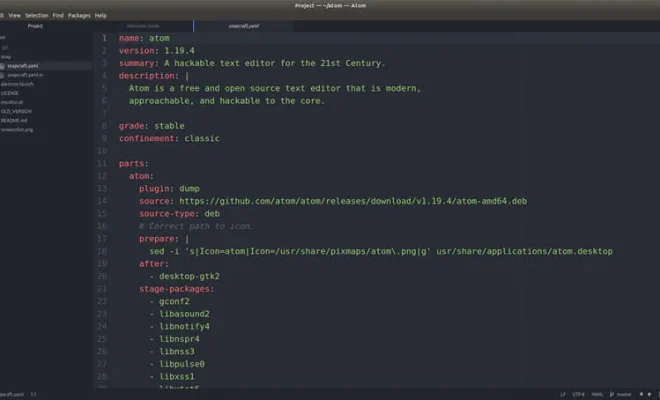
Atom is an open-source HTML text editor that has been gaining popularity among developers. Atom is incredibly responsive and user-friendly, with a modern interface. The application also provides a real-time preview that allows you to see changes made to your code instantaneously. Atom has many free and premium packages, making it highly customizable and perfect for web developers who want to add different features to their editing environment.

4. TextMate

TextMate is a powerful yet lightweight text editor for HTML, with a sophisticated and clean user interface. This editor comes with multiple powerful features, including code snippets, customizable keyboard shortcuts, and an extensive library of plugins that makes coding as simple and smooth as possible. TextMate also has a feature that allows you to quickly navigate through your HTML code by searching for different tags.

5. Visual Studio Code

Visual Studio Code is a free, open-source code editor created and maintained by Microsoft. This tool is packed with features, including syntax highlighting, error correction, and IntelliSense, which provides auto-completion and code suggestions. Visual Studio Code also has many extensions and plugins that can enhance the editor to offer additional functionalities.

Finding the right HTML text editor for your Mac is essential to the success of any web project. While there are many options to choose from, it is important to find the right one that complements your skills, priorities, and budget. The above-listed text editors are some of the best for Mac, providing you with the right tools to create and edit your HTML code effortlessly. Ultimately, selecting the appropriate HTML text editor will significantly enhance the development process, making it easier and more fun to work with.


 

Previous Article

10 Linux Distros for Beginners, Intermediate, and ...

Next Article

Duolingo vs. Memrise: Which Language Learning App ...

Matthew Lynch

Related articles More from author

  • Digital & Mobile Technology

    What Is a Floppy Disk Drive?

    June 8, 2023
    By Matthew Lynch
  • Digital & Mobile Technology

    How to Fix the Behavior:Win32/Hive.ZY Alert on Windows Defender

    August 5, 2023
    By Matthew Lynch
  • Digital & Mobile Technology

    How to Turn Your PC Into a Router

    June 10, 2023
    By Matthew Lynch
  • Digital & Mobile Technology

    What is a System Unit?

    March 20, 2023
    By Matthew Lynch
  • Digital & Mobile Technology

    What Is the Difference Between Roku, Fire Stick, and Chromecast?

    September 7, 2023
    By Matthew Lynch
  • Digital & Mobile Technology

    Bargain Websites That Are Cheaper Than eBay

    June 23, 2023
    By Matthew Lynch

Search

Login & Registration

  • Log in
  • Entries feed
  • Comments feed
  • WordPress.org

Newsletter

Signup for The Tech Edvocate Newsletter and have the latest in EdTech news and opinion delivered to your email address!

About Us

Since technology is not going anywhere and does more good than harm, adapting is the best course of action. That is where The Tech Edvocate comes in. We plan to cover the PreK-12 and Higher Education EdTech sectors and provide our readers with the latest news and opinion on the subject. From time to time, I will invite other voices to weigh in on important issues in EdTech. We hope to provide a well-rounded, multi-faceted look at the past, present, the future of EdTech in the US and internationally.

We started this journey back in June 2016, and we plan to continue it for many more years to come. I hope that you will join us in this discussion of the past, present and future of EdTech and lend your own insight to the issues that are discussed.

Newsletter

Signup for The Tech Edvocate Newsletter and have the latest in EdTech news and opinion delivered to your email address!

Contact Us

The Tech Edvocate
910 Goddin Street
Richmond, VA 23231
(601) 630-5238
[email protected]

Copyright © 2026 Matthew Lynch. All rights reserved.