The Tech Edvocate

Top Menu

  • Advertisement
  • Apps
  • Home Page
  • Home Page Five (No Sidebar)
  • Home Page Four
  • Home Page Three
  • Home Page Two
  • Home Tech2
  • Icons [No Sidebar]
  • Left Sidbear Page
  • Lynch Educational Consulting
  • My Account
  • My Speaking Page
  • Newsletter Sign Up Confirmation
  • Newsletter Unsubscription
  • Our Brands
  • Page Example
  • Privacy Policy
  • Protected Content
  • Register
  • Request a Product Review
  • Shop
  • Shortcodes Examples
  • Signup
  • Start Here
    • Governance
    • Careers
    • Contact Us
  • Terms and Conditions
  • The Edvocate
  • The Tech Edvocate Product Guide
  • Topics
  • Write For Us
  • Advertise

Main Menu

  • Start Here
    • Our Brands
    • Governance
      • Lynch Educational Consulting, LLC.
      • Dr. Lynch’s Personal Website
      • Careers
    • Write For Us
    • The Tech Edvocate Product Guide
    • Contact Us
    • Books
    • Edupedia
    • Post a Job
    • The Edvocate Podcast
    • Terms and Conditions
    • Privacy Policy
  • Topics
    • Assistive Technology
    • Child Development Tech
    • Early Childhood & K-12 EdTech
    • EdTech Futures
    • EdTech News
    • EdTech Policy & Reform
    • EdTech Startups & Businesses
    • Higher Education EdTech
    • Online Learning & eLearning
    • Parent & Family Tech
    • Personalized Learning
    • Product Reviews
  • Advertise
  • Tech Edvocate Awards
  • The Edvocate
  • Pedagogue
  • School Ratings

logo

The Tech Edvocate

  • Start Here
    • Our Brands
    • Governance
      • Lynch Educational Consulting, LLC.
      • Dr. Lynch’s Personal Website
        • My Speaking Page
      • Careers
    • Write For Us
    • The Tech Edvocate Product Guide
    • Contact Us
    • Books
    • Edupedia
    • Post a Job
    • The Edvocate Podcast
    • Terms and Conditions
    • Privacy Policy
  • Topics
    • Assistive Technology
    • Child Development Tech
    • Early Childhood & K-12 EdTech
    • EdTech Futures
    • EdTech News
    • EdTech Policy & Reform
    • EdTech Startups & Businesses
    • Higher Education EdTech
    • Online Learning & eLearning
    • Parent & Family Tech
    • Personalized Learning
    • Product Reviews
  • Advertise
  • Tech Edvocate Awards
  • The Edvocate
  • Pedagogue
  • School Ratings
  • 100 Best Apps for Data Backup

  • 100 Best Apps for Data Migration

  • 100 Best Apps for Data Transformation

  • 100 Best Apps for Data Cleaning

  • 100 Best Apps for Data Entry

  • 100 Best Apps for Business Process Automation

  • 100 Best Apps for Operational Efficiency

  • 100 Best Apps for Improving Processes

  • 100 Best Apps for Scaling Operations

  • 100 Best Apps for Community-Led Growth

Digital & Mobile Technology
Home›Digital & Mobile Technology›10 Best PDF Splitter Tools & Methods

10 Best PDF Splitter Tools & Methods
By Matthew Lynch
June 3, 2023
0
Spread the love

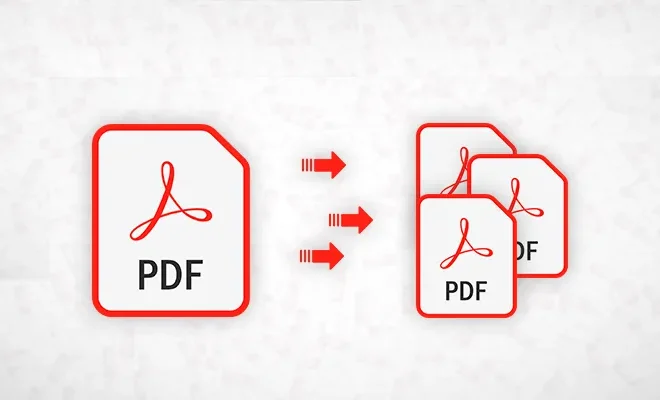
PDFs or Portable Document Format files are widely used to store digital documents. However, there are times when you may need to split a PDF document into separate pages or sections. This may be for sharing, editing, or printing purposes. In such cases, you will require a PDF splitter tool to effectively separate the pages or sections. Here are 10 of the best PDF splitter tools and methods.

1. Adobe Acrobat DC

Adobe Acrobat DC is a premium PDF software that offers advanced splitting features. It allows you to split PDFs by page range, bookmark, or even custom-defined sections. Additionally, it offers a preview feature that lets you see how the pages will be split before you hit the split button.

2. PDFsam Basic

PDFsam Basic is a free and open-source PDF software that allows users to split, merge, and edit PDF documents. The software offers a simple and straightforward interface, and you can choose to split your PDFs by page ranges or even odd or even pages. It is available for both Windows and Mac OS.

3. iLovePDF

iLovePDF is a cloud-based PDF tool that is easy to use and offers a wide range of PDF splitting features. It allows you to split PDFs by size, bookmark, or even custom-defined sections. Additionally, iLovePDF can split multiple PDF files at once, making it an excellent time saver.

4. Smallpdf

Smallpdf is another cloud-based PDF tool that offers a wide range of PDF editing functions, including PDF splitting. The interface is simple and easy to use, and it offers a drag-and-drop feature for easy file upload. Additionally, Smallpdf can split multiple PDF files at once, making it a time-efficient tool.

5. PDFsam Enhanced

PDFsam Enhanced is an advanced PDF tool that offers more features than PDFsam Basic. With PDFsam Enhanced, you can split PDFs into multiple sections, combine PDF documents, and convert PDFs to other formats. The software is affordable and works well for large PDF files.

6. Online-Convert.com

Online-Convert.com is a free online PDF tool that offers a range of PDF editing functions. The tool allows users to split PDFs by page range, bookmark, or even custom-defined sections. Additionally, the tool can convert your PDFs to other file formats, such as Microsoft Word or Excel.

7. GSplit

GSplit is a free and lightweight software that allows users to split large files, including PDFs, into smaller sections. The software offers a simple and intuitive interface, and you can split files based on size or specific sections.

8. PDFill PDF Editor

PDFill PDF Editor is a useful PDF tool that offers a wide range of features, including the ability to split PDFs. The software is easy to use and allows you to split your PDFs by page range or even odd or even pages. Additionally, the software can add watermarks and stamps to your PDF documents.

9. A-PDF Split

A-PDF Split is a software that specializes in splitting PDF documents. The software offers a simple and easy-to-use interface, and you can split your PDFs by page range or bookmark. Additionally, the software has a batch processing function, allowing you to split multiple PDF documents at once.

10. Sejda PDF

Sejda PDF is a cloud-based PDF tool that offers a range of editing functions, including PDF splitting. The tool is easy to use, and you can split your PDFs by page range, bookmark, or even custom-defined sections. Additionally, the tool can merge and convert PDFs to other file formats.

In conclusion, there are various PDF splitter tools and methods to choose from. Whether you are using a cloud-based tool or installed software, each tool offers a range of features that allow you to split your PDF documents effectively. Choose a tool that suits your purposes and enjoy seamless PDF splitting.


Previous Article

How to Watch Sports on Amazon Prime

Next Article

How to Use Multiple Desktops in Windows ...

Matthew Lynch

Related articles More from author

  • Digital & Mobile Technology

    How to Activate Full-Screen Mode in Google Chrome

    May 31, 2023
    By Matthew Lynch
  • Digital & Mobile Technology

    Best Free Video Converter Programs and Online Services

    June 6, 2023
    By Matthew Lynch
  • Digital & Mobile Technology

    What Is Screen Hacking and How Can You Protect Yourself?

    September 8, 2023
    By Matthew Lynch
  • Digital & Mobile Technology

    How to Transfer Music From iPhone to iPhone

    June 10, 2023
    By Matthew Lynch
  • Digital & Mobile Technology

    An Introduction to Using Launchpad on the Mac

    August 5, 2023
    By Matthew Lynch
  • Digital & Mobile Technology

    Basic Camera Settings All Photographers Need to Understand

    June 15, 2023
    By Matthew Lynch

Search

Login & Registration

  • Log in
  • Entries feed
  • Comments feed
  • WordPress.org

Newsletter

Signup for The Tech Edvocate Newsletter and have the latest in EdTech news and opinion delivered to your email address!

About Us

Since technology is not going anywhere and does more good than harm, adapting is the best course of action. That is where The Tech Edvocate comes in. We plan to cover the PreK-12 and Higher Education EdTech sectors and provide our readers with the latest news and opinion on the subject. From time to time, I will invite other voices to weigh in on important issues in EdTech. We hope to provide a well-rounded, multi-faceted look at the past, present, the future of EdTech in the US and internationally.

We started this journey back in June 2016, and we plan to continue it for many more years to come. I hope that you will join us in this discussion of the past, present and future of EdTech and lend your own insight to the issues that are discussed.

Newsletter

Signup for The Tech Edvocate Newsletter and have the latest in EdTech news and opinion delivered to your email address!

Contact Us

The Tech Edvocate
910 Goddin Street
Richmond, VA 23231
(601) 630-5238
[email protected]

Copyright © 2026 Matthew Lynch. All rights reserved.