The Tech Edvocate

Top Menu

  • Advertisement
  • Apps
  • Home Page
  • Home Page Five (No Sidebar)
  • Home Page Four
  • Home Page Three
  • Home Page Two
  • Home Tech2
  • Icons [No Sidebar]
  • Left Sidbear Page
  • Lynch Educational Consulting
  • My Account
  • My Speaking Page
  • Newsletter Sign Up Confirmation
  • Newsletter Unsubscription
  • Our Brands
  • Page Example
  • Privacy Policy
  • Protected Content
  • Register
  • Request a Product Review
  • Shop
  • Shortcodes Examples
  • Signup
  • Start Here
    • Governance
    • Careers
    • Contact Us
  • Terms and Conditions
  • The Edvocate
  • The Tech Edvocate Product Guide
  • Topics
  • Write For Us
  • Advertise

Main Menu

  • Start Here
    • Our Brands
    • Governance
      • Lynch Educational Consulting, LLC.
      • Dr. Lynch’s Personal Website
      • Careers
    • Write For Us
    • The Tech Edvocate Product Guide
    • Contact Us
    • Books
    • Edupedia
    • Post a Job
    • The Edvocate Podcast
    • Terms and Conditions
    • Privacy Policy
  • Topics
    • Assistive Technology
    • Child Development Tech
    • Early Childhood & K-12 EdTech
    • EdTech Futures
    • EdTech News
    • EdTech Policy & Reform
    • EdTech Startups & Businesses
    • Higher Education EdTech
    • Online Learning & eLearning
    • Parent & Family Tech
    • Personalized Learning
    • Product Reviews
  • Advertise
  • Tech Edvocate Awards
  • The Edvocate
  • Pedagogue
  • School Ratings

logo

The Tech Edvocate

  • Start Here
    • Our Brands
    • Governance
      • Lynch Educational Consulting, LLC.
      • Dr. Lynch’s Personal Website
        • My Speaking Page
      • Careers
    • Write For Us
    • The Tech Edvocate Product Guide
    • Contact Us
    • Books
    • Edupedia
    • Post a Job
    • The Edvocate Podcast
    • Terms and Conditions
    • Privacy Policy
  • Topics
    • Assistive Technology
    • Child Development Tech
    • Early Childhood & K-12 EdTech
    • EdTech Futures
    • EdTech News
    • EdTech Policy & Reform
    • EdTech Startups & Businesses
    • Higher Education EdTech
    • Online Learning & eLearning
    • Parent & Family Tech
    • Personalized Learning
    • Product Reviews
  • Advertise
  • Tech Edvocate Awards
  • The Edvocate
  • Pedagogue
  • School Ratings
  • The Gemini in Classroom vs Traditional Tools Debate: A Staggering Reversal

  • Why Your Tech Job Isn’t Safe: The AI Uprising Is Just Getting Started

  • Why Google’s AI Policy Just Sparked a Massive Uproar in Schools

  • Unmasking Java4Shell: The 9 Tools Enterprises Need Now to Fight CVE-2026-114938

  • Unbelievable: Waymo’s Freeway Suspension Is Far Worse Than You Think

  • The Brutal Truth About New EU Cybersecurity Rules You Can’t Afford to Miss

  • Cum compari bonusurile de bun venit ale cazinourilor online din România: valoare, rulaj și termene

  • Unbelievable: South Korea’s AI Cheating Scandal Forces Glasses Inspections

  • 7 Disturbing Truths About the Latest AI Data Breach

  • This Ancient Builder’s $150M AI Bet Could Redefine Construction

Digital & Mobile Technology
Home›Digital & Mobile Technology›Ways to Fix Call of Duty: Modern Warfare’s Dev Error 6036 on Windows

Ways to Fix Call of Duty: Modern Warfare’s Dev Error 6036 on Windows

By Matthew Lynch
June 13, 2023
0
Spread the love

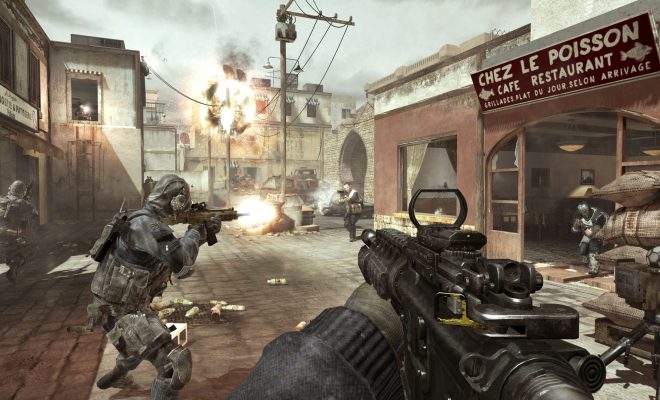
Call of Duty: Modern Warfare is one of the most popular first-person shooter games on the market, with millions of players logging in every day to battle against each other. However, like any game, it’s not without its share of technical issues, and one of the most common problems is Dev Error 6036. This error can cause the game to crash and can be frustrating for players, but fortunately, there are several ways to fix it on Windows.

1. Update your graphics drivers

One of the most common causes of Dev Error 6036 is outdated or malfunctioning graphics drivers. The solution is relatively simple – update your drivers. You can do this manually through the manufacturer’s website, or you can use a driver update tool to automate the process. Once you’ve updated your drivers, restart your computer and try running the game again.

2. Check for Windows updates

Another potential cause of Dev Error 6036 is an outdated version of Windows. It’s essential to have the latest updates for your operating system to ensure that all components are functioning correctly. Go to your Windows Settings and check for updates to download and install any pending updates.

3. Lower graphics settings

If updating your graphics drivers doesn’t solve the problem, you may need to lower your graphics settings within the game. To do this, go to the game options and select the graphics tab. Lower the resolution, texture quality, and other settings until the game runs smoothly. This method will not only fix Dev Error 6036 but also improve your overall gaming experience.

4. Disable in-game overlays

In-game overlays like Discord, Steam, or GeForce can sometimes interfere with Modern Warfare and cause Dev Error 6036. Try disabling these overlays both in-game and your third-party software and see if that resolves the issue.

5. Verify game files

Corrupted or missing game files can be a significant cause of Modern Warfare Dev Error 6036. To fix the issue, you need to verify the integrity of the game files. Launch Battle.net or the game client, navigate to the Call of Duty: Modern Warfare tab, and click the options button. Select Scan and Repair and wait for the process to complete.

Final Thoughts

Dev Error 6036 can be frustrating, but taking the above steps should resolve the issue. If none of the above fixes work, you could try uninstalling and reinstalling the game. Before doing so, ensure you have backed up any relevant game files or progress data. You can also seek technical support from the game developers or check the game forums for help from the community.


Previous Article

Is It Legal to Record Calls on ...

Next Article

Reasons Why Upwork Is Better Than Fiverr

Matthew Lynch

Related articles More from author

  • Digital & Mobile Technology

    How to Remove or Add Gridlines in Excel

    June 3, 2023
    By Matthew Lynch
  • Digital & Mobile Technology

    Call of Duty Modern Warfare 3 System Requirements

    July 6, 2023
    By Matthew Lynch
  • Digital & Mobile Technology

    The Benefits of Buying Xbox Live Gold

    June 10, 2023
    By Matthew Lynch
  • Digital & Mobile TechnologyTech News

    TOP 100 TECH LAUNCHES OF APRIL 7, 2025: INNOVATION SHOWCASE

    April 7, 2025
    By Matthew Lynch
  • Digital & Mobile Technology

    How to Fix the “Sorry, No Manipulations With Clipboard Allowed” Mac Error

    August 5, 2023
    By Matthew Lynch
  • Digital & Mobile Technology

    How Do Rockets Land Back On Earth? The Amazing Tech Involved

    August 3, 2023
    By Matthew Lynch

Search

Login & Registration

  • Log in
  • Entries feed
  • Comments feed
  • WordPress.org

Newsletter

Signup for The Tech Edvocate Newsletter and have the latest in EdTech news and opinion delivered to your email address!

About Us

Since technology is not going anywhere and does more good than harm, adapting is the best course of action. That is where The Tech Edvocate comes in. We plan to cover the PreK-12 and Higher Education EdTech sectors and provide our readers with the latest news and opinion on the subject. From time to time, I will invite other voices to weigh in on important issues in EdTech. We hope to provide a well-rounded, multi-faceted look at the past, present, the future of EdTech in the US and internationally.

We started this journey back in June 2016, and we plan to continue it for many more years to come. I hope that you will join us in this discussion of the past, present and future of EdTech and lend your own insight to the issues that are discussed.

Newsletter

Signup for The Tech Edvocate Newsletter and have the latest in EdTech news and opinion delivered to your email address!

Contact Us

The Tech Edvocate
910 Goddin Street
Richmond, VA 23231
(601) 630-5238
[email protected]

Copyright © 2026 Matthew Lynch. All rights reserved.