The Tech Edvocate

Top Menu

  • Advertisement
  • Apps
  • Home Page
  • Home Page Five (No Sidebar)
  • Home Page Four
  • Home Page Three
  • Home Page Two
  • Home Tech2
  • Icons [No Sidebar]
  • Left Sidbear Page
  • Lynch Educational Consulting
  • My Account
  • My Speaking Page
  • Newsletter Sign Up Confirmation
  • Newsletter Unsubscription
  • Our Brands
  • Page Example
  • Privacy Policy
  • Protected Content
  • Register
  • Request a Product Review
  • Shop
  • Shortcodes Examples
  • Signup
  • Start Here
    • Governance
    • Careers
    • Contact Us
  • Terms and Conditions
  • The Edvocate
  • The Tech Edvocate Product Guide
  • Topics
  • Write For Us
  • Advertise

Main Menu

  • Start Here
    • Our Brands
    • Governance
      • Lynch Educational Consulting, LLC.
      • Dr. Lynch’s Personal Website
      • Careers
    • Write For Us
    • The Tech Edvocate Product Guide
    • Contact Us
    • Books
    • Edupedia
    • Post a Job
    • The Edvocate Podcast
    • Terms and Conditions
    • Privacy Policy
  • Topics
    • Assistive Technology
    • Child Development Tech
    • Early Childhood & K-12 EdTech
    • EdTech Futures
    • EdTech News
    • EdTech Policy & Reform
    • EdTech Startups & Businesses
    • Higher Education EdTech
    • Online Learning & eLearning
    • Parent & Family Tech
    • Personalized Learning
    • Product Reviews
  • Advertise
  • Tech Edvocate Awards
  • The Edvocate
  • Pedagogue
  • School Ratings

logo

The Tech Edvocate

  • Start Here
    • Our Brands
    • Governance
      • Lynch Educational Consulting, LLC.
      • Dr. Lynch’s Personal Website
        • My Speaking Page
      • Careers
    • Write For Us
    • The Tech Edvocate Product Guide
    • Contact Us
    • Books
    • Edupedia
    • Post a Job
    • The Edvocate Podcast
    • Terms and Conditions
    • Privacy Policy
  • Topics
    • Assistive Technology
    • Child Development Tech
    • Early Childhood & K-12 EdTech
    • EdTech Futures
    • EdTech News
    • EdTech Policy & Reform
    • EdTech Startups & Businesses
    • Higher Education EdTech
    • Online Learning & eLearning
    • Parent & Family Tech
    • Personalized Learning
    • Product Reviews
  • Advertise
  • Tech Edvocate Awards
  • The Edvocate
  • Pedagogue
  • School Ratings
  • Unbelievable: Waymo’s Freeway Suspension Is Far Worse Than You Think

  • The Brutal Truth About New EU Cybersecurity Rules You Can’t Afford to Miss

  • Cum compari bonusurile de bun venit ale cazinourilor online din România: valoare, rulaj și termene

  • Unbelievable: South Korea’s AI Cheating Scandal Forces Glasses Inspections

  • 7 Disturbing Truths About the Latest AI Data Breach

  • This Ancient Builder’s $150M AI Bet Could Redefine Construction

  • The Astonishing Reason Canada Might Embrace Chinese Automakers

  • This One Week of Cyber Incidents in October 2026 Proves AI Is Our Biggest Threat

  • Amex Reverses Controversial Clawback: What It Means for Your Rewards

  • Mind-Blowing: NHTSA Just Launched a Waymo Recall Query — Here’s Why It Matters

Digital & Mobile Technology
Home›Digital & Mobile Technology›Fixmbr Command (Recovery Console)

Fixmbr Command (Recovery Console)
By Matthew Lynch
June 10, 2023
0
Spread the love

If you’re having trouble with your Windows system, you might have heard about the Fixmbr command that can be used in the Recovery Console. This command can help fix the Master Boot Record (MBR), which is a crucial component of the boot process for Windows.

The Master Boot Record is a small program that is responsible for launching the operating system’s boot loader. If there is an issue with the MBR, it can prevent the system from booting up properly. This is where the Fixmbr command comes in.

The Fixmbr command is available in the Recovery Console, which is a tool that can be used to troubleshoot problems with the operating system. The Recovery Console is a command-line tool that can be accessed by booting from a Windows installation disc or recovery drive.

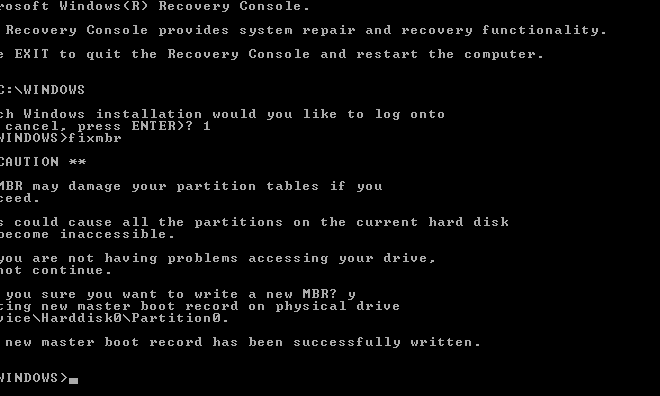
To use the Fixmbr command, you will need to access the Recovery Console and open a command prompt. Once you have done this, you can use the following steps to run the Fixmbr command:

1. Type “fixmbr” and press Enter.

2. Wait for the command to finish running. It may take a few minutes to complete.

3. Restart your computer and see if the issue has been resolved.

The Fixmbr command will rewrite the MBR with a new, clean version that should allow the system to boot up properly. This can be especially useful if you are seeing error messages related to the MBR, such as “Invalid partition table” or “Error loading operating system.”

While the Fixmbr command can be a useful tool for troubleshooting MBR issues, it is important to keep in mind that it can potentially cause data loss. If you have any important files or data on your system, be sure to back them up before running the command.

In addition, if the Fixmbr command does not resolve your issue, there may be other problems with your system that need to be addressed. In this case, it may be necessary to seek assistance from a professional technician or contact Microsoft support for further help.

Overall, the Fixmbr command can be a useful tool for solving MBR-related issues in Windows. By using the Recovery Console and running the Fixmbr command, you may be able to get your system back up and running properly in no time.

Previous Article

Camcorders vs. Digital Cameras

Next Article

Top Wii Remote Chargers and Comparison Chart

Matthew Lynch

Related articles More from author

  • Digital & Mobile Technology

    The Best Role-Playing Games for Mac

    June 23, 2023
    By Matthew Lynch
  • Digital & Mobile Technology

    Best Emergency Alert Apps of 2023

    June 10, 2023
    By Matthew Lynch
  • Digital & Mobile Technology

    HDMI Cable Types: Everything You Need to Know

    June 7, 2023
    By Matthew Lynch
  • Digital & Mobile Technology

    Is Amazon Prime Worth Your Money? We Help You Decide!

    July 31, 2023
    By Matthew Lynch
  • Digital & Mobile Technology

    Best Virtual Private Server Hosting

    April 11, 2023
    By Matthew Lynch
  • Digital & Mobile Technology

    What Is a DAT File (and How Do I Open One)?

    April 17, 2023
    By Matthew Lynch

Search

Login & Registration

  • Log in
  • Entries feed
  • Comments feed
  • WordPress.org

Newsletter

Signup for The Tech Edvocate Newsletter and have the latest in EdTech news and opinion delivered to your email address!

About Us

Since technology is not going anywhere and does more good than harm, adapting is the best course of action. That is where The Tech Edvocate comes in. We plan to cover the PreK-12 and Higher Education EdTech sectors and provide our readers with the latest news and opinion on the subject. From time to time, I will invite other voices to weigh in on important issues in EdTech. We hope to provide a well-rounded, multi-faceted look at the past, present, the future of EdTech in the US and internationally.

We started this journey back in June 2016, and we plan to continue it for many more years to come. I hope that you will join us in this discussion of the past, present and future of EdTech and lend your own insight to the issues that are discussed.

Newsletter

Signup for The Tech Edvocate Newsletter and have the latest in EdTech news and opinion delivered to your email address!

Contact Us

The Tech Edvocate
910 Goddin Street
Richmond, VA 23231
(601) 630-5238
[email protected]

Copyright © 2026 Matthew Lynch. All rights reserved.