Best Zapier integrations for business
“`html
In today’s interconnected digital landscape, the idea of having all your business tools talk to each other isn’t just a luxury; it’s a fundamental necessity. We’re juggling CRMs, marketing automation platforms, project management suites, communication apps, and countless other services. Manually moving data between them is a soul-crushing, time-devouring task that no one enjoys. That’s where automation platforms like Zapier come in, acting as the universal translator for your entire tech stack.
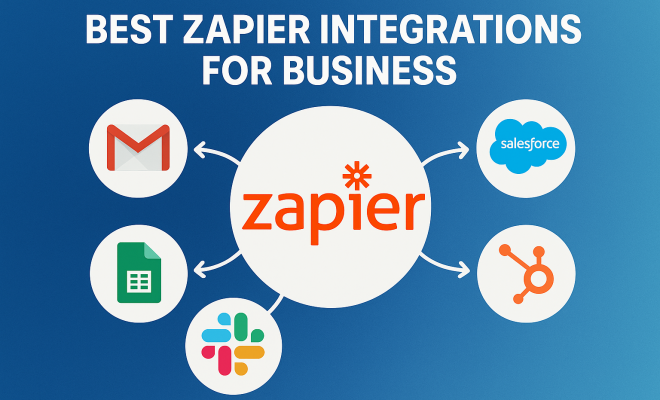
Zapier, at its core, is an online automation tool that connects your favorite apps. Think of it as a digital glue, allowing you to build automated workflows (they call them ‘Zaps’) between different services without writing a single line of code. These Zaps consist of a ‘trigger’ in one app and an ‘action’ in another. For example, a new email subscriber in your marketing app (trigger) could automatically create a new contact in your CRM (action). Simple, right? But the power lies in the sheer number of applications it connects – over 6,000 and counting – and the endless combinations you can create. Choosing the best Zapier integrations can genuinely transform your operational efficiency.
For businesses looking to scale, streamline operations, and free up their teams from repetitive busywork, understanding which integrations offer the most bang for their buck is crucial. It’s not just about connecting any two apps; it’s about identifying those strategic connections that yield significant returns in productivity, data accuracy, and ultimately, profitability. Let’s dive into some of the best Zapier integrations that are proving invaluable for businesses across various sectors.
1. CRM (Customer Relationship Management) Tools: The Heartbeat of Sales and Service
Your CRM is arguably the most critical application for sales, marketing, and customer service teams. It’s where all your customer data lives – leads, contacts, deals, communication histories. Naturally, integrating your CRM with other business tools is paramount. Zapier shines here by ensuring your CRM data is always up-to-date and accessible, without manual entry.
Consider a scenario where a new lead fills out a form on your website. Without Zapier, someone would need to manually copy that information into your CRM. With a Zap, that form submission automatically creates a new contact and lead record in Salesforce, HubSpot, Zoho CRM, or whatever system you use. This not only saves time but also eliminates data entry errors and ensures immediate follow-up. Furthermore, if a deal closes in your CRM, a Zap could automatically trigger an invoice in your accounting software or notify your fulfillment team, creating a seamless handover.
2. Marketing Automation Platforms: Fueling Your Growth Engine
Marketing automation tools like Mailchimp, ActiveCampaign, or ConvertKit are essential for nurturing leads and engaging with your audience. The challenge often lies in connecting these platforms to other parts of your business ecosystem, especially your CRM or sales tools. This is where Zapier becomes indispensable, bridging the gap between your marketing efforts and your sales pipeline.
Imagine a prospect downloading an ebook from your website. That action, captured by your marketing automation platform, can trigger a Zap to create a new lead in your CRM, assign it to a sales rep, and even send an internal Slack notification to that rep. When a contact reaches a certain lead score in ActiveCampaign, a Zap can automatically move them to a new stage in your CRM or trigger a personalized email sequence from your sales team. These automated workflows ensure that no lead falls through the cracks and that your sales team is always working with the most qualified prospects, making these some of the best Zapier integrations for lead management.
3. Communication Tools (Slack, Microsoft Teams): Keeping Everyone in the Loop
Internal communication platforms have become the virtual water coolers and war rooms of modern businesses. Slack and Microsoft Teams are central to daily operations, project discussions, and quick information sharing. Integrating these tools with your other business applications through Zapier can dramatically improve team awareness and responsiveness.
Think about getting instant notifications for critical business events. A new high-priority support ticket comes in? Zapier can post a message in your customer service Slack channel. A new sale is closed in your CRM? Celebrate it with an automated message in your sales team’s channel. A new file is uploaded to a shared cloud storage folder? Alert the relevant project team. These real-time updates reduce the need for constant email checking, keep teams aligned, and allow for faster responses to critical developments. It’s about bringing information to where your team already is, rather than making them hunt for it.
4. Project Management Software (Asana, Trello, Jira): Orchestrating Teamwork
Effective project management is the backbone of delivering work on time and within budget. Tools like Asana, Trello, Monday.com, and Jira help teams organize tasks, track progress, and collaborate efficiently. However, these tools often need to interact with other systems to capture requests, update statuses, or log time. This is where Zapier steps in to automate the flow of project-related information. (See: Understanding automation in business.)
Consider client requests coming in via email or a web form. A Zap can automatically convert that request into a new task in Asana, assign it to the appropriate team member, and even set a due date. When a task is marked complete in Trello, a Zap could update a spreadsheet, notify a stakeholder via email, or even trigger a follow-up action in your CRM. These integrations ensure that project work is initiated promptly, statuses are accurately reflected across systems, and teams aren’t wasting time manually creating or updating tasks, solidifying their place among the best Zapier integrations for operational efficiency. This builds on productivity apps.
5. Accounting & Invoicing Software (QuickBooks, Xero, Stripe): Streamlining Financial Operations
Managing finances, from invoicing to expense tracking and payment processing, is a non-negotiable part of any business. Integrating your accounting and invoicing software with other platforms can significantly reduce manual data entry, minimize errors, and accelerate cash flow. Zapier offers powerful connections here for tools like QuickBooks Online, Xero, Stripe, and PayPal.
Imagine a sales deal closing in your CRM. A Zap can automatically create an invoice in QuickBooks or Xero, pre-filling all the client and service details. When a payment is processed through Stripe, another Zap could mark that invoice as paid, update the client’s record in your CRM, and send a thank-you email. This automation not only saves your finance team countless hours but also ensures greater accuracy and faster reconciliation of accounts. It’s about making sure your money moves as efficiently as your data, and these are some of the best Zapier integrations for financial management.
6. Form Builders (Typeform, Google Forms, Jotform): Capturing Data Automatically
Forms are often the initial point of contact for leads, support requests, survey responses, and event registrations. The data collected through these forms is incredibly valuable, but only if it can be easily channeled into the right systems. Zapier makes form builders incredibly powerful by automating what happens after submission.
When someone fills out a Typeform for a webinar registration, a Zap can instantly add them to your email marketing list, create a calendar event for them, and send a personalized confirmation email. If it’s a customer support request submitted via Google Forms, a Zap can automatically create a new ticket in your help desk software (like Zendesk or Freshdesk) and notify the support team in Slack. These integrations transform static form submissions into dynamic triggers for your business workflows, ensuring that every piece of incoming data is acted upon promptly and correctly.
7. Spreadsheets (Google Sheets, Excel): The Universal Data Hub
Despite the proliferation of specialized software, spreadsheets like Google Sheets and Microsoft Excel remain indispensable tools for many businesses. They’re used for everything from tracking leads and managing inventories to analyzing data and creating reports. Zapier’s ability to interact with spreadsheets makes them an even more potent tool, allowing them to act as central data hubs or interim storage for various automated workflows.
For instance, every time a new order comes in from your e-commerce platform, a Zap can automatically add a new row to a Google Sheet, logging details like the customer name, product, and order value. This allows for real-time tracking and reporting without manual data entry. Conversely, data from a spreadsheet can be used to trigger actions in other apps – perhaps a list of new employees in a Google Sheet could automatically create accounts in your HR software and add them to relevant communication channels. The flexibility of spreadsheet integrations makes them one of the best Zapier integrations for custom data management.
8. Cloud Storage (Google Drive, Dropbox, OneDrive): Organizing Your Digital Assets
Businesses generate and store vast amounts of digital assets, from client contracts and marketing materials to internal documents and project files. Cloud storage solutions like Google Drive, Dropbox, and OneDrive are essential for accessibility and collaboration. Integrating these with your other business apps via Zapier ensures that files are organized, shared, and backed up automatically.
Imagine a new client contract being signed and uploaded to Dropbox. A Zap can detect this new file, automatically move it to the client’s specific folder in Google Drive, and then notify the relevant account manager. If a marketing asset is finalized and uploaded, a Zap could automatically share a link to that file in your marketing team’s communication channel. These integrations streamline document management, reduce the risk of lost files, and ensure everyone has access to the most current versions, making them crucial among the best Zapier integrations for document workflow.
9. Scheduling & Booking Software (Calendly, Acuity Scheduling): Automating Appointments
For service-based businesses, consultants, or sales teams, managing appointments and bookings can be a significant administrative burden. Tools like Calendly and Acuity Scheduling simplify the booking process for clients, but connecting these bookings to your internal systems often requires manual effort. Zapier eliminates this by automating post-booking actions.
When a client schedules a meeting through Calendly, a Zap can automatically create a corresponding event in your Google Calendar, add the client’s details to your CRM, and even send a personalized welcome email. If the meeting is with a sales prospect, a Zap could also create a task for the sales rep to prepare for the call or send an internal notification. These integrations ensure that every booking is seamlessly integrated into your workflow, reducing no-shows, improving client experience, and freeing up administrative time to focus on higher-value tasks. (See: Impact of automation on productivity.)
10. E-commerce Platforms (Shopify, WooCommerce, Gumroad): Supercharging Your Online Store
Running an online store involves a lot more than just listing products. You’re dealing with orders, inventory, customer service, shipping, and marketing. Integrating your e-commerce platform with other business tools through Zapier can automate many of these moving parts, allowing you to focus on growing your sales.
Consider a new order coming in through Shopify. A Zap can automatically add that customer’s information to your email marketing list (like Mailchimp or ActiveCampaign) for future promotions. Simultaneously, it could create a new entry in your Google Sheet for order tracking or even notify your shipping team via Slack. If a customer abandons their cart, a Zap could trigger a personalized follow-up email sequence in your marketing automation platform. For digital product sellers using Gumroad, a Zap could automatically grant access to specific content or add purchasers to a private community. These integrations streamline order fulfillment, enhance customer communication, and help you recover lost sales, making them some of the best Zapier integrations for e-commerce.
11. Help Desk & Customer Support (Zendesk, Freshdesk, Intercom): Elevating Customer Service
Exceptional customer service is a key differentiator in today’s competitive market. Help desk software helps manage inquiries, track issues, and maintain a knowledge base. Integrating these tools with your broader ecosystem can dramatically improve response times, personalize support, and keep your customer data consistent.
Imagine a customer submitting a support request through your website. A Zap can instantly create a new ticket in Zendesk, assign it to the appropriate agent, and even update the customer’s record in your CRM to reflect their recent interaction. If a high-priority ticket comes in, a Zap could send an urgent notification to your support team’s Microsoft Teams channel. When a ticket is closed, a Zap could trigger a follow-up survey email or update a Google Sheet for reporting purposes. By automating these processes, you ensure every customer inquiry is handled efficiently, agents have all the necessary context, and you can proactively identify trends in customer feedback.
12. Payment Processors (PayPal, Square): Connecting Your Cash Flow
Beyond the core accounting software, integrating direct payment processors can add another layer of automation to your financial workflows. Whether you’re receiving payments for services, products, or subscriptions, connecting these platforms ensures real-time updates and reduces manual reconciliation.
When a payment is successfully processed through PayPal, a Zap can automatically update the corresponding invoice in QuickBooks or Xero, marking it as paid. It could also update the client’s status in your CRM or log the transaction in a dedicated Google Sheet for tracking. For businesses using Square for in-person sales, a Zap could transfer transaction data to your inventory management system or email marketing platform. These integrations ensure that your financial records are always accurate and up-to-date, minimizing discrepancies and making audit trails much easier to manage.
The Strategic Advantage: Why These Integrations Matter
The real magic of the best Zapier integrations isn’t just about saving a few minutes here and there. It’s about a fundamental shift in how your business operates. By automating the flow of information between these critical applications, you achieve several strategic advantages:
- Reduced Manual Error: Human error is inevitable. Automation eliminates typos, forgotten steps, and inconsistent data entry. This leads to cleaner data, more reliable reports, and better decision-making.
- Enhanced Data Consistency: When information flows automatically between systems, you avoid data silos. Your CRM, marketing platform, and accounting software all have a unified view of your customers and operations.
- Accelerated Workflows: Tasks that once took hours or days can now happen in seconds. This means faster lead follow-up, quicker invoice processing, and more responsive customer service.
- Scalability: As your business grows, the volume of manual tasks can quickly become overwhelming. Zapier allows you to scale your operations without proportionally increasing your headcount for administrative tasks.
- Focus on High-Value Work: By offloading repetitive tasks to Zapier, your team members are freed up to concentrate on strategic initiatives, creative problem-solving, and direct customer engagement – the work that truly drives your business forward.
- Improved Customer Experience: From faster responses to personalized communications, automation can significantly enhance the overall experience for your customers, building loyalty and satisfaction.
Expert Perspective: Building a Resilient Automation Strategy
According to Sarah Jenkins, a leading automation consultant for SMBs, “Many businesses start with Zapier by automating one or two simple tasks. That’s a great beginning! But where the real power comes in is when you start thinking about your entire business as an interconnected system. Map out your end-to-end processes – from lead capture to sales, fulfillment, and support – and then look for every manual handoff. Each one of those is an opportunity for a Zapier integration. Don’t just automate for automation’s sake; automate to solve real bottlenecks and to empower your team. Focus on integrations that create a holistic data flow, not just isolated task completion.”
Beyond the Basics: Advanced Zapier Capabilities
While the trigger-action model is fundamental, Zapier offers more sophisticated features that power truly robust workflows:
- Multi-Step Zaps: A single trigger can lead to multiple sequential actions across different apps. For example, a new form submission could create a CRM contact, send an internal Slack notification, and then add a row to a Google Sheet.
- Filters: You can set conditions for when a Zap should continue. Maybe you only want to create a CRM lead if the form submission indicates a specific product interest.
- Paths: For more complex decision-making, Paths allow you to create different action branches based on specific conditions. For instance, if a lead’s industry is ‘Healthcare’, take one set of actions; if it’s ‘Tech’, take another.
- Formatters: These built-in tools let you manipulate data before it’s sent to another app. You can format dates, extract text, or perform calculations, ensuring data consistency across disparate systems.
- Webhooks: For apps not natively supported by Zapier, or for highly custom integrations, Webhooks allow you to send and receive data directly via HTTP requests, opening up a world of possibilities for developers or advanced users.
FAQs: Getting the Most Out of Zapier
Q1: How do I choose which Zapier integrations are best for my business?
Start by identifying your most repetitive manual tasks or areas where data inconsistencies cause problems. Think about processes that involve moving information between two or more apps. For example, if you manually copy form submissions into your CRM, that’s a prime candidate. Prioritize integrations that will save the most time, reduce errors, or directly impact revenue or customer satisfaction. (See: Research on digital transformation.)
Q2: Do I need coding skills to use Zapier?
Absolutely not! That’s one of Zapier’s biggest strengths. It’s designed for non-technical users to build sophisticated automations using a simple, intuitive interface. If you can follow instructions and understand basic logic (if this, then that), you can use Zapier.
Q3: What if an app I use isn’t directly supported by Zapier?
Zapier supports thousands of apps, but if yours isn’t one of them, you still have options. Many apps have built-in email parsing or webhook capabilities. Zapier can often connect to these using its email parser or Webhooks by Zapier feature. This allows you to integrate with virtually any web-based application, though it might require a bit more technical understanding.
Q4: How much does Zapier cost?
Zapier offers various pricing tiers, including a free plan with limited Zaps and tasks. Paid plans scale based on the number of Zaps you need active and the volume of tasks (actions performed by your Zaps) you expect to run each month. It’s best to start with the free plan to test the waters and then upgrade as your automation needs grow. The cost is often quickly offset by the time and efficiency gains.
Q5: Can Zapier handle complex, multi-step workflows?
Yes, definitely. While simple trigger-action Zaps are common, Zapier excels at multi-step workflows. You can chain together many actions, use filters to set conditions, and even employ ‘Paths’ to create different outcomes based on specific data points. This allows for highly customized and intelligent automations that mirror complex business processes.
Q6: What are “tasks” in Zapier, and why do they matter for pricing?
A “task” in Zapier is counted every time a Zap successfully performs an action. So, if a Zap triggers and creates a new contact in your CRM, that’s one task. If it then sends a Slack notification, that’s another task. Your Zapier plan’s cost is largely determined by the number of tasks your Zaps execute each month. It’s important to monitor your task usage, especially with complex Zaps, to stay within your plan limits.
Q7: How do I ensure my Zaps are reliable and don’t break?
Regularly check your Zap history in Zapier to catch any errors. Make sure the connected apps’ accounts remain active and have the necessary permissions. If an app updates its API, your Zap might need adjustment. Zapier also sends email notifications for failed Zaps, so keep an eye on those. Building in error handling or notifications for failures can also be a good practice.
The power of Zapier lies not just in connecting individual apps, but in the intelligent orchestration of your entire digital ecosystem. By carefully selecting and implementing the best Zapier integrations, businesses can move beyond mere automation to truly transform their operational efficiency, enhance data accuracy, and empower their teams to focus on strategic work rather than repetitive, manual tasks. It’s about building a smarter, more connected business that runs itself, allowing you to scale and innovate with greater ease.
“`
Trending Now
Frequently Asked Questions
What are the best Zapier integrations for businesses?
Some of the best Zapier integrations for businesses include CRM tools, email marketing platforms, project management apps, and communication services. These integrations help automate workflows, improve data accuracy, and enhance overall productivity by connecting various applications seamlessly.
How does Zapier work for business automation?
Zapier works by connecting different applications through automated workflows known as 'Zaps.' Each Zap consists of a trigger from one app and an action in another, allowing businesses to automate repetitive tasks without needing to write any code.
Why should businesses use Zapier?
Businesses should use Zapier to streamline operations, reduce manual data entry, and enhance productivity. By automating workflows between various applications, teams can focus on strategic tasks rather than repetitive busywork, ultimately leading to improved efficiency and profitability.
What types of apps can be integrated with Zapier?
Zapier supports integrations with over 6,000 applications, including CRMs, email marketing tools, project management software, and communication platforms. This extensive connectivity allows businesses to create customized workflows tailored to their specific needs.
How can Zapier improve operational efficiency?
Zapier improves operational efficiency by automating data transfers and task management between different applications. This automation minimizes human error, speeds up processes, and allows teams to allocate time and resources to more strategic activities.
Have you experienced this yourself? We'd love to hear your story in the comments.