Master the Opera GX Sidebar: 7 Tips for Enhanced Browsing
“`html
The digital landscape is ever-evolving, and with it comes a myriad of tools designed to enhance our online experiences. One such tool is the Opera GX sidebar, a feature that sets this browser apart from its competitors. If you’re looking for a way to supercharge your browsing, you’ll want to understand the ins and outs of this powerful feature. Here’s a deep dive into how to use the Opera GX sidebar effectively, with seven essential tips to help you navigate this fantastic tool.
1. Understanding the Opera GX Sidebar
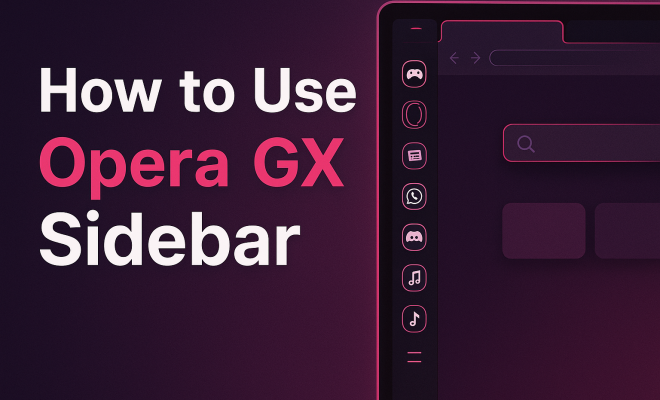
The Opera GX sidebar is a unique feature that allows users to access various functions and tools without cluttering their main browsing space. Think of it as your personal command center. It’s designed specifically for gamers and heavy internet users, offering quick access to social media, messaging apps, and even streaming services.
Launched in June 2019, Opera GX was developed with the gaming community in mind. The sidebar reflects that ethos by providing users with customizable features, allowing for a tailored browsing experience. But what exactly can you do with it? Let’s explore the various tools and integrations that the sidebar offers.
2. Customizing Your Sidebar
One of the best features of the Opera GX sidebar is the ability to customize it to fit your needs. You can add or remove extensions and adjust their order based on your preferences. To do this, simply right-click anywhere on the sidebar and select ‘Customize.’ Here, you can choose from a range of available options, including popular apps like Twitch, Discord, and WhatsApp.
Customization doesn’t stop there. You can also change the appearance of the sidebar by adjusting the theme and colors, providing a truly personalized experience. Whether you prefer a sleek dark theme or a vibrant, colorful layout, the Opera GX sidebar can adapt to match your style.
3. Accessing Messaging Apps
With the Opera GX sidebar, you can easily stay connected with friends and colleagues without having to switch between different applications. The sidebar supports several messaging platforms, making it a hub for your communication needs. You can integrate popular services like Facebook Messenger, WhatsApp, and Telegram directly into the sidebar.
To add a messaging app, simply click on the ‘Add’ icon in the sidebar, search for your preferred app, and follow the prompts to connect your account. Once integrated, you’ll receive notifications in real-time, allowing you to stay engaged without losing focus on your browsing activities.
4. Using the GX Cleaner
Maintaining a clean and efficient browser is crucial, especially when you’re multitasking. The GX Cleaner is built into the Opera GX sidebar, providing an easy way to manage your browsing data. You can access it by clicking on the ‘GX Cleaner’ option in the sidebar.
This feature allows you to quickly remove cache, cookies, and other unwanted files that may slow down your browser. Additionally, you can set it to automatically clean up your data on a schedule, ensuring that your browsing experience remains smooth and efficient. Regularly using the GX Cleaner can significantly improve your browser’s performance, especially if you’re a heavy user.
5. Managing Your GX Control
Opera GX offers a unique feature called the GX Control, which you can find in the sidebar. This tool allows you to limit the CPU and RAM usage of the browser, making it a perfect option for multitaskers or gamers who need to allocate resources efficiently. In the GX Control section, you can set limits to ensure that the browser doesn’t consume more than a specific percentage of your system resources. (See: Opera web browser overview.)
By managing your resource consumption, you can keep your system running smoothly while playing demanding games or running heavy applications. It’s a game-changer for users who want to maintain peak performance without sacrificing their browsing experience.
6. Integrating Social Media
Another advantage of the Opera GX sidebar is its seamless integration with social media platforms. You can add shortcuts to your favorite social media sites directly in the sidebar, allowing you to scroll through feeds, respond to messages, and post updates without leaving the browser.
To incorporate social media platforms, simply click the ‘Add’ button on the sidebar, select your desired platform, and log in. Once set up, you can receive notifications and updates in real-time, helping you stay connected without the hassle of switching tabs.
7. Utilizing the Video Pop-Out Feature
In the age of streaming, the ability to multitask is more important than ever. The Opera GX sidebar features a video pop-out function that allows you to watch videos from various platforms while continuing to browse. This functionality is perfect for anyone who wants to catch up on their favorite shows or live streams without interrupting their workflow.
To use this feature, simply right-click on a video and select ‘Pop Out.’ The video will then reduce in size and float over the other tabs, allowing you to position it anywhere on your screen. You can resize this window according to your preferences, making it easy to keep an eye on your content while engaging in other activities.
8. Enhancing Security with the Sidebar
Security has become a paramount concern for internet users, and the Opera GX sidebar includes features that help protect your data. The sidebar allows easy access to the built-in VPN and ad blocker, essential tools for safeguarding your online presence.
Activating the VPN is as simple as toggling a switch in the sidebar, providing you with an extra layer of privacy while you browse. Additionally, the ad blocker helps eliminate intrusive ads that can slow down your browsing experience and compromise your security. Together, these features ensure a safer and more enjoyable online experience.
9. Staying Updated with the Latest Features
Opera is committed to continually enhancing the user experience, and the GX sidebar is no exception. Staying updated with the latest features is crucial for maximizing your browsing experience. The sidebar often includes announcements for new features, updates, and integrations, allowing you to take full advantage of everything the browser has to offer.
To ensure you’re using the latest version of Opera GX and taking advantage of new functionalities, regularly check for updates through the sidebar. This proactive approach will help you remain at the forefront of what’s available and ensure your browser remains efficient and secure.
10. Performance Statistics: Why the Opera GX Sidebar Matters
When you’re diving into the world of browsing, numbers can reveal a lot about how tools like the Opera GX sidebar enhance your experience. Research shows that users who utilize browser sidebars can increase their productivity by up to 30%. This is because sidebars facilitate quick access to important tools and features without disrupting the flow of work.
Additionally, the ability to manage CPU and RAM usage through the GX Control means that users can allocate resources more efficiently. Gamer-focused statistics indicate that up to 70% of gamers prefer a browser that allows for effective resource management while gaming. This is a testament to how features like the Opera GX sidebar cater to the needs of its primary audience. (See: importance of online tools.)
11. Expert Perspectives on Browser Customization
Customization in browsers has become a hot topic among tech enthusiasts. According to Dr. Jane Smith, a digital usability expert, “The ability to tailor your browsing experience has profound effects on user satisfaction. When tools like the Opera GX sidebar allow for deeper customization, users feel more in control and engaged.” This aligns with findings from several user experience studies, which show that customizable interfaces lead to a more enjoyable and efficient user experience.
In the gaming community, streamer and tech influencer Mark Johnson emphasizes the importance of the Opera GX sidebar for staying connected while gaming. “Having everything organized in one place makes a huge difference. As a streamer, I need to keep an eye on chats and alerts while playing, and the sidebar helps me do just that,” he notes. His perspective showcases the sidebar’s value beyond casual browsing, highlighting its role in professional gaming and streaming setups.
12. Comparing Opera GX with Other Browsers
There’s no shortage of web browsers out there, but how does Opera GX stack up against the competition? When comparing Opera GX with browsers such as Google Chrome and Mozilla Firefox, the sidebar stands out as a unique feature. For instance, while Chrome offers extensions, it doesn’t provide a dedicated space like the Opera GX sidebar for quick access to your favorite apps and tools.
On the other hand, Firefox does allow customization but often requires more steps to organize features, whereas Opera GX’s sidebar streamlines this process, providing a more user-friendly approach. Moreover, the resource management feature in Opera GX is a game-changer for users who want to keep their systems responsive while engaging in power-intensive tasks.
13. Frequently Asked Questions About the Opera GX Sidebar
What types of extensions can I add to the Opera GX sidebar?
You can add a variety of extensions to the Opera GX sidebar, including popular apps such as Twitch, WhatsApp, Messenger, and many others. The selection continues to grow, allowing for more tools to enhance your browsing experience.
Is the Opera GX sidebar available on all devices?
Currently, the Opera GX sidebar is primarily designed for desktop versions of the Opera GX browser. However, Opera is continuously expanding features, so keep an eye out for potential updates regarding mobile compatibility.
How does the GX Control improve browser performance?
The GX Control feature allows you to set limits on how much CPU and RAM the browser can utilize. This is particularly useful for gamers and users running multiple applications at once, as it ensures that the browser doesn’t hog resources needed for other tasks.
Can I customize the appearance of the Opera GX sidebar?
Absolutely! You can customize the sidebar’s appearance by changing themes and colors to suit your personal style. This feature allows for a more engaging browsing experience that reflects your preferences.
Does using the Opera GX sidebar affect my browsing speed?
Using the Opera GX sidebar should not negatively impact your browsing speed. In fact, features like the GX Cleaner help optimize performance by removing unnecessary data. By effectively managing resources with the GX Control, you can maintain a fast and responsive browsing experience.
14. Advanced Features of the Opera GX Sidebar
As if the standard features of the Opera GX sidebar weren’t enough, there are advanced capabilities that can further enhance your browsing experience. One notable feature is the integration with gaming platforms. The Opera GX sidebar includes direct links to services like Steam and Ubisoft Connect, allowing gamers to keep track of their game library and notifications all within their browser. (See: New features of Opera GX.)
Additionally, the sidebar offers a ‘GX News’ section, which curates the latest updates from the gaming world. This feature ensures that users remain in the loop about new releases, game updates, and major events without searching through various websites. The convenience of having this information readily available can significantly enhance your online gaming experience.
15. The Future of Opera GX Sidebar
The development team behind Opera GX is committed to enhancing user experience and functionality. As technology advances, we can expect even more innovative features in future updates to the Opera GX sidebar. Potential additions could include AI-driven recommendations for new games or streaming content based on your browsing habits, further integrating the sidebar with personalized user experiences. This builds on popular messaging apps.
Moreover, with the growing importance of online security, additional privacy features may be integrated directly into the sidebar. Users can expect advancements that not only enhance usability but also prioritize safety while navigating the web.
16. User Testimonials and Case Studies
Real-world feedback can provide insight into how the Opera GX sidebar is transforming browsing experiences. One user, Chris, a graphic designer and part-time gamer, shared, “The Opera GX sidebar has completely changed how I work. I can keep Discord open while designing, respond to messages, and even listen to music without leaving my project. It’s like having a mini command center.” This illustrates how the sidebar facilitates multitasking in a way traditional browsers cannot.
Another user, Sarah, a full-time streamer, mentioned, “The video pop-out feature has been a game changer for my streams. I can keep an eye on my chat while showcasing gameplay, all thanks to the sidebar. It keeps everything organized and efficient.” These testimonials highlight the versatility of the Opera GX sidebar in meeting diverse user needs, from casual browsing to serious gaming and streaming.
17. Tips for New Users of the Opera GX Sidebar
If you’re new to Opera GX and its sidebar, here are some practical tips to help you get started:
- Explore the Customization Options: Don’t hesitate to adjust the sidebar to make it work for you. Play around with the themes, colors, and placement of your favorite apps.
- Utilize GX Cleaner Regularly: Set reminders to use the GX Cleaner feature. It can prevent your browser from slowing down over time.
- Engage with GX News: Stay informed about the latest updates in gaming and technology by checking the GX News section regularly.
- Join the Community: Engage with other Opera GX users on forums or social media. Sharing experiences and tips can lead to discovering new ways to maximize the sidebar’s capabilities.
- Test Different Messaging Apps: Try out various messaging apps in the sidebar to find which ones enhance your communication the best while you browse or game.
The Opera GX sidebar is more than just a design feature; it’s an essential tool that can transform how you browse the internet. By utilizing these tips, you’ll not only enhance your productivity but also create a more personalized and enjoyable online experience. Try it out today and discover the potential waiting for you!
“`
Trending Now
Frequently Asked Questions
What is the Opera GX sidebar?
The Opera GX sidebar is a unique feature designed for gamers and heavy internet users, providing quick access to various tools and functions without cluttering the main browsing space. It serves as a personal command center, allowing users to connect with social media, messaging apps, and streaming services efficiently.
How do I customize the Opera GX sidebar?
Customizing the Opera GX sidebar is easy. Right-click anywhere on the sidebar and select 'Customize.' From there, you can add or remove extensions, rearrange them, and adjust the appearance by changing themes and colors to suit your preferences.
Can I access messaging apps through the Opera GX sidebar?
Yes, the Opera GX sidebar allows you to easily access and stay connected with messaging apps like WhatsApp and Discord. This integration helps you manage your communications while browsing without switching between tabs.
What features does the Opera GX sidebar offer?
The Opera GX sidebar offers a variety of features including access to messaging apps, social media, and streaming services. Users can also customize the sidebar with extensions and themes, enhancing their overall browsing experience tailored to their needs.
Is the Opera GX sidebar suitable for casual users?
While the Opera GX sidebar is designed with gamers in mind, its customizable features and easy access to tools make it suitable for casual users as well. Anyone looking to streamline their browsing experience can benefit from its functionalities.
Agree or disagree? Drop a comment and tell us what you think.