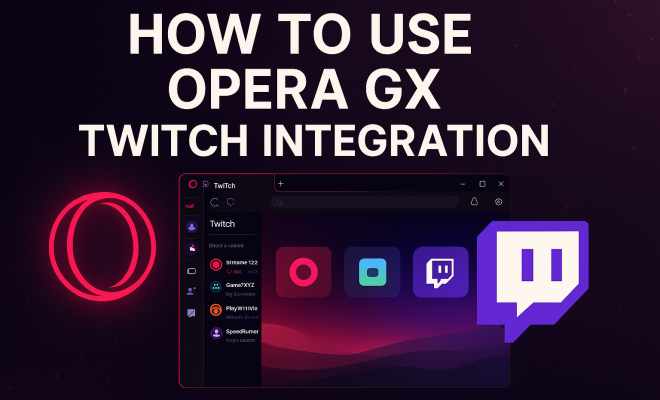
How to use Opera GX Twitch integration
“`html
In an era where gaming and streaming have merged into a cultural phenomenon, web browsers are evolving to cater to the unique needs of gamers and content creators alike. One standout in this evolution is Opera GX, a browser specifically designed for gamers. Its integration with Twitch is a game-changer, offering features that enhance the streaming experience. This article will explore how to use Opera GX’s Twitch integration effectively, providing tips, insights, and practical advice to get the most out of this innovative feature.
1. What is Opera GX?
Before diving into the Twitch integration, it’s crucial to understand what Opera GX is all about. Launched in June 2019, Opera GX is a customized version of the Opera browser tailored for gaming enthusiasts. Its developers designed it with a sleek, dark aesthetic and built-in features that cater to gamers, such as CPU, RAM, and Network Bandwidth limiters. These functionalities allow users to optimize their browsing performance while gaming, ensuring that neither activity suffers from the other.
Additionally, Opera GX comes with various features such as GX Cleaner, GX Control, and GX Mods, which help users personalize their browsing experience. It also has a unique sidebar, allowing quick access to various services, including Twitch, Discord, and social media platforms. This integration is where Twitch comes into play, enabling a seamless way to engage with content creators and streamers.
2. Setting Up Opera GX and Linking Your Twitch Account
Getting started with Opera GX Twitch integration is straightforward. First, you need to download and install the Opera GX browser if you haven’t done so already. Visit the official Opera website, download the browser, and follow the installation instructions. Once installed, you’ll be greeted with a visually appealing interface designed for speed and efficiency.
To link your Twitch account, open Opera GX and locate the sidebar on the left side of the window. You’ll find the Twitch icon there; click on it. If it’s your first time using this feature, you’ll need to log in with your Twitch credentials. Once logged in, Opera GX allows you to manage and personalize your Twitch experience right from the browser. This integration facilitates quick access to streams and notifications, making it easier than ever to stay updated with your favorite content creators.
3. Using the Twitch Integration Features
The integration of Twitch within Opera GX offers several features that enhance user experience. One key highlight is the ability to receive notifications for your followed channels. This means you’ll never miss when your favorite streamer goes live. Notifications pop up directly within the browser, ensuring you stay informed without needing to keep Twitch open in a separate tab.
Moreover, the sidebar allows you to browse through your followed channels easily. You can watch streams directly from the sidebar, making it a convenient multitasking tool. Users can customize which notifications they receive, ensuring they only get alerts for the content that matters most to them. This feature is especially beneficial for users who follow multiple streamers and want to manage their time effectively.
4. Enhancing Your Streaming Experience
For content creators, the Opera GX Twitch integration isn’t just about watching; it also enhances the streaming experience. Streamers can manage their channels more efficiently through the sidebar, allowing them to monitor chat, alerts, and performance metrics while streaming. This means less time switching between tabs and more focus on engaging with your audience.
Additionally, Opera GX is optimized for performance, ensuring that your browser doesn’t consume unnecessary resources while you stream. This optimization is essential for streamers who need to maintain high-quality streams without lag or interruptions. By utilizing the built-in features of Opera GX, streamers can focus more on content creation while the browser manages the technicalities.
5. Customizing Your Opera GX Experience
Personalization is a crucial aspect of Opera GX, and its integration with Twitch allows for extensive customization. Users can adjust the appearance of the browser, including the color scheme and background music, to create a unique atmosphere that enhances their gaming or streaming sessions. This level of customization extends to the Twitch integration as well, where users can select which streamers to follow directly from the sidebar.
You can also manage your notifications and alerts to ensure you’re only receiving the updates that matter most. By tailoring your experience, you create a streamlined and enjoyable environment for both gaming and streaming. This customization is a significant advantage over standard browsers, which often lack the flexibility that gamers and content creators crave. (See: Learn more about Opera GX.)
6. Additional Features to Explore
Beyond Twitch integration, Opera GX offers several other features that enhance the overall browsing experience for gamers. One such feature is the GX Cleaner, which helps users clear unnecessary files and cache, improving browser performance. This is particularly useful for streamers and gamers who often juggle multiple tasks and applications simultaneously, ensuring their system remains responsive.
Another essential feature is the built-in VPN that allows for secure browsing, especially useful for users streaming from regions with stringent internet regulations. The VPN not only protects privacy but also can provide access to geo-restricted content on Twitch. Additionally, the gaming-specific news feed keeps users updated with the latest game releases, updates, and community events, ensuring they’re always in the loop.
7. Keeping Up with Twitch Trends
With the rapid pace of change in the streaming world, staying updated on Twitch trends is vital for both viewers and streamers. The Opera GX Twitch integration enables users to easily explore trending games and popular streams directly through the browser. This accessibility encourages users to discover new content creators and games, enhancing their overall viewing experience.
Moreover, streamers can leverage this feature to analyze what games are trending and adjust their streaming strategies accordingly. By staying abreast of trends, streamers are better positioned to attract viewers, ultimately leading to increased engagement and growth in their channels. Having easy access to trends through the browser means you can react quickly to changes in viewer interests.
8. Community Engagement Through Opera GX
The integration of Opera GX with Twitch fosters a strong sense of community among users. By allowing easy access to chat features, users can engage with others while watching streams, enhancing the social aspect of streaming. This is particularly beneficial for smaller streamers looking to build their communities, as viewers can interact more easily while enjoying the content.
Additionally, Opera GX encourages users to share their experiences and favorite streams through social media platforms integrated into the sidebar. This sharing capability not only enhances engagement but also helps promote streamers and games within the community. The result is a vibrant ecosystem where viewers and creators can connect and grow together.
9. Frequently Asked Questions (FAQ)
What are the benefits of using Opera GX for Twitch streaming?
Using Opera GX for Twitch streaming offers optimal performance with less resource consumption, customizable notifications, and a streamlined interface that allows for better multitasking. This means you can manage your channel, chat, and stream performance without lag, leading to a smoother experience both for you and your viewers.
Can I use Opera GX on multiple devices?
Yes, Opera GX is available for various platforms, including Windows, macOS, and mobile devices. This allows you to maintain a consistent browsing and streaming experience across devices, making it easier to stay connected to your Twitch account whether you’re on your PC or smartphone.
How does the performance of Opera GX compare to other browsers?
Opera GX is specifically designed for gaming, so it typically outperforms standard browsers when it comes to managing resources. Features like CPU, RAM, and Network Bandwidth limiters ensure that you can browse without compromising your gaming performance, which isn’t common in regular browsers.
Is there any cost associated with using Opera GX?
No, Opera GX is completely free to download and use. There are no hidden fees or subscriptions required, making it an accessible option for gamers and streamers looking to improve their online experience.
Can I customize my privacy settings in Opera GX?
Absolutely! Opera GX includes a built-in VPN and ad blocker that enhance your privacy while browsing. You can adjust your privacy settings to your liking, ensuring a secure and personalized browsing experience.
Are there any unique features for content creators?
Yes, content creators benefit from features like streamlined chat management within the browser sidebar, notifications for channel activity, and performance monitoring all in one place. This allows for a more focused content creation process, freeing up time to engage with viewers.
10. Leveraging Opera GX for Twitch Community Building
Opera GX’s Twitch integration is not just beneficial for personal usage; it’s also a powerful tool for building a community. Streamers can use the features within Opera GX to actively engage with their audience. The sidebar chat functionality allows streamers to respond quickly to viewer comments without losing sight of the stream. This instant engagement can significantly enhance viewer loyalty and participation. (See: Understanding online safety for gamers.)
Furthermore, community-building extends beyond just engagement during streams. Streamers can utilize Opera GX’s options to share highlights and clips directly to social media, attracting new viewers and encouraging interactions outside of live streams. Combining these features with regular updates about upcoming streams or exclusive content can help in crafting a dedicated audience base.
11. Statistics on Twitch Streaming and Viewer Engagement
Understanding the landscape of Twitch streaming can help users and content creators make informed decisions. Recent statistics show that Twitch has over 140 million unique monthly visitors, with streamers logging approximately 17.5 million daily active users. Engagement rates are also significant, with viewers spending an average of 95 minutes daily on the platform. Such data emphasizes the potential reach and impact of effective streaming.
Additionally, Twitch’s engagement metrics indicate that streams with active community interactions, such as chat engagement, can retain viewers longer. Streamers who actively engage with their audience see a 30% increase in viewer retention, highlighting the benefits of using tools like Opera GX to manage these interactions smoothly.
12. Expert Perspectives on the Future of Streaming and Browsers
Industry experts predict that the future of streaming will heavily rely on the integration of advanced technologies within platforms. This includes the combination of traditional streaming with VR capabilities, creating immersive experiences for viewers. Opera GX’s focus on optimizing browser performance positions it well to adapt to these changes, providing users with the necessary tools to leverage future advancements.
Furthermore, many experts believe that community interaction will become increasingly important. As viewers seek more personalized experiences, browsers like Opera GX that facilitate direct engagement will become essential. Expert opinions suggest that incorporating community-oriented features will be the key to sustained growth for both streamers and platforms.
13. The Role of Social Media in Enhancing Twitch Integration
Social media plays a significant role in boosting Twitch streams, and Opera GX facilitates this with its built-in social media features. Streamers can seamlessly share their Twitch links, stream highlights, or announcements through platforms like Twitter and Facebook. This cross-platform integration amplifies visibility, driving more traffic to their channels.
Additionally, social media platforms are increasingly becoming integral for community building. Streamers who engage with their audience on both Twitch and social media tend to see higher engagement rates. The ability to maintain an active presence on multiple platforms helps in fostering a loyal viewer base, and Opera GX’s tools streamline this process.
14. Final Thoughts on Using Opera GX with Twitch
Opera GX’s Twitch integration represents a significant evolution in how gamers and streamers interact with content. Its unique features cater specifically to the needs of both viewers and creators, making it an invaluable resource in the gaming community. As the landscape of streaming continues to evolve, tools that enhance user experience and promote community engagement will be crucial. By leveraging the capabilities of Opera GX, users can ensure they stay at the forefront of this dynamic industry.
In conclusion, whether you’re a gamer looking to optimize your streaming experience or a content creator aiming to build a community, Opera GX’s Twitch integration provides the tools you need to thrive. With ongoing developments and features designed with the user in mind, it stands as a leader in the browser market for gamers.
15. Advanced Tips for Using Opera GX Twitch Integration
If you want to take your Twitch experience to the next level with Opera GX, consider these advanced tips. One useful strategy is to create a dedicated workspace within the browser for Twitch. This workspace can include tabs for your favorite streamers, games, and any tools you use for streaming or viewing purposes. Organizing your workspace allows you to switch between tasks quickly, decreasing downtime and enhancing your workflow. (See: New browser designed for gamers.)
Another tip is to utilize the built-in GX Control features fully. By monitoring your system resources while you stream or browse, you can make real-time adjustments to ensure optimal performance. For instance, if you notice that your CPU usage is high, you might consider closing some background applications or adjusting the settings in your streaming software.
Also, don’t underestimate the power of the Opera GX community. Engaging with other users through forums or social media can provide you with valuable insights and tips on how they use the browser for Twitch. Many users share their setups and configurations, which can inspire you to optimize your own experience.
16. Integrating Other Platforms with Opera GX
While Twitch integration is a standout feature, Opera GX also allows you to integrate other platforms seamlessly. For example, the inclusion of Discord means that you can maintain voice communication with friends or teammates while watching streams or playing games. This built-in functionality fosters a more collaborative gaming experience and enhances community engagement.
Additionally, you can customize how you receive notifications from different platforms, ensuring that you’re always in the loop without being overwhelmed. This flexibility is particularly beneficial for streamers who may be juggling multiple communities across various platforms. Leveraging these integrations creates a cohesive digital environment where you can focus on your activities without unnecessary distractions.
17. Future Developments and Trends for Opera GX
As the gaming and streaming landscape continues to evolve, Opera GX is likely to introduce more features that cater specifically to gamers and streamers. Future updates may include enhanced integration with emerging platforms, advanced analytics for streamers, and more robust community-building tools. Keeping an eye on browser updates ensures that you can take advantage of new features as they become available.
The trends suggest a shift towards more interactive and immersive streaming experiences as well. Features like augmented reality (AR) and virtual reality (VR) are becoming increasingly popular, and Opera GX’s focus on performance will be crucial for supporting these advancements. As users look for more engaging ways to consume content, browsers that prioritize these needs will be at the forefront of the industry.
18. Conclusion
Opera GX’s Twitch integration is more than just a feature; it’s a comprehensive tool designed to enhance how gamers and streamers interact with content. It empowers users with the tools to optimize their experience, engage with communities, and adapt to the ever-changing landscape of streaming. With Opera GX, you’re not just browsing; you’re part of a vibrant community that celebrates gaming and content creation at its finest.
So, if you haven’t already, give Opera GX a try! Experience its unique features firsthand and see how it can transform your Twitch viewing and streaming experience.
“`
Trending Now
Frequently Asked Questions
What is Opera GX and how does it work?
Opera GX is a web browser specifically designed for gamers, launched in June 2019. It features a sleek, dark aesthetic and includes tools like CPU, RAM, and Network Bandwidth limiters to optimize performance while gaming. Additionally, it offers personalization options and quick access to services such as Twitch, enhancing the overall gaming and browsing experience.
How do I set up Twitch integration in Opera GX?
To set up Twitch integration in Opera GX, first download and install the browser from the official Opera website. After installation, open Opera GX and locate the sidebar on the left side of the interface. From there, you can easily link your Twitch account to start enjoying seamless access to Twitch content and features.
What features does Opera GX offer for gamers?
Opera GX offers several features tailored for gamers, including CPU, RAM, and Network Bandwidth limiters to optimize performance while gaming. It also includes GX Cleaner for managing files, GX Control for resource management, and a unique sidebar for quick access to gaming-related services like Twitch and Discord.
Can I personalize my browsing experience with Opera GX?
Yes, Opera GX allows users to personalize their browsing experience through features like GX Mods, which enable customization of the browser's appearance and functionality. Users can also adjust settings related to performance and appearance to suit their preferences, making it a highly tailored experience for gamers.
Is Opera GX free to use?
Yes, Opera GX is completely free to download and use. Users can access all its features without any cost, making it an appealing choice for gamers looking for a specialized browser that enhances their gaming and streaming experience.
What did we miss? Let us know in the comments and join the conversation.