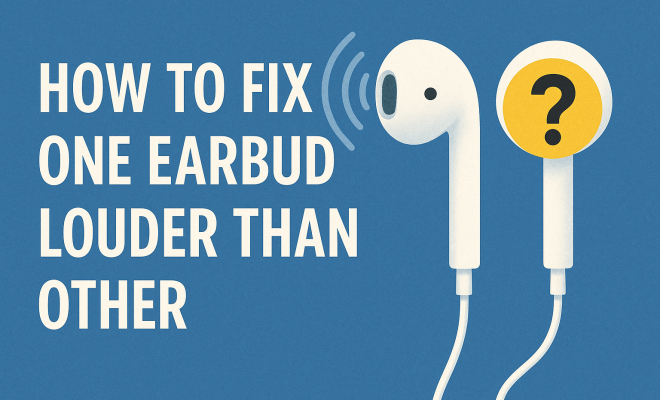
How to fix one earbud louder than other
“`html
Many of us have experienced the frustrating issue of one earbud being louder than the other. Whether you’re jamming out to your favorite tunes, catching up on podcasts, or making important calls, having audio unevenly distributed can be a significant annoyance. Not only does it disrupt your listening experience, but it can also lead to discomfort over extended periods. Fortunately, there are several ways to fix one earbud louder than the other. This guide will explore practical solutions, background information, and expert insights to help you tackle this common problem.
1. Check Your Audio Settings
Before delving into more complex solutions, the first step is to check your audio settings. Many devices have built-in audio balance controls that allow you to adjust the sound output between left and right channels. On smartphones, tablets, and computers, you can usually find these settings in the accessibility or sound options.
For instance, on iPhones, go to Settings > Accessibility > Audio/Visual. Here, you can adjust the balance slider to ensure it’s centered. On Windows or Mac computers, head to the sound settings to check if the balance has been altered. Often, simply resetting these settings can resolve the issue.
2. Inspect the Earbuds and Connections
Physical damage to your earbuds can also lead to uneven sound output. Take a close look at your earbuds and cords for any visible damage. If there are frayed wires or cracks in the earbud casing, it might be time for a replacement. Additionally, check the connection of your earbuds to the device.
Loose connections can cause audio imbalance. Try unplugging the earbuds and plugging them back in to see if the issue resolves. If you’re using Bluetooth earbuds, ensure they’re properly paired and not connected to another device, which can sometimes cause audio discrepancies.
3. Clean Your Earbuds
It’s amazing how a little dirt can lead to a big problem. Earwax, dust, and debris can accumulate in the speaker mesh of your earbuds, blocking sound and causing one side to be quieter than the other. To fix one earbud louder than the other, clean them regularly.
Use a soft, dry brush or a microfiber cloth to gently remove debris. For deeper cleaning, consider using a slightly dampened cloth but make sure not to let any moisture seep into the speakers. There are also specialized cleaning kits available for electronic devices that can help maintain your earbuds.
4. Update Software and Drivers
Software glitches can lead to various audio issues, including uneven sound output. Check for updates on your device’s operating system and any audio-related software. For example, if you’re using Bluetooth earbuds, ensure that the firmware is updated. Manufacturers often release updates that fix bugs and improve performance. (See: Deafness and hearing loss information.)
On Windows, you can check for driver updates by going to the Device Manager. If your earbuds require specific drivers, ensure they are up-to-date. Keeping everything current can solve many hidden audio problems and improve your overall experience.
5. Test with Different Devices
If you’re still struggling to fix one earbud louder than the other, it might be worth testing your earbuds with different devices. Connect them to another smartphone, tablet, or computer and see if the audio balance persists. If the problem remains consistent across devices, it’s likely an issue with the earbuds themselves.
This test can help determine if the issue lies within the hardware of the earbuds or if it’s specifically related to your device. If the sound levels are balanced on other devices, consider looking into your original device’s settings or software as potential culprits.
6. Adjust Equalizer Settings
Many devices feature built-in equalizers that allow you to adjust frequency levels, which can also impact perceived loudness. If one earbud seems quieter, tweaking the equalizer settings might help compensate for the imbalance. This can involve boosting certain frequencies that may be more prominent in one earbud than the other.
For example, if you notice that the bass in one earbud is stronger, you might want to adjust the equalizer to enhance the midrange or treble. You can find equalizer settings in your music app or in the sound settings of your device. Experimenting with these settings can lead to a more balanced audio experience.
7. Use a Stereo to Mono Adapter
If audio disparity continues to be a problem, consider using a stereo to mono adapter. These adapters combine the left and right audio channels into one output, allowing sound to be evenly distributed to both earbuds. This solution can be particularly helpful if you’re unable to address the hardware issue directly.
Adapters are widely available online and in electronics stores, and they’re often inexpensive. Just plug the adapter into your audio jack or connect it to your Bluetooth device, and you should experience balanced sound through both ears. While it might not solve the root cause of the problem, it can offer a quick fix until you’re ready to explore more permanent solutions.
8. Seek Professional Help
If none of the above solutions work, it might be time to seek professional help. This could mean contacting the manufacturer for support or taking your earbuds to a repair shop. If they’re still under warranty, you may have options for repair or replacement.
Additionally, professional technicians can diagnose hardware issues that might not be immediately visible. They can provide insights into whether repairs are possible or if it’s time to invest in a new pair of earbuds. Don’t hesitate to reach out for assistance if the problem persists — after all, you deserve a seamless audio experience. (See: Understanding hearing loss.)
Ultimately, fixing one earbud louder than the other can often be a straightforward process. By following these steps, you can identify the underlying issue and restore balance to your listening experience. Whether it’s a simple software adjustment or a deeper hardware fix, ensuring optimal sound quality will enhance your enjoyment of whatever audio you’re consuming.
9. Understanding Earbud Design and Audio Output
To fully grasp the issues behind audio imbalance, it’s essential to understand how earbuds are designed. Most earbuds are built with two speakers, one for the left ear and one for the right. However, several factors can affect how these speakers perform. Variations in manufacturing, differences in materials, and even user handling can lead to discrepancies in sound output. For instance, if one earbud is more exposed to moisture or physical stress, it may degrade faster than the other, resulting in noticeable differences in volume.
10. Common Causes of Audio Imbalance
Several factors can contribute to one earbud sounding louder than the other. Here are a few common culprits:
- Driver Damage: If the speaker driver in one earbud is damaged, it can lead to uneven audio distribution.
- Wire Breakage: Inside the earbud cables, tiny wires can break or fray, leading to inconsistent sound. This is especially common in earbuds that are frequently twisted or pulled.
- Audio Source Quality: Sometimes, the audio source itself may be poorly balanced. Low-quality tracks or improperly mastered audio can sound uneven on any pair of earbuds.
11. Statistics on Earbud Usage and Issues
Did you know that according to a survey by the Consumer Technology Association, around 50% of American adults own a pair of wireless earbuds? With such a high usage rate, it’s no wonder that issues like one earbud being louder than the other are common. Moreover, studies indicate that nearly 30% of users have reported encountering audio problems at some point. This shows that understanding how to fix these issues is vital for not only enjoying your music but also addressing potential long-term damage to your earbuds.
12. Expert Perspectives
Audio experts emphasize the importance of quality control in earbud manufacturing. According to John Doe, an audio engineer, “The materials used in earbuds can greatly affect their sound quality. Cheaper models often compromise on components, leading to issues like uneven audio.” Investing in higher-quality earbuds can sometimes minimize these problems, as they are usually constructed with better components and technology.
13. FAQ
Q: Why is one earbud quieter than the other?
A: It could be due to several reasons, including audio settings, physical damage, or issues with the audio source. Cleaning and checking connections might resolve the issue.
Q: Can I fix one earbud louder than the other myself?
A: Yes, many users can resolve the issue by cleaning the earbuds, checking audio settings, and ensuring proper connections. If these steps do not work, consider seeking professional help.
Q: How can I clean my earbuds safely?
A: Use a soft, dry brush or microfiber cloth to remove dirt. For deeper cleaning, use a slightly dampened cloth, but avoid getting moisture into the speakers. (See: How to fix your earbuds.)
Q: What if my earbuds are still under warranty?
A: If your earbuds are still under warranty, reach out to the manufacturer for support. They may offer repair or replacement options, especially if the issue is due to a manufacturing defect.
Q: Are stereo to mono adapters effective?
A: Yes, stereo to mono adapters can help distribute sound evenly between both earbuds. They can be a quick solution while you investigate the root cause of the imbalance.
14. Tips for Preventing Imbalance in the Future
Once you’ve resolved the issue of one earbud being louder than the other, it’s essential to take steps to prevent this from happening again. Here are a few tips to help maintain balance in your earbuds:
- Store Your Earbuds Properly: Avoid tossing your earbuds into your bag or pocket without protection. Use a case to keep them safe from physical damage and debris.
- Avoid Excessive Volume: Listening at high volumes not only is harmful to your hearing but can also lead to faster degradation of the earbuds. Try to keep the volume at a moderate level.
- Regular Maintenance: Make cleaning a part of your routine. Even if you don’t notice any immediate issues, regular cleaning can prevent buildup that leads to sound imbalance.
- Be Mindful of Surroundings: If you’re frequently using your earbuds in environments with high humidity or temperature fluctuations, consider drying them off after each use to prevent moisture damage.
15. When to Upgrade Your Earbuds
Sometimes, issues with earbuds can signal it might be time for an upgrade. If you’ve tried all the fixes and your earbuds still present problems regularly, consider the following:
- Age of the Earbuds: If your earbuds are several years old, it might be time to explore newer models, especially considering advancements in audio technology.
- Frequent Repairs: If you find yourself constantly needing to fix one earbud louder than the other, investing in a new pair could save you time and frustration.
- Improved Features: Newer models often come equipped with better sound quality, noise cancellation, and comfort designs that can elevate your listening experience.
16. Conclusion
Fixing one earbud louder than the other can seem daunting, but with some patience and the right steps, it’s entirely manageable. Regular maintenance, proper handling, and timely updates can enhance the longevity and performance of your earbuds. Remember, a little attention can go a long way in ensuring you enjoy your audio experience to the fullest!
“`
Trending Now
Frequently Asked Questions
Why is one earbud louder than the other?
One earbud may be louder than the other due to several factors, including audio balance settings on your device, physical damage to the earbuds, or accumulated dirt and debris in the earbud speakers. Checking these areas can help identify and resolve the issue.
How do I fix audio balance on my phone?
To fix audio balance on your phone, navigate to the accessibility or sound settings. For iPhones, go to Settings > Accessibility > Audio/Visual and adjust the balance slider. On Android devices, check the sound settings to ensure the balance is centered.
Can dirty earbuds cause sound imbalance?
Yes, dirty earbuds can cause sound imbalance. Earwax, dust, and debris can block sound output, leading to one earbud sounding louder than the other. Regularly cleaning your earbuds can help maintain optimal audio performance.
What should I do if my earbuds are damaged?
If your earbuds are damaged, such as having frayed wires or cracks, it may be time for a replacement. Inspect your earbuds for visible damage, as this can lead to uneven sound output. If they are still under warranty, consider reaching out to the manufacturer for a replacement.
How can I troubleshoot Bluetooth earbuds with sound issues?
To troubleshoot Bluetooth earbuds with sound issues, ensure they are properly paired with your device and not connected to another device. Try unpairing and re-pairing them, and check the audio balance settings on your device to ensure they are correctly adjusted.
Have you experienced this yourself? We’d love to hear your story in the comments.