Master Clockify: Boost Productivity & Manage Projects
“`html
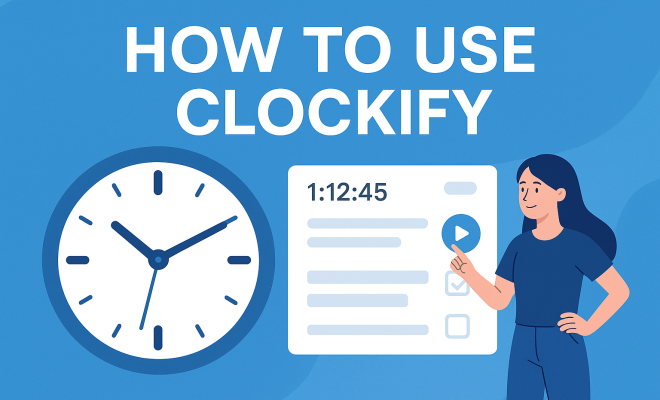
In an increasingly data-driven world, managing time effectively is not just a skill; it’s an essential competency for success. Enter Clockify, a free time-tracking tool designed to help you monitor how you spend your time, boost productivity, and streamline project management. In this article, we’ll explore how to use Clockify, from setting up your account to maximizing its features for your personal and professional tasks.
1. Getting Started with Clockify
Before diving into the specifics of using Clockify, let’s go over the basics. Clockify is a web-based platform compatible with multiple devices, making it accessible anytime, anywhere. To get started, simply visit their website and sign up for a free account. The registration process is straightforward: you only need an email address and a password to create your profile. Once registered, you can also download the Clockify app on your mobile device or desktop for even more convenience.
After logging in for the first time, you’ll be greeted with a clean, user-friendly dashboard. This dashboard is where you’ll find all the tools you need to begin tracking your time effectively. Clockify offers a range of features, but the first step is familiarizing yourself with the interface. Spend a few minutes exploring the layout and getting comfortable with the menu options available on the left side of the screen.
2. Setting Up Projects and Tasks
One of the core functionalities of Clockify is its ability to organize time tracking into projects and tasks. This feature is essential for anyone working on various projects simultaneously, whether you’re a freelancer juggling multiple clients or part of a large team collaborating on complex projects.
To set up a project, navigate to the “Projects” tab on your dashboard. Here, you can create a new project by clicking the “Add Project” button. You’ll need to provide a name for your project and can even assign it to a specific client if you’re managing multiple accounts. Additionally, you can set a budget, which will help you monitor the time spent against your project’s allotted hours. Once your project is set up, you can create tasks under that project, which allows for more granular time tracking.
It’s worth noting that projects can also be categorized by priority, helping you focus on tasks that need immediate attention. You can even color-code your projects, making it easier to see at a glance what needs your attention first. This visual organization can lead to better time management overall, as you can prioritize high-importance projects over others.
Another great aspect of Clockify is the ability to add descriptions to your projects and tasks. This feature can help clarify objectives or specify details pertinent to a task, ensuring that everyone on your team understands what needs to be accomplished. Clarity in task descriptions can prevent confusion and enhance productivity.
3. Tracking Time
Now that you have your projects and tasks set up, it’s time to start tracking your time. Clockify offers two main methods for tracking: manual entry and the timer feature. The timer feature is particularly useful for those who want to track their activities in real-time. To use the timer, simply click the “Start” button when you begin a task and hit “Stop” when you finish.
If you prefer to log your time retrospectively, you can do this by navigating to the “Time Tracker” tab and entering the details of your work. Here, you can specify the date, the project, task, and the duration of the work. This flexibility means you can accurately record your time, even if you forget to start the timer initially.
Additionally, Clockify allows you to categorize your time entries with tags. This feature can be especially useful for freelancers who often juggle multiple roles within a project. For instance, if you’re working on a marketing project, you might tag your entries as “research,” “content creation,” or “client communication.” This can provide deeper insights into where your time is being spent and help you identify areas for improvement.
Another helpful feature is the ability to add notes to your time entries. This allows you to provide further context about what was accomplished during the tracked time, which can be valuable for future reference and productivity analysis.
4. Generating Reports
One of Clockify’s most powerful features is its reporting capability. Once you’ve tracked your time, you’ll want to analyze how that time is being spent. Clockify allows you to generate detailed reports that can show you how much time was spent on each project and task, as well as insights on productivity trends over days, weeks, or months.
To generate a report, go to the “Reports” section on your dashboard. From here, you can customize your report by selecting the date range, projects, and users (if you’re part of a team). The platform will compile your data and present it visually, making it easy to identify areas where you may need to improve your time management skills. This feature is invaluable for freelancers who need to provide clients with detailed billing information, as well as teams looking to enhance their overall productivity.
Moreover, you can export these reports in various formats like PDF or CSV, making it easy to share with clients or team members. Customizable templates are also available, allowing you to create standardized reports that can be quickly generated for recurring meetings or reviews. Having structured reports at your disposal can significantly simplify your project management and communication efforts. (See: Time management overview on Wikipedia.)
Consider setting aside time weekly or monthly to analyze your reports thoroughly. This practice can help highlight patterns in your work habits, such as peak productivity hours or recurring project bottlenecks, allowing you to adjust your scheduling and task management strategies accordingly.
5. Integrating with Other Tools
In today’s digital ecosystem, integration is key to maximizing productivity. Clockify understands this need and offers several integrations with popular tools such as Asana, Trello, and Slack. These integrations allow you to streamline your workflow and ensure that time tracking seamlessly fits into your existing processes.
To integrate Clockify with another tool, head to the “Integrations” tab in the settings. You’ll find a list of supported applications and can follow the prompts to connect them. Once integrated, you can track time directly from tools like Trello, enabling you to click a button and log time for specific tasks without switching apps. This efficiency can save you precious minutes throughout your workday.
For teams that rely on communication tools like Slack, the integration can be particularly beneficial. You can start or stop the timer from within Slack itself, allowing for immediate time tracking without interrupting your flow. This kind of integration helps maintain productivity and ensures that time tracking becomes a natural part of your work routine.
Additionally, Clockify’s integrations extend to accounting tools like QuickBooks and Xero, making it easier for freelancers and businesses to manage invoicing directly from their time tracking data. This can simplify the billing process and help ensure accuracy in client invoicing.
6. Using Clockify for Team Management
If you’re managing a team, Clockify becomes even more powerful. The platform offers team management features that allow you to monitor the time spent by each team member on various projects. This transparency can be vital for assessing workload distribution and ensuring that no one is overloaded.
To add team members, you’ll need to upgrade to Clockify’s paid plans, but the investment can be worth it for larger teams. Once you have your team set up, you can assign projects and tasks to specific members. This way, everyone knows their responsibilities, and you can easily track who is working on what, which is especially useful for ensuring accountability.
In addition, the team management features provide insights into each member’s productivity levels. You can compare the time spent on various tasks across the team and identify top performers or those who may need additional support. This ability to analyze performance data can help you optimize team workflows and improve overall efficiency.
For teams working on long-term projects, utilizing Clockify’s project budgeting tools can help keep your project within scope and identify when additional resources may be necessary. Regular check-ins on project budgets can prevent overruns and ensure timely delivery.
7. Optimizing Your Use of Clockify
To truly maximize the benefits of Clockify, consider adopting some best practices. First, regularly review your reports to identify trends in your time usage. Are there projects that consistently take longer than expected? Are you spending too much time on low-priority tasks? Answering these questions can help you refine your workflow.
Additionally, set specific goals for your time tracking. Perhaps you want to limit the hours spent on certain tasks or increase the time allocated to high-impact projects. By establishing clear objectives, you can use Clockify not just as a tracking tool but also as a means to enhance your productivity and efficiency.
Another strategy is to create a consistent time tracking routine. Consider setting aside a few minutes at the end of each day or week to review your entries and adjust your future plans accordingly. This practice can help solidify the habit of tracking your time and make it easier to spot patterns in your work habits.
Don’t hesitate to leverage the app’s notifications and reminders. Setting up alerts for upcoming deadlines or reminders to log time can help you stay on top of your tasks and ensure nothing slips through the cracks. Keeping your time organized can directly contribute to improved productivity.
8. Clockify for Personal Use
You don’t have to be a business owner or freelancer to benefit from how to use Clockify. Individuals can leverage this tool for personal projects, hobbies, and even household chores. By tracking your time spent on various activities, you can gain insight into how you allocate your personal time and where you might want to make changes.
For instance, if you find you’re spending too much time on social media or binge-watching shows, you can consciously adjust your schedule to prioritize activities that align with your personal goals, such as learning a new skill or exercising. Clockify provides the structure to help manage your personal life more effectively.
Moreover, you can create personal projects for self-improvement. For example, if you’re trying to read more books, you could set up a project titled “Reading” and track the hours spent on that activity. This can serve as motivation and help you stay accountable to your personal development goals.
Don’t forget to use Clockify to help achieve your wellness goals as well. Tracking time spent exercising, meditating, or engaging in hobbies can help you ensure you are dedicating enough time to your well-being, which is crucial for maintaining balance in your life. (See: CDC guidelines on productivity and time management.)
9. Final Thoughts and Recommendations
In a world where time is one of our most valuable resources, learning how to use Clockify can lead to significant improvements in both personal productivity and team efficiency. Its user-friendly interface, combined with robust features like project management, reporting, and integrations, makes it a standout choice for anyone looking to take control of their time.
Whether you’re a freelancer, a team manager, or simply someone looking to optimize your personal time, Clockify offers a range of tools that can help. Remember to continually assess your usage and adapt your strategies to achieve your goals. With Clockify by your side, you’re not just tracking time; you’re making time work for you.
10. Frequently Asked Questions (FAQ)
What is Clockify?
Clockify is a free time-tracking tool designed to help users monitor how they spend their time, improve productivity, and manage projects more efficiently. It can be accessed via web browsers and mobile applications, making it a versatile tool for individuals and teams alike.
Is Clockify really free?
Yes, Clockify offers a robust free plan that includes time tracking, reporting, and basic project management features. There are also paid plans available that unlock advanced functionalities like team management, time off tracking, and additional reporting options.
Can I use Clockify offline?
Clockify primarily operates on an online platform, but you can use the mobile app to track time offline. Once you reconnect to the internet, your data will sync automatically to your account.
How secure is my data with Clockify?
Clockify takes data security seriously and employs industry-standard encryption to protect user data. They also comply with GDPR regulations, ensuring that your personal information is handled with care.
Can I customize my Clockify experience?
Yes, Clockify offers various customization options. You can adjust project settings, create custom tags, and even modify reporting templates to suit your preferences. This flexibility allows you to tailor the platform to better meet your specific needs.
What types of reports can I generate with Clockify?
Clockify allows you to generate various reports, including detailed summaries of time spent on projects, tasks, and individual team member contributions. You can customize these reports by date range and export them in formats like PDF or CSV.
How does Clockify integrate with other tools?
Clockify integrates seamlessly with many popular tools such as Asana, Trello, Slack, and more. These integrations can streamline your workflow, allowing you to track time directly from within these applications without needing to switch back and forth.
Can I track time for different clients in Clockify?
Absolutely! You can create separate projects for each client and track time accordingly. This feature is especially beneficial for freelancers who need to bill clients based on the time spent on their projects.
Is there a mobile app for Clockify?
Yes, Clockify offers mobile applications for both iOS and Android devices. This allows you to track your time on-the-go, making it easier to log your activities wherever you are.
11. Advanced Features of Clockify
While many users appreciate the basic functionality of Clockify, exploring its advanced features can help you optimize your time tracking experience even further. These features often come with upgraded plans but can significantly enhance your productivity.
One such feature is the ability to create recurring tasks. If you have regular activities—like weekly reports or monthly meetings—you can set these up as recurring tasks. This not only saves you the time of creating these tasks manually but also ensures that you don’t forget to log these essential activities.
Another powerful feature is the “Timeline” view, which provides a visual representation of how you’ve spent your time throughout the day. This can help you identify patterns in your productivity and make adjustments as needed. If you notice that you consistently have unproductive time blocks, you can analyze what’s causing them and create strategies to overcome these obstacles. (See: Harvard University resources on productivity.)
Clockify also offers a “Pomodoro Timer” for those who work best using the Pomodoro Technique. This method encourages focused bursts of work followed by short breaks, maximizing efficiency and minimizing fatigue. Using this timer can help structure your workday and keep you on task.
12. Clockify for Freelancers vs. Teams
When considering how to use Clockify, it’s essential to recognize the differences in how freelancers and teams can leverage the platform. For freelancers, Clockify serves as a straightforward invoicing tool. By tracking time for each client project, you can quickly generate invoices based on your tracked hours, ensuring you get paid accurately.
On the other hand, teams can utilize Clockify for comprehensive project management and team productivity tracking. The ability to monitor different users’ activity levels and project statuses can lead to improved collaboration and communication. Teams can also benefit from having shared project budgets to ensure that all members are aware of their time allocations and the project’s overall financial health.
Both freelancers and teams can use the app’s analytics to pinpoint areas for improvement and make necessary adjustments to optimize workflows. For freelancers, this might mean spending less time on certain tasks, while teams might focus on reallocating resources to ensure more balanced workloads.
13. Common Challenges and Solutions
Even with a robust tool like Clockify, users may encounter challenges while using the platform. One common issue is maintaining consistent time tracking. Life can get busy, and it’s easy to forget to log time. Setting up reminders or scheduling designated time for tracking can help alleviate this issue.
Another challenge is ensuring that all team members are on the same page regarding time tracking practices. To address this, it can be beneficial to have a team meeting to discuss how to use Clockify effectively, set expectations, and share tips for maximizing its features.
Some users also report difficulty with navigating the reporting features. To overcome this, consider reviewing the help resources available on Clockify’s website or seeking tutorials that can give you a more in-depth understanding of generating and analyzing reports.
14. Clockify for Different Industries
Clockify is versatile enough to cater to various industries. In the creative sector, for instance, designers and content creators can use it to track project time for different clients, ensuring accurate billing and helping them assess their workload. In the tech industry, software developers can log time spent on coding, debugging, and meetings, which can help in evaluating project timelines and resource allocation.
In consulting, professionals can utilize Clockify to keep precise records of hours spent on client work. This not only aids in accurate billing but can also provide insights into which clients or projects consume more time, allowing for better future planning.
Ultimately, regardless of the industry, the key to maximizing Clockify’s effectiveness is to customize its use to fit your specific needs and workflows. Tailoring the tool to your unique requirements can lead to more efficient time management and improved productivity.
“`
Trending Now
Frequently Asked Questions
How do I get started with Clockify?
To get started with Clockify, visit their website and sign up for a free account using your email address and a password. After logging in, familiarize yourself with the user-friendly dashboard where you can access all the tools needed for effective time tracking.
Can I use Clockify on multiple devices?
Yes, Clockify is a web-based platform compatible with multiple devices. You can access it anytime, anywhere, and even download the Clockify app for mobile or desktop use for added convenience.
How do I set up projects and tasks in Clockify?
To set up projects and tasks in Clockify, navigate to the 'Projects' tab on your dashboard. Click the 'Add Project' button, provide a name for your project, and you can assign it to a specific client if needed, allowing for organized time tracking.
Is Clockify really free to use?
Yes, Clockify offers a free time-tracking tool that helps you monitor how you spend your time. While there are premium features available, the basic functionalities are free, making it accessible for personal and professional use.
What features does Clockify offer?
Clockify offers a range of features including time tracking, project management, task organization, and reporting tools. These functionalities help you boost productivity and streamline your workflow, whether you are a freelancer or part of a team.
What did we miss? Let us know in the comments and join the conversation.