The Best Free Pomodoro Timers and Apps to Boost Productivity
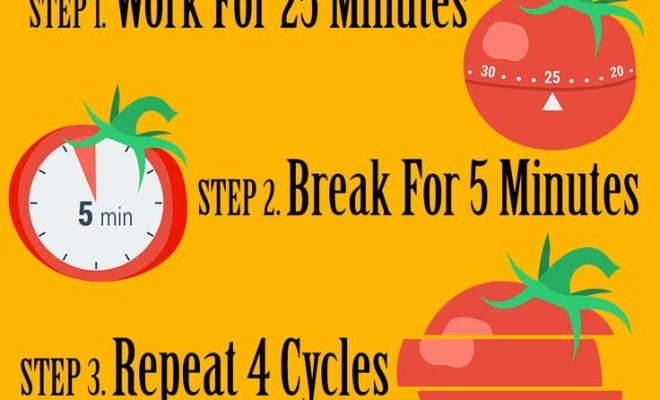
In a world filled with distractions, maintaining productivity can be challenging. The Pomodoro Technique, a time management method developed by Francesco Cirillo, has been a boon for many who want to enhance their work efficiency. This technique requires dividing your work into intervals of focus (traditionally 25 minutes), separated by short breaks. To help implement this productivity hack, numerous timers and apps are available. Here are some of the best free options to consider:
1.TomatoTimer
Simple and straightforward, TomatoTimer is a web-based Pomodoro timer that lets you dive right into the method without any hassle or sign-up requirements.
2.Focus Booster
Focus Booster offers more than just a timer—it provides insights into your productivity patterns. With the free version, you can access limited sessions of its Pomodoro timer along with basic productivity reporting.
3.Pomodone App
Integrate the Pomodoro Technique with your existing task managers like Trello or Asana using Pomodone App. The basic version lacks some advanced features but is still highly effective for simple time tracking.
4.KanbanFlow
For those who enjoy combining Kanban boards with Pomodoro, KanbanFlow is an excellent tool. It includes a built-in Pomodoro timer and allows you to track the time spent on individual tasks directly on your board.
5.Marinara Timer
Offering customizable time cycles, Marinara Timer is flexible enough to accommodate personal preferences within the Pomodoro Technique—perfect for varying attention spans and task needs.
6.Be Focused
This app is ideal for iOS device users who are looking to balance work intervals with breaks effectively. Be Focused allows you to set goals, track progress, and customize the length of both focus sessions and breaks.
7.Engross
Engross features a unique ‘hit me when you are distracted’ button during focus sessions to help identify distraction patterns. Available on Android devices, it combines a Pomodoro timer with detailed analytics.
8.PomoDoneApp Chrome Extension
Ideal for those who prefer not to switch between apps while working on a computer, PomoDoneApp’s Chrome Extension makes it easy to start a Pomodoro session right from your browser toolbar.
9.Focus@Will
Not just a timer, Focus@Will combines neuroscience and music to boost concentration. While the full service is paid, there’s a 1-month free trial available for new users that includes the timer.
10 .Forest
More than just keeping track of time, Forest helps reduce the temptation of using your phone while working. As you stay focused during your work interval, you grow virtual trees; thus providing an engaging twist on the traditional timer.
These tools offer various features that cater to different preferences and needs while maintaining the core principle of the Pomodoro Technique—promoting focused work sessions followed by short breaks to prevent mental fatigue and burnout. Whether you prefer a no-frills approach or in-depth analysis of your productivity patterns, there’s an option above that can help boost productivity without costing anything but effort.