The Tech Edvocate

Top Menu

  • Advertisement
  • Apps
  • Home Page
  • Home Page Five (No Sidebar)
  • Home Page Four
  • Home Page Three
  • Home Page Two
  • Home Tech2
  • Icons [No Sidebar]
  • Left Sidbear Page
  • Lynch Educational Consulting
  • My Account
  • My Speaking Page
  • Newsletter Sign Up Confirmation
  • Newsletter Unsubscription
  • Our Brands
  • Page Example
  • Privacy Policy
  • Protected Content
  • Register
  • Request a Product Review
  • Shop
  • Shortcodes Examples
  • Signup
  • Start Here
    • Governance
    • Careers
    • Contact Us
  • Terms and Conditions
  • The Edvocate
  • The Tech Edvocate Product Guide
  • Topics
  • Write For Us
  • Advertise

Main Menu

  • Start Here
    • Our Brands
    • Governance
      • Lynch Educational Consulting, LLC.
      • Dr. Lynch’s Personal Website
      • Careers
    • Write For Us
    • The Tech Edvocate Product Guide
    • Contact Us
    • Books
    • Edupedia
    • Post a Job
    • The Edvocate Podcast
    • Terms and Conditions
    • Privacy Policy
  • Topics
    • Assistive Technology
    • Child Development Tech
    • Early Childhood & K-12 EdTech
    • EdTech Futures
    • EdTech News
    • EdTech Policy & Reform
    • EdTech Startups & Businesses
    • Higher Education EdTech
    • Online Learning & eLearning
    • Parent & Family Tech
    • Personalized Learning
    • Product Reviews
  • Advertise
  • Tech Edvocate Awards
  • The Edvocate
  • Pedagogue
  • School Ratings

logo

The Tech Edvocate

  • Start Here
    • Our Brands
    • Governance
      • Lynch Educational Consulting, LLC.
      • Dr. Lynch’s Personal Website
        • My Speaking Page
      • Careers
    • Write For Us
    • The Tech Edvocate Product Guide
    • Contact Us
    • Books
    • Edupedia
    • Post a Job
    • The Edvocate Podcast
    • Terms and Conditions
    • Privacy Policy
  • Topics
    • Assistive Technology
    • Child Development Tech
    • Early Childhood & K-12 EdTech
    • EdTech Futures
    • EdTech News
    • EdTech Policy & Reform
    • EdTech Startups & Businesses
    • Higher Education EdTech
    • Online Learning & eLearning
    • Parent & Family Tech
    • Personalized Learning
    • Product Reviews
  • Advertise
  • Tech Edvocate Awards
  • The Edvocate
  • Pedagogue
  • School Ratings
  • The Silent Revolution: How AI Property Valuation Is Quietly Reshaping Real Estate

  • The Astonishing Truth: Why Your Dream Car Is Now a $52,000 Illusion

  • Toxic Algorithms: Why Your Bank’s AI Could Cost You Everything

  • OpenAI’s GPT-6 Cyber: A Dangerous New AI Threat or Our Ultimate Digital Guardian?

  • This Game-Changing Natural Ozempic Alternative Just Blew Up on Social Media

  • Bónuszösszeg, ingyen pörgetés és befizetési feltétel: üdvözlő és befizetés nélküli kaszinóajánlatok magyar játékosoknak

  • 9 Critical Reasons Why Athexio Might Be The Investment You Need (Or Should Avoid)

  • A Single Breakthrough Could Finally Kill Range Anxiety for Millions of EV Owners

  • Your Money, Their AI: The Secret Agents Invading Bank Accounts

  • US Battery as a Service Market Shifts Toward Fleet-Based Energy

Tech Advice
Home›Tech Advice›How to Use the Dynamic Island on iPhone 14 Pro and Pro Max

How to Use the Dynamic Island on iPhone 14 Pro and Pro Max

By Matthew Lynch
July 23, 2023
0
Spread the love

The iPhone 14 Pro and Pro Max introduce a game-changing feature called the Dynamic Island, enhancing user experience and accessibility. This innovative feature enables more efficient and organized management of your apps while allowing for a more personalized experience. In this article, we will guide you through the steps on how to use the Dynamic Island on your iPhone 14 Pro or Pro Max.

Step 1: Setting Up the Dynamic Island

To get started with the Dynamic Island, follow these steps:

1. Unlock your iPhone 14 Pro or Pro Max.

2. Open the Settings app.

3. Scroll down and tap on “Dynamic Island.”

4. Make sure you enable “Access Dynamic Island” so that it is turned on.

Once this setting is enabled, your home screen will now include access to the Dynamic Island, allowing you to enjoy its functionality.

Step 2: Customizing the Dynamic Island

The Dynamic Island can be customized according to your exact preferences and needs. To customize it, follow these instructions:

1. Press and hold any empty space on your home screen until the apps jiggle.

2. You will see a ‘+’ button within the Dynamic Island area—tap it to open customization options.

3. Choose from various options such as App Library, Widget Store, Smart Stacks, or Folders to add or modify elements within your Dynamic Island.

4. Drag and position items where you’d like them in the space provided.

5. Tap “Done” when you’re satisfied with your customization.

Step 3: Using Smart Stacks

Smart Stacks are an efficient way of managing notifications, information, and app shortcuts in one stack:

1. Within customization mode (from Step 2), tap “Smart Stacks” from available options.

2. Select which apps or widgets you’d like to include in a Smart Stack.

3. Drag the selected stack items and group them within your Dynamic Island area.

4. Flick up or down on the Smart Stack to reveal the different layers.

Step 4: Managing Folders within Dynamic Island

The Dynamic Island allows for more organized folder management, giving you better control over your home screen apps:

1. Press and hold an app icon until it jiggles, then drag it into your Dynamic Island area.

2. Drop the icon onto another app icon to create a new folder, or into an existing folder to move it.

3. Edit the folder’s name or color by tapping the folder when in customization mode.

Conclusion:

The Dynamic Island on iPhone 14 Pro and Pro Max has transformed the way users interact with their devices, simplifying navigation and personalizing home screens. With its streamlined approach to organizing apps and widgets, this revolutionary feature enhances productivity and enjoyment for users. Follow these simple steps to make the most of the Dynamic Island experience.


Previous Article

Easy Ways to Save Money on Video ...

Next Article

Organize Your Apple Photos: How to Create, ...

Matthew Lynch

Related articles More from author

  • Tech Advice

    Leesa Legend Mattress Review – A Luxurious Sleep Experience

    July 7, 2023
    By Matthew Lynch
  • Tech Advice

    Capital One Walmart Rewards Card Review

    August 8, 2023
    By Matthew Lynch
  • Tech Advice

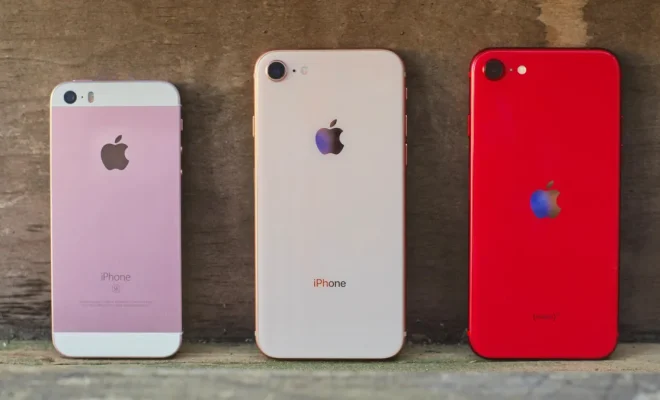
    Don’t sell or trade in your old iPhone just yet. 8 ways to give it new life at home

    July 17, 2023
    By Matthew Lynch
  • Tech Advice

    2024 Chevrolet Silverado 2500 First Drive Review: Brawnier, Better To Live With

    August 21, 2023
    By Matthew Lynch
  • Tech Advice

    Amazon Sidewalk Will Create Entire Smart Neighborhoods: Here’s What You Should Know

    July 10, 2023
    By Matthew Lynch
  • Tech Advice

    2024 BMW M5: Everything we know so far about the hybrid performance car – Drive

    August 11, 2023
    By Matthew Lynch

Search

Login & Registration

  • Log in
  • Entries feed
  • Comments feed
  • WordPress.org

Newsletter

Signup for The Tech Edvocate Newsletter and have the latest in EdTech news and opinion delivered to your email address!

About Us

Since technology is not going anywhere and does more good than harm, adapting is the best course of action. That is where The Tech Edvocate comes in. We plan to cover the PreK-12 and Higher Education EdTech sectors and provide our readers with the latest news and opinion on the subject. From time to time, I will invite other voices to weigh in on important issues in EdTech. We hope to provide a well-rounded, multi-faceted look at the past, present, the future of EdTech in the US and internationally.

We started this journey back in June 2016, and we plan to continue it for many more years to come. I hope that you will join us in this discussion of the past, present and future of EdTech and lend your own insight to the issues that are discussed.

Newsletter

Signup for The Tech Edvocate Newsletter and have the latest in EdTech news and opinion delivered to your email address!

Contact Us

The Tech Edvocate
910 Goddin Street
Richmond, VA 23231
(601) 630-5238
[email protected]

Copyright © 2026 Matthew Lynch. All rights reserved.